Setting Up Access Groups in Wavity Platform
Setting Up Access Groups in Wavity Platform
- Access Groups enable the organization of signed-in users based on tags, user profiles, groups, or organizations, thereby simplifying the management of permissions and the control of access to specific resources or features.
- Access Groups are a way to organize users who are logged into your system.
- Creating Access Groups on the Wavity platform is a straightforward process.
- Only Admin will have access to set up the Access Groups.
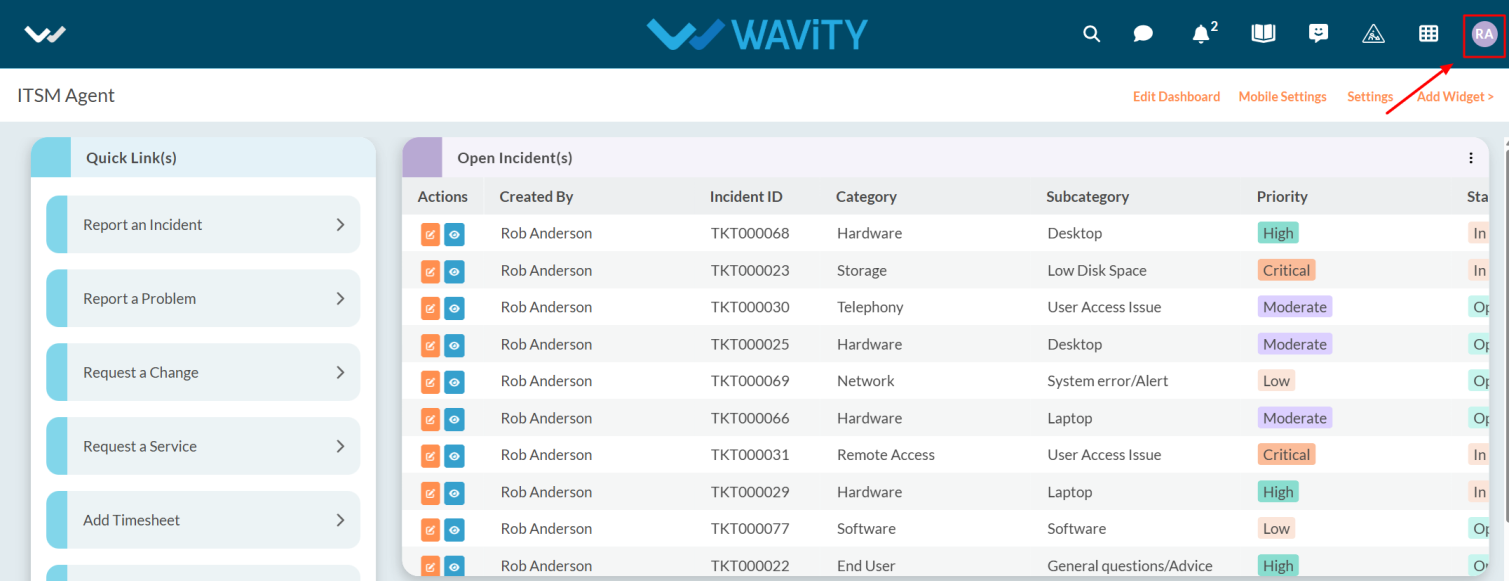
- Click on the Profile Icon.
- From the options, select the General.
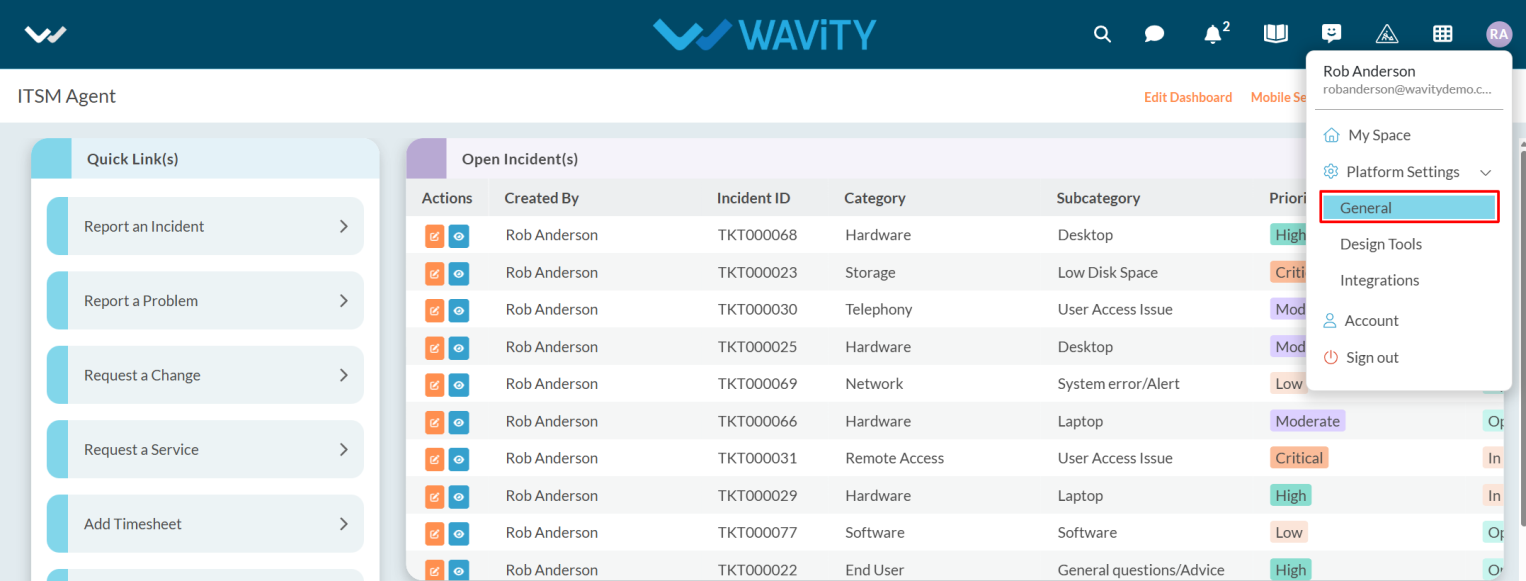
- After selecting General from the options, you will be directed to the Platform Settings – General page.
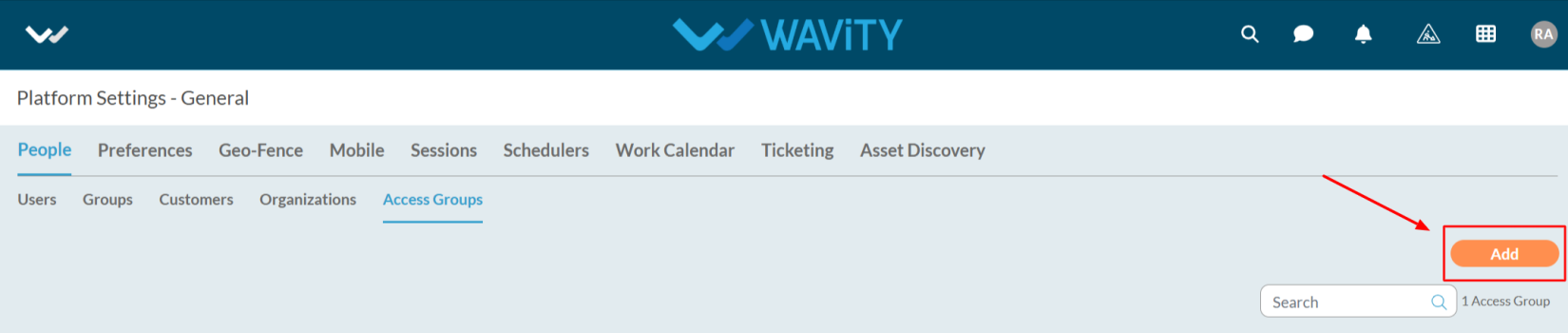
- Navigate to the People tab and select Access Groups.
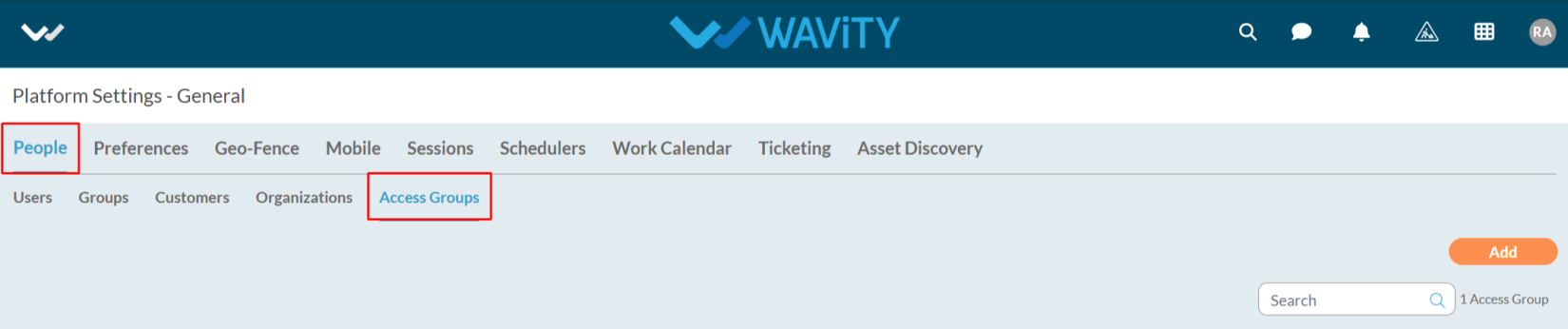
- Click on the Add button as shown in the image below.
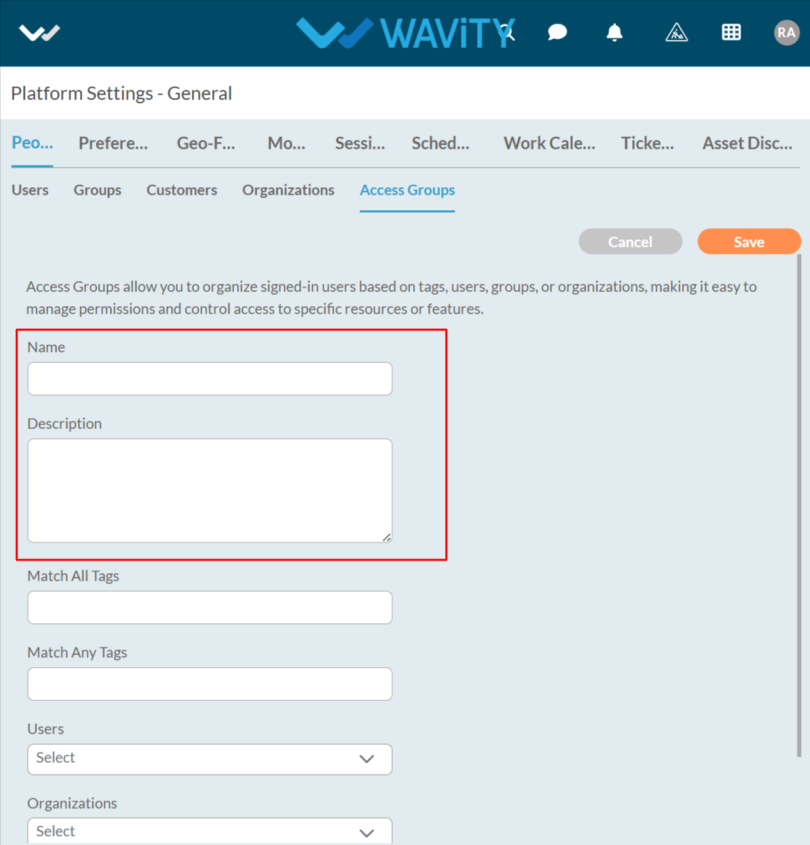
- Enter the name and description as required.
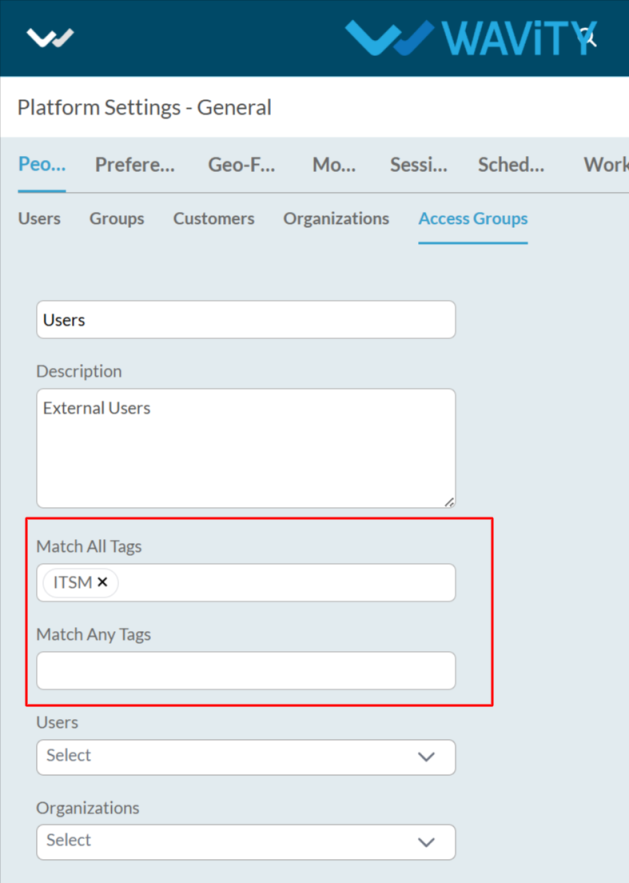
- Enter the Tags as you required.
- Select the users, organizations, and groups from the dropdown options.
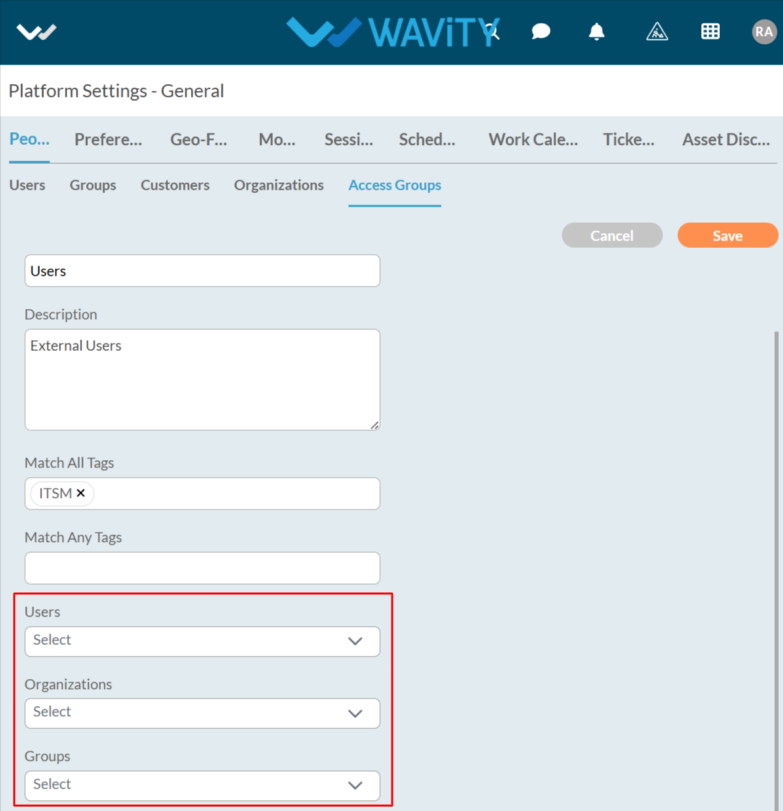
- After entering the details, click the Save button to proceed.
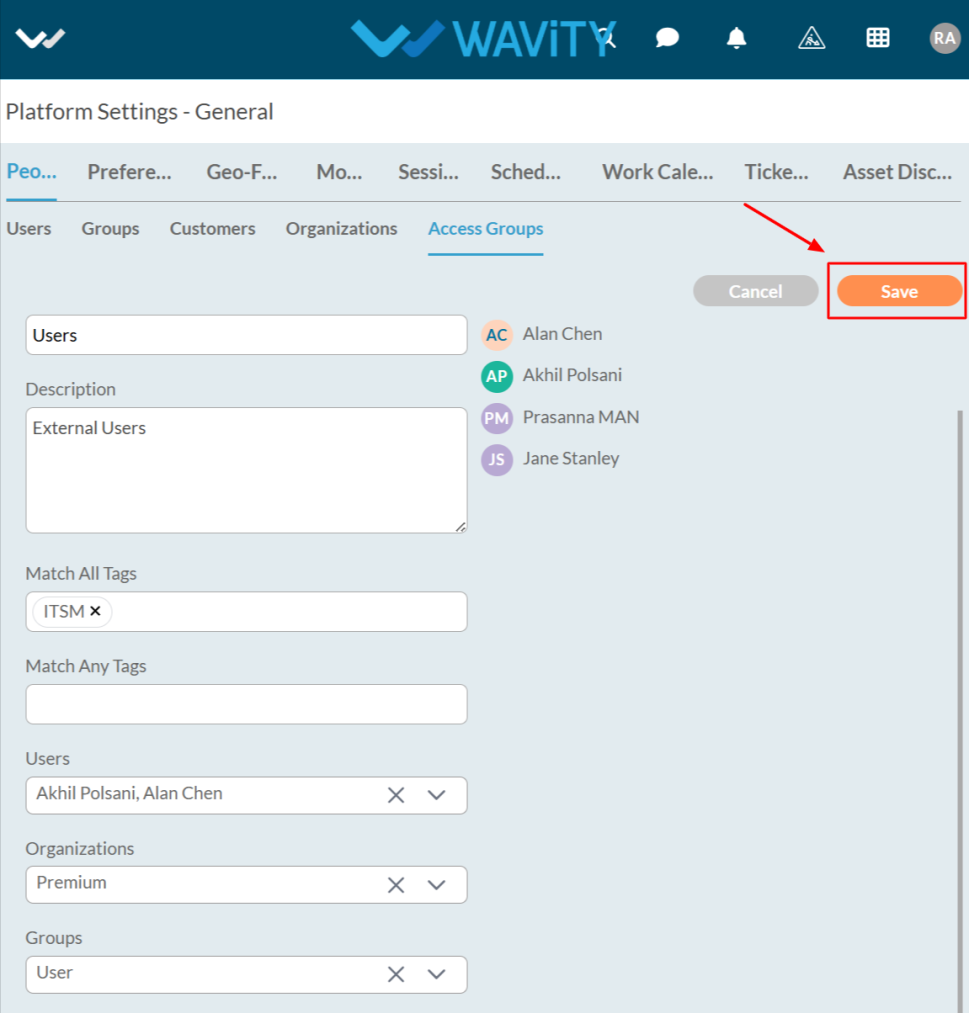
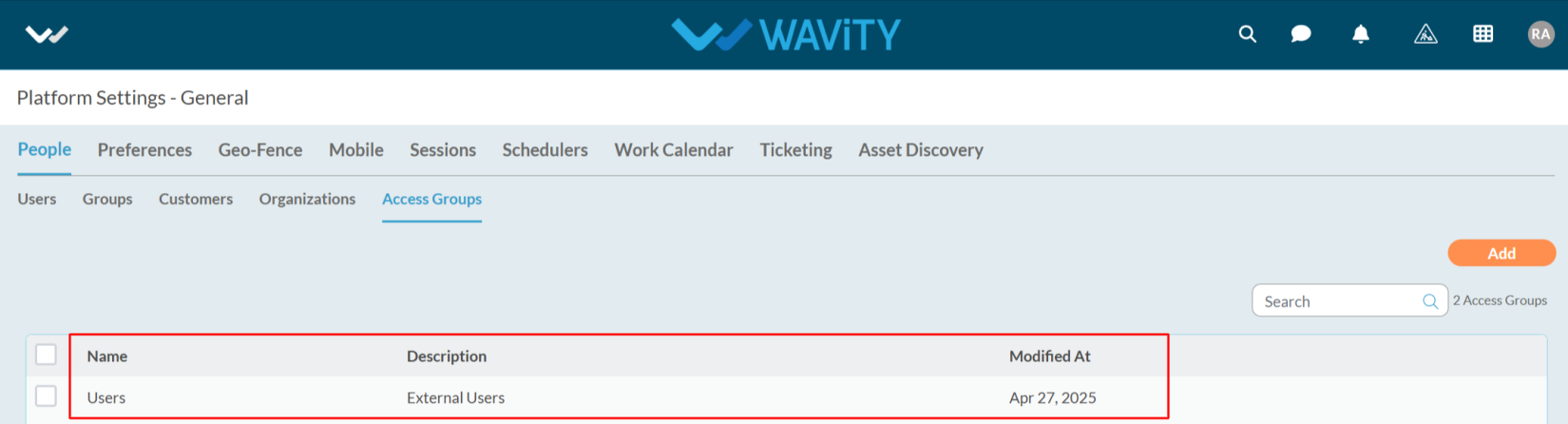
- The Access Group has been successfully created.