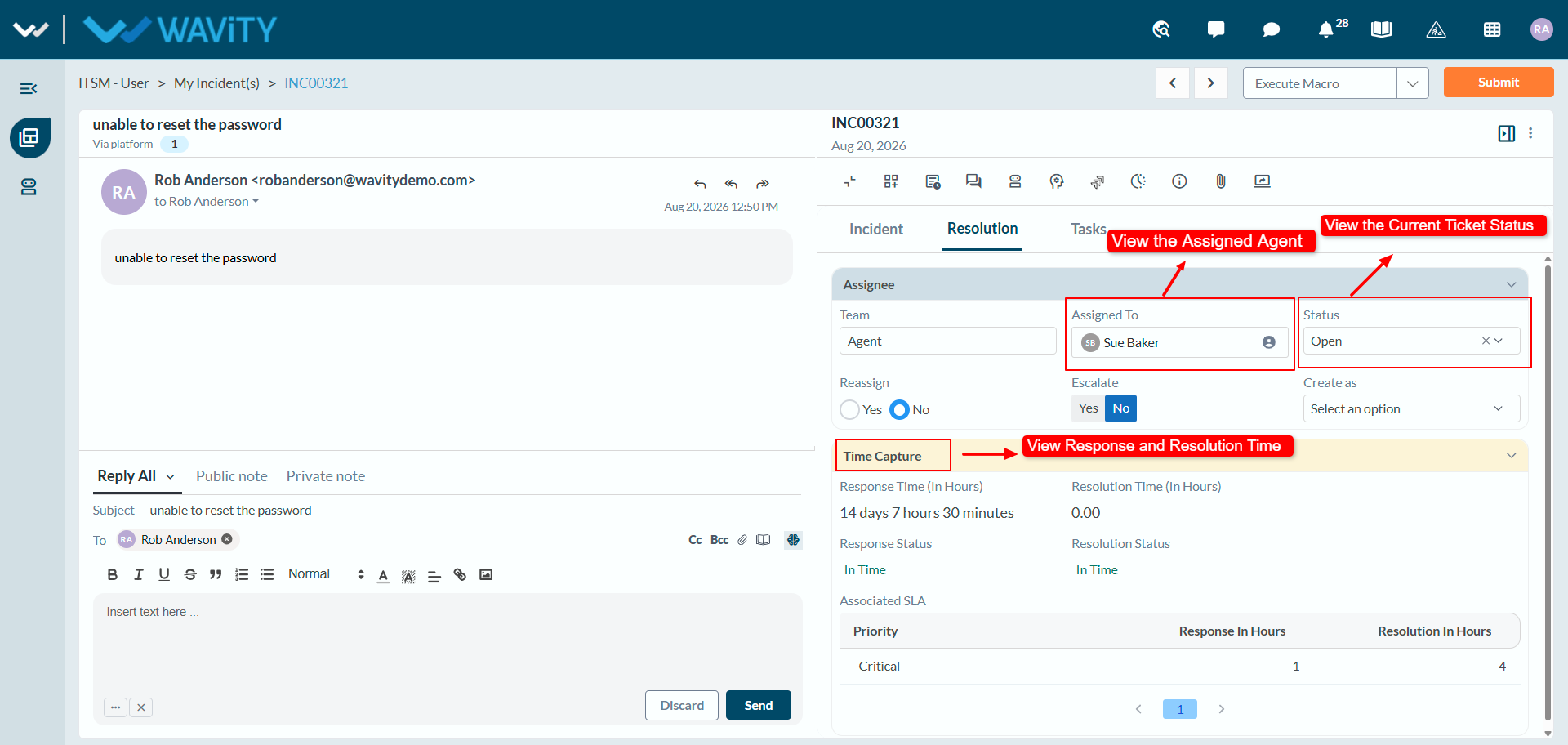
User Guide: Viewing Ticket Status and Details
- In the Wavity platform, viewing the status of a ticket is a simple and user-friendly process.
- When end users log in with their credentials, they will land on the My Incidents.
- Note: The steps provided serve as sample instructions and can be customized based on specific requirements; however, the core workflow will remain the same.
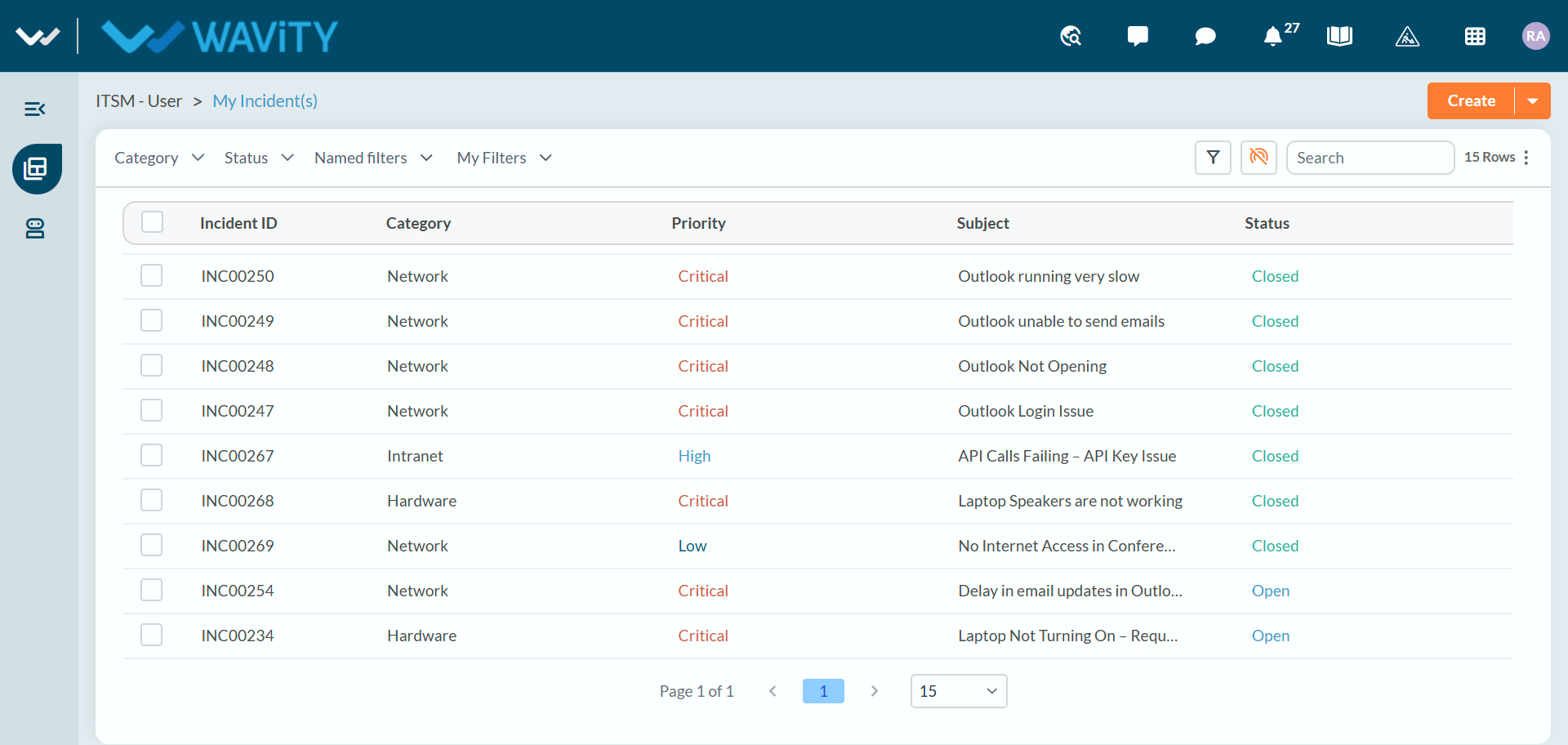
- Users can view their open Incidents in Open Incident(s) from Quick Links.
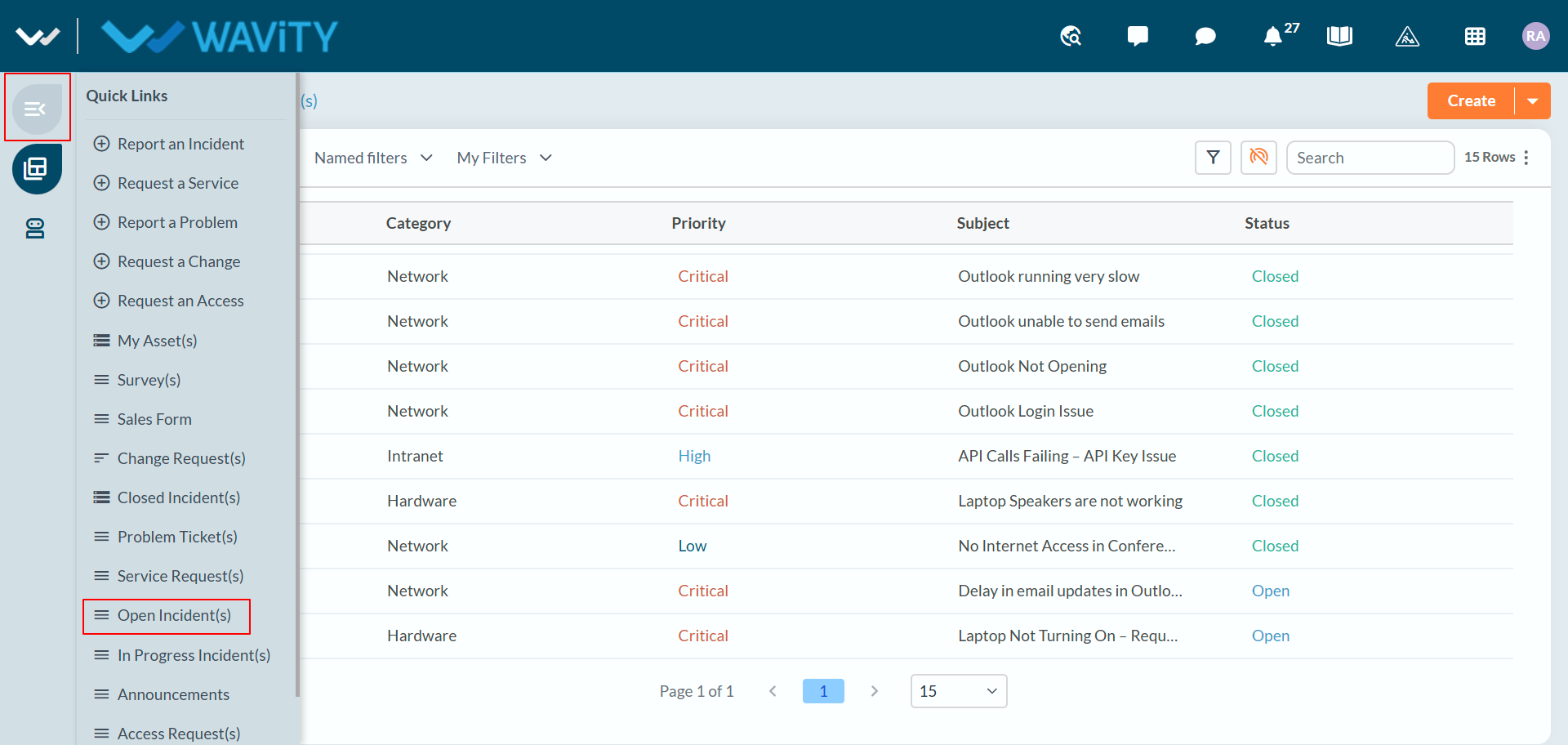
- The Closed Incident(s) link allows users to view all the tickets they have raised that have been resolved or closed.
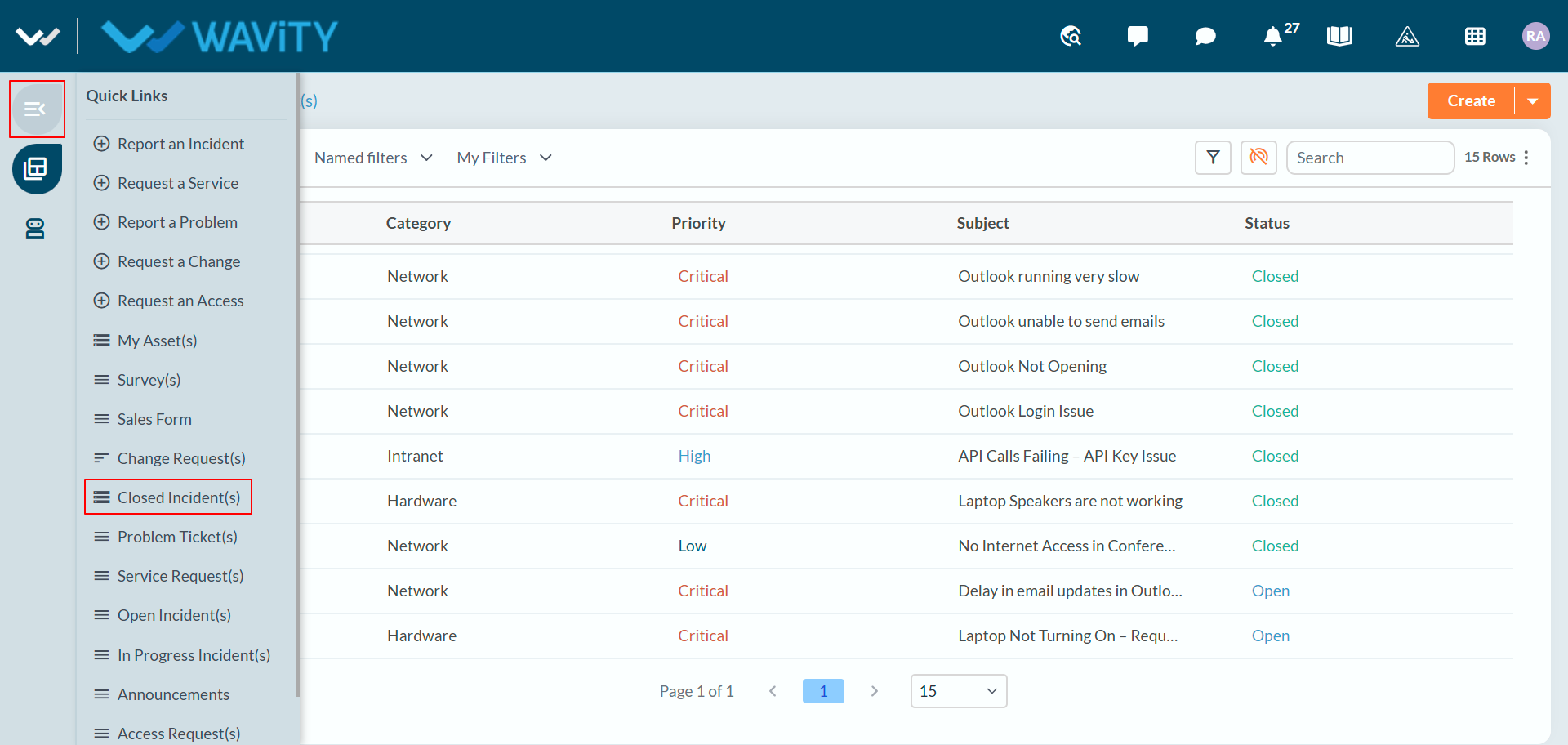
- Users can review closed incidents along with key details such as the Incident ID, submitted date, subject, priority, assigned agent, and status.
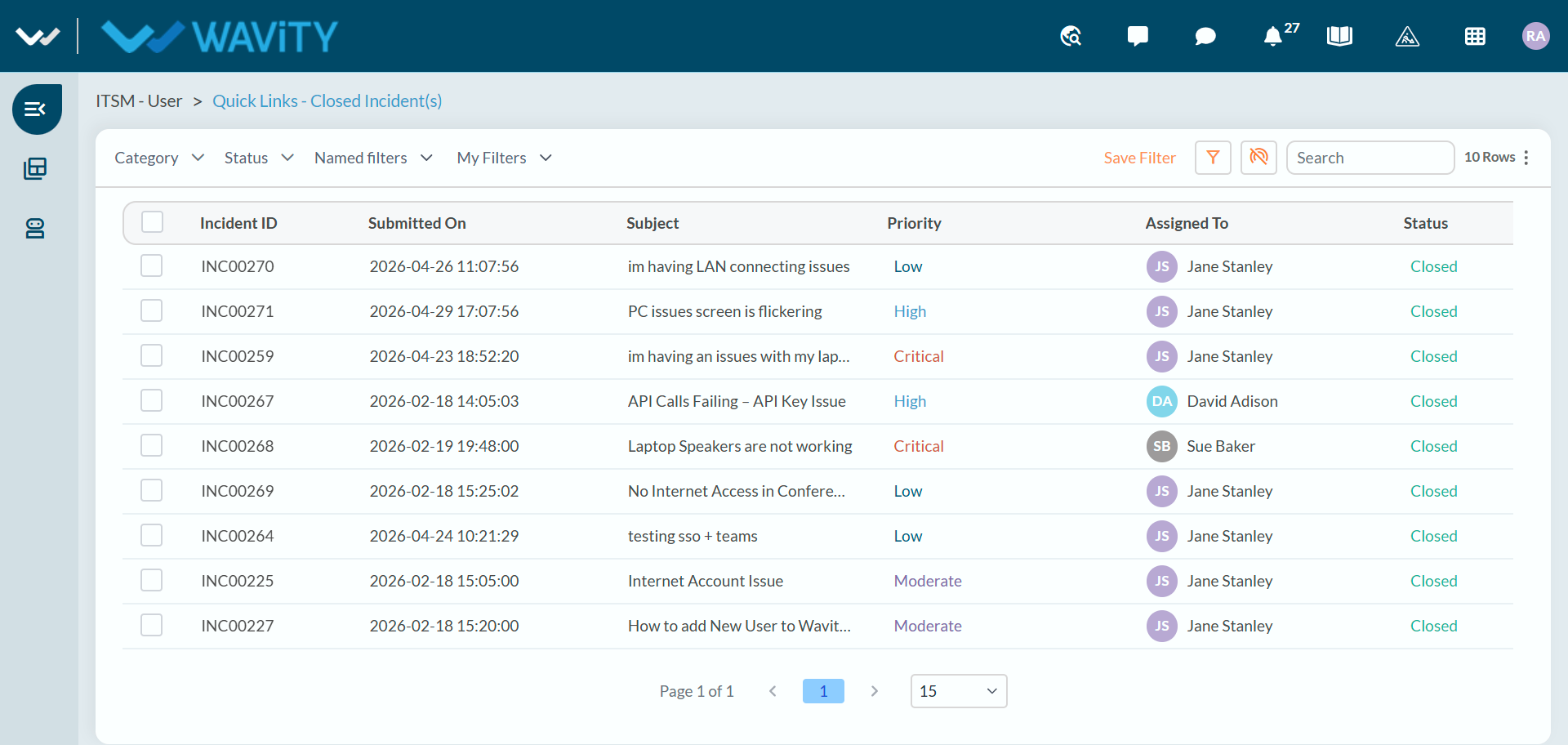
- To view ticket details, users can simply click on any ticket they require.
- Users can click the Detailed Record View icon to expand the ticket and view the complete record information.
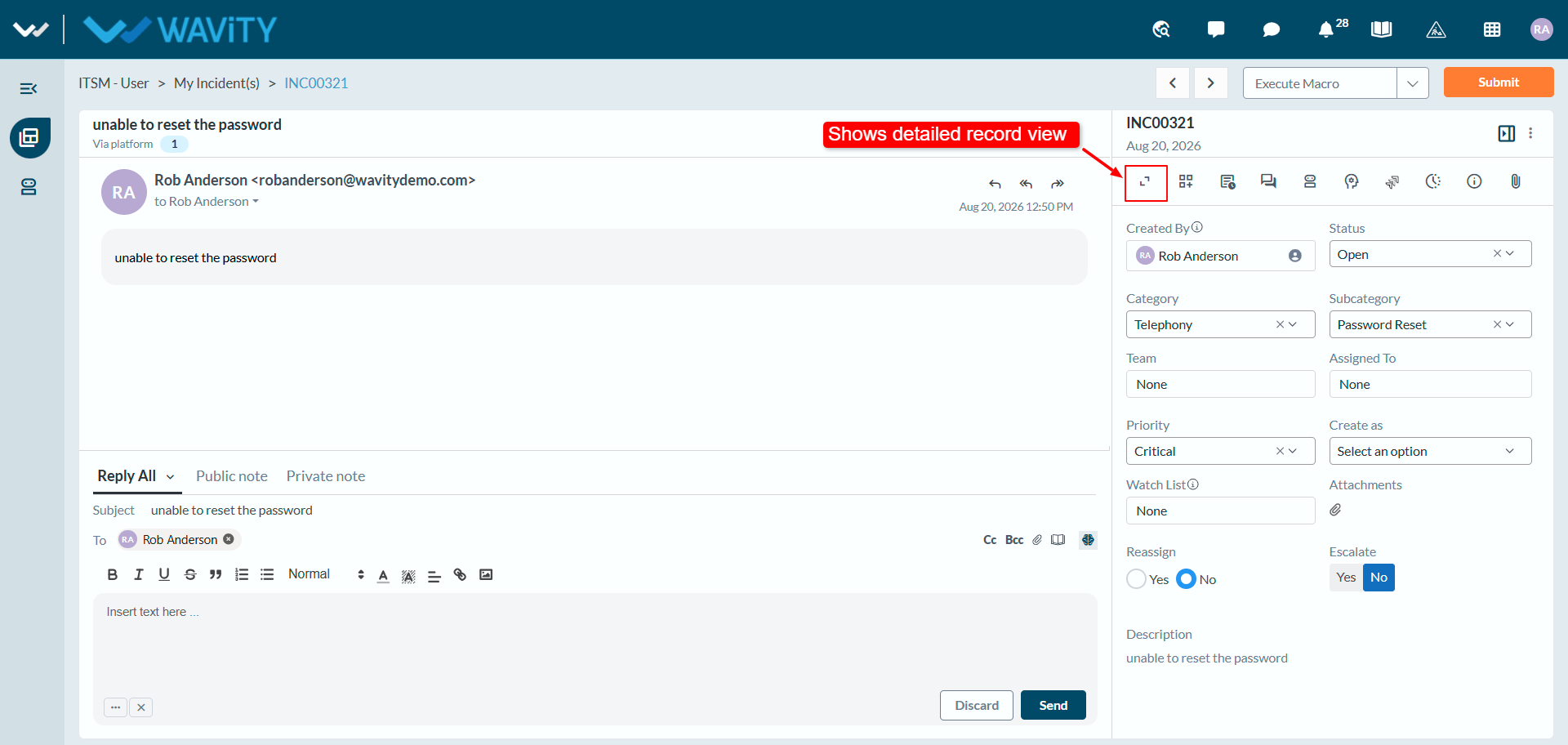
- In the Resolution tab, users can review the ticket assignment information, including the current assignee, status, reassignment details, and time captured on the ticket.