How to Use AI-Recommended Article Insertion
How to Use AI-Recommended Article Insertion
- The Wavity Platform offers an AI-powered feature that assists Agents by suggesting relevant Knowledge Base (KB) articles based on the content of a ticket. Agents can quickly insert these suggested articles directly into their responses to end users.
- Open a Ticket: Navigate to your interface and click on any ticket for which you need assistance.

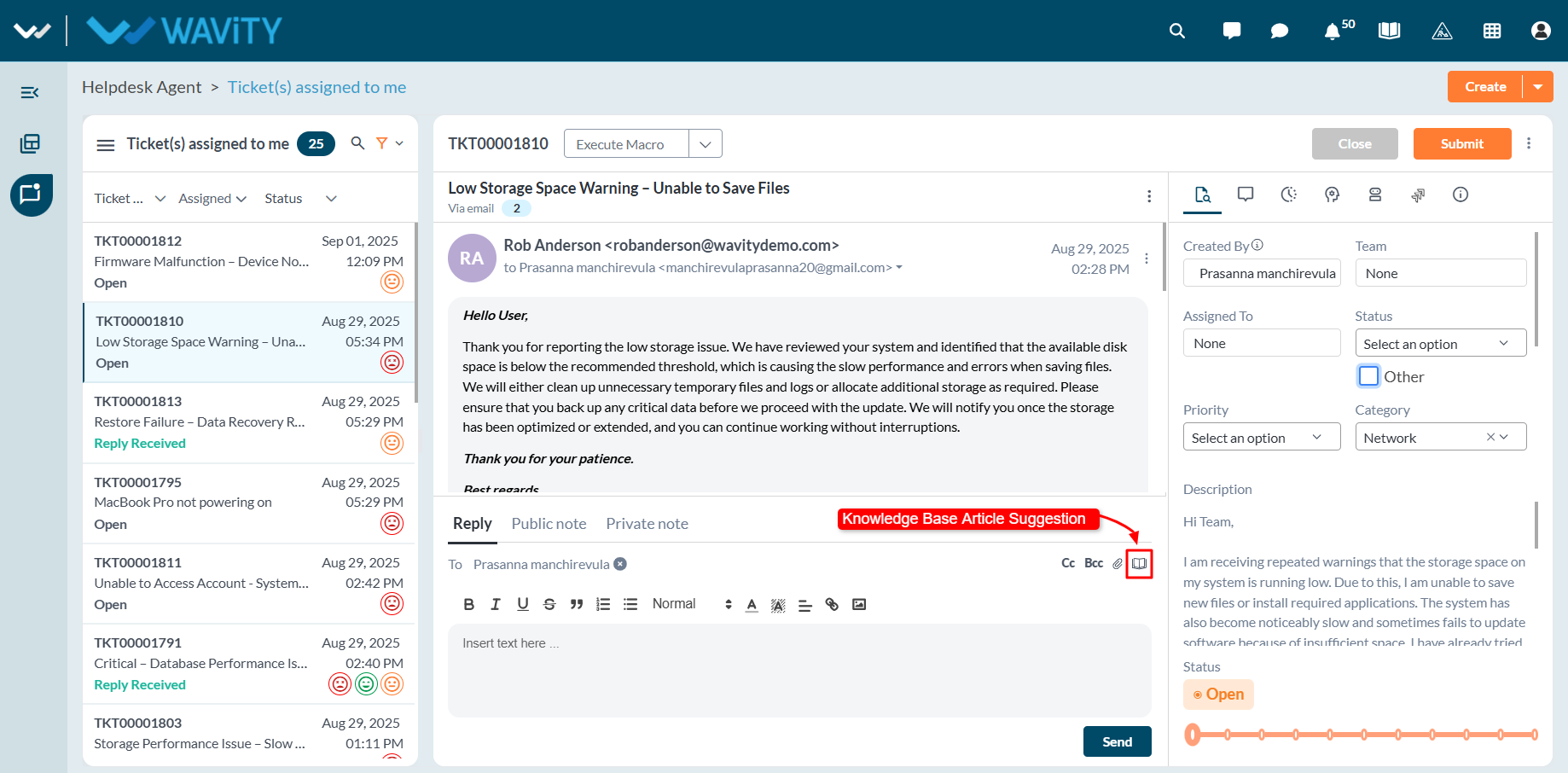
- Access AI Article Suggestions: Click on the Knowledge Base Articles icon within the ticket view.
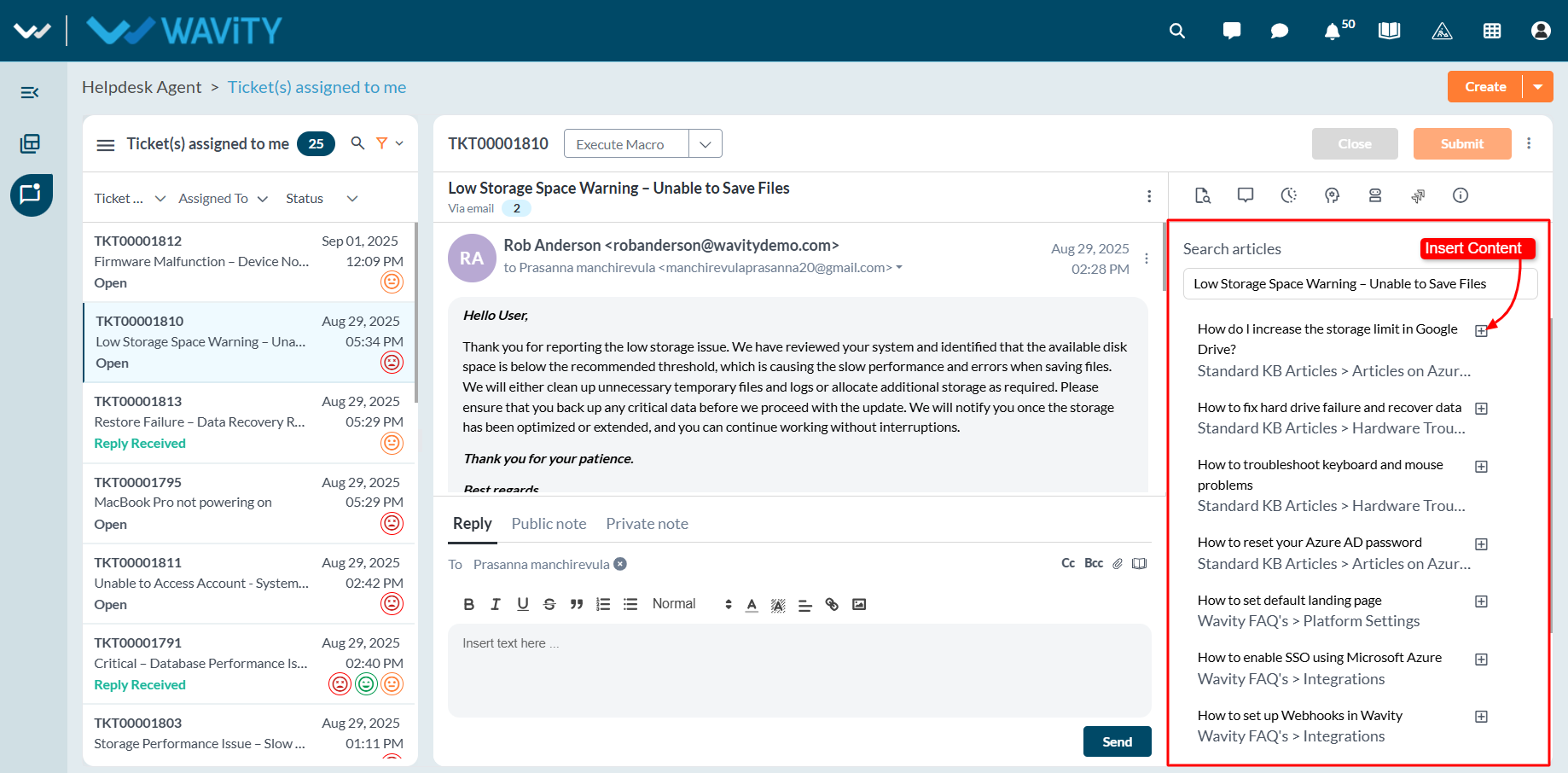
- View Suggested Articles: A list of AI-recommended Knowledge Base articles will appear, generated based on the ticket’s title and content.
- Insert an Article into Your Reply: Click the ‘+’ icon next to the relevant article. This will automatically insert the article into the reply box.
- Send the Response: Review or edit the reply as needed, then send it to the end user. The suggested article will be included as part of your response.
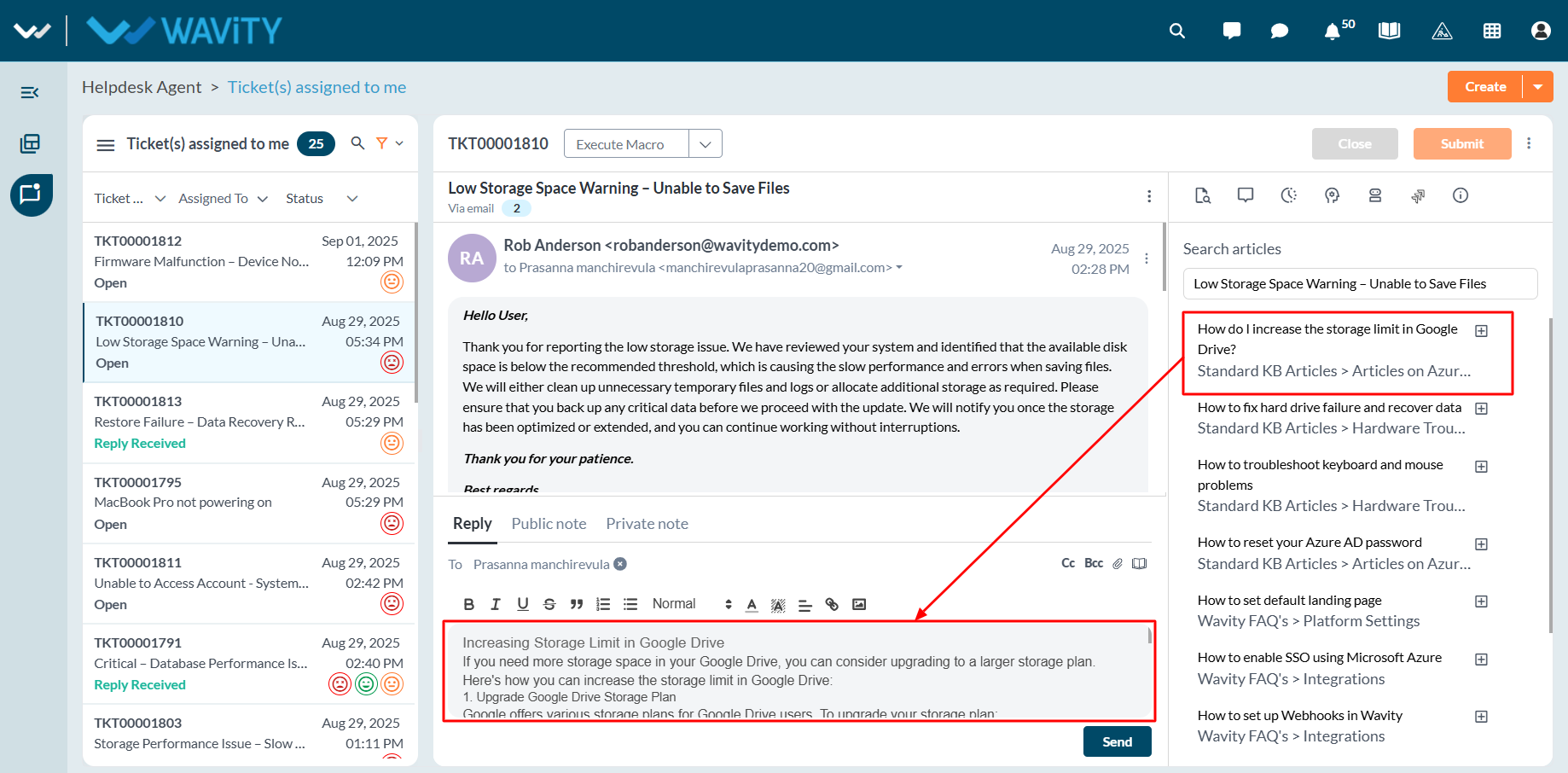
- In the example below, the AI-suggested article was inserted directly into the reply box, allowing the Agent to quickly share helpful information with the end user.