Admin Guide: How to Upload or Change the Organization Logo?
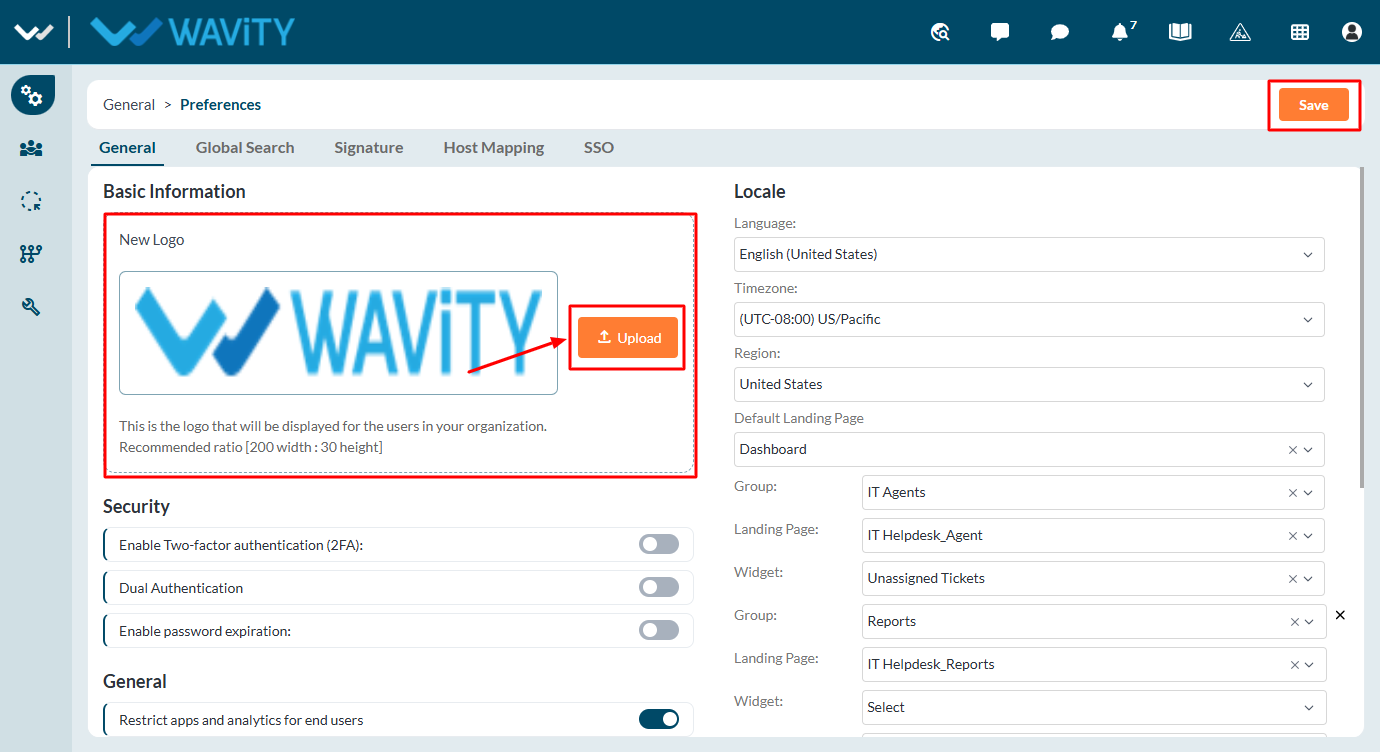
- In the Wavity platform, you can replace the default Wavity logo with your company or organization’s logo.
- Only Admins have the authority to upload or change the logo on the platform.
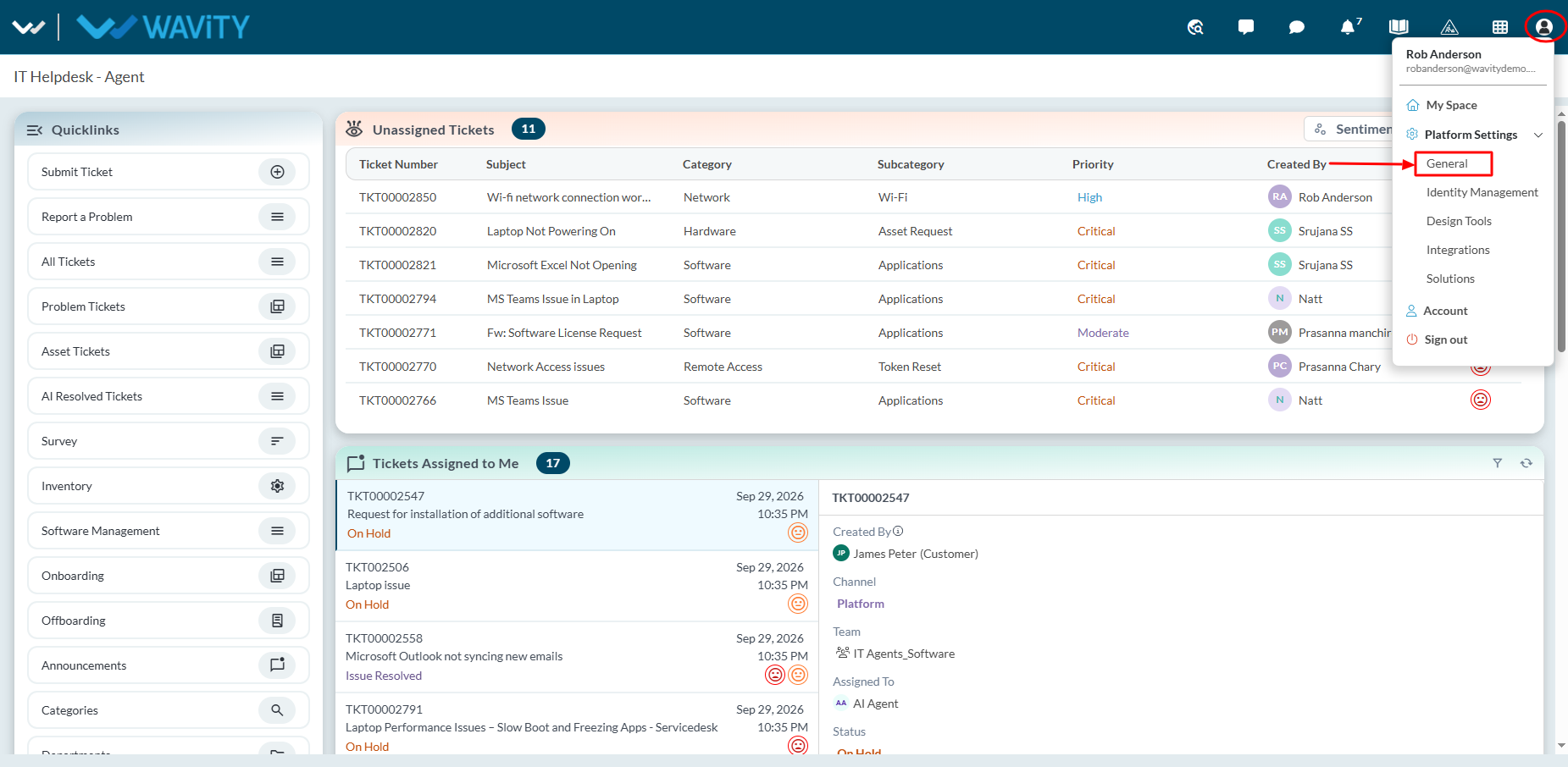
- To upload logo, click on Profile Icon > General > Preferences > General.
- Use Drag & Drop option or Select file option to upload the logo. Once your logo is uploaded in the platform.
- Click on “Save” button to upload/replace the logo in the platform.
- Preferred parameters for the logo: Transparent background with recommended size ratio of 200 width by 30 height.