Admin Guide: How To Set Data Restriction?
- In the Wavity platform, you can enable data restrictions to control user access. When enabled, non-admin users will be restricted from creating, editing, or viewing apps and analytics data across the entire platform.
- Only the Admin of your organization has the authority to configure and manage data restrictions.
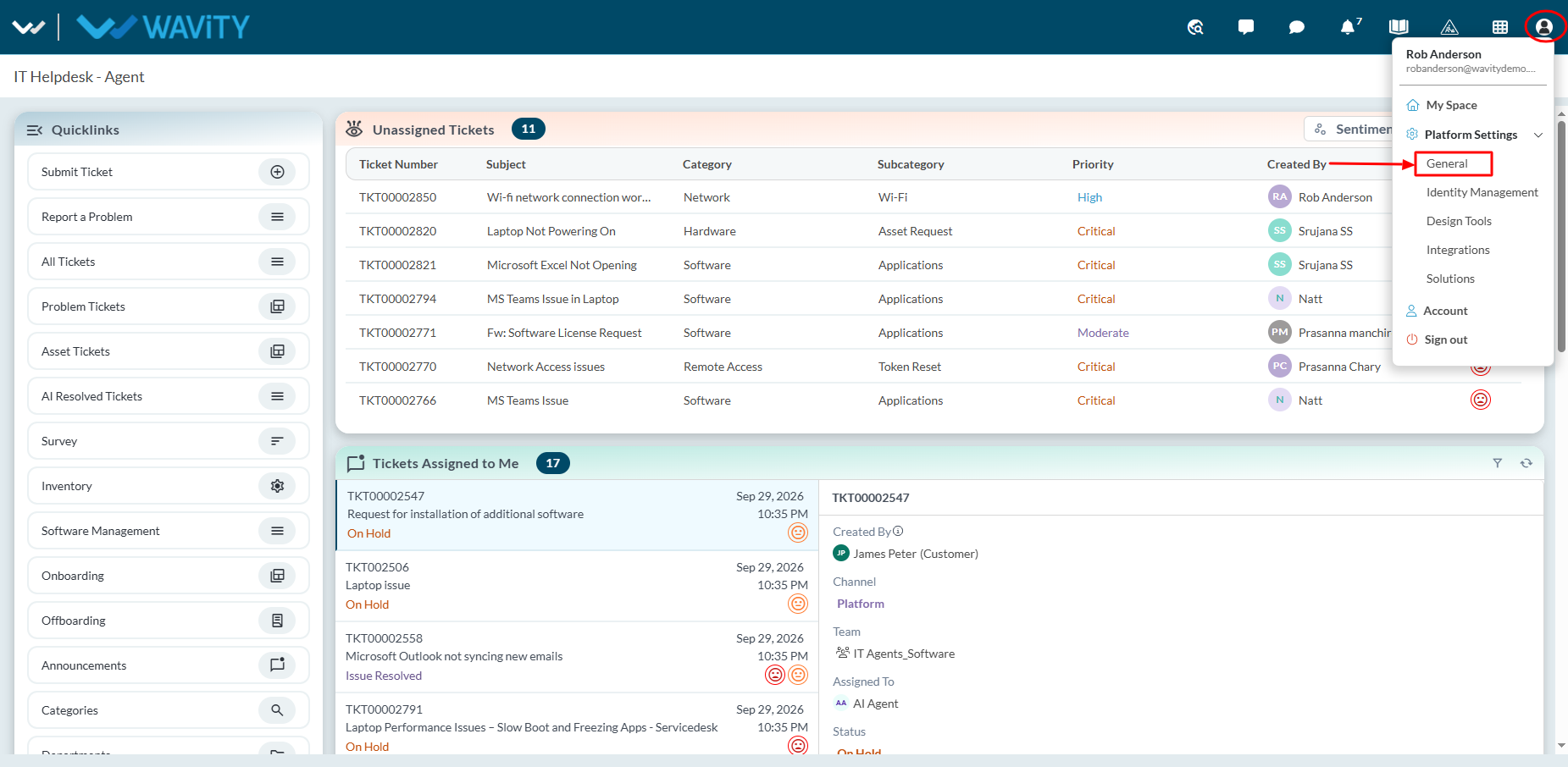
- To set data restriction, click on Profile Icon > General > Preferences > General.
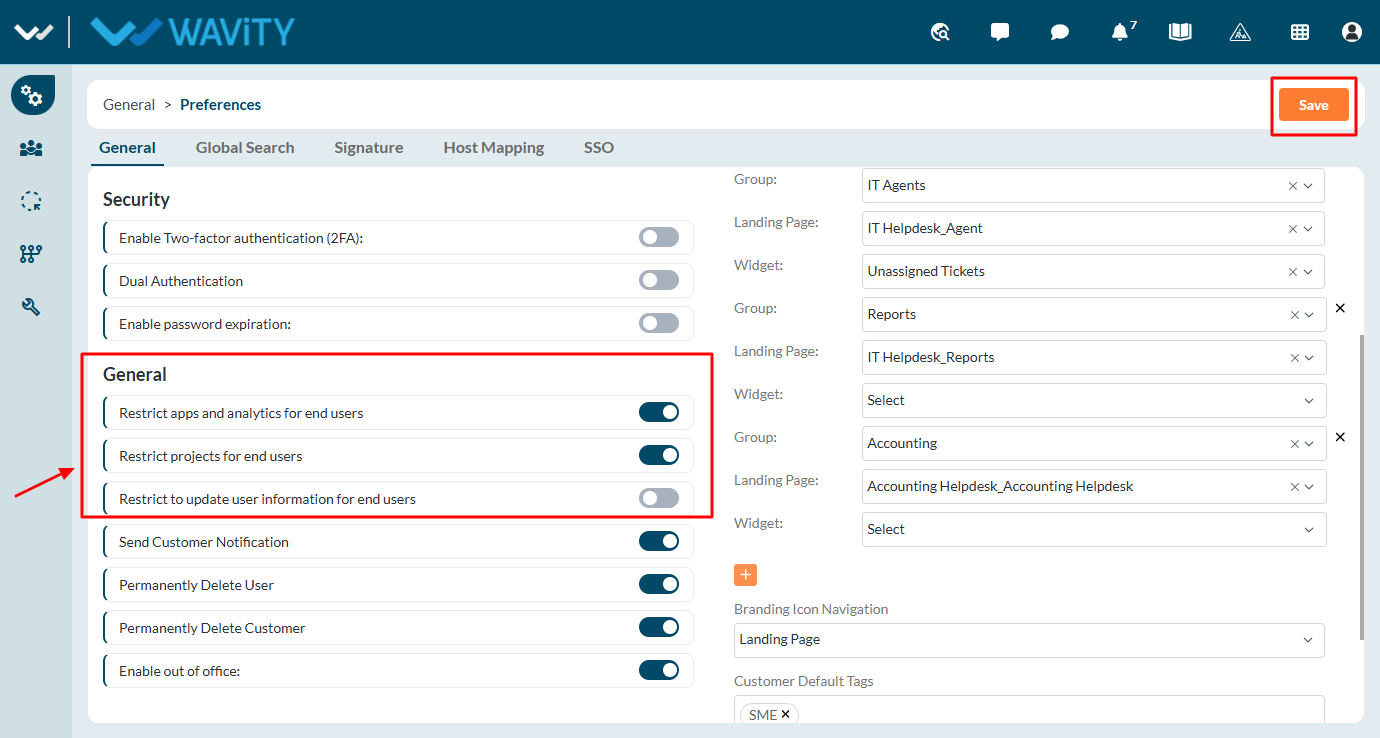
- If needed, select the checkbox next to the label ‘Restrict apps and analytics for end users’. This will restrict access to app designers and advanced settings for end users.
- Similarly, check the boxes for ‘Restrict projects for end users’ and ‘Restrict updating user information for end users’ as required. Finally, click the “Save” button to apply the data restrictions.