How to Add Watch List Users while creating a ticket
  • In the Wavity platform, adding an agent to the watch list is a simple process.
  • Note: The steps provided serve as sample instructions and can be customized based on specific requirements; however, the core workflow will remain the same.
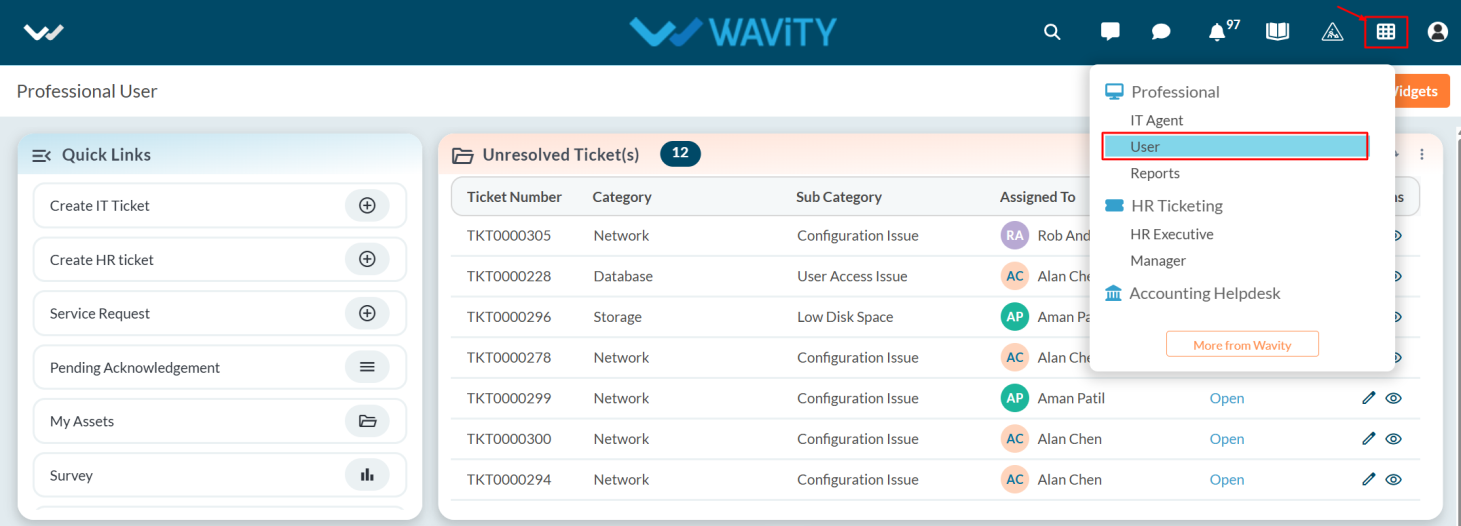
  • User can login with their credentials and they will land on the user dashboard or if you login as admin select the User dashboard from solution.
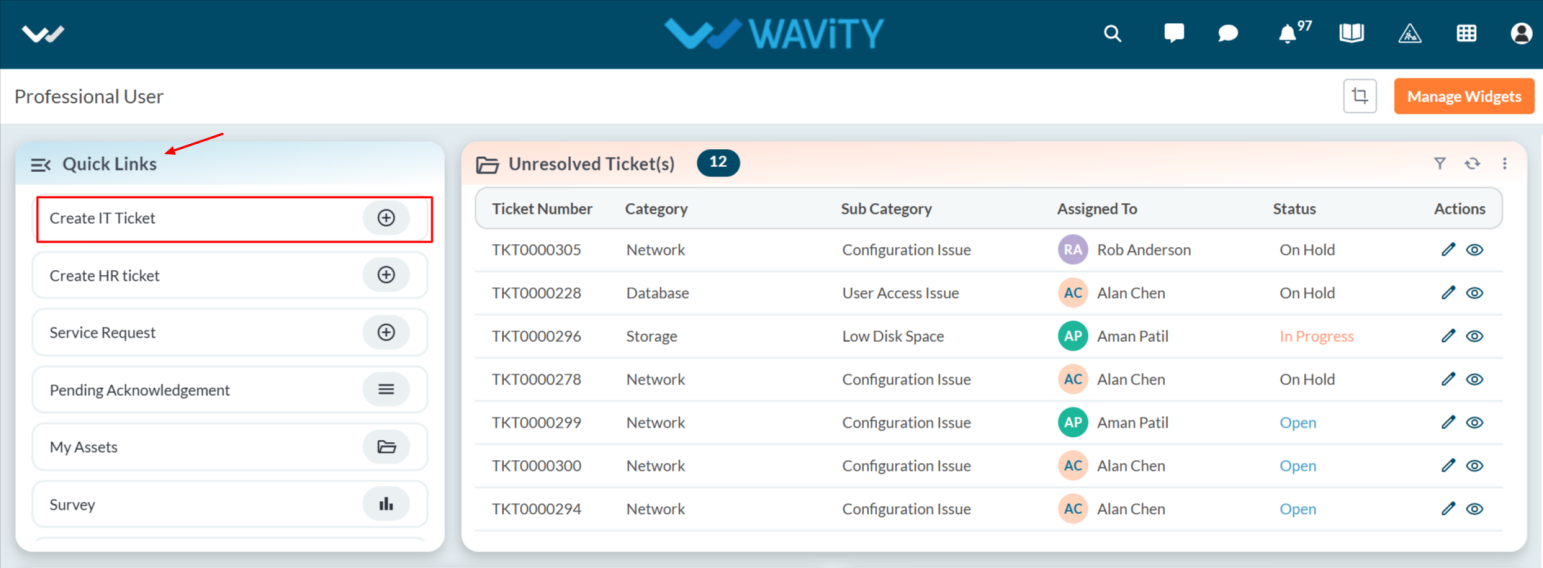
  • Click on the Create IT Ticket from quick link to display the ticket creation form.
  • Fill all required details in Ticket tab under Ticket Information.
  • In Watch List add any agents to Watch List as shown in the image.
  • After adding an agent to the Watch List, the agent will receive a notification or alert. Make sure to click the Submit button to confirm the addition.

How to Add Watch List Users while creating a ticket
  • In the Wavity platform, adding an agent to the watch list is a simple process.
  • Note: The steps provided serve as sample instructions and can be customized based on specific requirements; however, the core workflow will remain the same.
  • User can login with their credentials and they will land on the user dashboard or if you login as admin select the User dashboard from solution.
  • Click on the Create IT Ticket from quick link to display the ticket creation form.
  • Fill all required details in Ticket tab under Ticket Information.
  • In Watch List add any agents to Watch List as shown in the image.
  • After adding an agent to the Watch List, the agent will receive a notification or alert. Make sure to click the Submit button to confirm the addition.

Leave you comment...

Thank you! Your submission has been received!
Oops! Something went wrong while submitting the form.