Configuring Ticketing Preferences for Inactive Agents
Configuring Ticketing Preferences for Inactive Agents
- In the Wavity platform, the Preferences feature is used to define actions when an agent becomes inactive or goes out of office.
- Actions to be performed when an agent goes inactive while setting up preferences.
- Reassign from Group: When the agent is inactive it will reassign the agent from the other group.
- Redirect Communication: Any new communication (such as ticket updates, emails, or chats) will be automatically redirected to other active agents or a designated backup.
- Setting up preference is easiest way in Wavity platform.
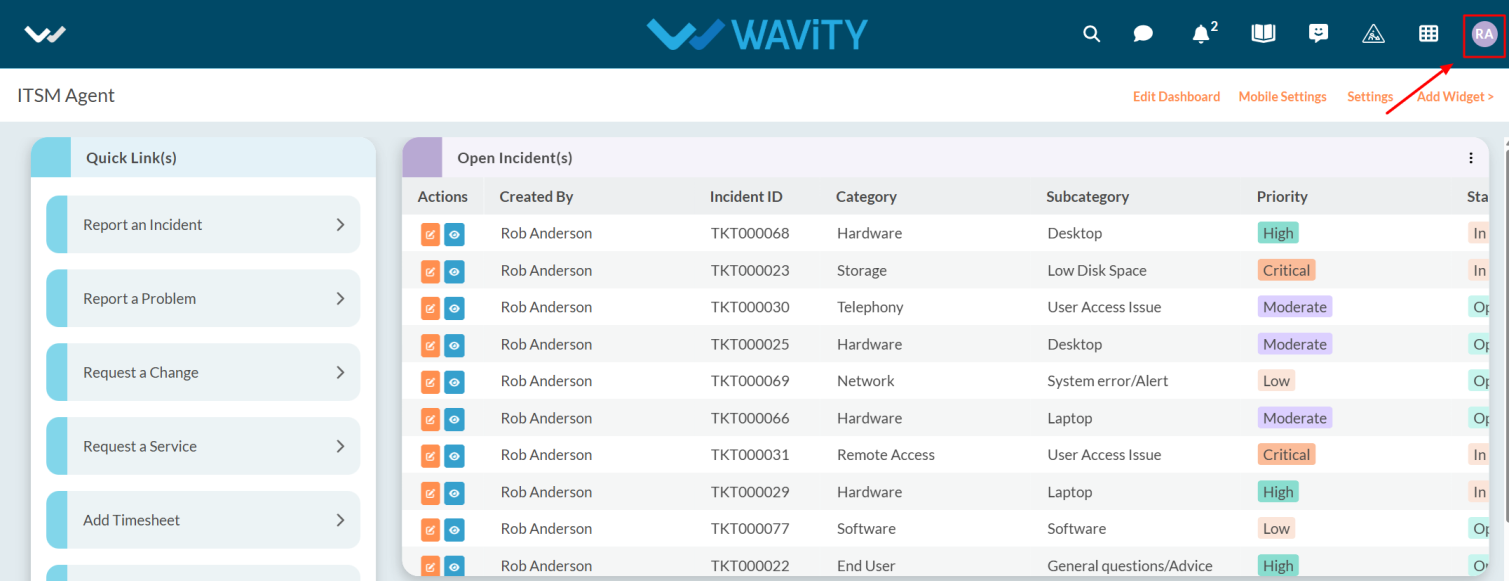
- Click on the Profile Icon.
- From the options, select the General.
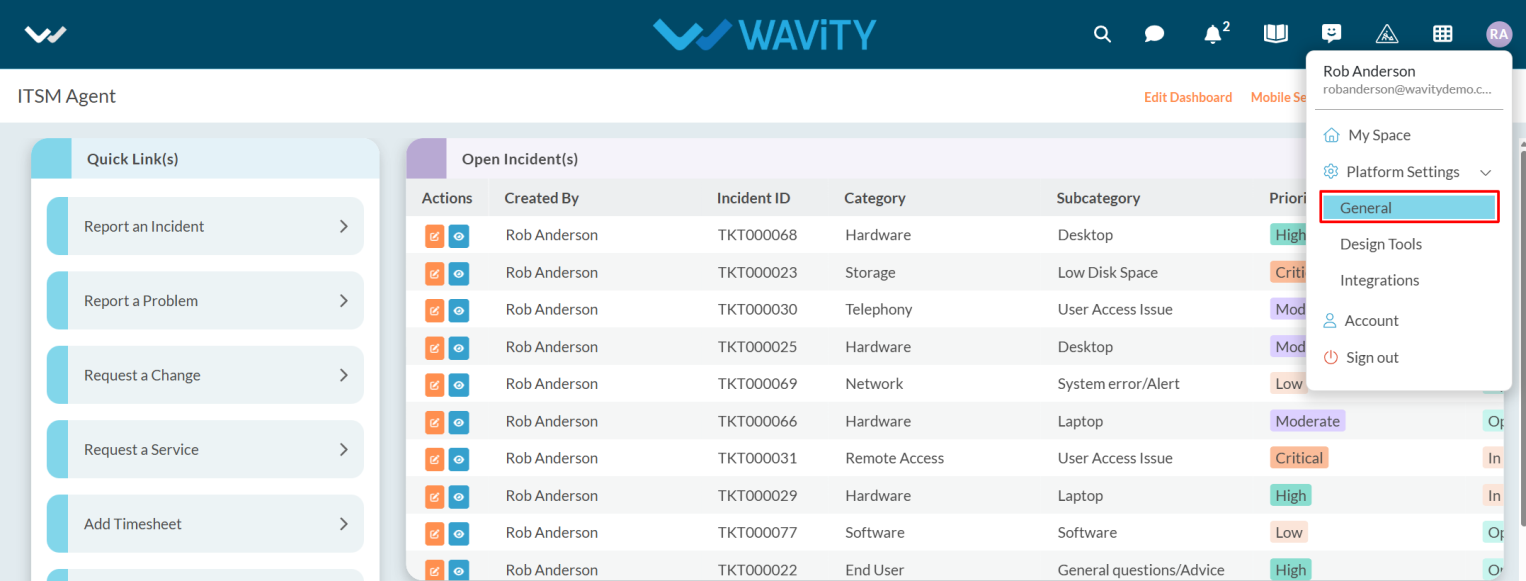
- After selecting General from the options, you will be directed to the Platform Settings – General page.
- Navigate to the Ticketing tab and select Preference.

- Ticketing Preferences is performed in below scenarios:
- When Agent is out of office.
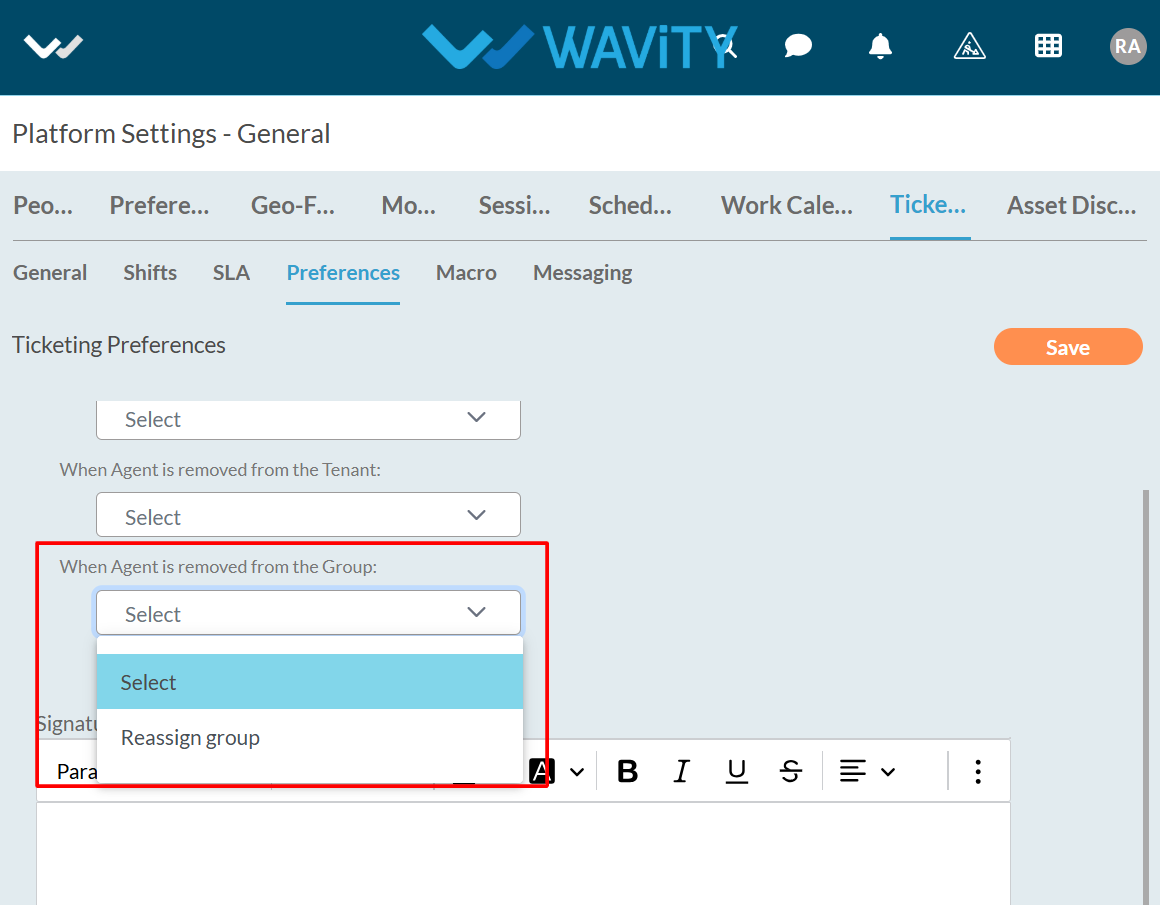
- When Agent is removed from the Tenant.
- When Agent is removed from the Group.
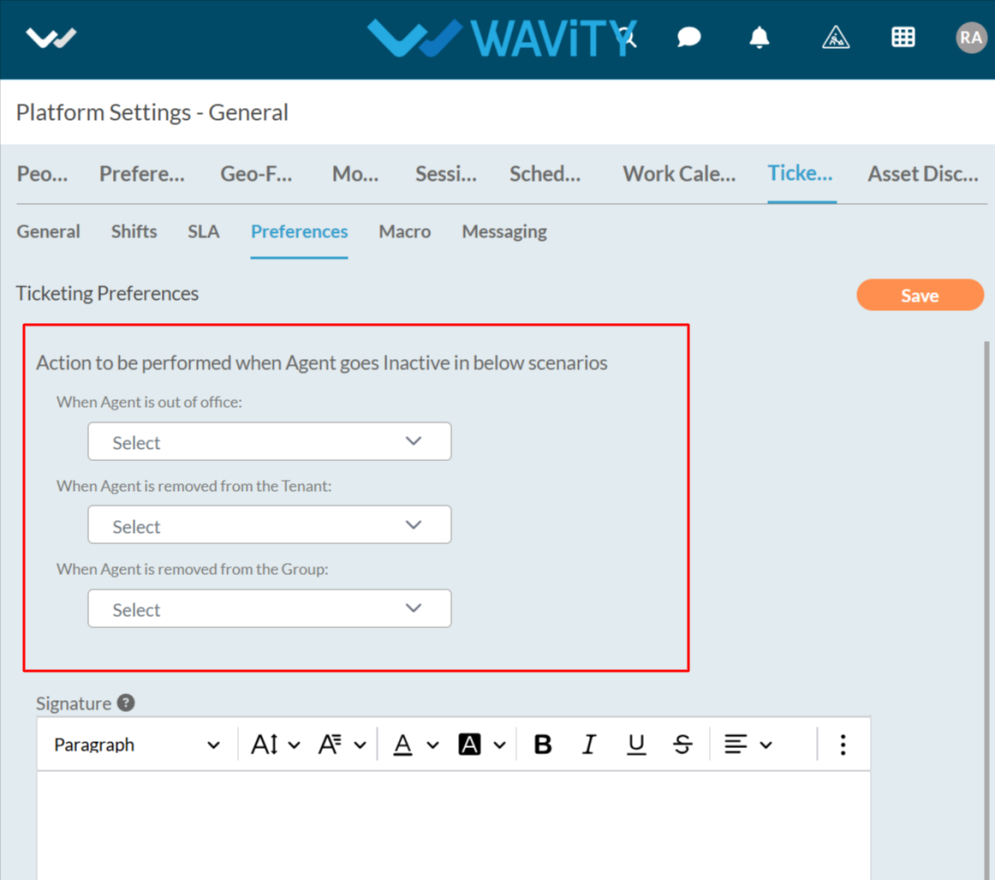
- You need to select the appropriate option from the dropdown — either Reassign Group or Redirect Communication — based on the action you want to perform when an agent goes inactive.
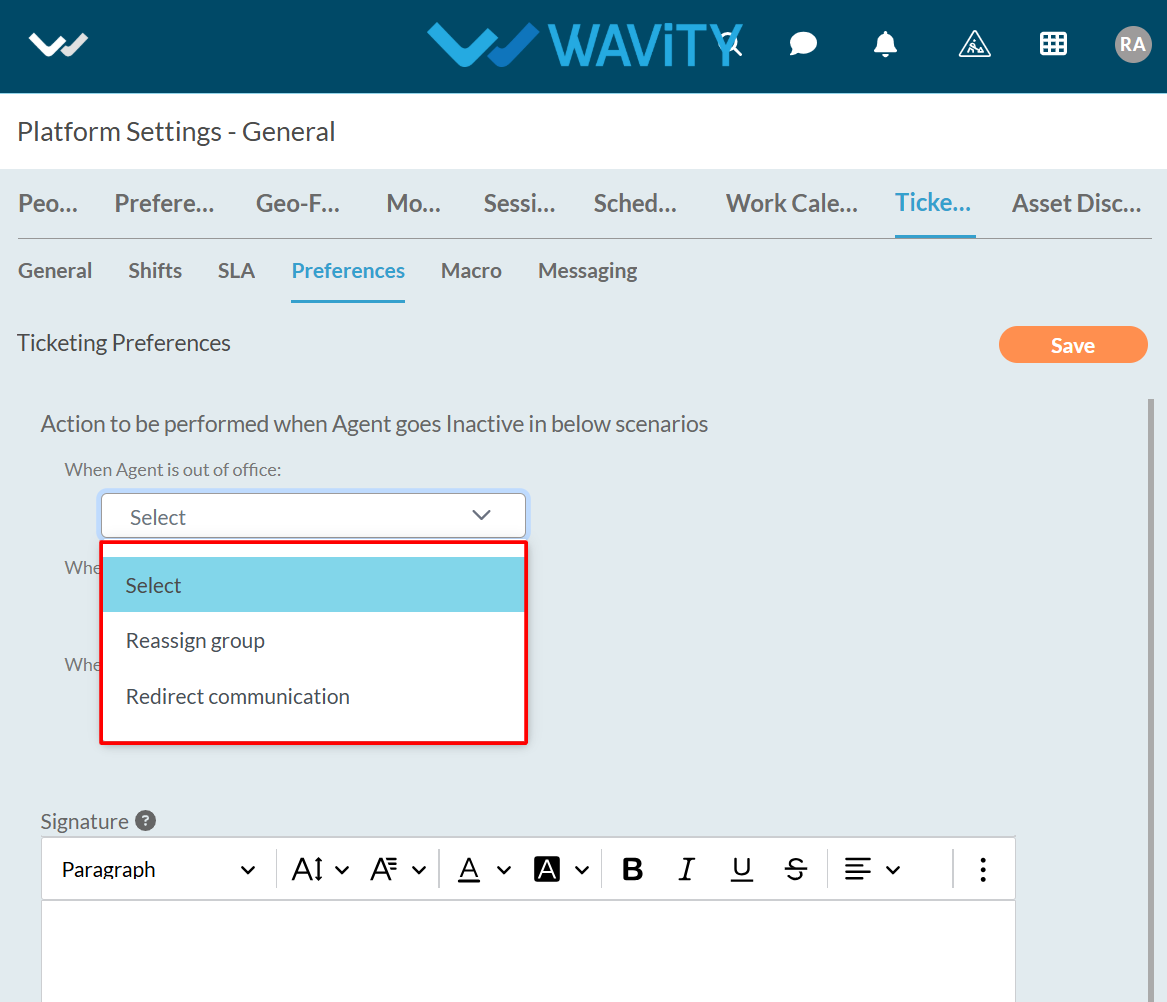
- When an agent is removed from the group, you can only select the Reassign Group option.
- You need add the signature in content box while clicking on the question mark as shown in the below image.

- Copy the link as needed.
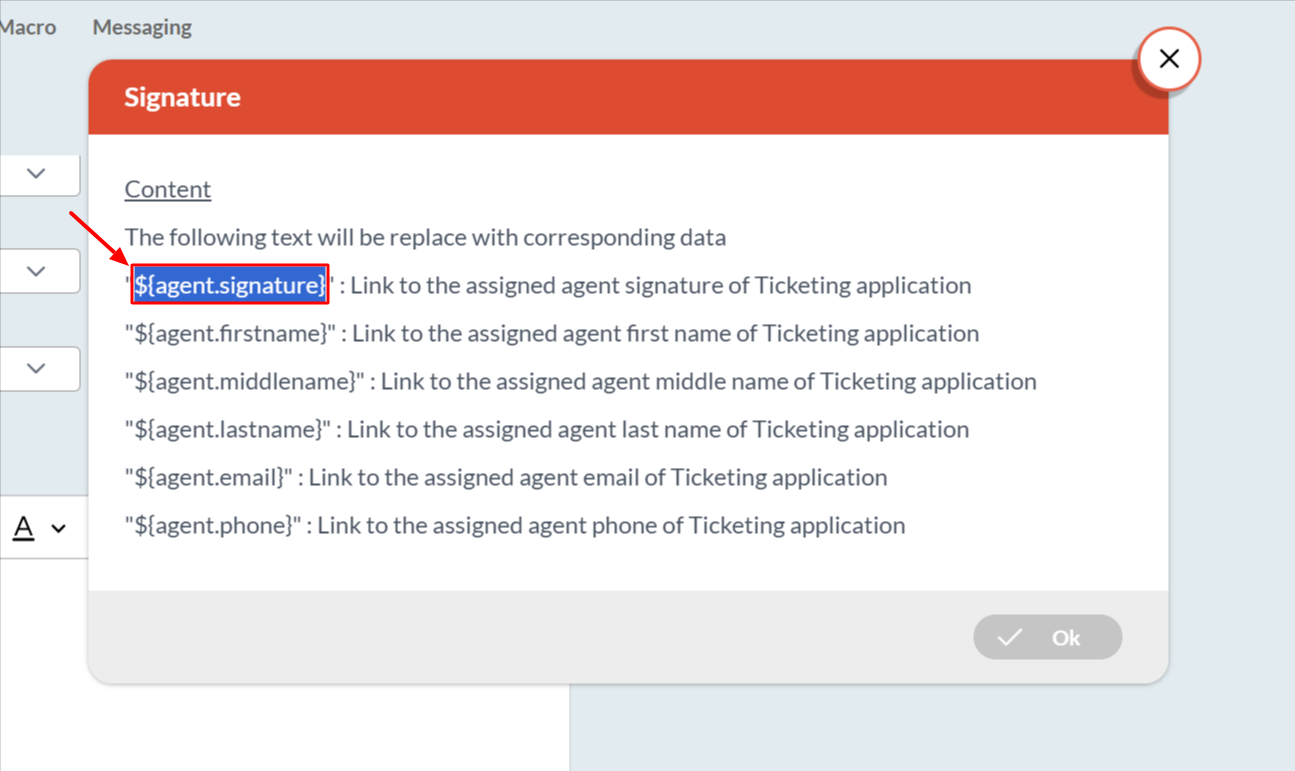
- Paste the link into the content box, click on the Save button, and your preference will be saved.
