Inventory Management: Asset Return Procedure
Inventory Management: Asset Return Procedure
- In Wavity, returning an asset is a straightforward process that can be easily completed within the platform.
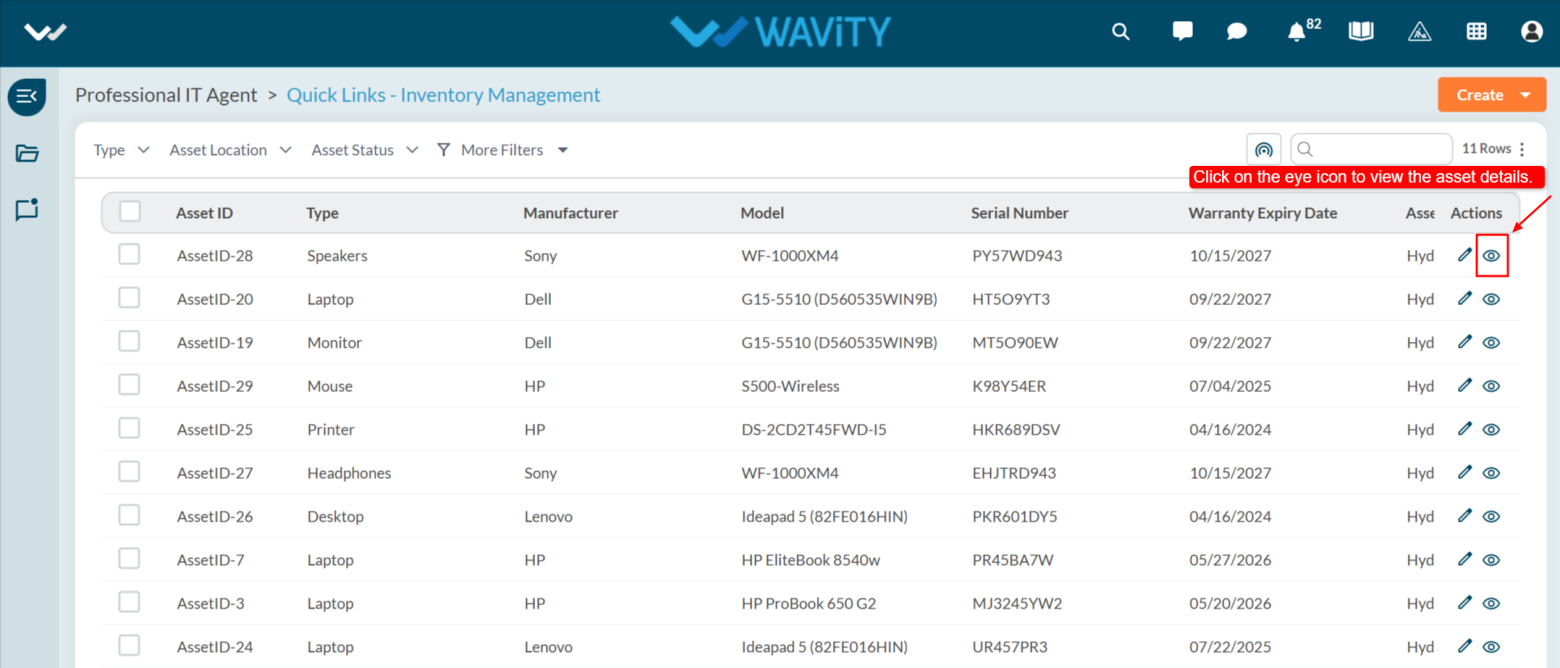
- The agent can update the status for an asset return by clicking on Inventory Management from the agent dashboard.
- Note: The steps provided serve as sample instructions and can be customized based on specific requirements; however, the core workflow will remain the same.

- Click on “Eye Icon” as shown below to view/edit the asset details.
- Update the return date on the Assigned To page.
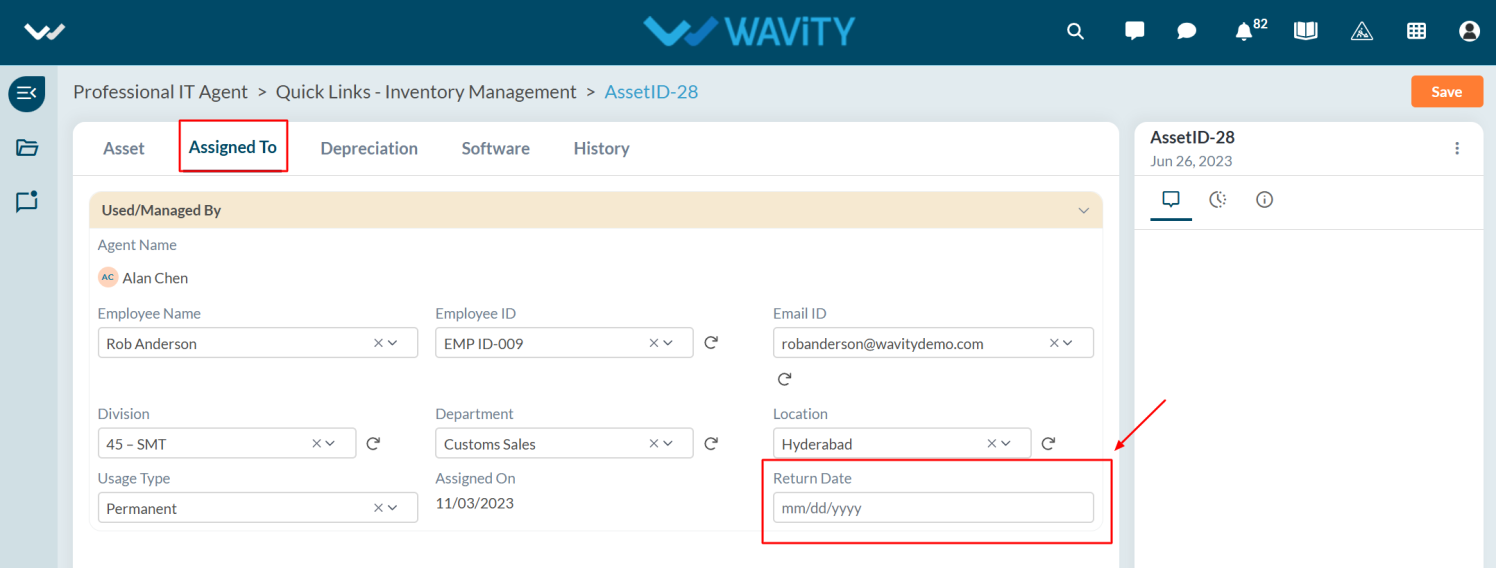
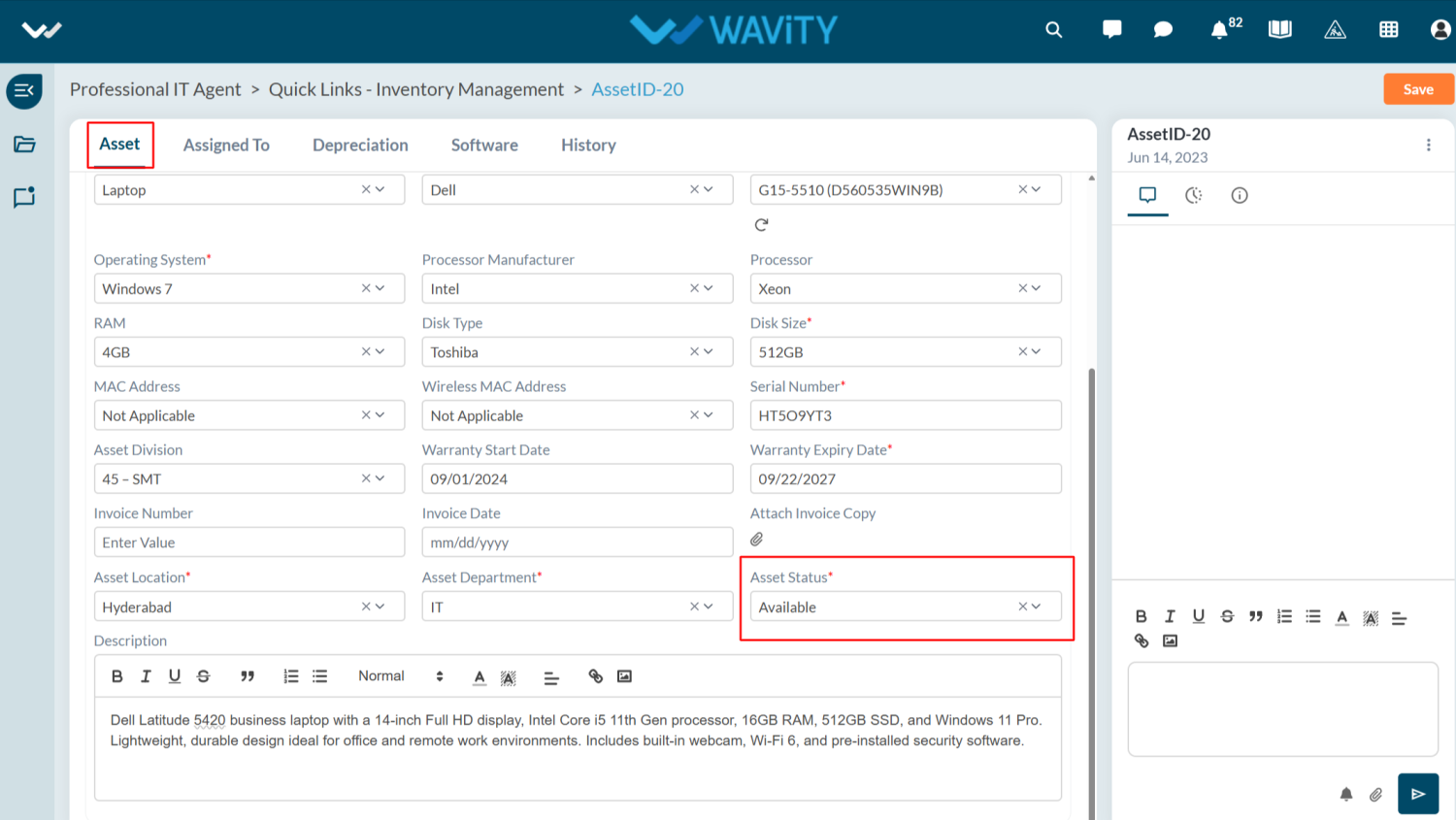
- Once the asset is returned to the IT Team, the user should update the status to Returned.
- The asset state will automatically change to Available in Asset tab once the return is confirmed and updated by the user.