Resource Manager Guide: Viewing Resource History
Resource Manager Guide: Viewing Resource History
- In the Wavity PPM Module, Resource Managers have the ability to view the complete assignment history of each resource.
- This feature helps Resource Managers track where and when a resource was assigned, monitor utilization, and support future project planning and decision-making.
- Note: The instructions provided here serve as general guidance and can be tailored based on specific organizational needs, but the core workflow remains the same.
- Users with Resource Manager access can log in with their credentials and will be directed to the Resource Manager Interface.
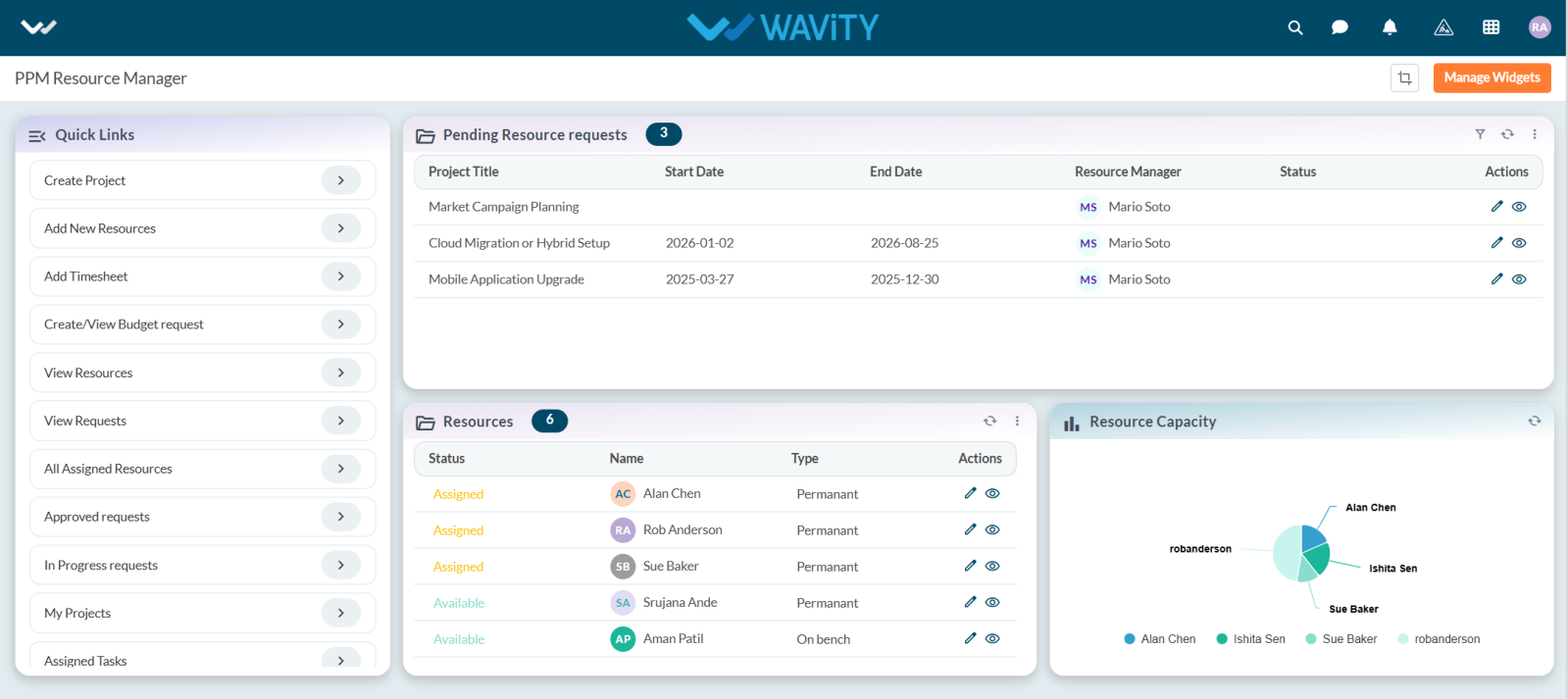
- To view a resource's assignment history, navigate to the Resource table widget.
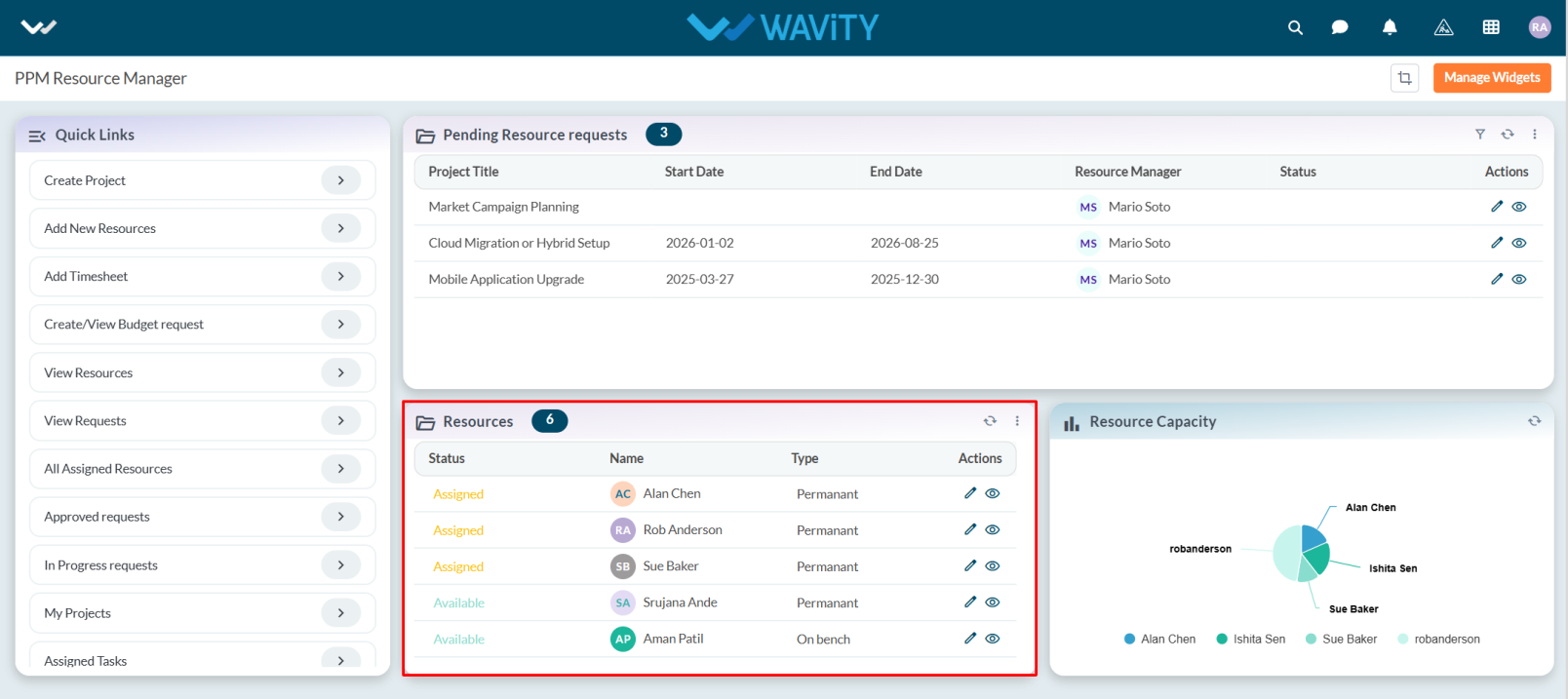
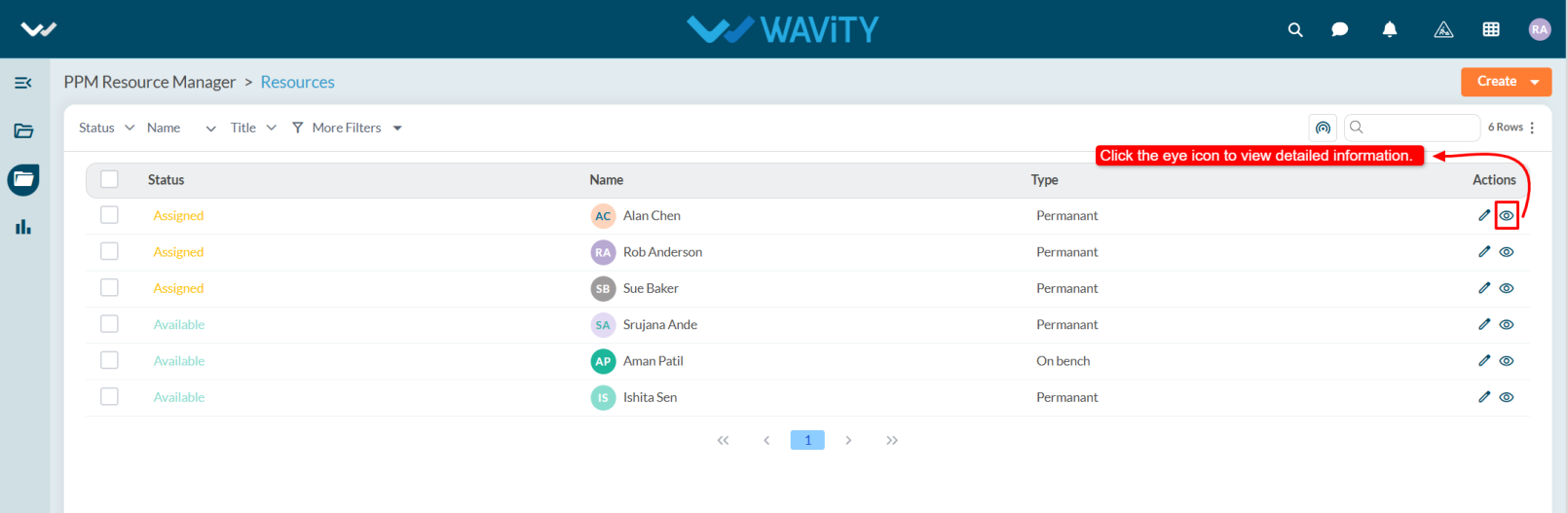
- From the list of resources, select the resource whose history you want to view
- Click the eye icon to open the detailed view of the selected resource.
- Navigate to the Resource History section/tab.
- This section will display all past and current project assignments for that resource, including:
- Project Name
- Assignment Start and End Dates
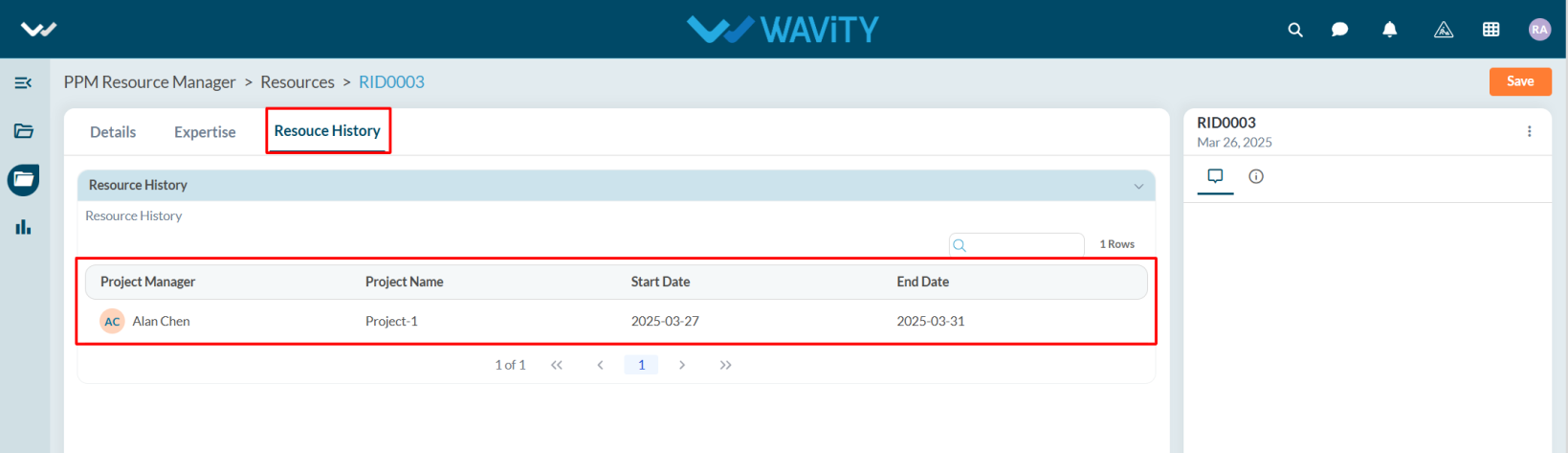
- The history view enables better resource planning and helps avoid over-allocation or underutilization of team members.