Resource Guide: Viewing All Open Task(s)
  • Resource users can view all tasks with the status Open and prioritize their work accordingly.
  • In the Wavity Goal Management module, users with Resource access can log in using their credentials to land on the Resource interface.
  • Note: The following steps are sample instructions and can be customized based on specific requirements; however, the core workflow remains the same.
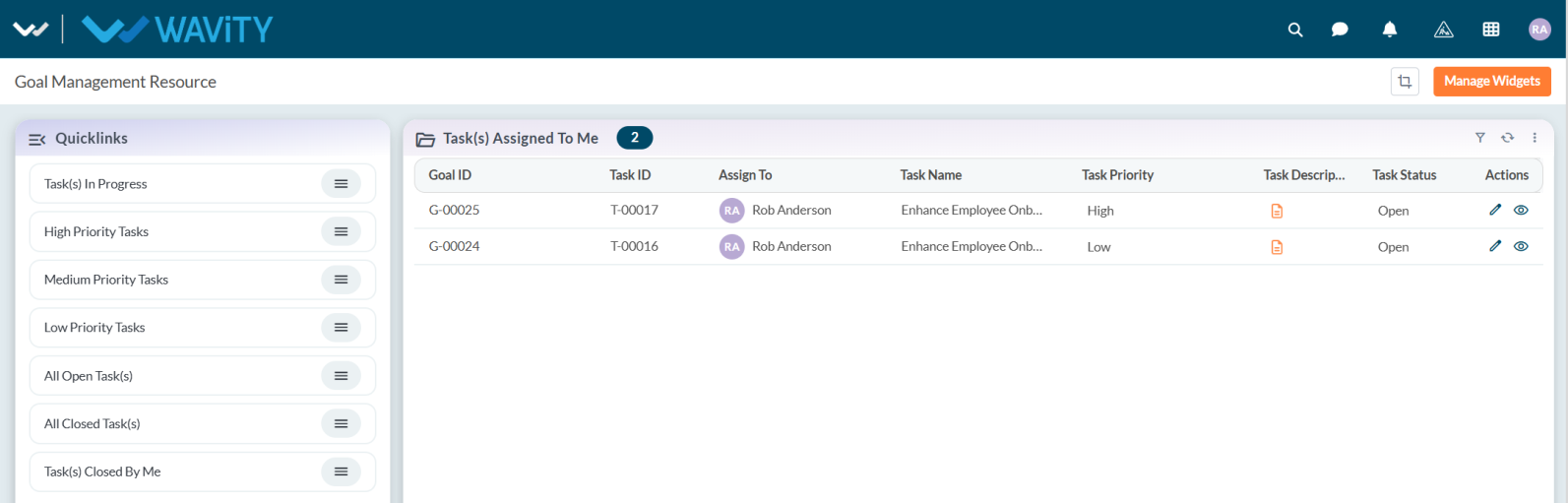
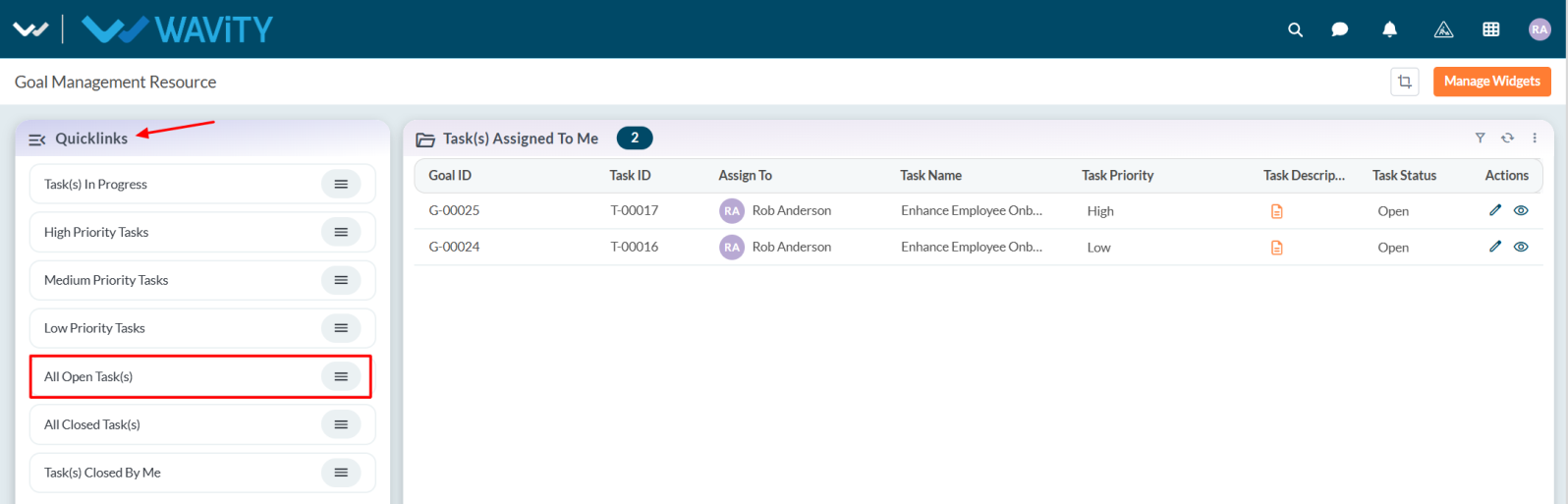
  • From the Quick Links, select All Open Task(s).
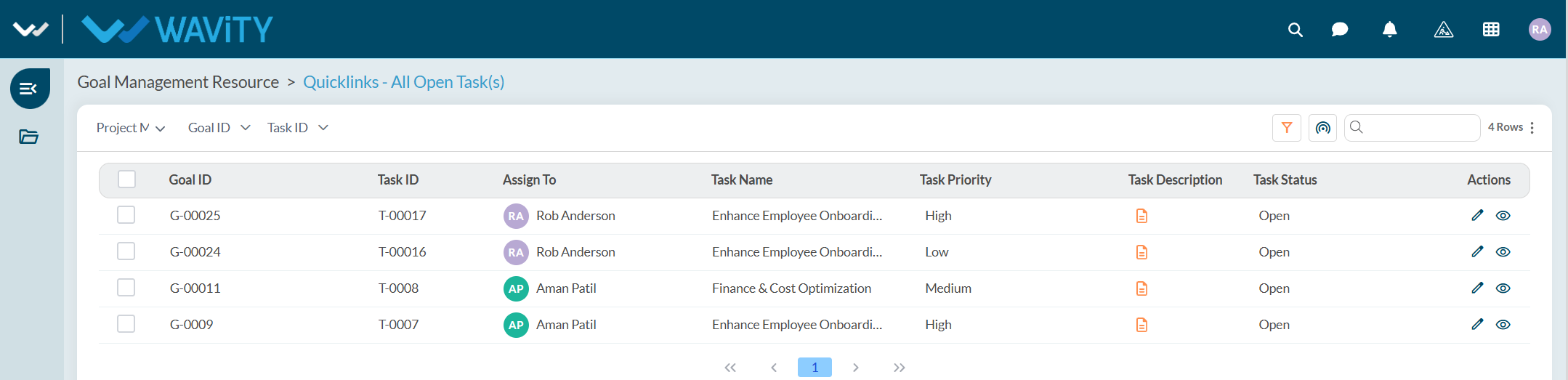
  • A list of all open tasks will be displayed.
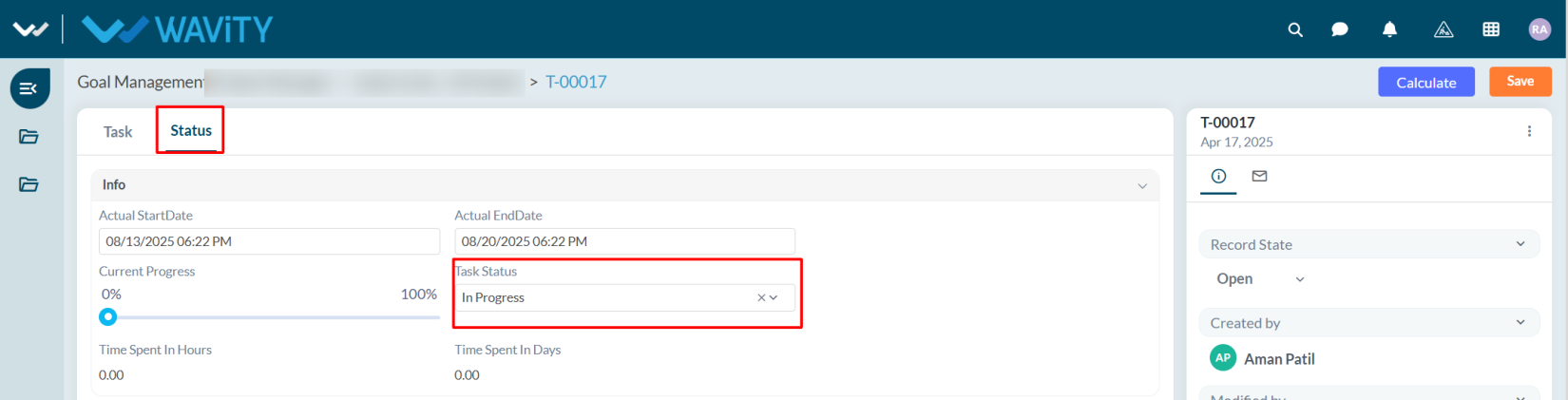
  • Select any task to view its details. The task’s status and progress can be viewed in the Status tab.
Resource Guide: Viewing All Open Task(s)
  • Resource users can view all tasks with the status Open and prioritize their work accordingly.
  • In the Wavity Goal Management module, users with Resource access can log in using their credentials to land on the Resource interface.
  • Note: The following steps are sample instructions and can be customized based on specific requirements; however, the core workflow remains the same.
  • From the Quick Links, select All Open Task(s).
  • A list of all open tasks will be displayed.
  • Select any task to view its details. The task’s status and progress can be viewed in the Status tab.

Leave you comment...

Thank you! Your submission has been received!
Oops! Something went wrong while submitting the form.