Resource Guide: Managing the Assigned Task
Resource Guide: Managing the Assigned Task
- In Wavity Goal Management, a resource person can work on tasks assigned by the Project Manager or Goal Owner.
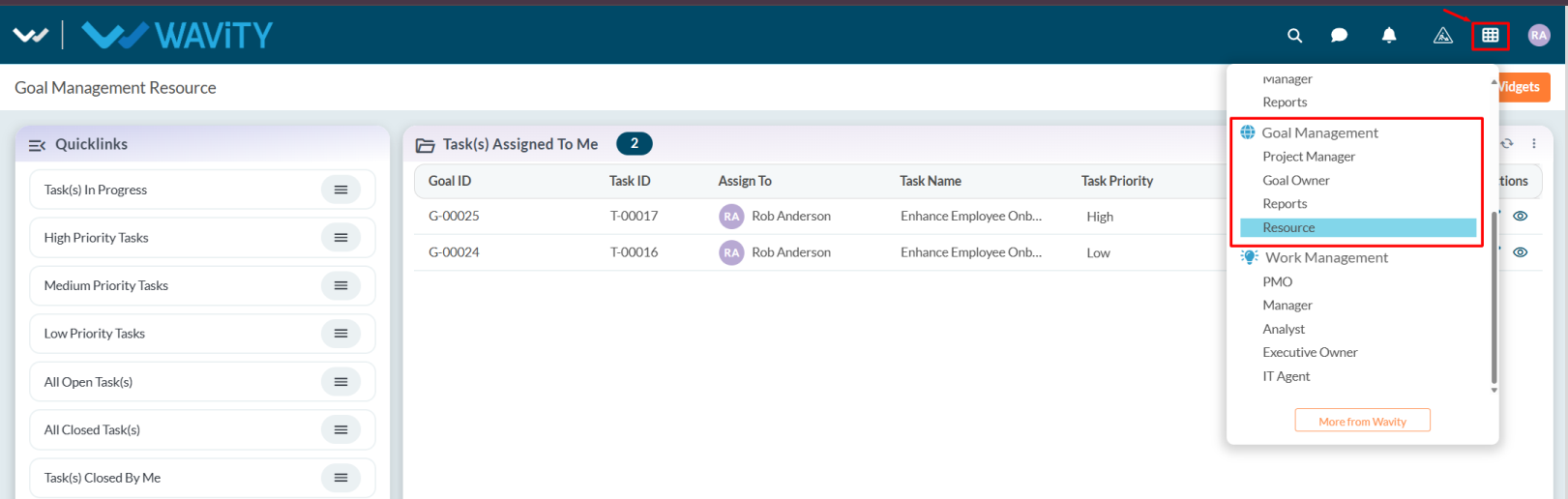
- Users with Resource access can log in with their credentials to land on the Resource interface, or select the Resource Interface from the Goal Management section under the Solution icon.
- Note: The steps provided are sample instructions and can be customized based on specific requirements, but the core workflow remains the same.
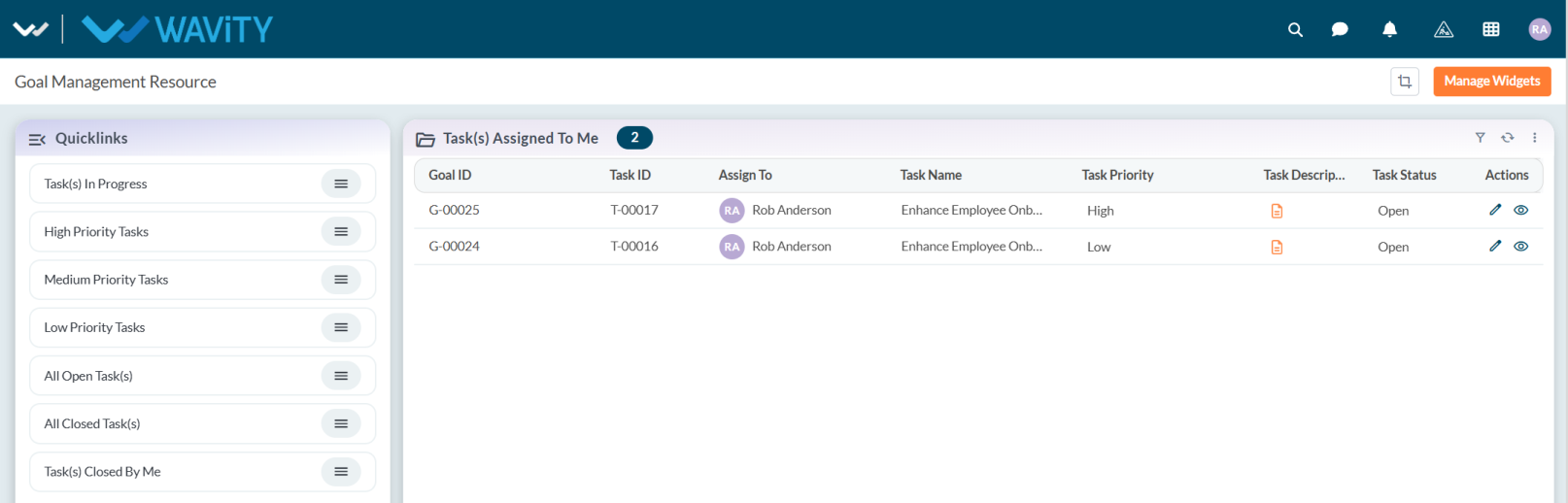
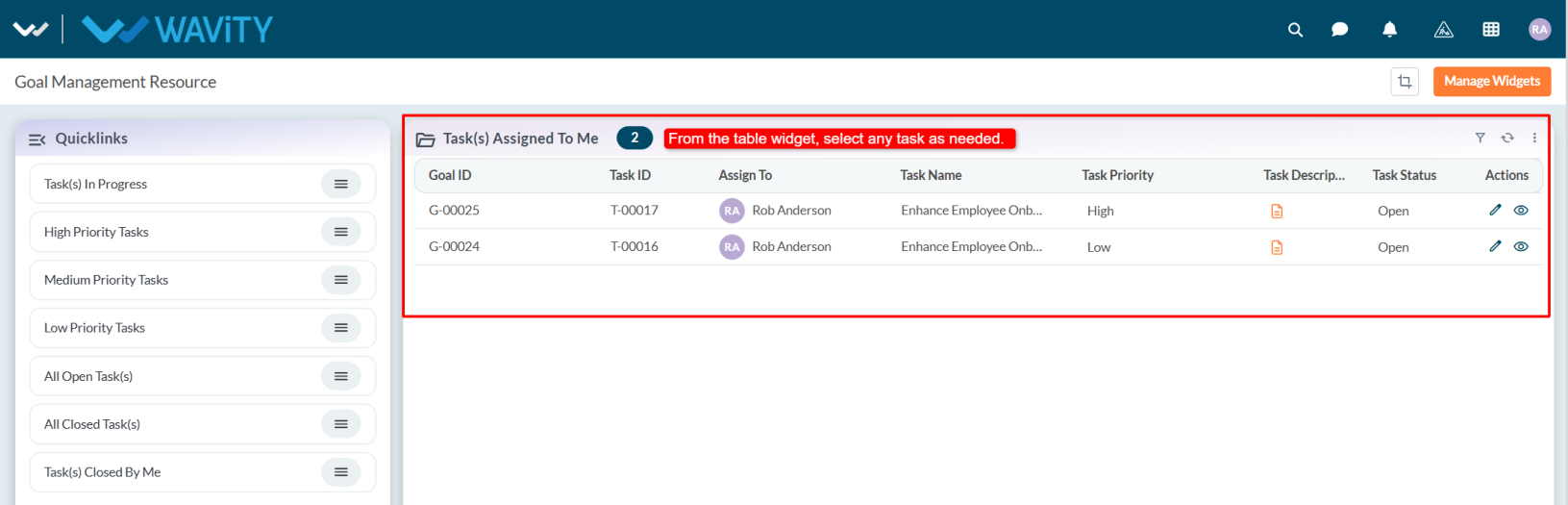
- In the Task(s) Assigned to Me table widget, users can view all tasks assigned to them and select any task as needed.
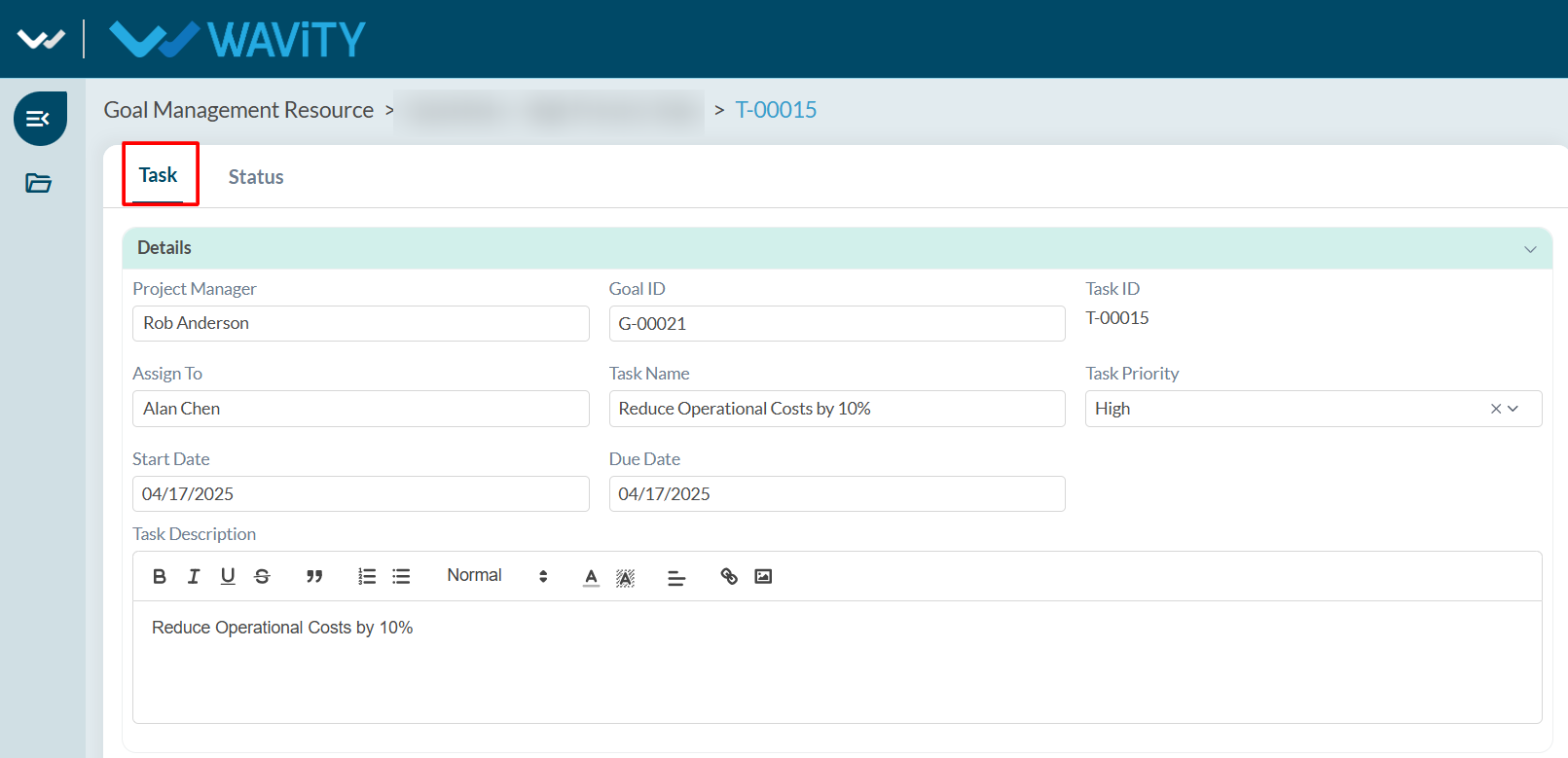
- User can view the task details in Task tab.
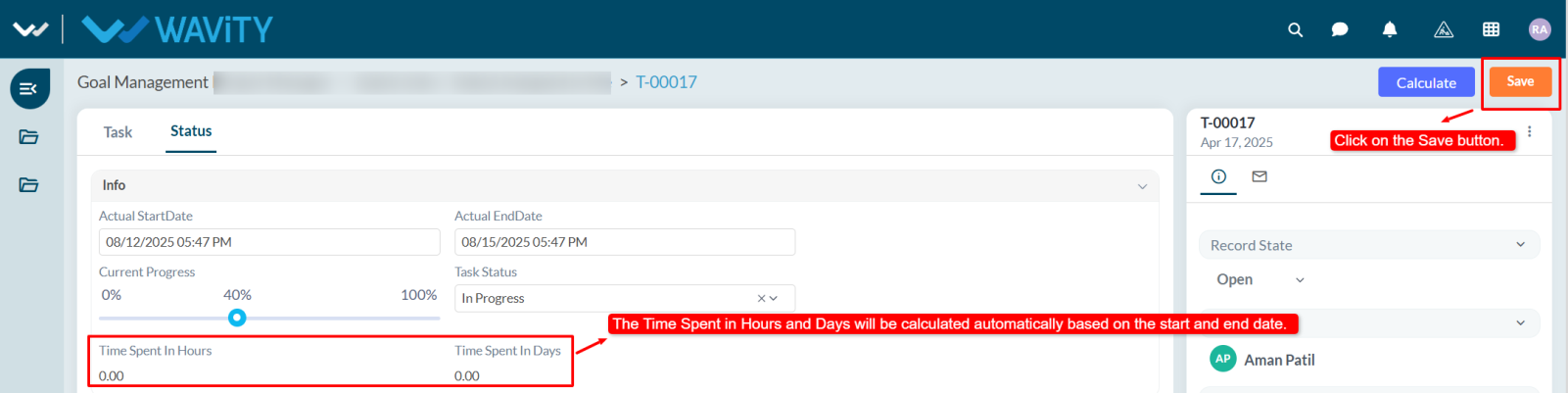
- In Status tab, resource person need to set the Actual Start Date and Actual End Date.
- Update the Current Progress and Status according to work progress.
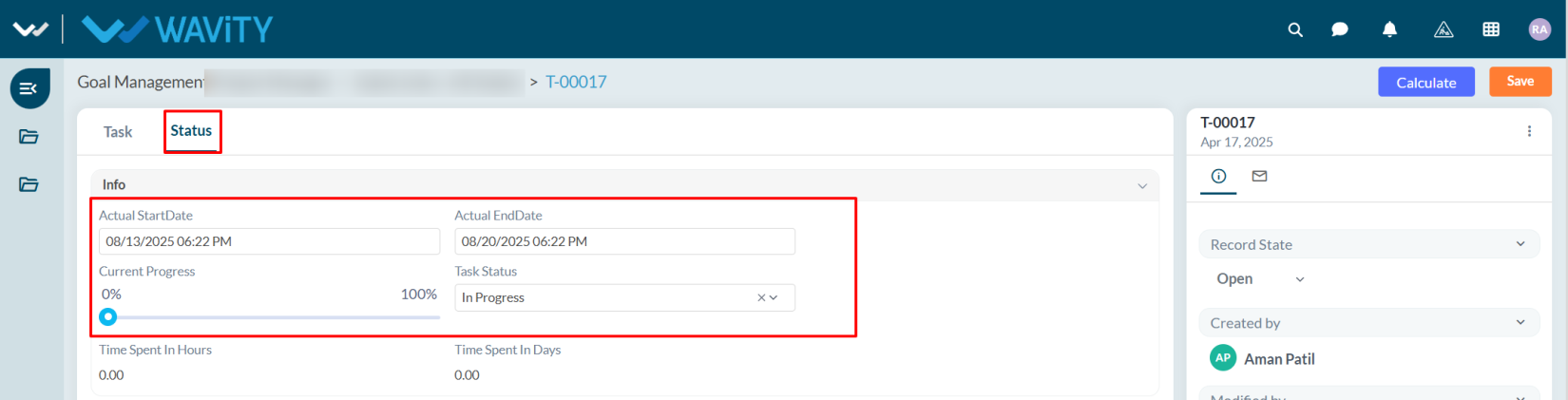
- The Time Spent in Hours and Days will be calculated automatically based on the Actual Start Date and Actual End Date.
- After updating the status and other details, click Save.