Project Manager Guide: Requesting Resources
Project Manager Guide: Requesting Resources for a Project
- In the Wavity Project Portfolio Management Solution, requesting a resource person for a project is a straightforward process.
- Users with Project Manager access can log in using their credentials and will be directed to the Project Manager Persona.
- Note: The steps provided serve as sample instructions and can be customized based on specific requirements; however, the core workflow will remain the same.
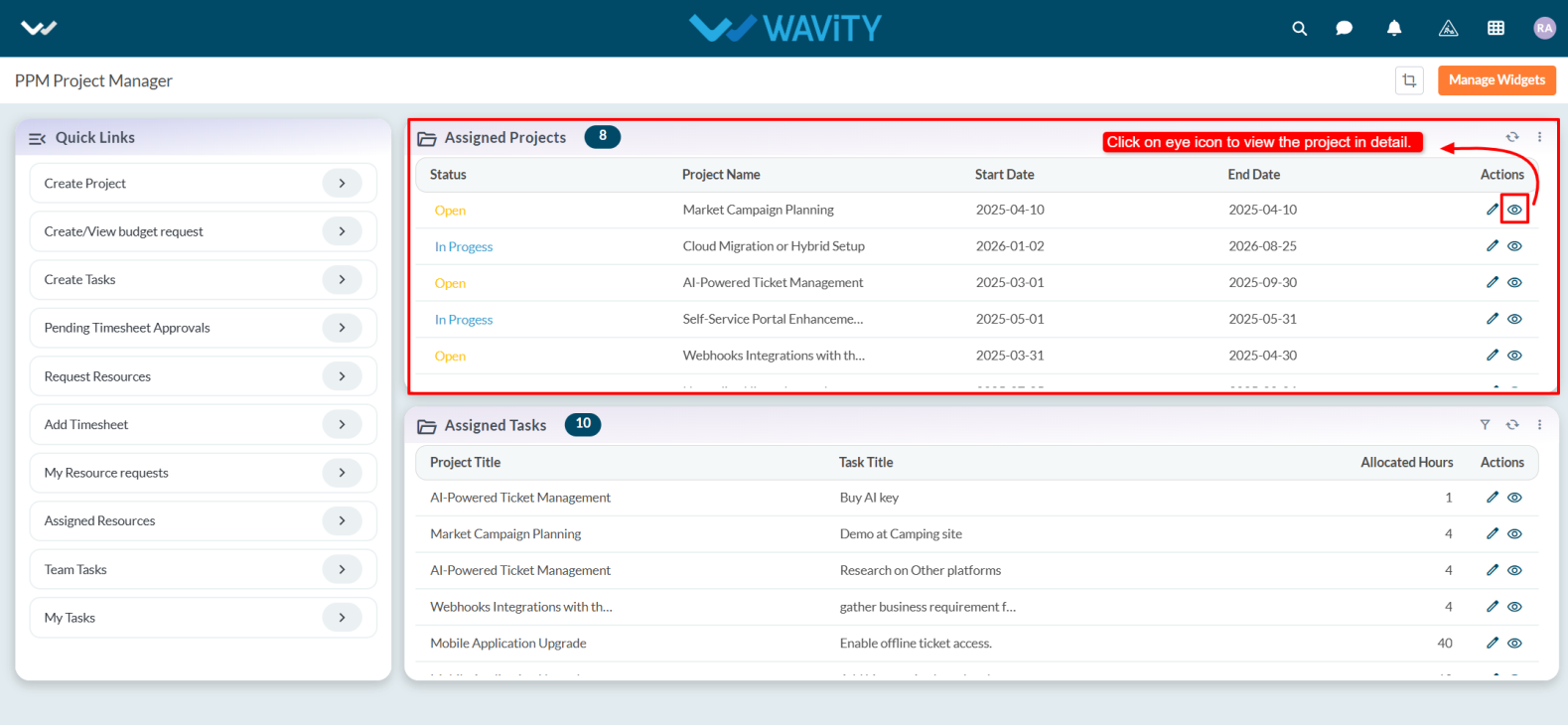
- Users can request a resource by clicking on Request Resources from the Quick Links.

- In the Assigned Tasks table widget, select any assigned project.
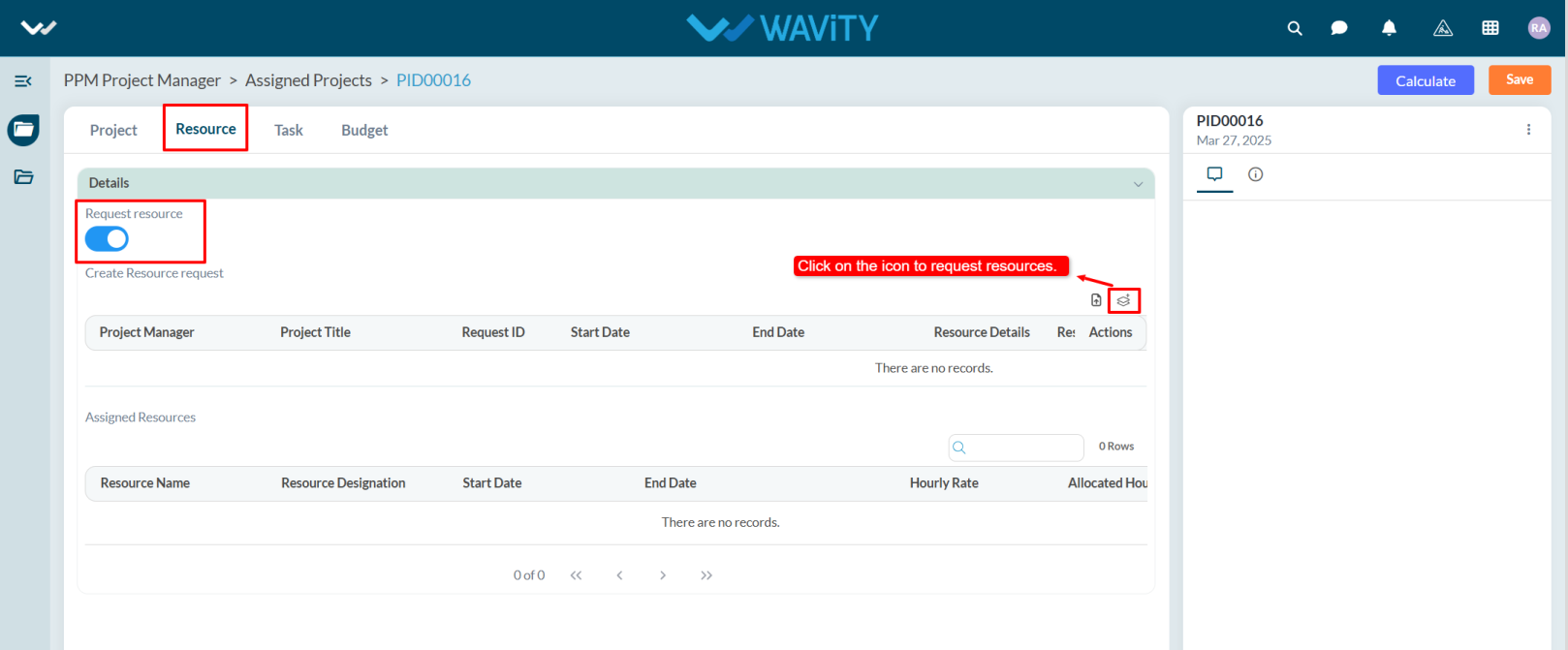
- Go to the Resource tab and enable Request Resource. The Create Resource Request field will appear automatically.
- Click on the icon Create New Records as shown in the image below.
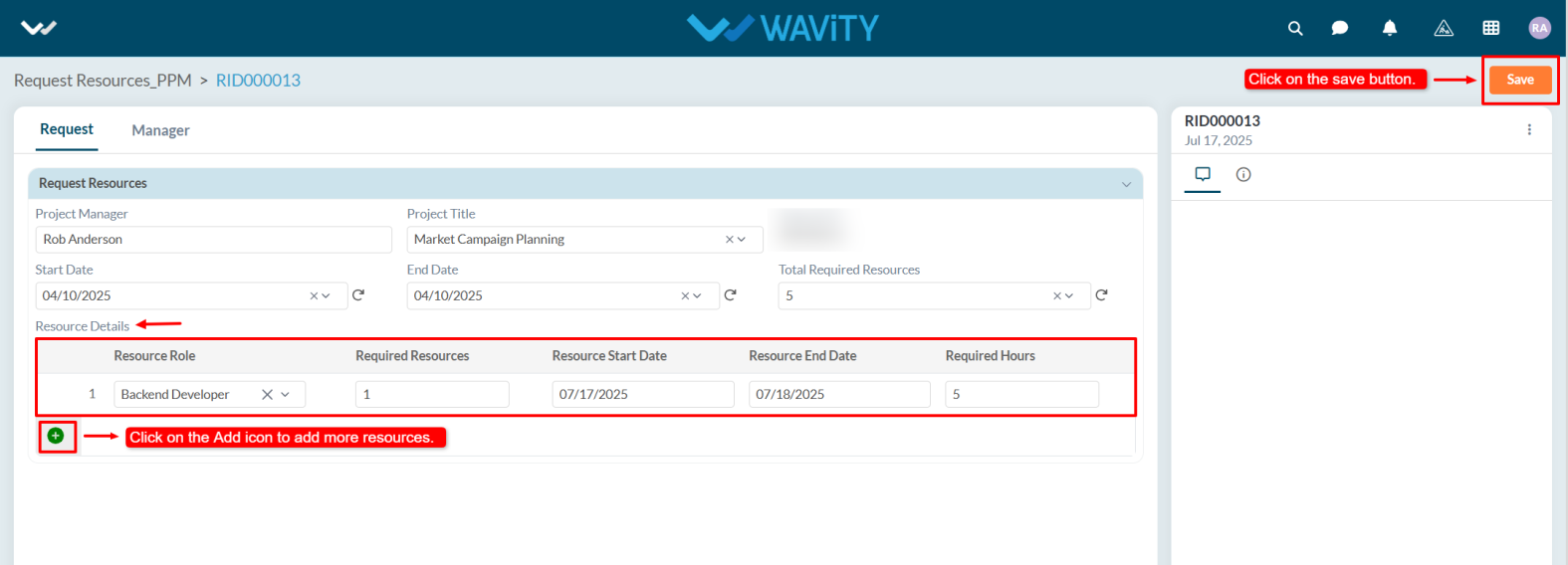
- The Project Manager, Project Title, Start Date, End Date, and Total Required Resources will be populated automatically.
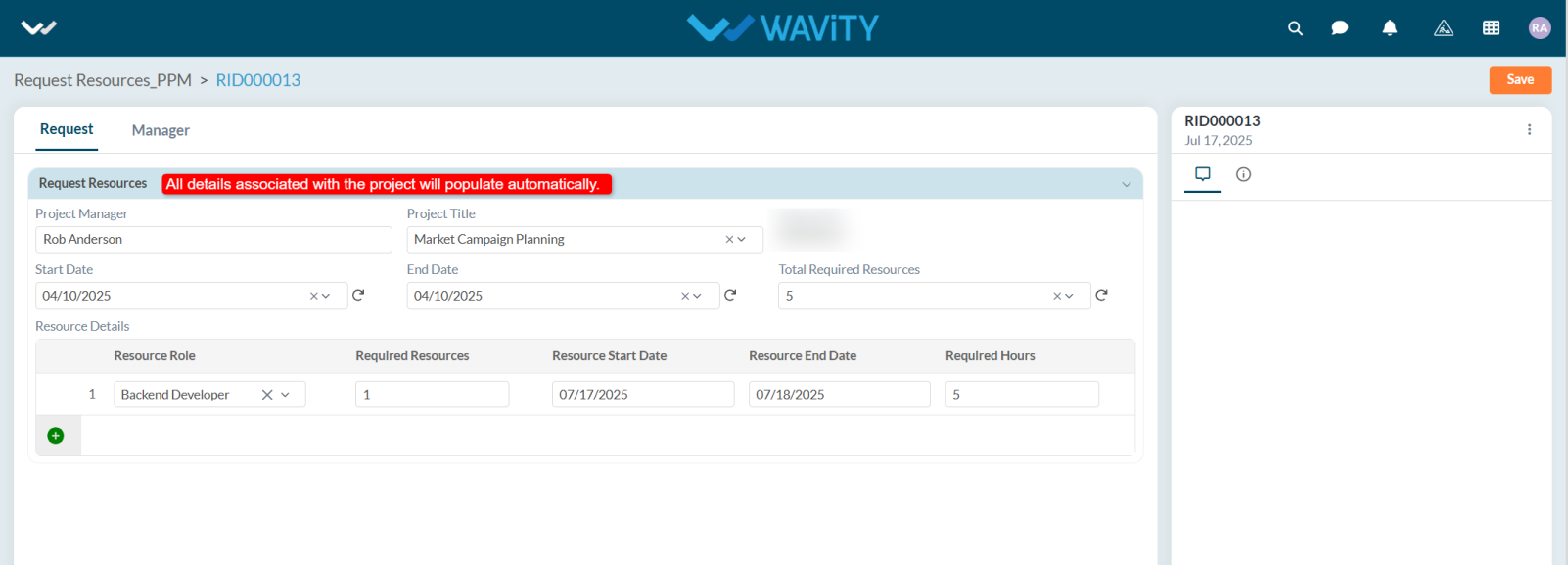
- Under Resource Details, select the Resource Role; enter the Start and End Date, and the Required Hours. To request additional resource roles, click the Add (+) symbol and then click the Save button.
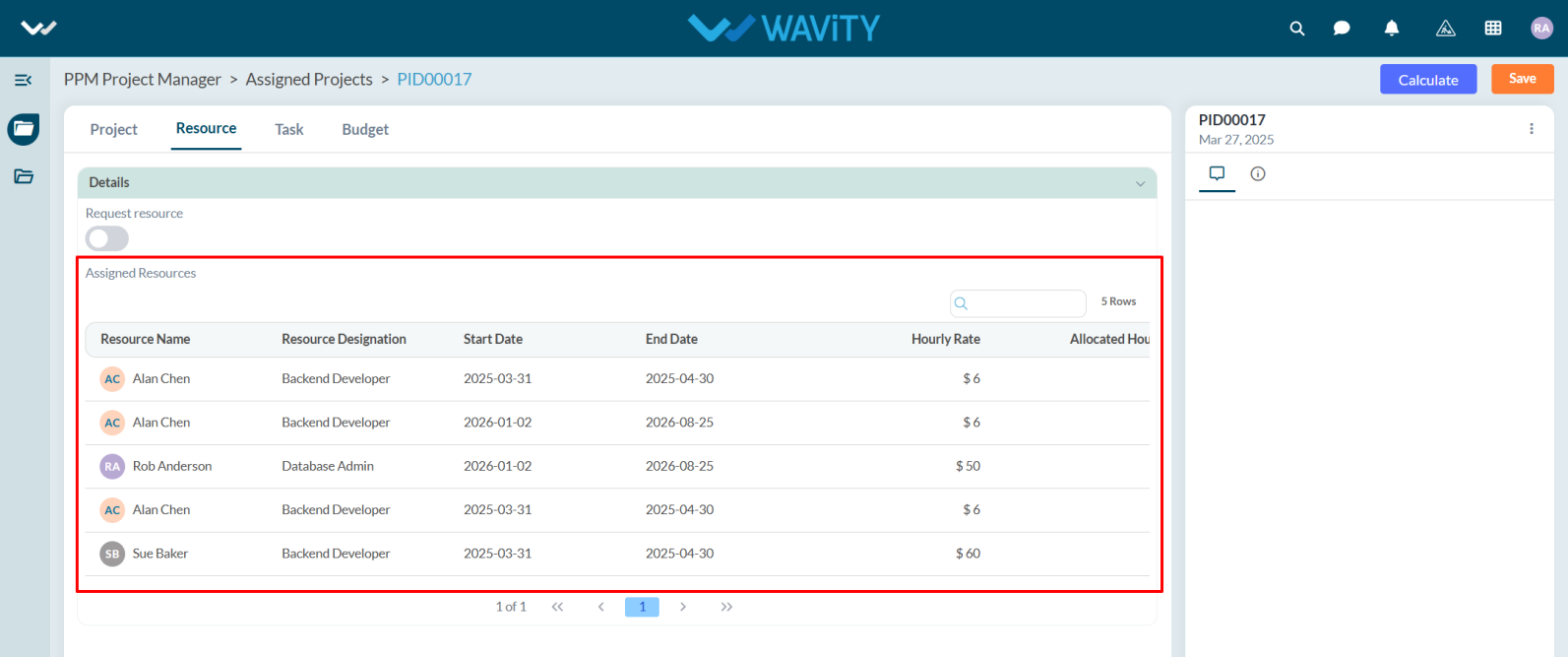
- Once the resource is assigned, their details will appear under the Assigned Resource Persons section in the Assigned Resources field.