How To Add Users In Bulk
- In the Wavity Help & Service Desk solution, Users are individuals who interact with the system to request, access, or manage IT services. Users can be assigned different roles, such as End Users, Customers, Service Desk Agents, Technicians, Managers, and Administrators.
- Only an Administrator (Admin) has the permission to add users in bulk.
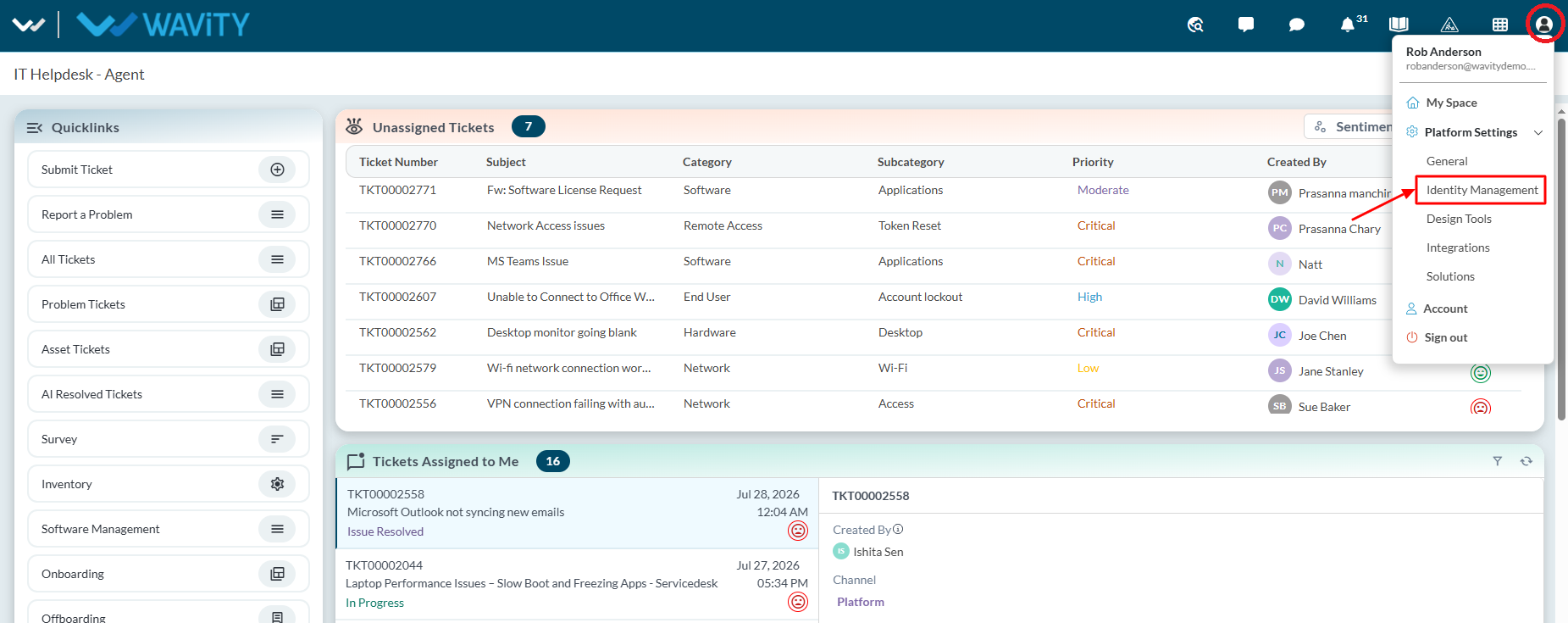
- Click on the Profile icon and select Identity Management.
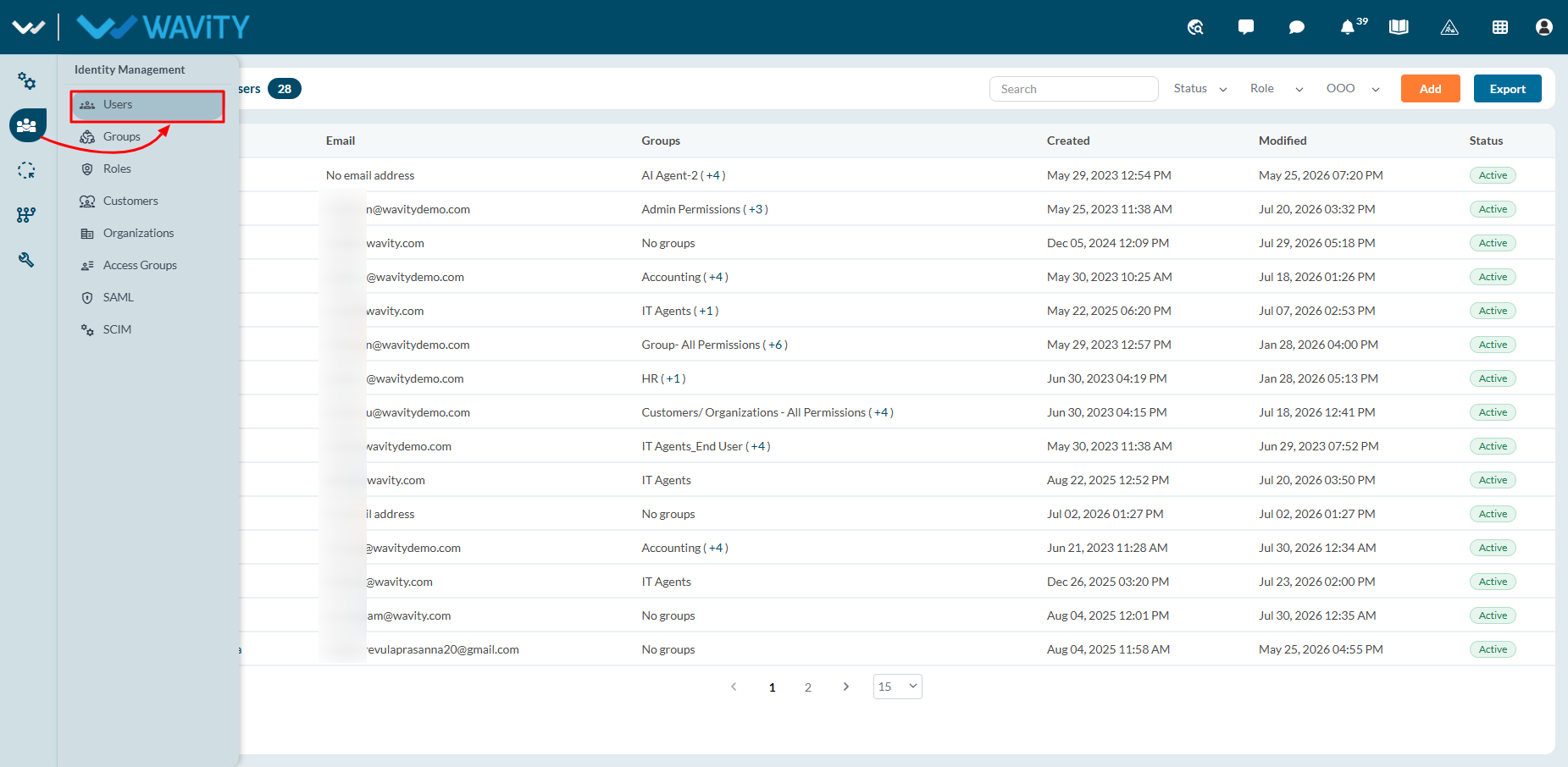
- Select Users from the left navigation panel.
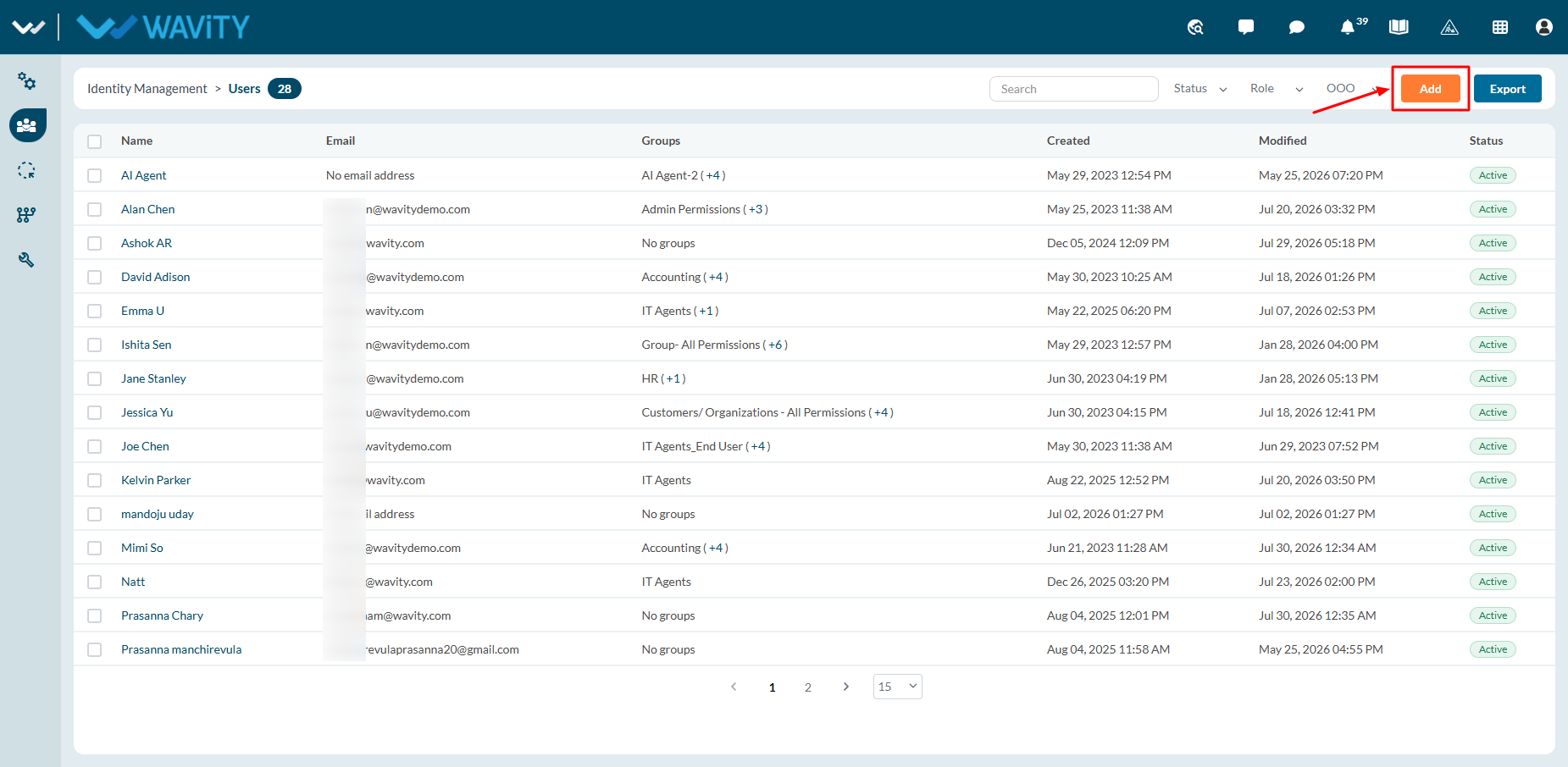
- Click on ‘Add’ button.
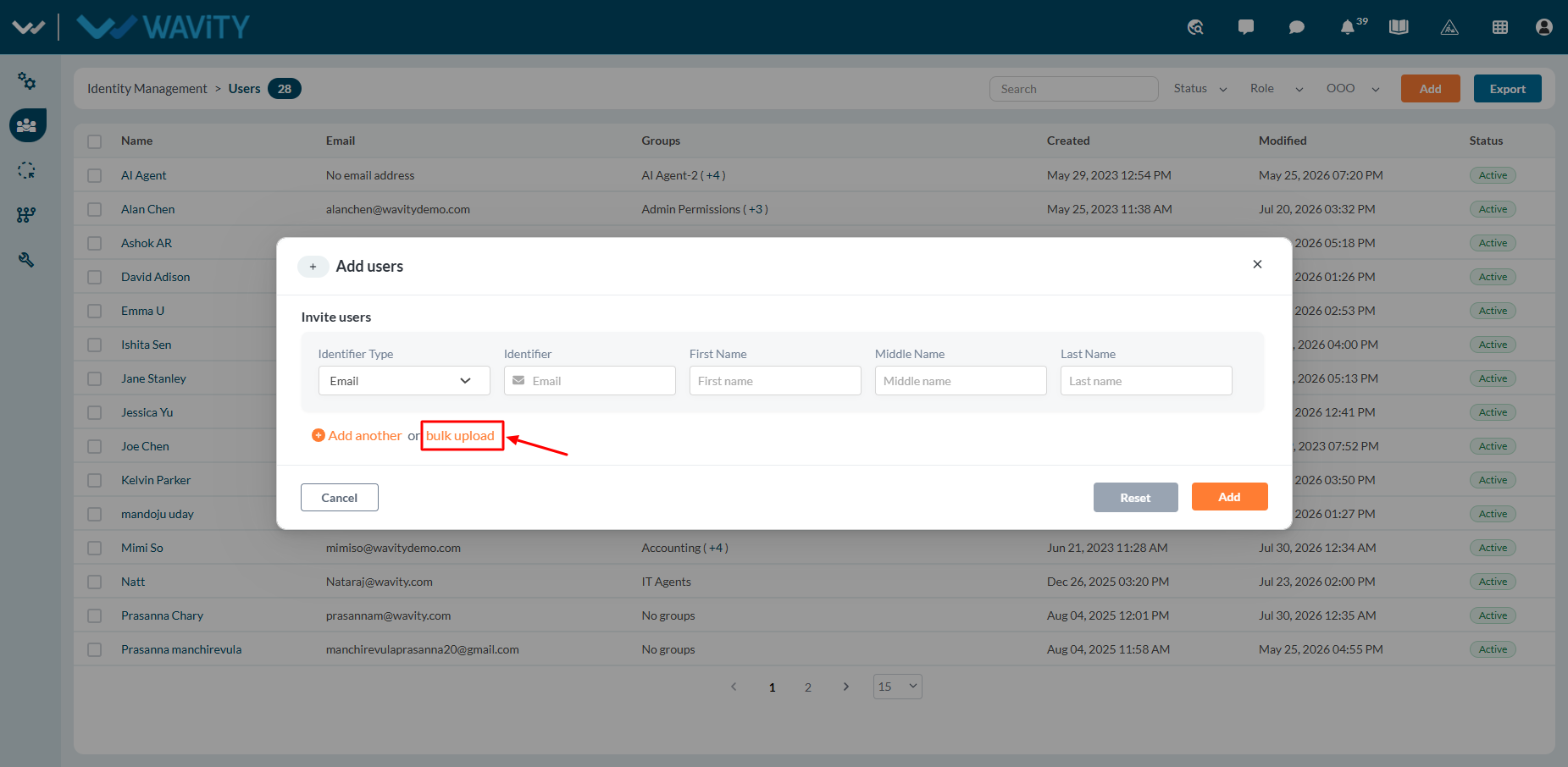
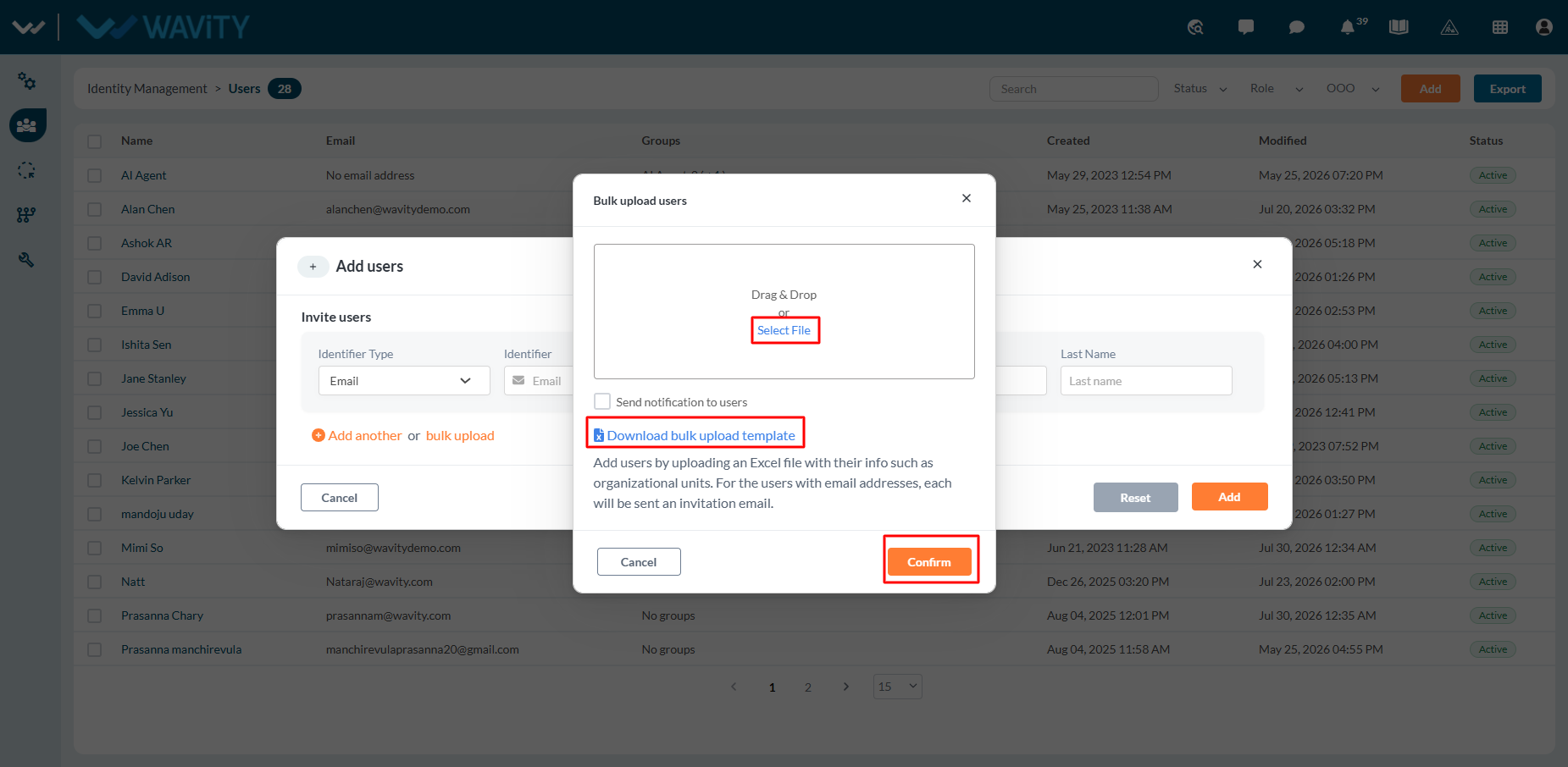
- Click on “Bulk upload” as shown below.
- To download the sample template, click Download Bulk Upload Template.
- Update the template by entering all the required user details, then save the file and upload it.
- If you have multiple users listed in an Excel file, you can upload them by either:
- Clicking Select File and choosing the Excel file, or
- Dragging and dropping the file into the upload area.
- Click Confirm to complete the bulk upload process.
- Once the upload is successful, each user will receive an activation email to activate their Wavity account by creating a new password.