Admin Guide: Removing Members from a Group
- Only administrators have the authority to remove members from a group in the Wavity Platform.
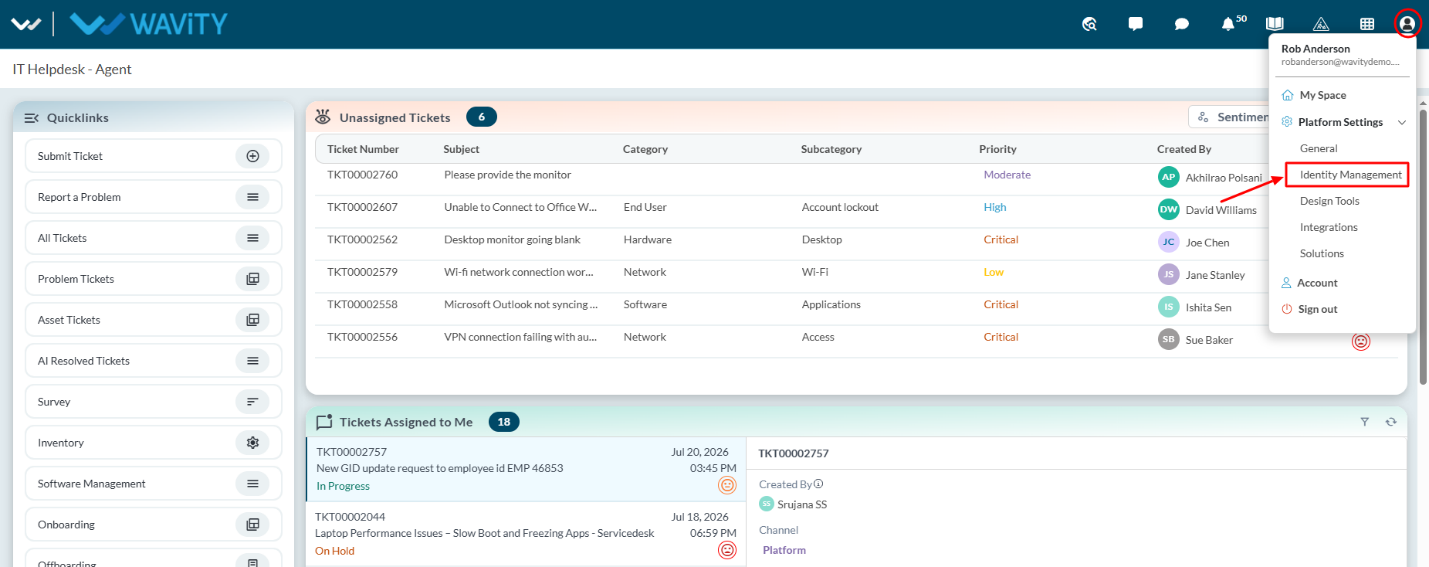
- Navigate to ‘Platform Settings > Identity Management’
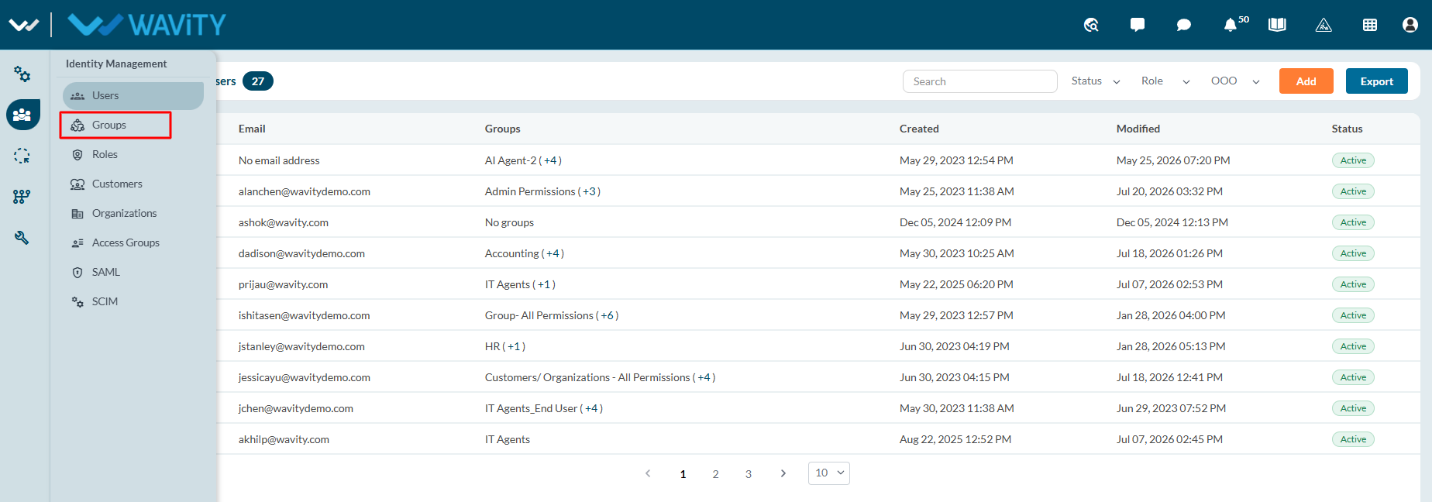
- From the left navigation panel, select Groups.
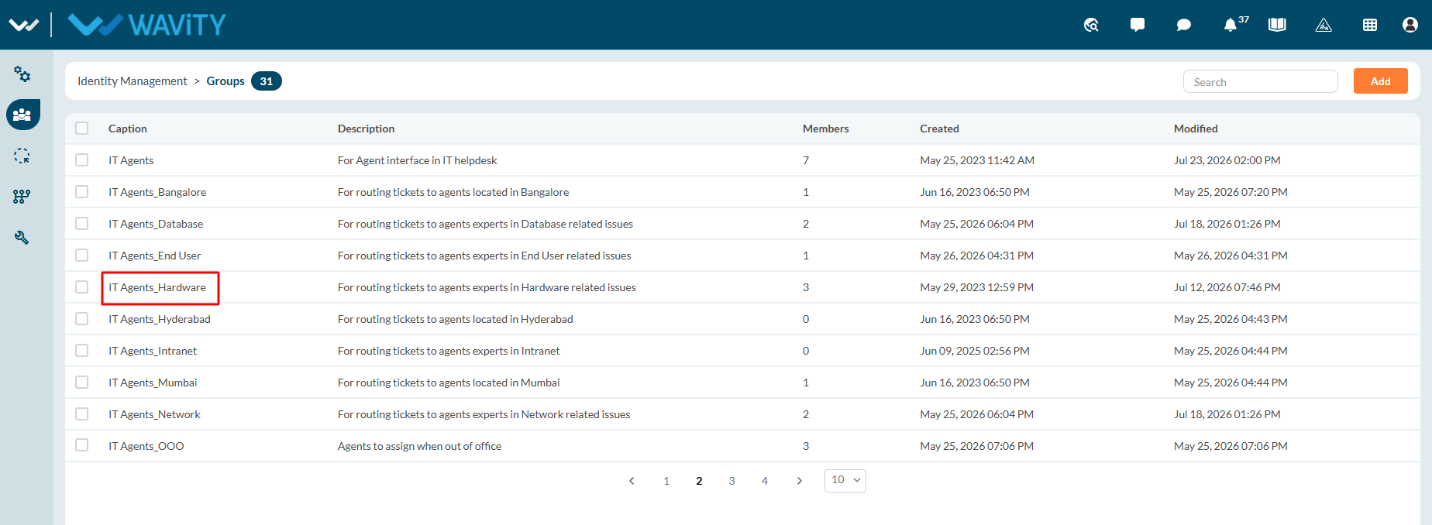
- Select the group to remove members as shown in below image.
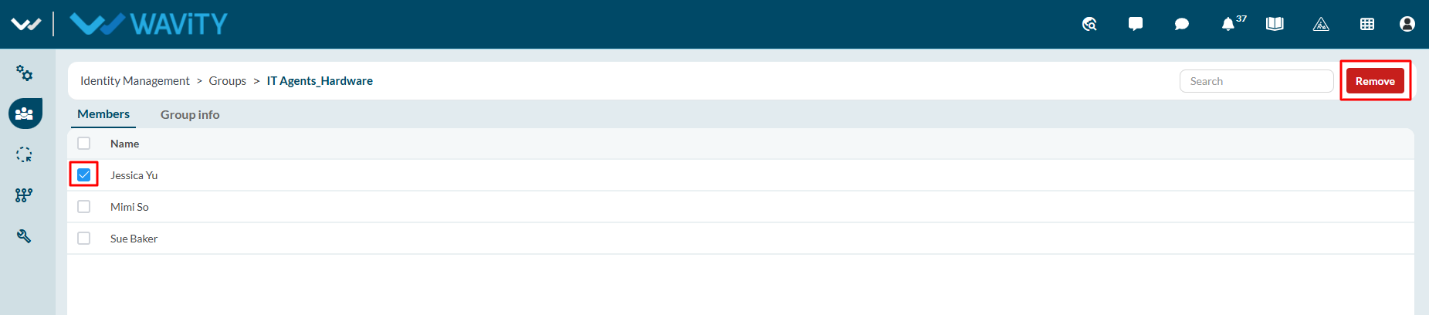
- Select the members you want to remove from the group. Click on the “Remove” button to complete the process. You can select multiple members to remove from the group in one time.