Admin Guide: How To Export User Details?
- In the Wavity platform, only an Admin has the ability to export multiple user details directly into spreadsheet (Excel file).
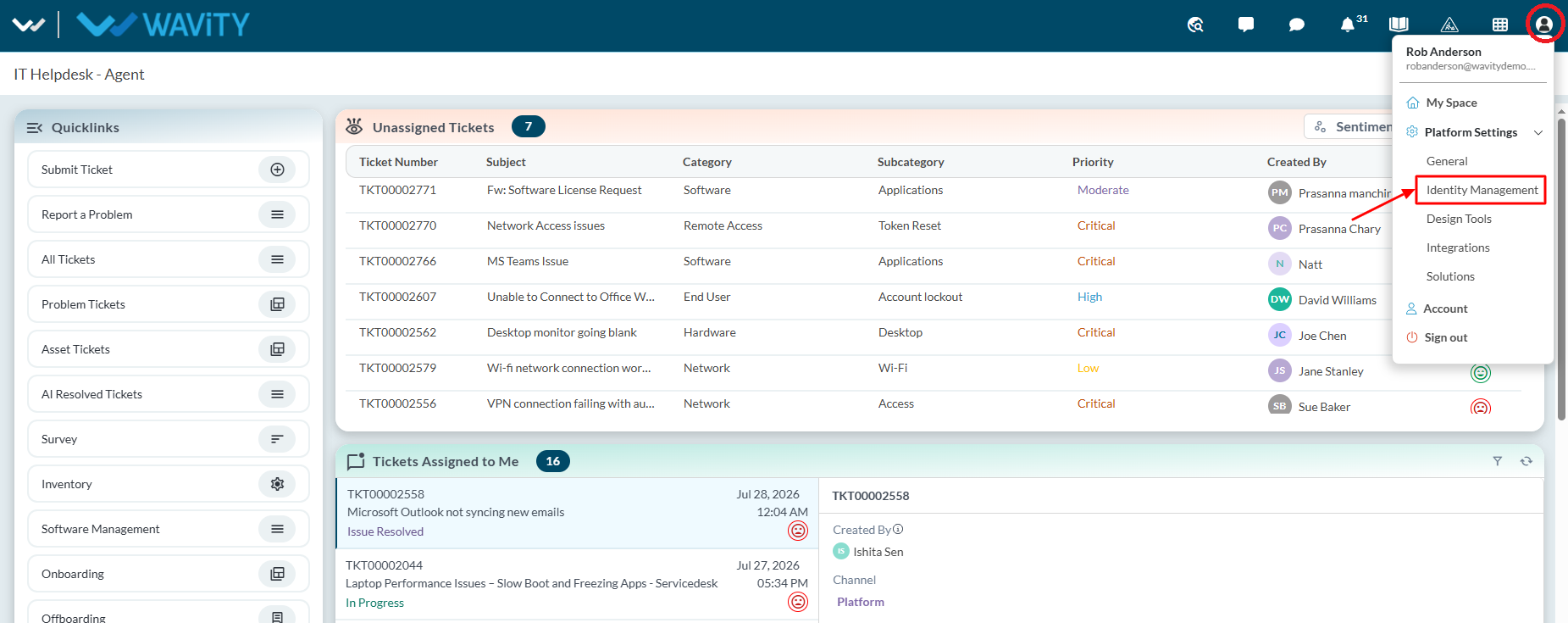
- Under profile icon select ‘Identity Management’
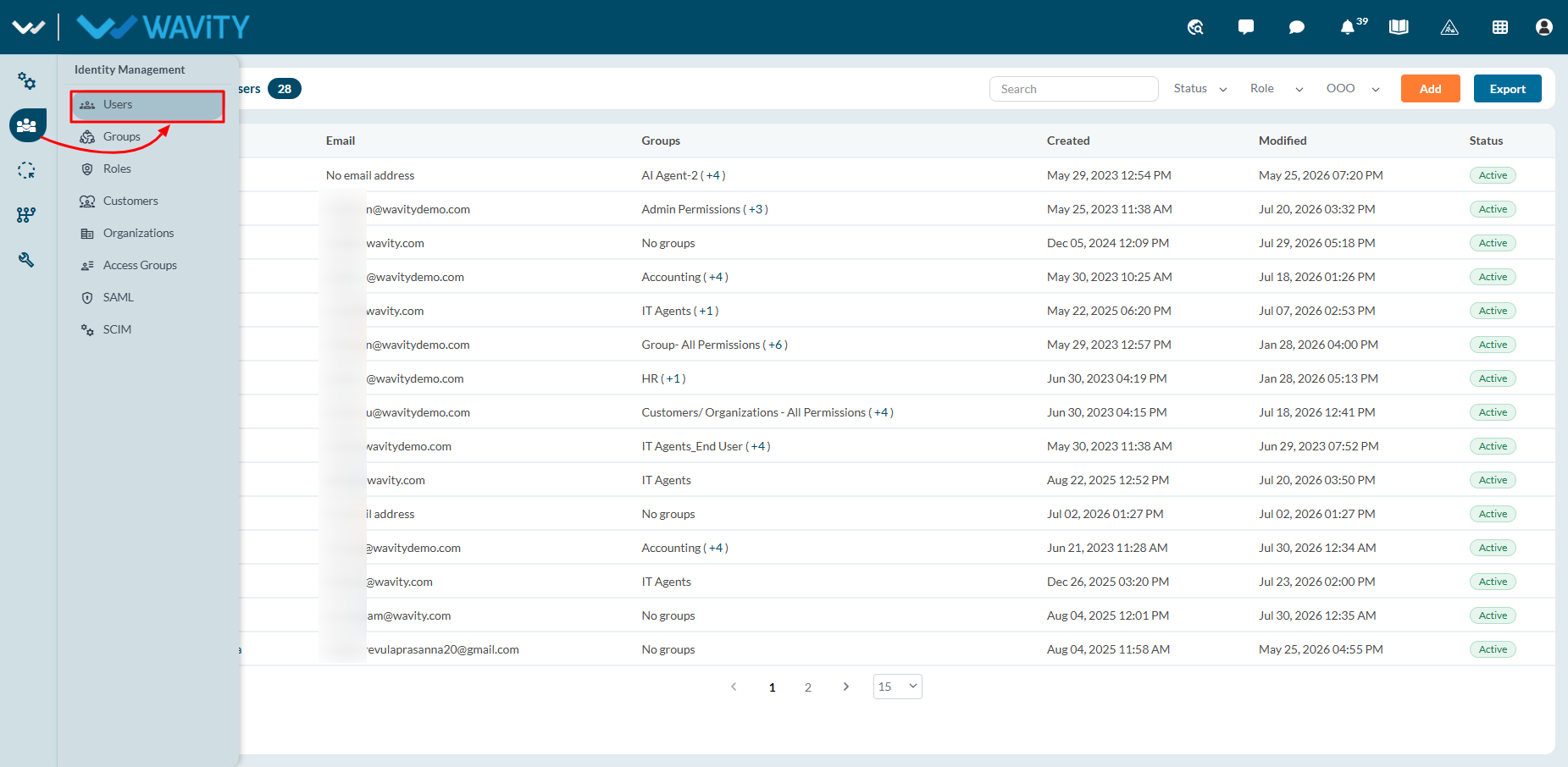
- Then using the left navigation panel, Select ‘Users’ section in Identity Management.
- All current users along with account status will be shown in the list as shown below. You can also search for an individual user using the “search box”.
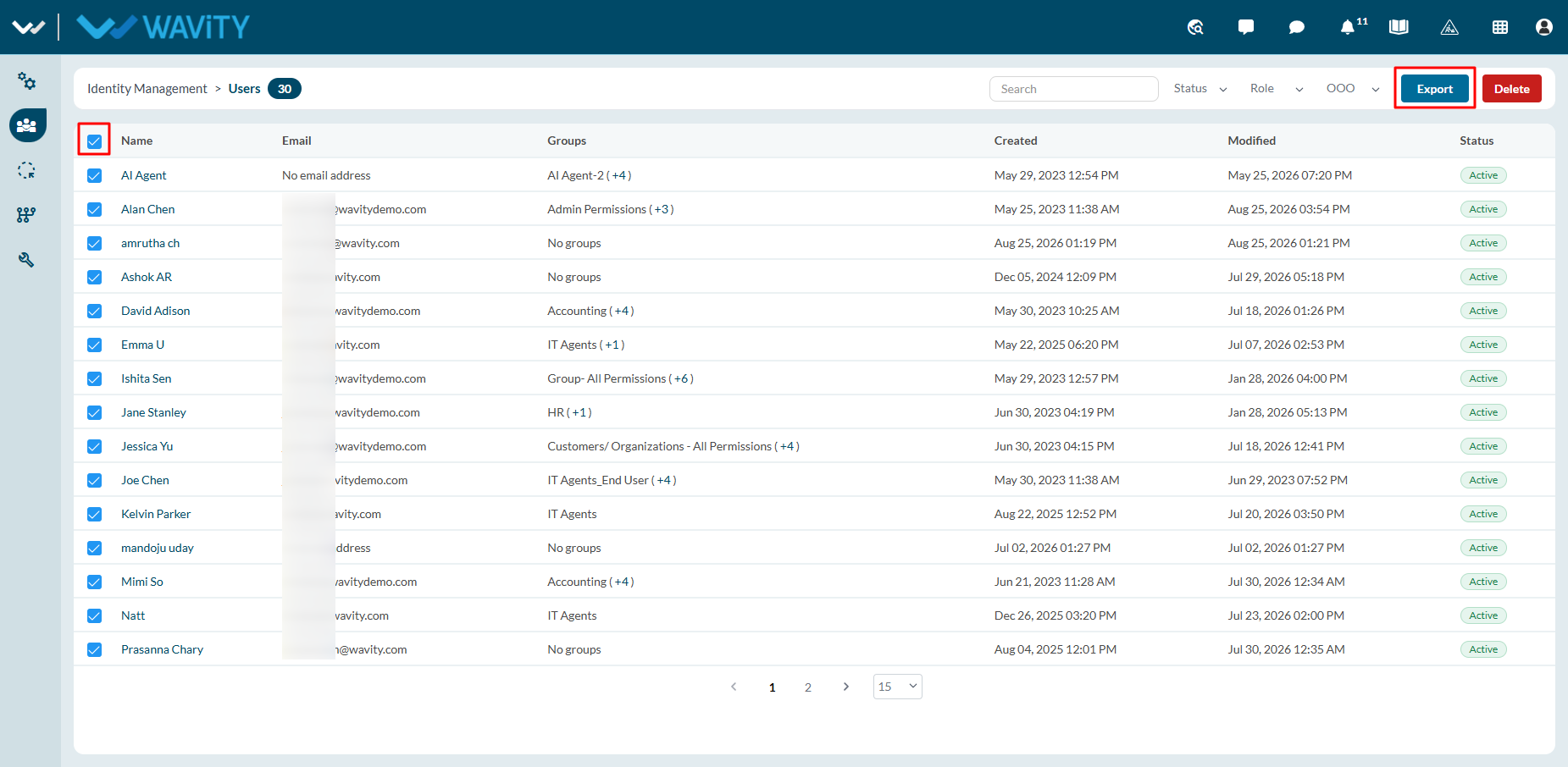
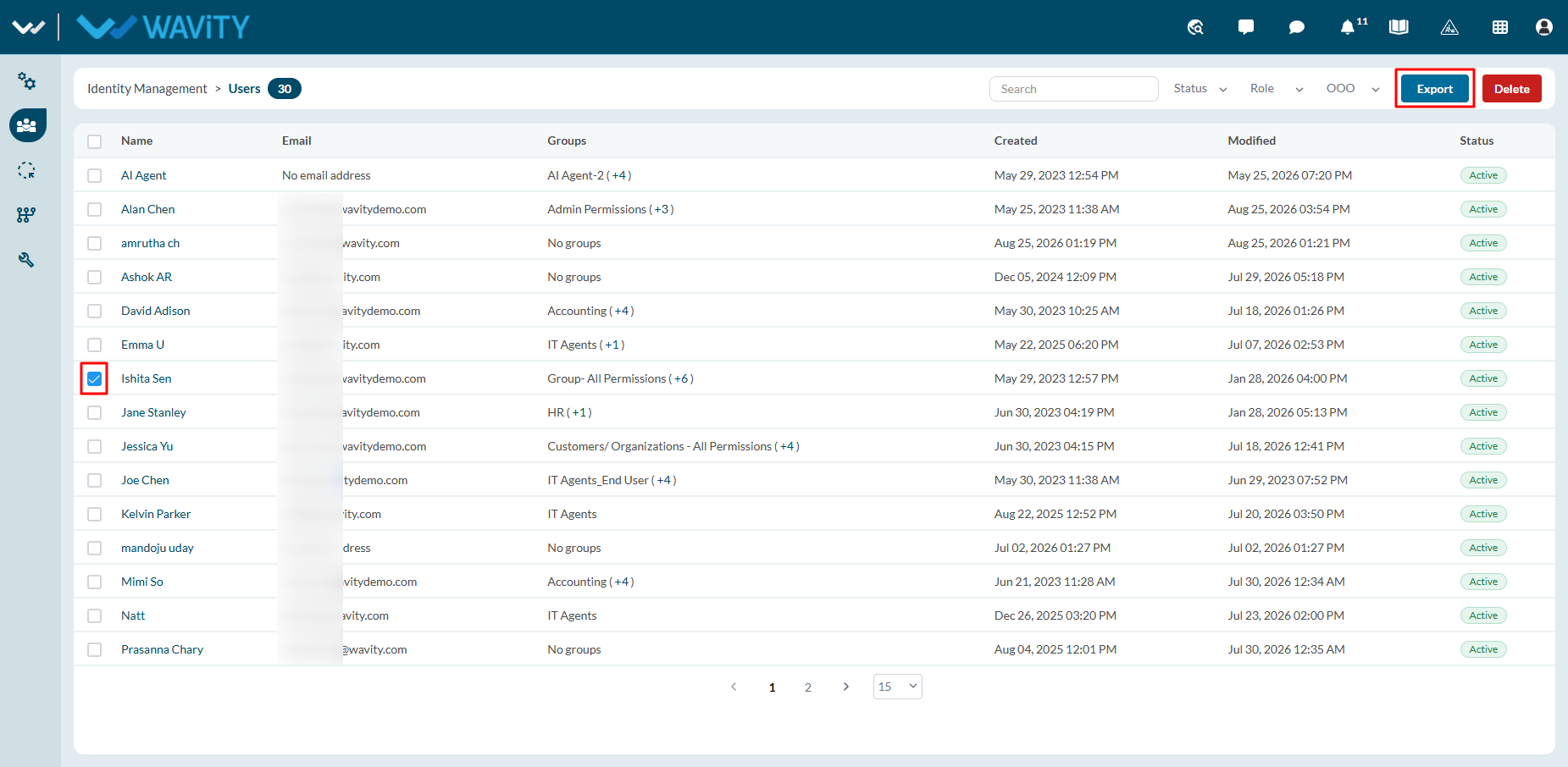
- To export single user details: Select the user you would want to export. Click on “Export” button. Spreadsheet with user details will be downloaded in your system.
- To export multi user details: Select 'Check box' as shown below to select multiple user at once. Click on “Export” button. Spreadsheet file with user details will be downloaded in your system.