How to Export an Incident into PDF format
Agent Guide: How to Export an Incident into PDF format
- In the Wavity platform, handling and updating incidents as an agent is a simple and intuitive process.
- Note: The steps outlined below serve as general instructions and can be fully customized to meet specific organizational needs; however, the core workflow remains the same.
- Agents with the appropriate access can log in using their credentials and will be directed to the Agent Interface.
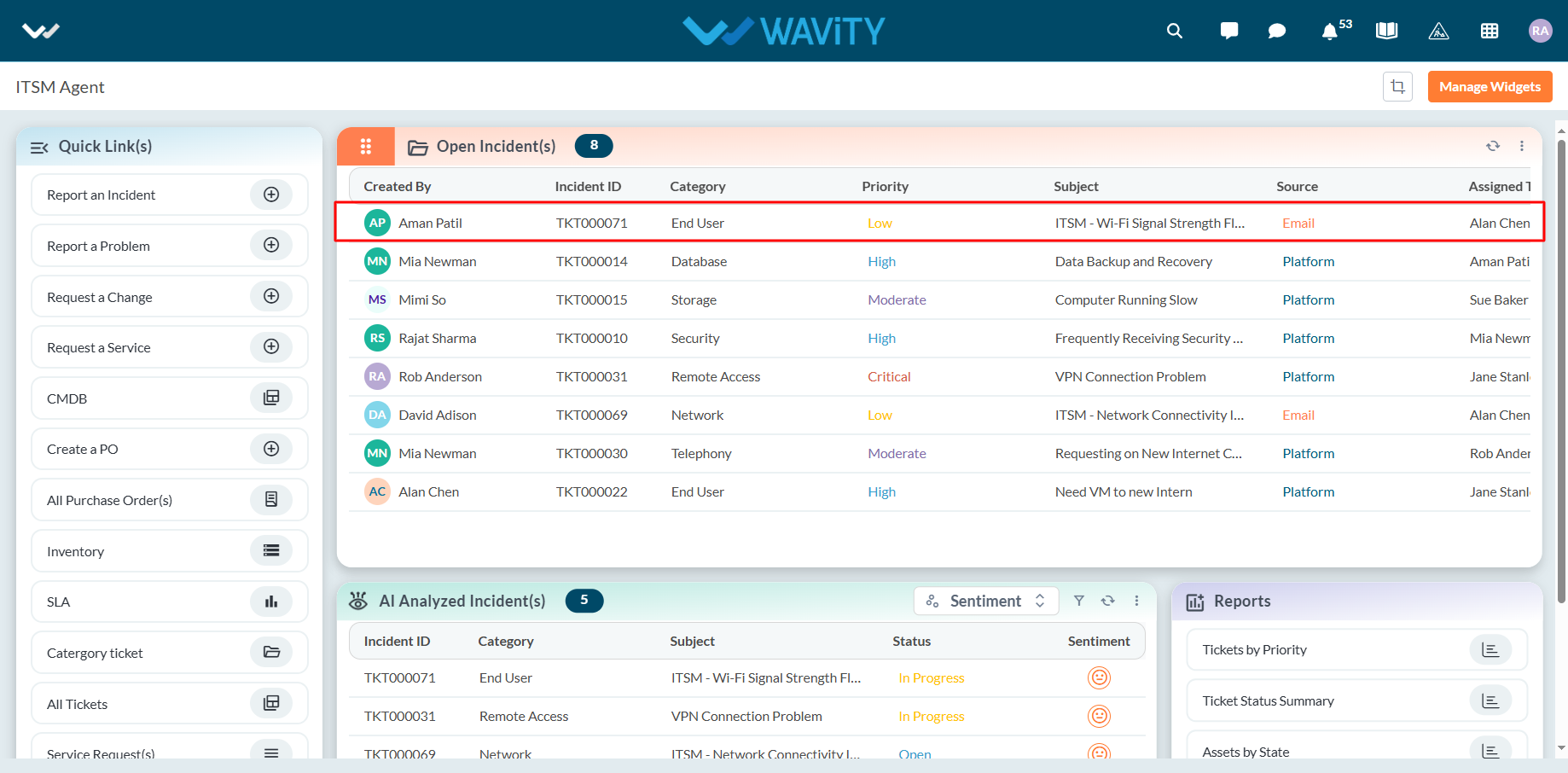
- From the Agent Interface, Click on any of the open incidents.
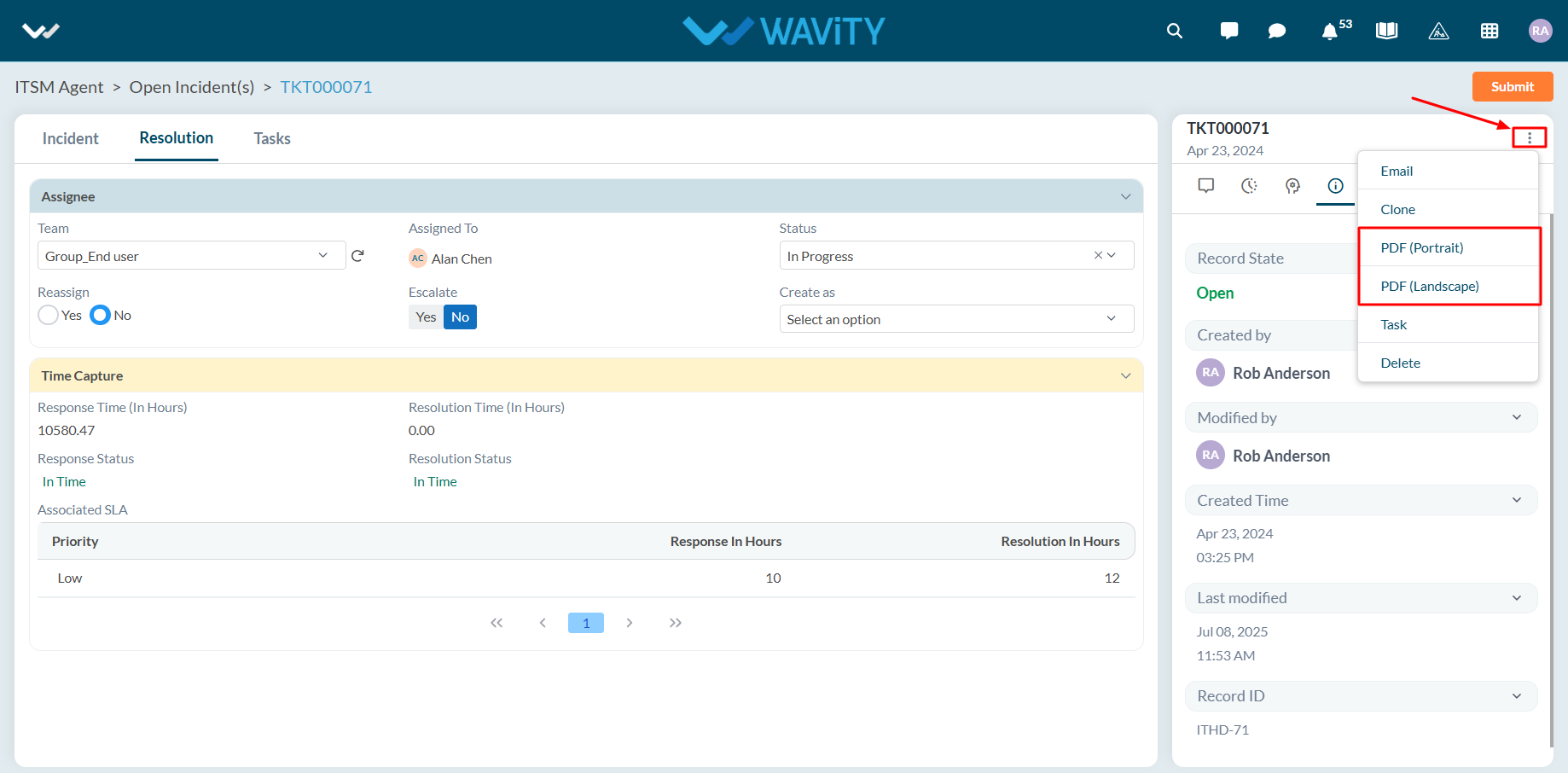
- Click on the three dots (⋮) in the top-right corner of the incident view.
- From the dropdown menu, select the appropriate PDF format option.
- The incident will automatically download in the selected PDF format.