How To Edit User Details
- In Wavity Help & Service desk, Users are individuals or groups who interact with the system to request, access, or use IT services.
- Users can be categorized into various roles, such as end-users, customers, service desk agents, technicians, managers, and administrators. Users can perform the following functions in Wavity at profile level.
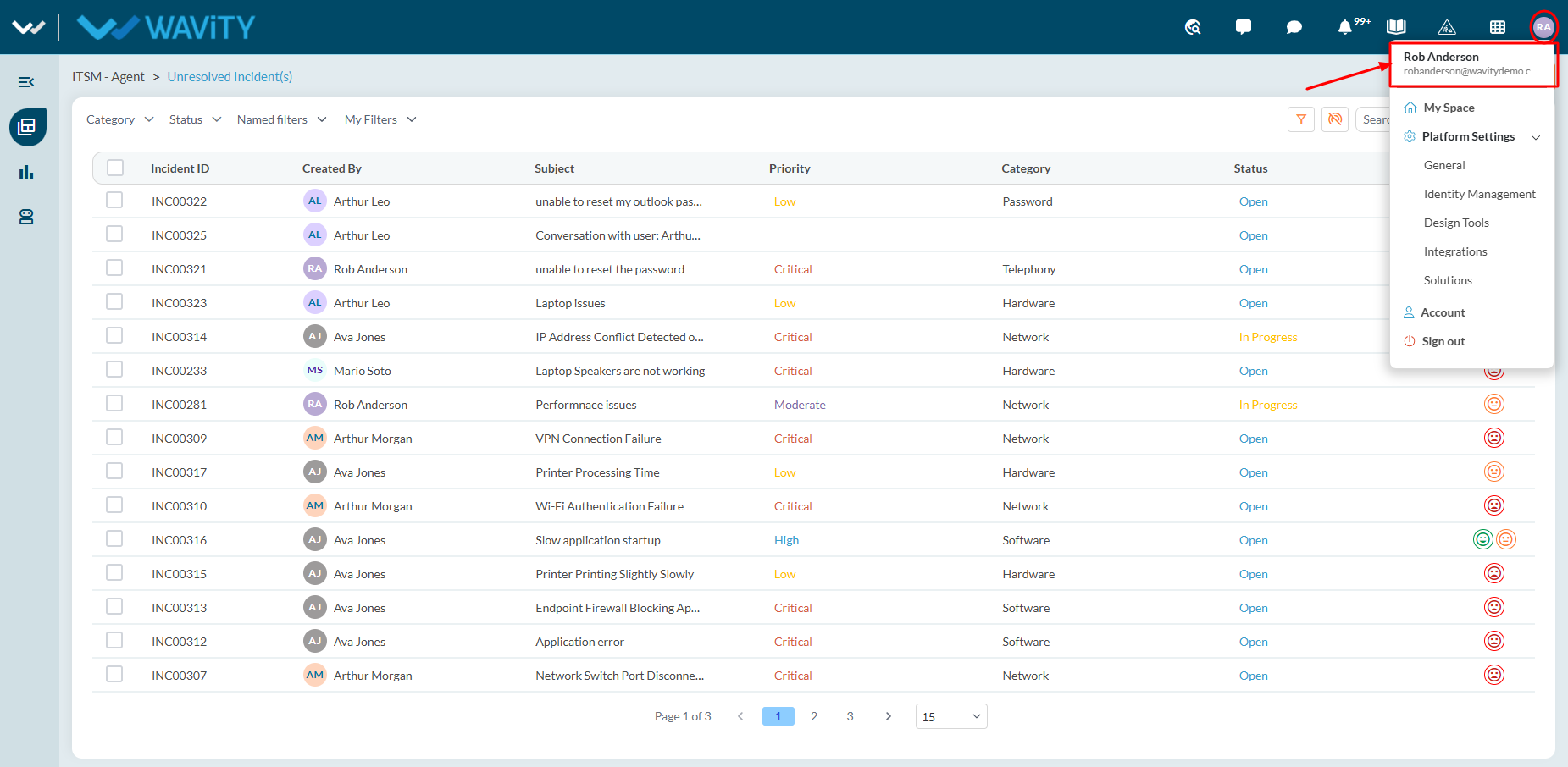
- Click on “Profile Icon” as shown in below image. This will display your User Name and Email id linked to your Wavity Account.
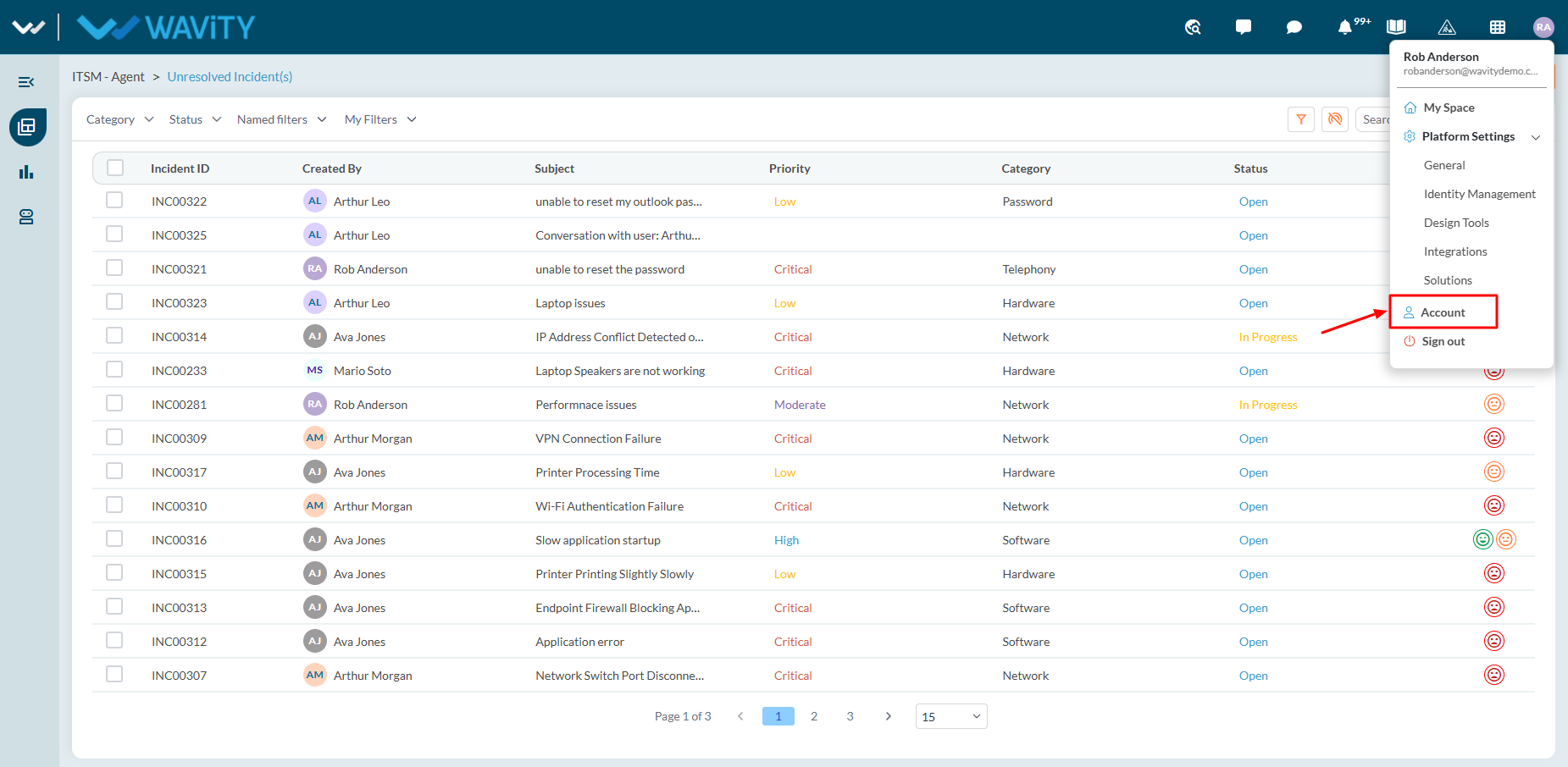
- Click on “Account” as shown below to view/edit your profile.
- Under Basic Information, Users can edit/view Username, Email ID (Linked with Wavity) and initials such as First name and Last Name.
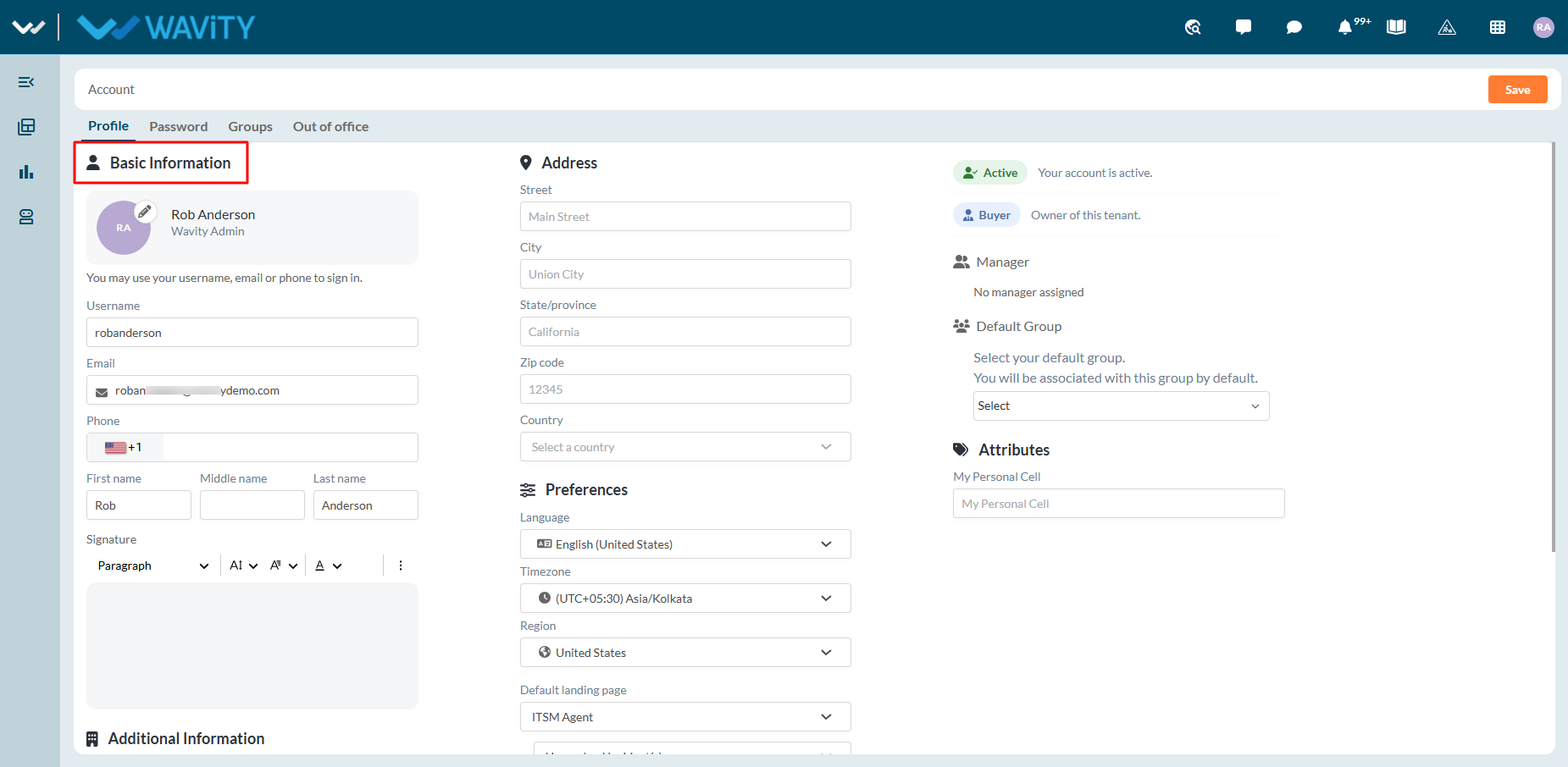
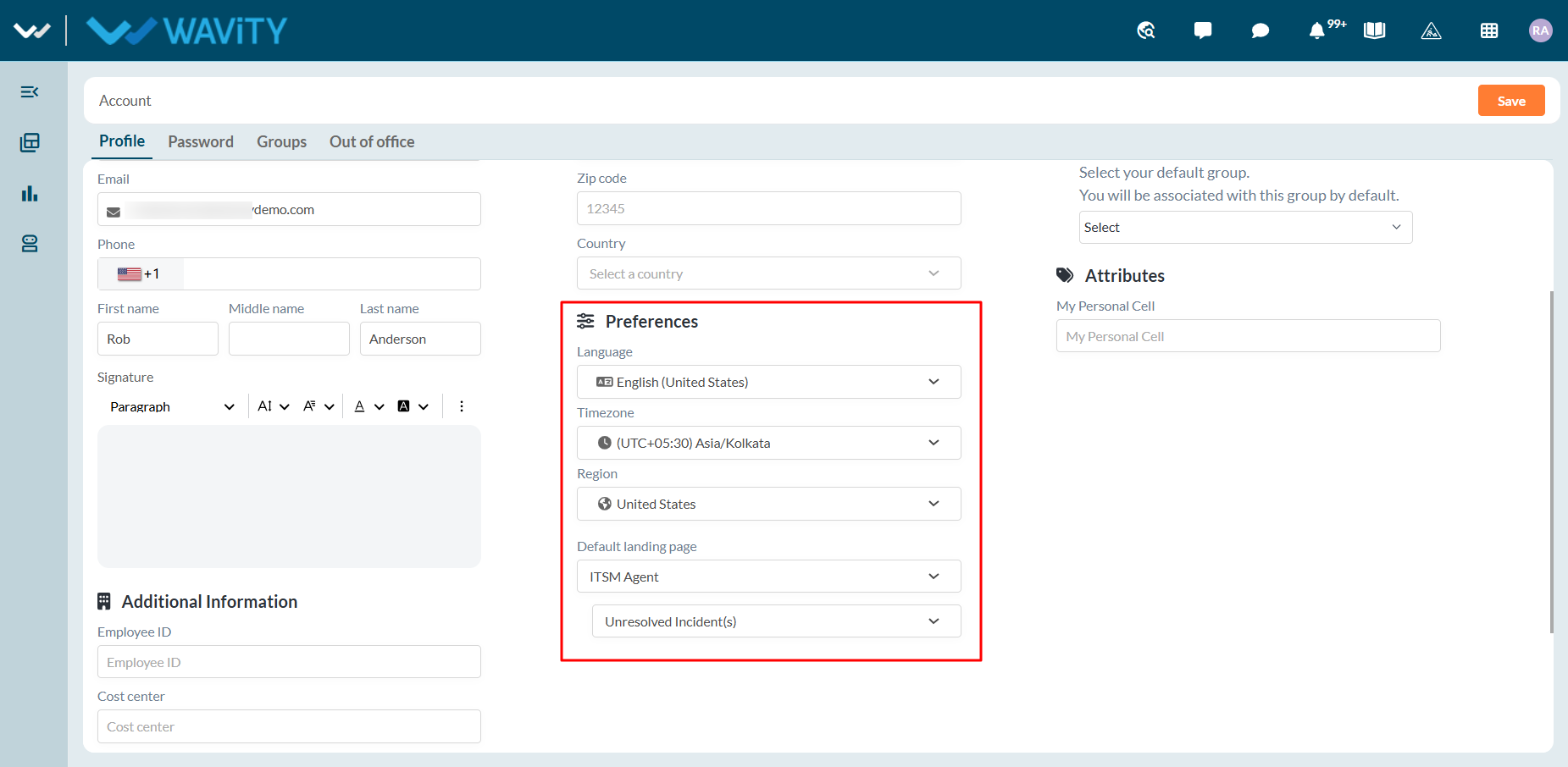
- Under Locale, users can configure their system preferences:
- Language: Select the preferred system language.
- Time Zone: Select the appropriate time zone.
- Region: Select the relevant region.
- Landing Page: Select the page to be displayed after login.
- Wavity automatically directs users to their selected landing page after login.For example, Agents can select the 'Assigned Incidents' list as their landing page.
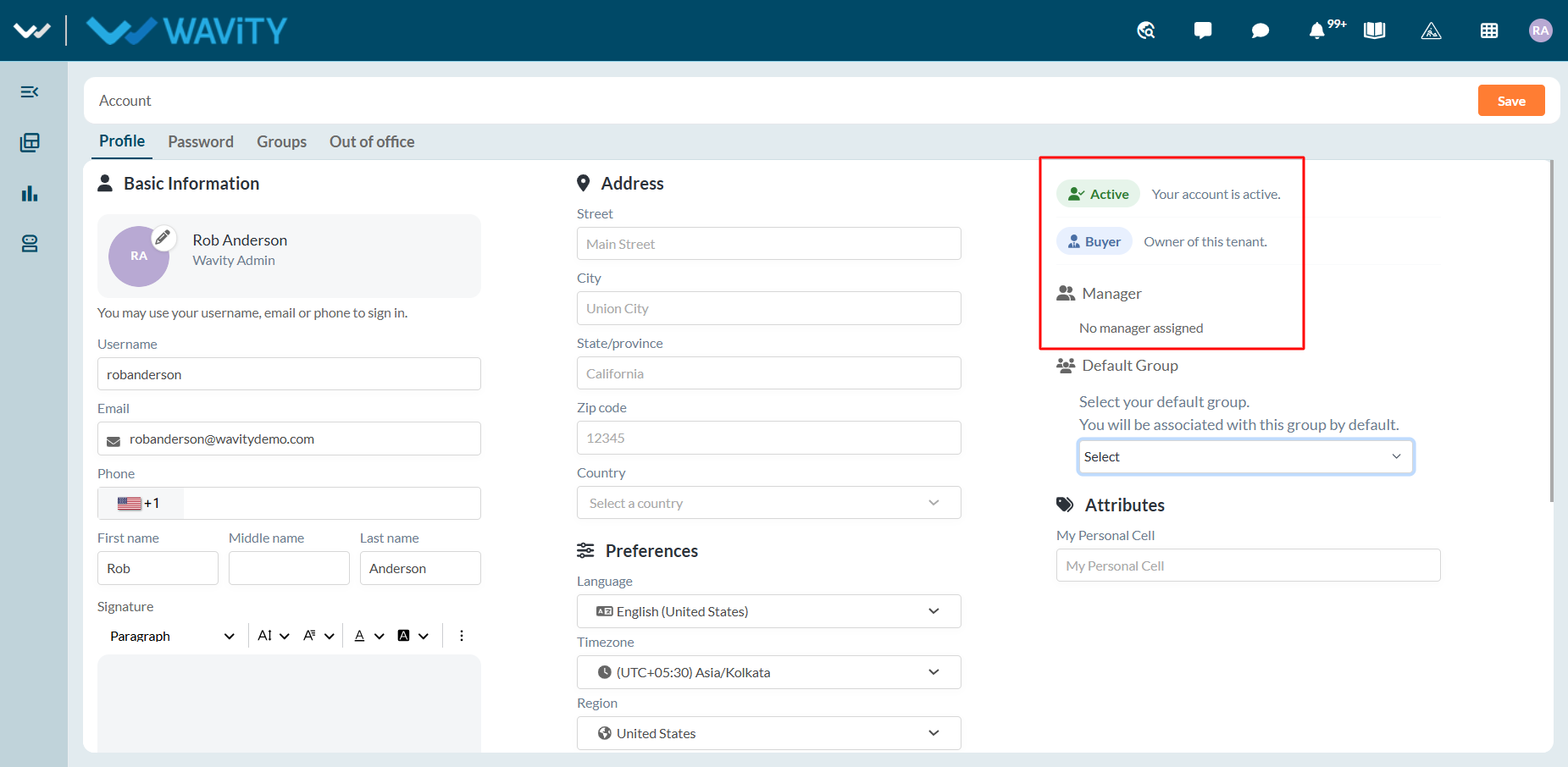
- Users can view the Status, Type of Account and Assigned Manager details as shown below.
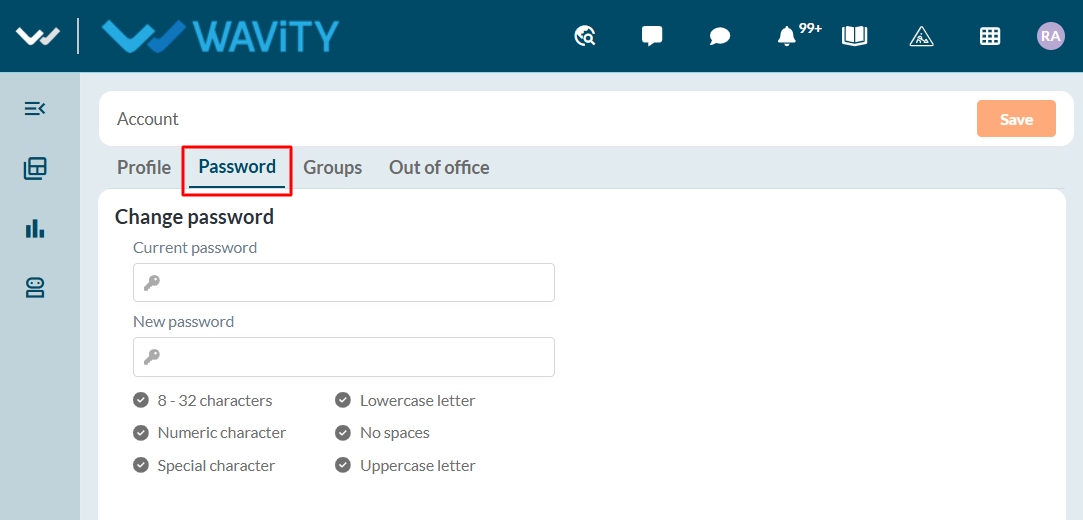
- Under the Password section, users can:
- Set a password, if applicable.
- Update their password when required.
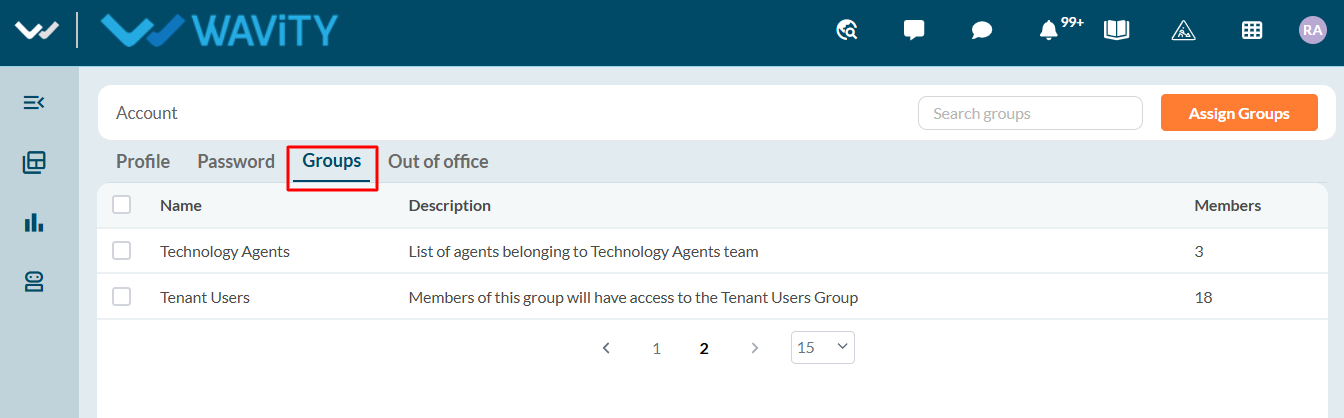
- Users can view all the groups they are part of under “Groups” section.
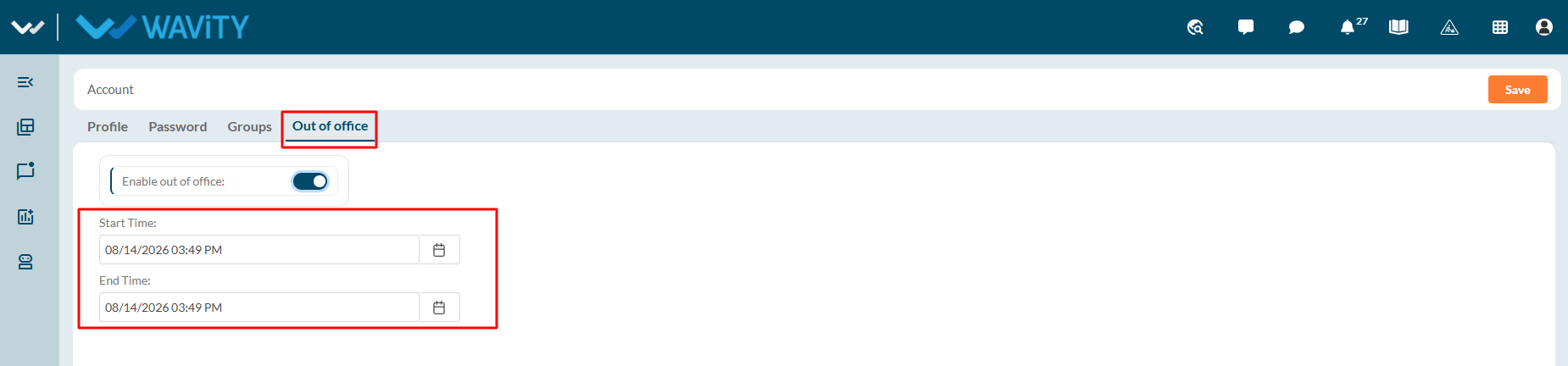
- Users can enable the Out of Office option when they are unavailable.
- Users can specify the:
- Start date and time
- End date and time
- Users can update or disable the Out of Office setting when required.