Admin Guide: How to Delete or Remove a User?
- In the Wavity platform, only an Admin has the authority to permanently delete or remove a user's access.
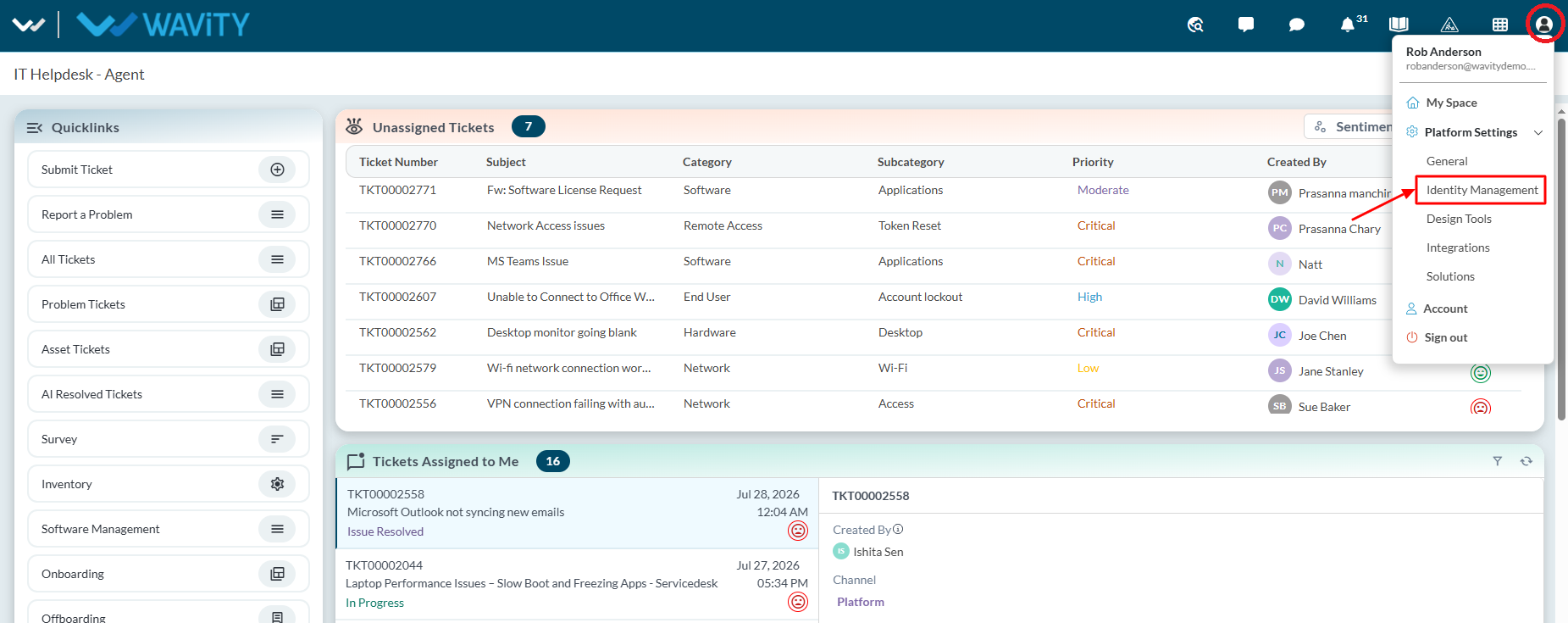
- Click on the Profile icon and select Identity Management.
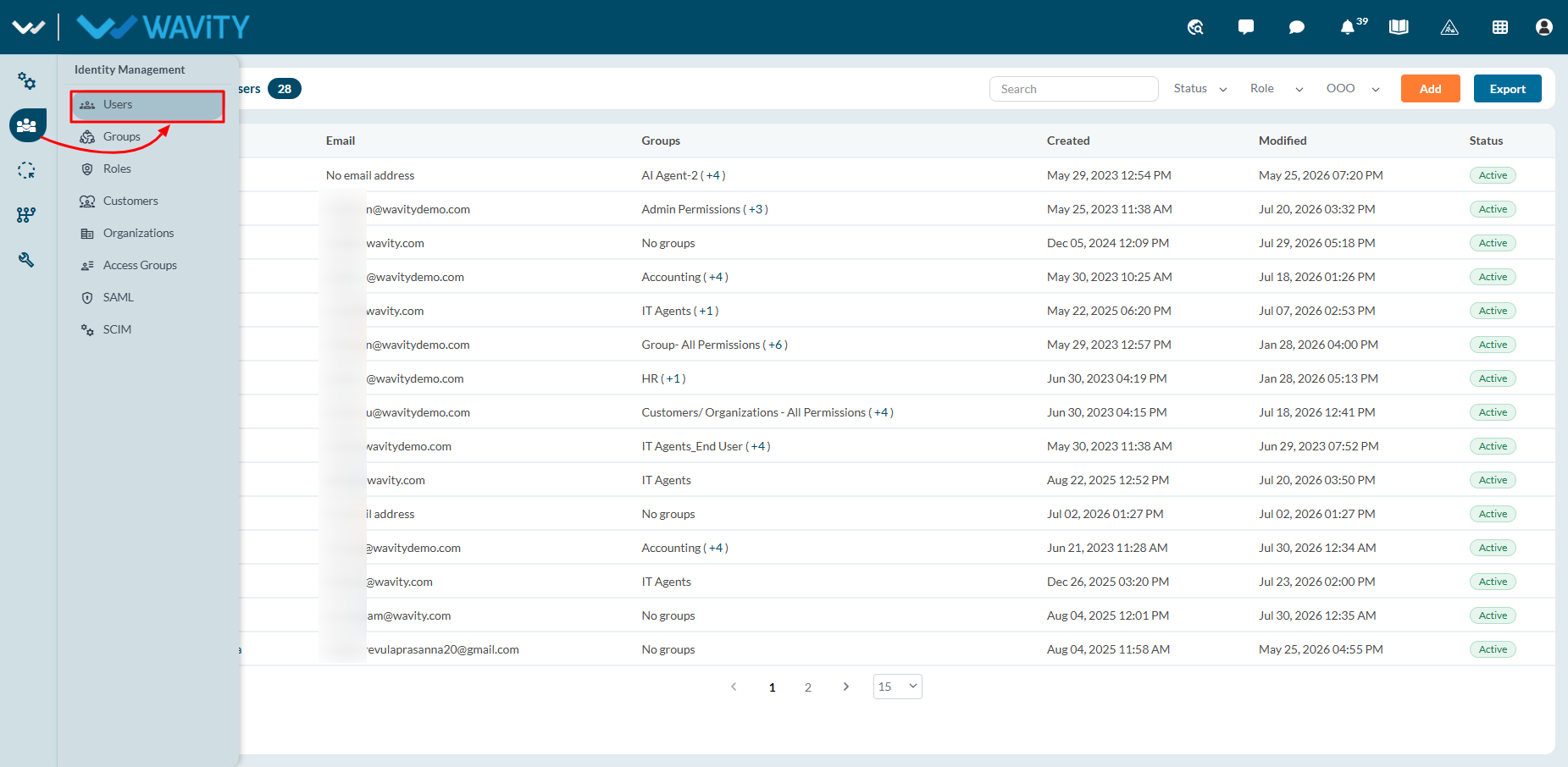
- Navigate to Users section from the left navigation panel.
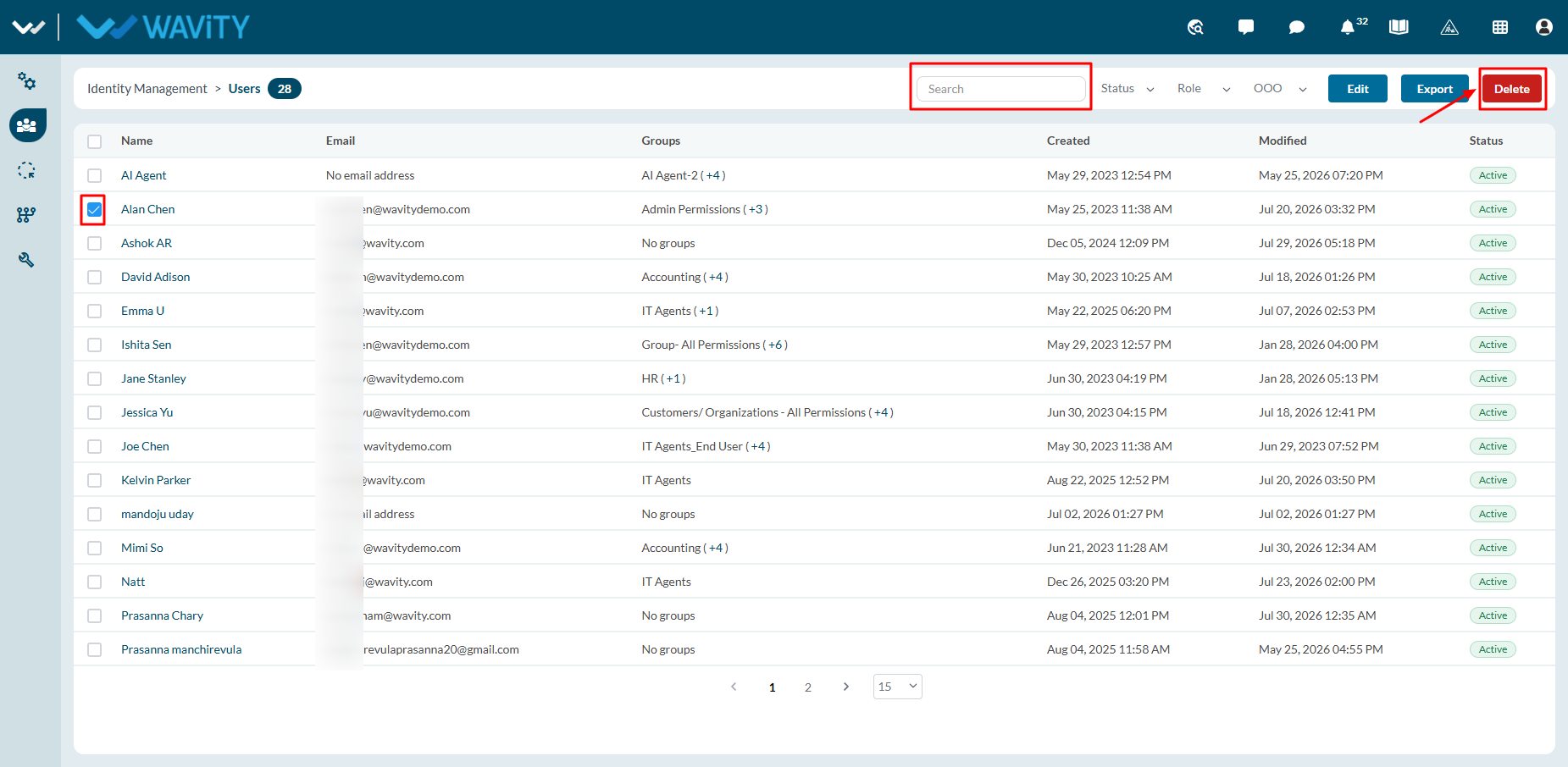
- All current users along with account status will be shown in the list as shown below. You can click check box next to the user. You can also search for an individual user using the “search box”.
- Select “Delete” button.
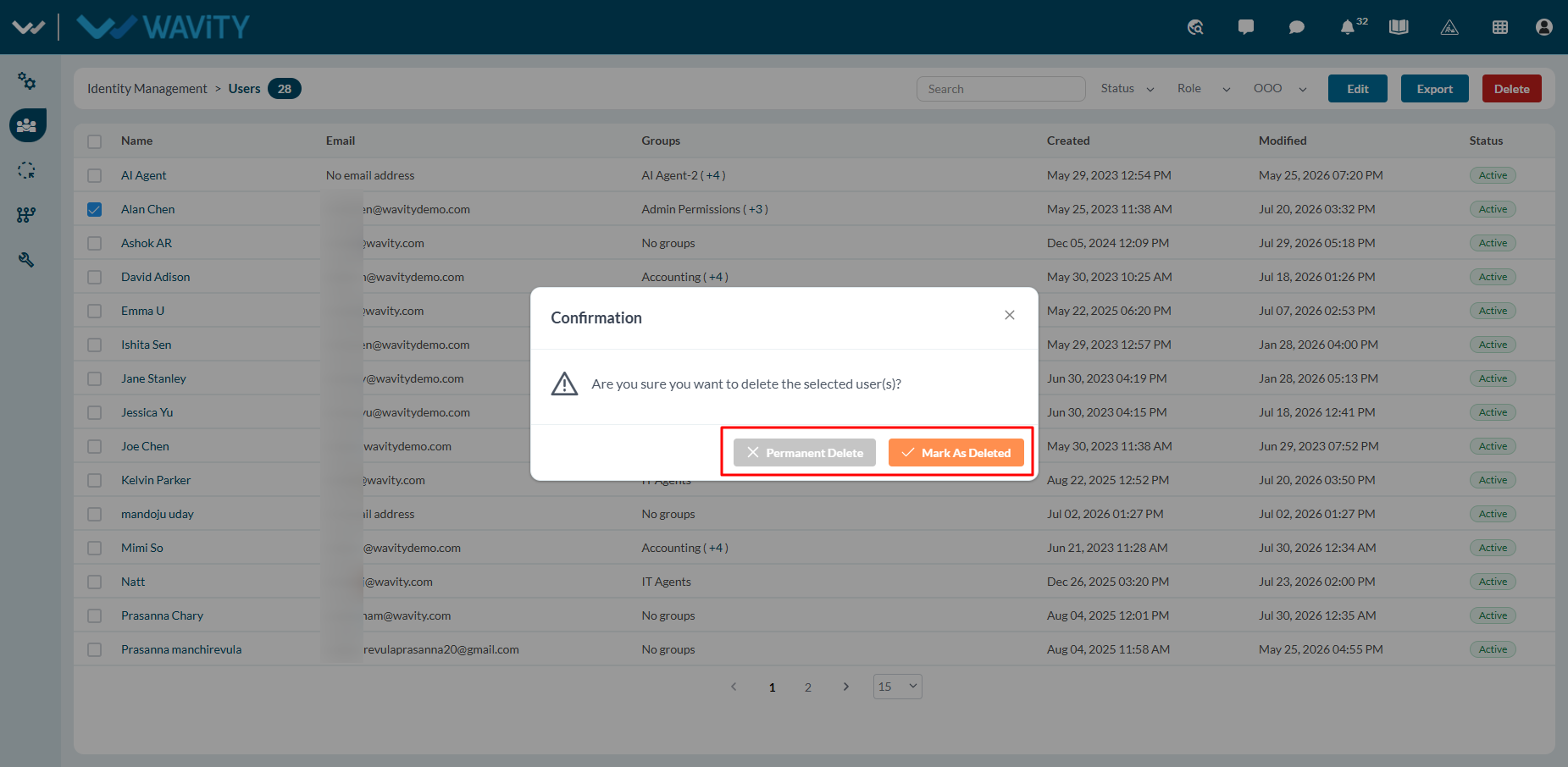
- Click on ‘Permanent Delete’ or ‘Mark as Deleted’ in the confirmation popup as required to delete the selected user.