Admin Guide: How to Delete a Group?
- Only administrators can manage Identity Management settings in the Wavity Platform.
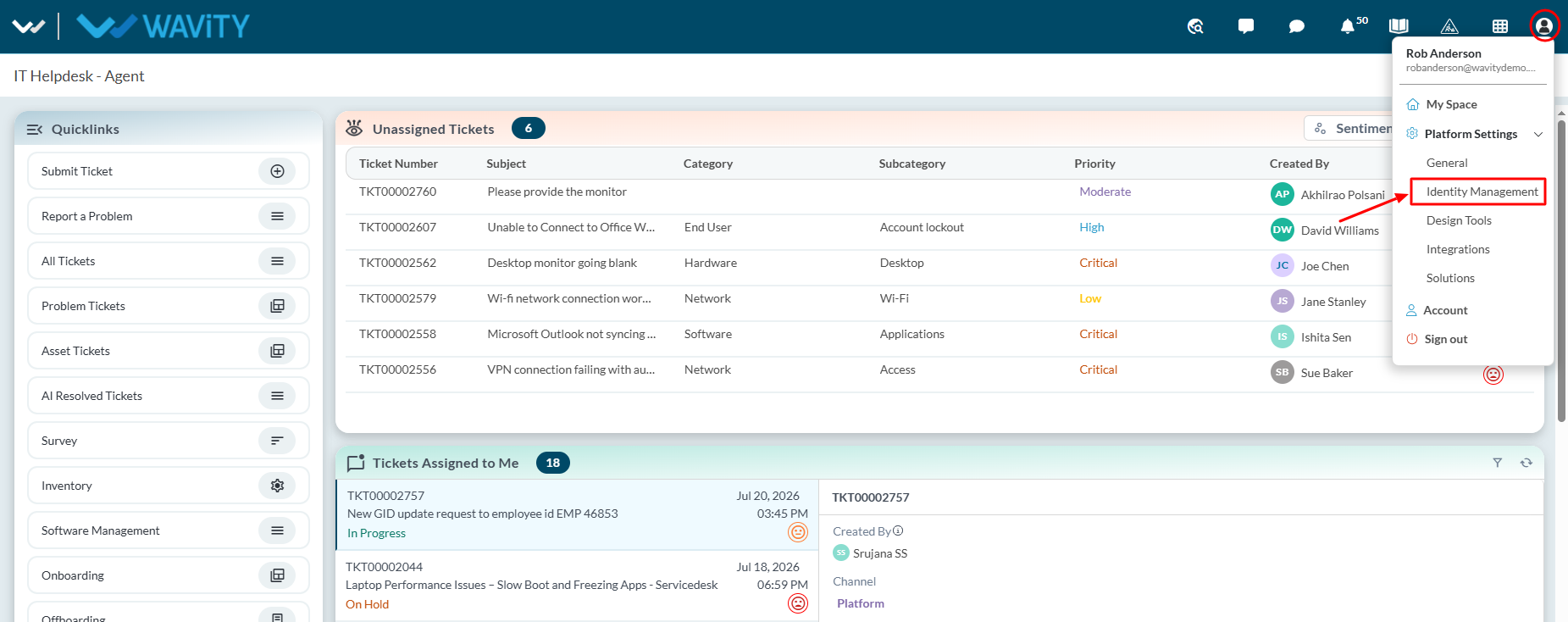
- Navigate to ‘Platform Settings > Identity Management’
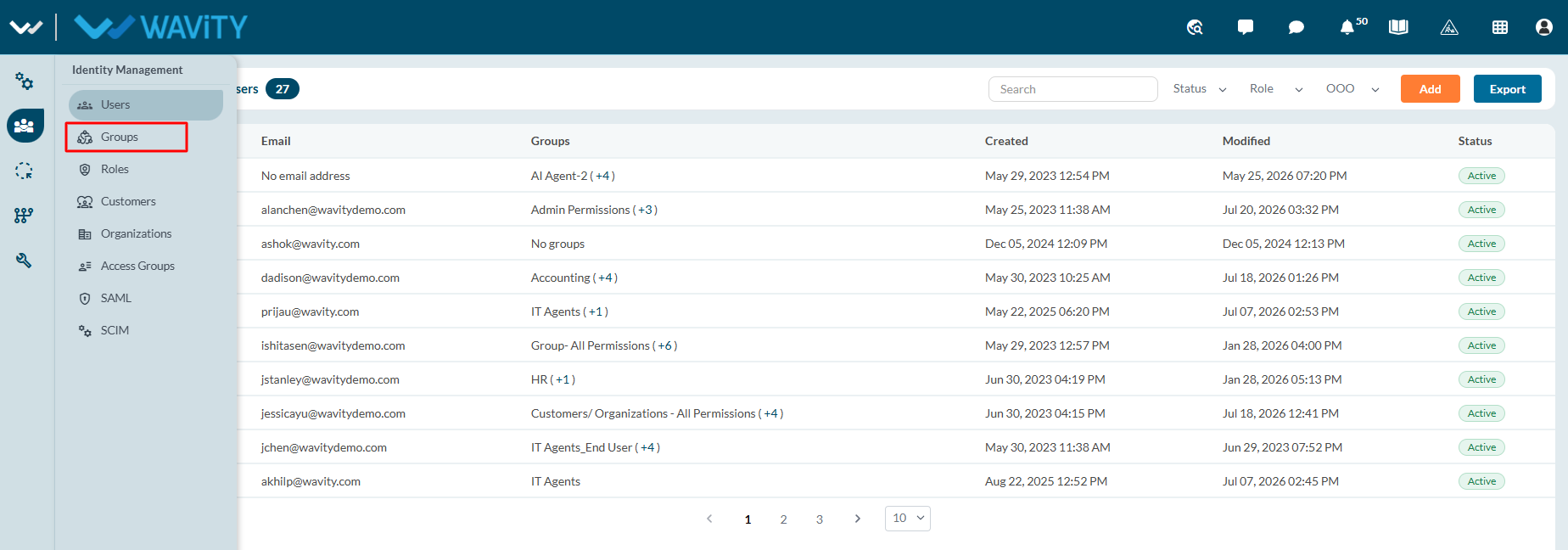
- From the left navigation panel, select Groups.
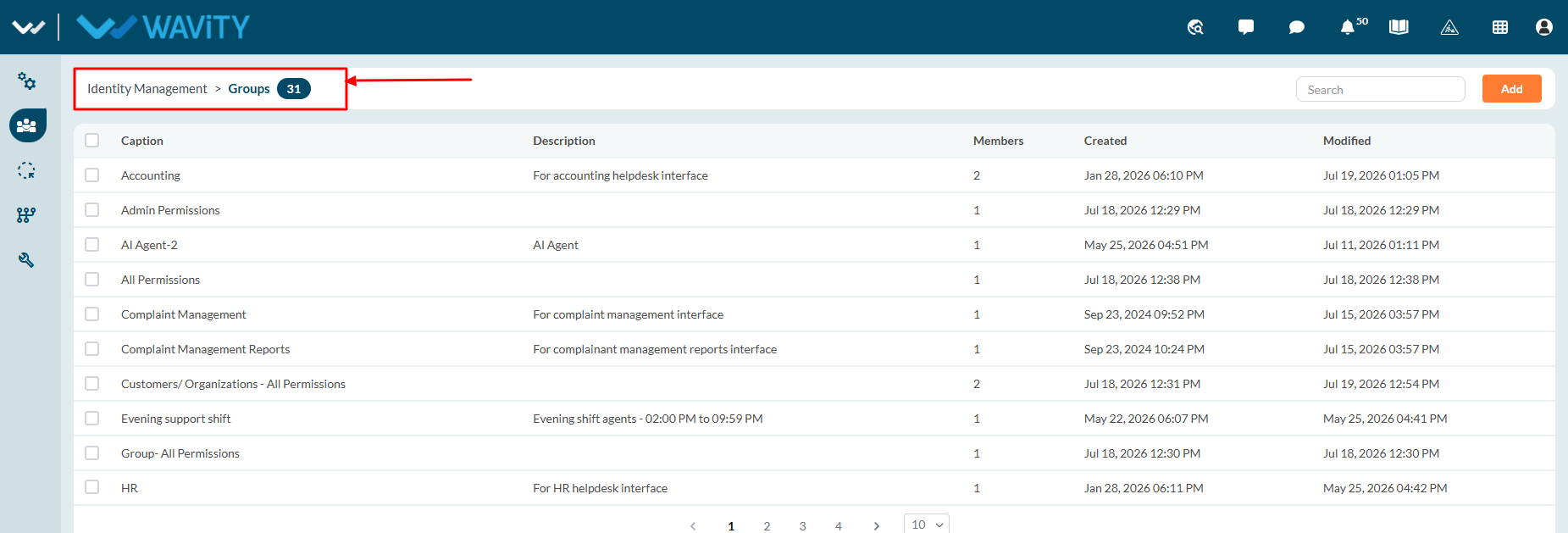
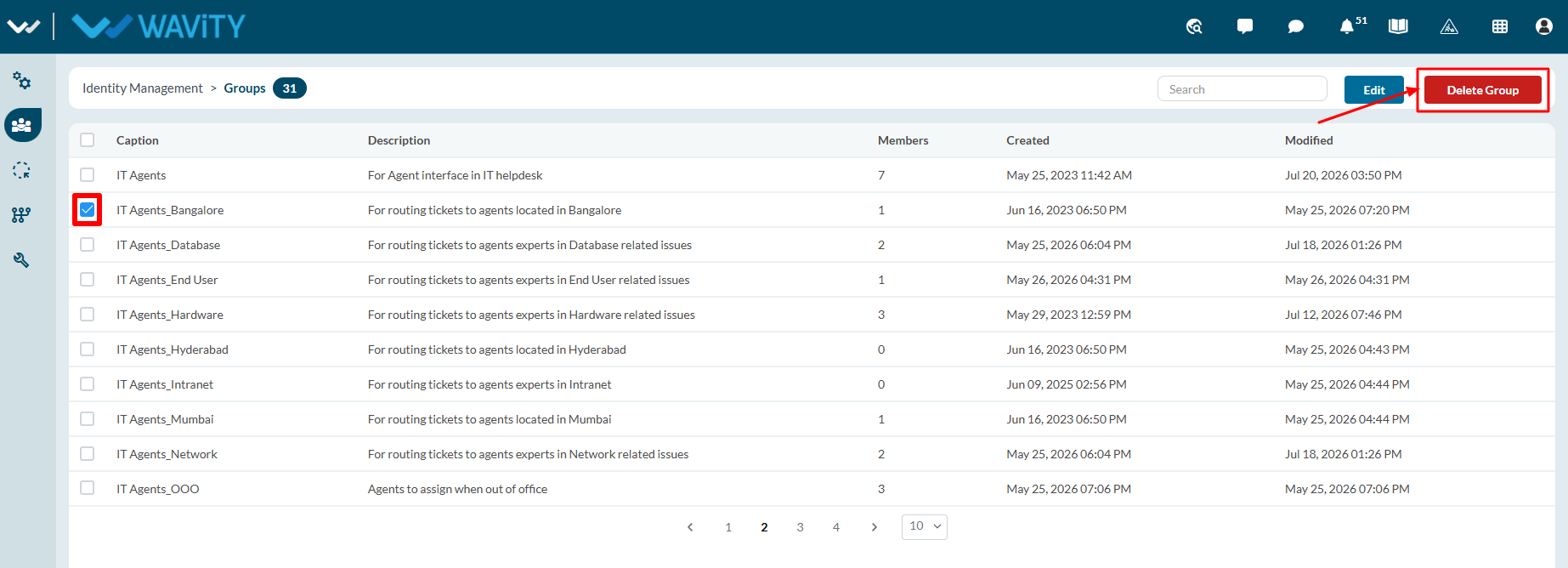
- The Identity Management > Groups page opens, displaying all available groups. The number shown next to Groups indicates the total number of groups currently available in the platform.
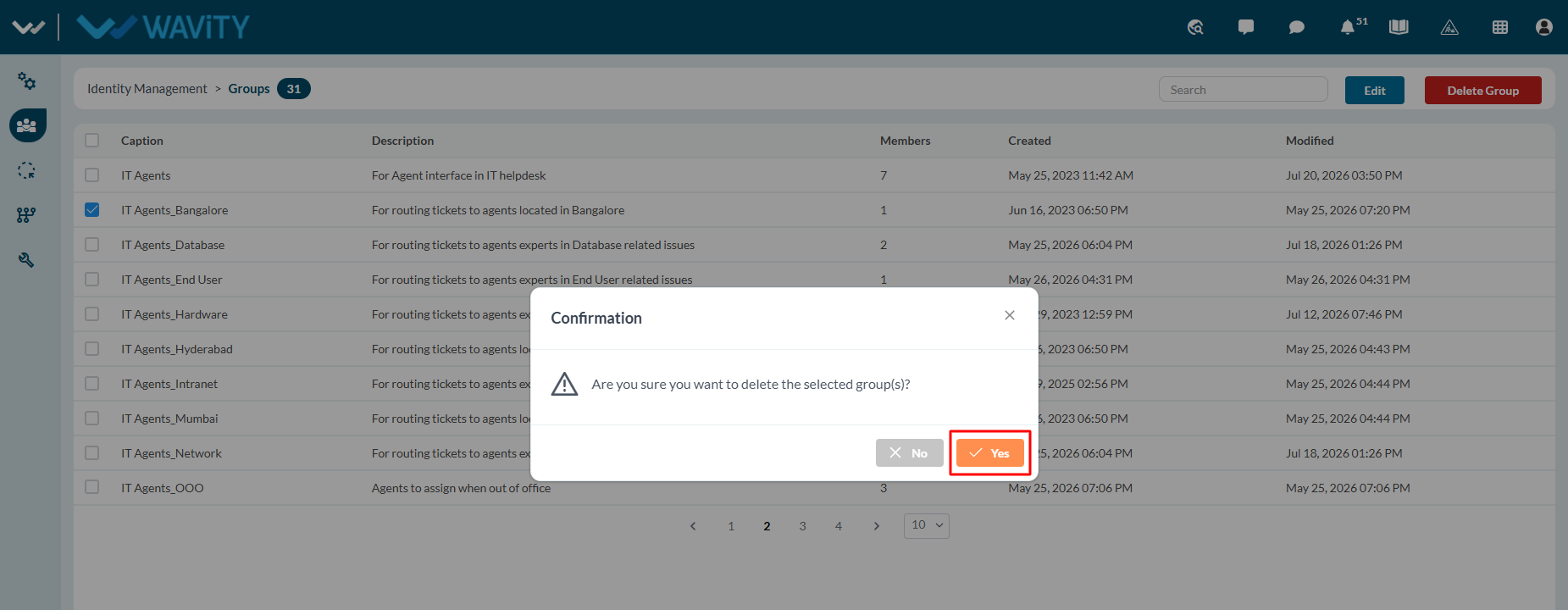
- Click on checkbox next to the group you want to delete in the platform. Click on “Delete Group” button.
- Click on “Yes” in the confirmation pop up to delete the group in the platform.