How to change or update your password?

  • All users on the Wavity platform can change or update their password when needed.
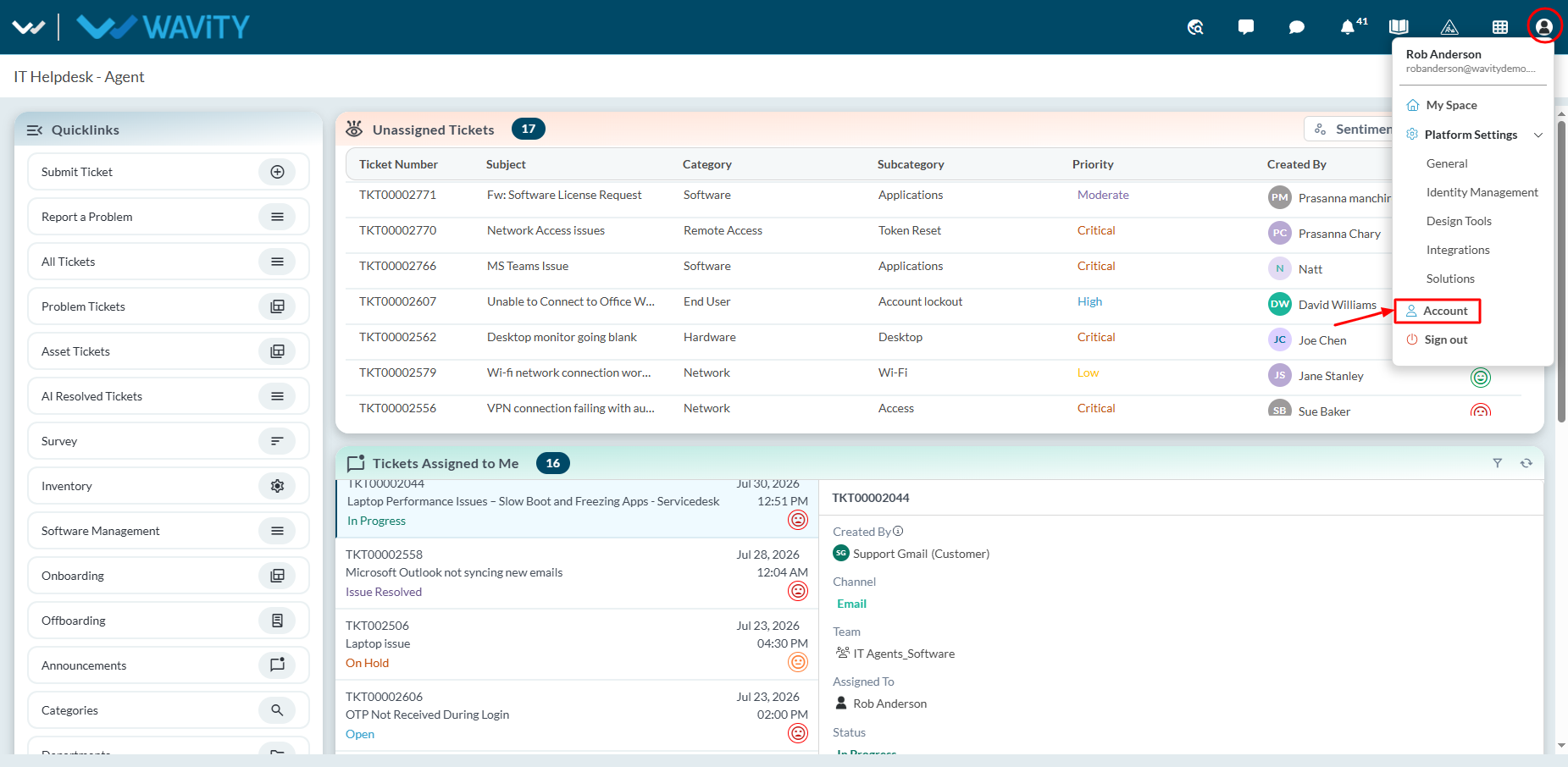
  • To update your password, click on the Profile icon and navigate to "Account" as shown in the image below.
  • Click on ‘Password’ section.
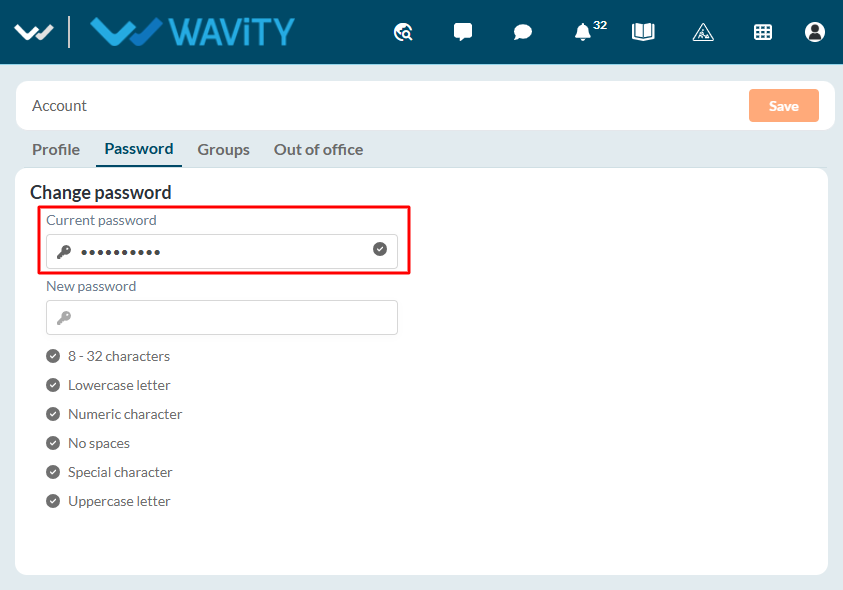
  • Enter your current password as shown in below image.
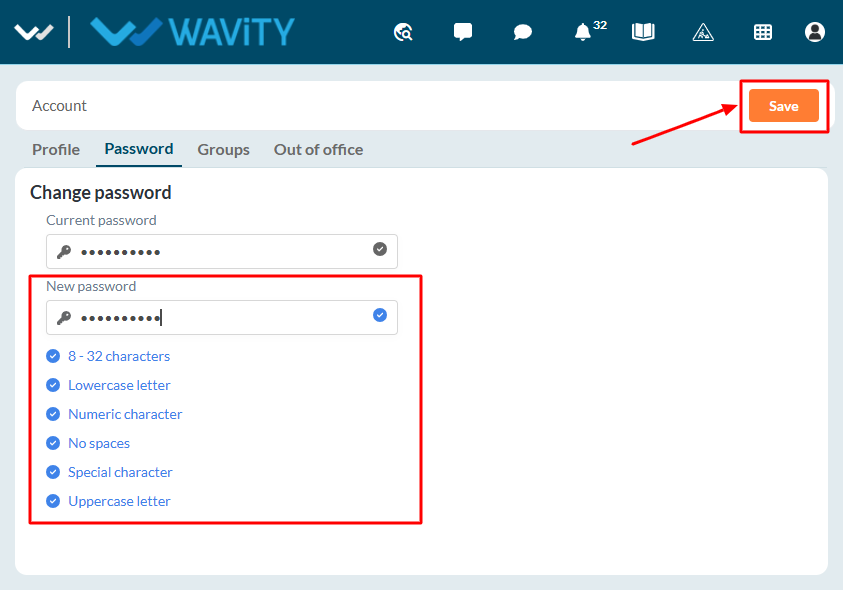
  • Enter your new password, ensuring it meets all the password conditions mentioned below. Please make sure to remember your password.
  • Once completed, click the "Save" button to update your password.
How to change or update your password?

  • All users on the Wavity platform can change or update their password when needed.
  • To update your password, click on the Profile icon and navigate to "Account" as shown in the image below.
  • Click on ‘Password’ section.
  • Enter your current password as shown in below image.
  • Enter your new password, ensuring it meets all the password conditions mentioned below. Please make sure to remember your password.
  • Once completed, click the "Save" button to update your password.

Leave you comment...

Thank you! Your submission has been received!
Oops! Something went wrong while submitting the form.
