How To Add Members Into The Group?
- Only administrators can manage Identity Management settings in order to add members into a group in the Wavity Platform.
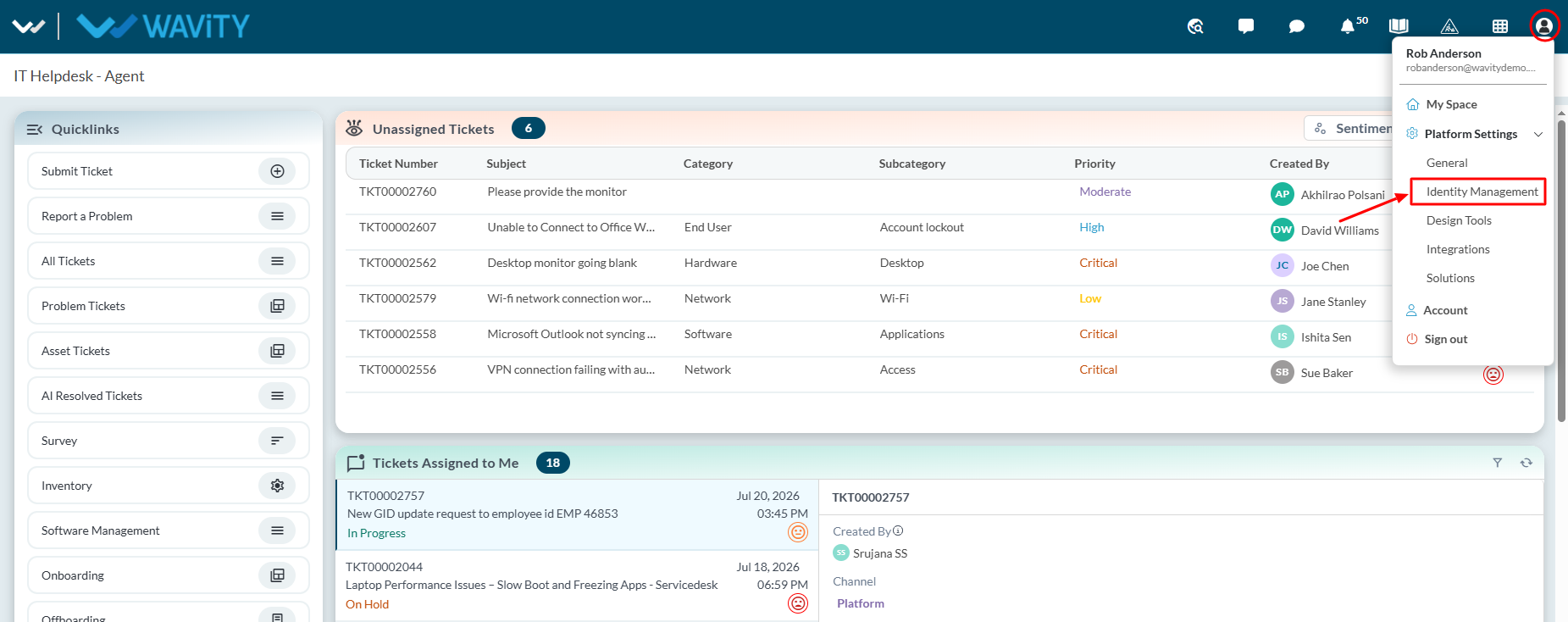
- Navigate to ‘Platform Settings > Identity Management’
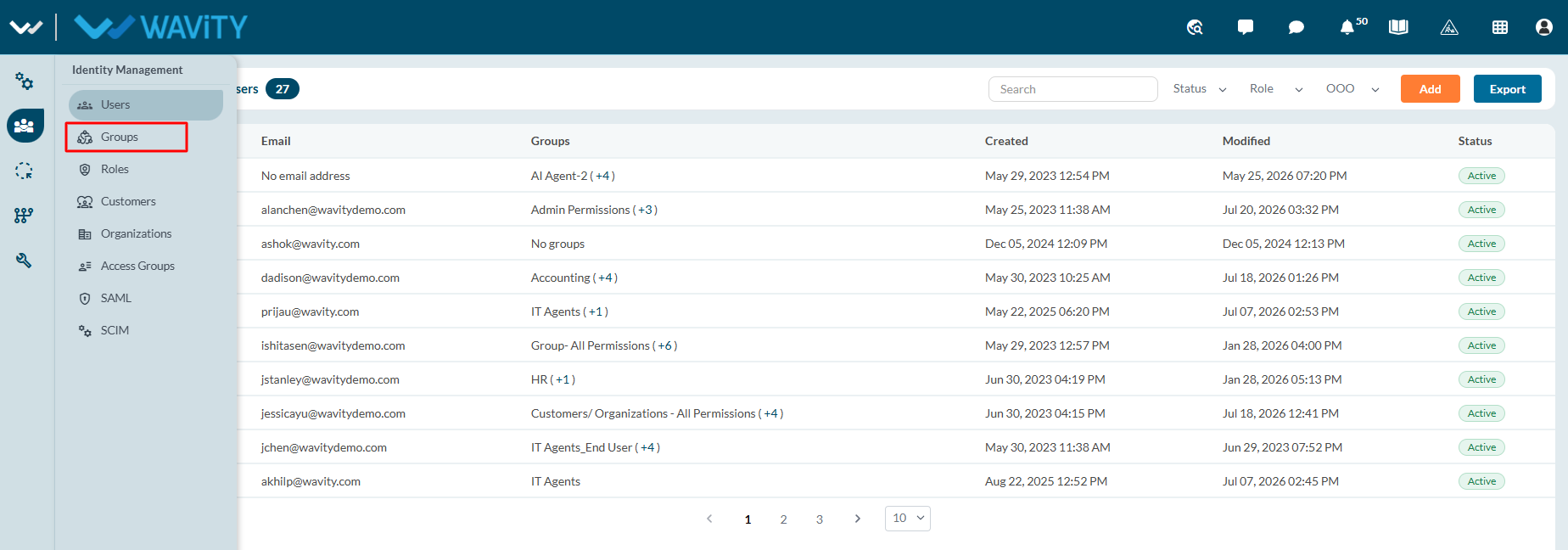
- From the left navigation panel, select Groups.
- Select the group to which you want to add members, then click the Edit button.
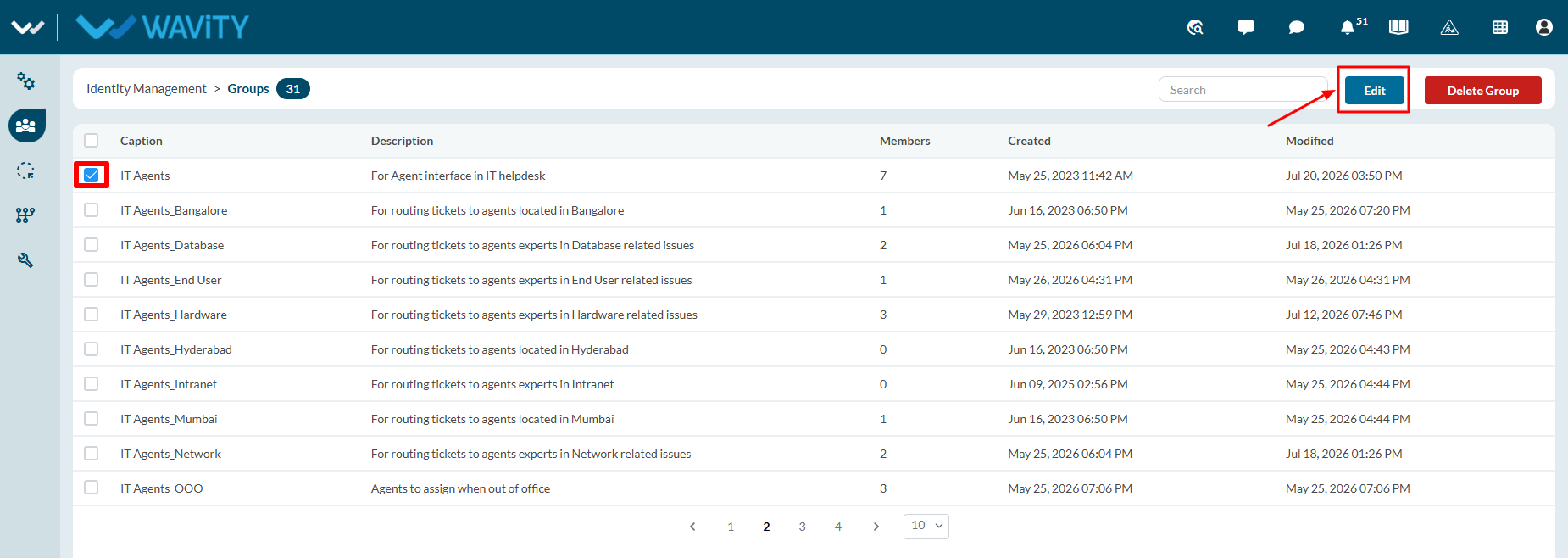
- Click Add Members.
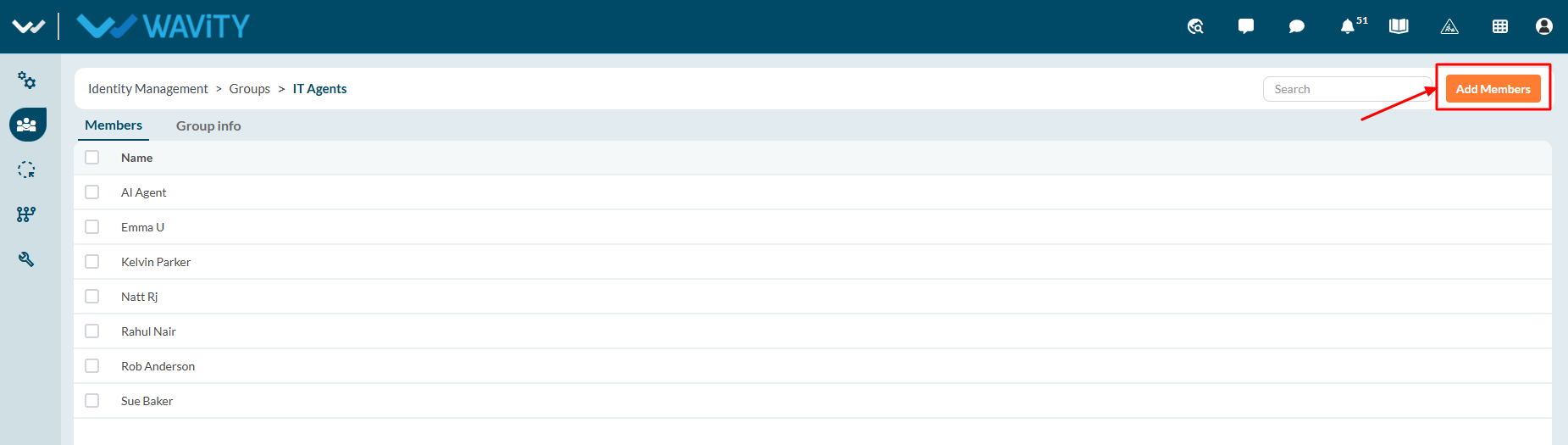
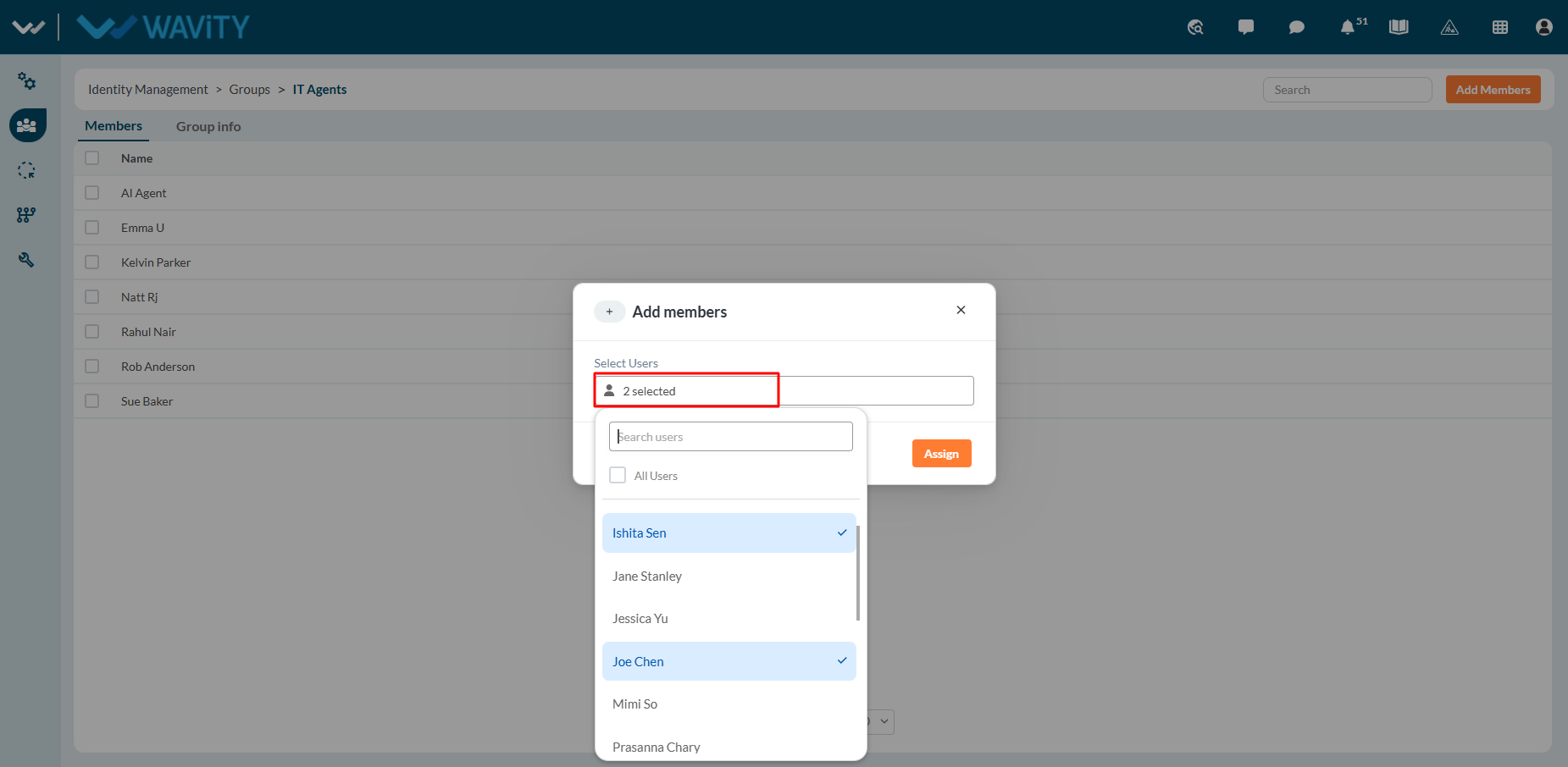
- In the Add Members window, click the Add Members/Users button.
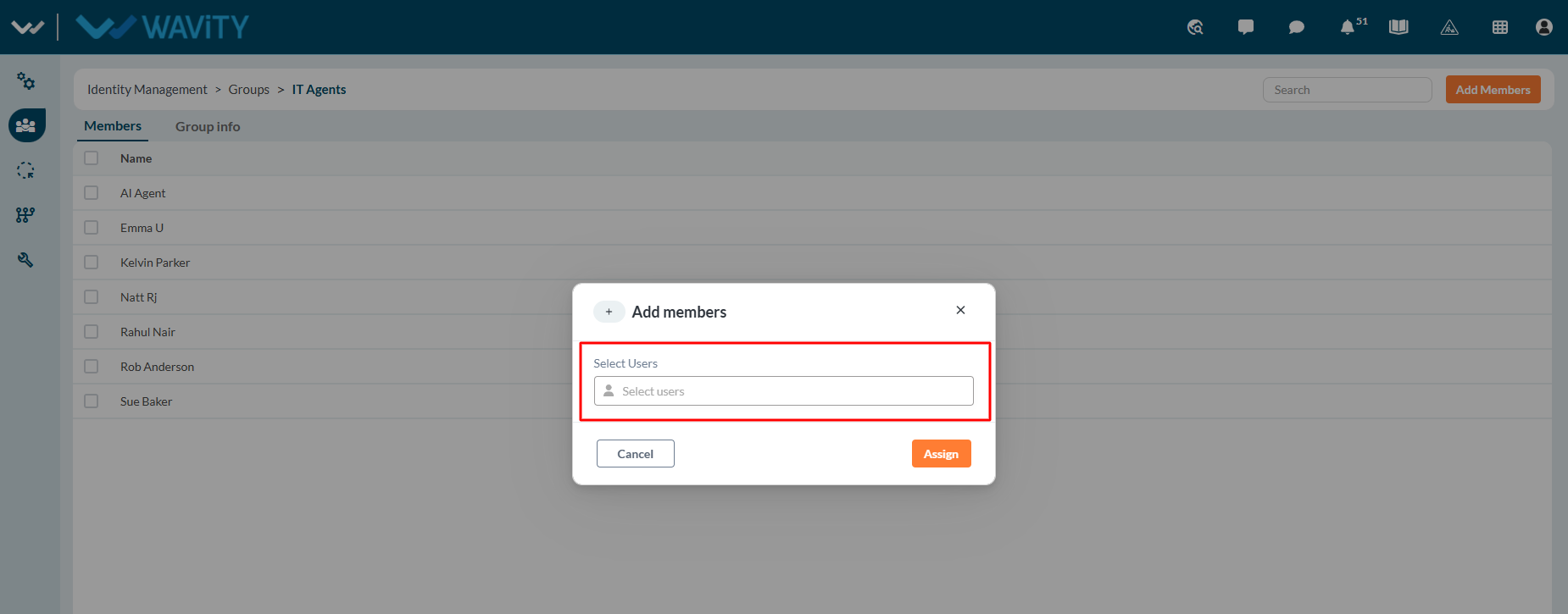
- Search for users by entering the first few letters of their name. You can search for users by typing part of their name. Select the ‘User Name’ you want to add in the new group.
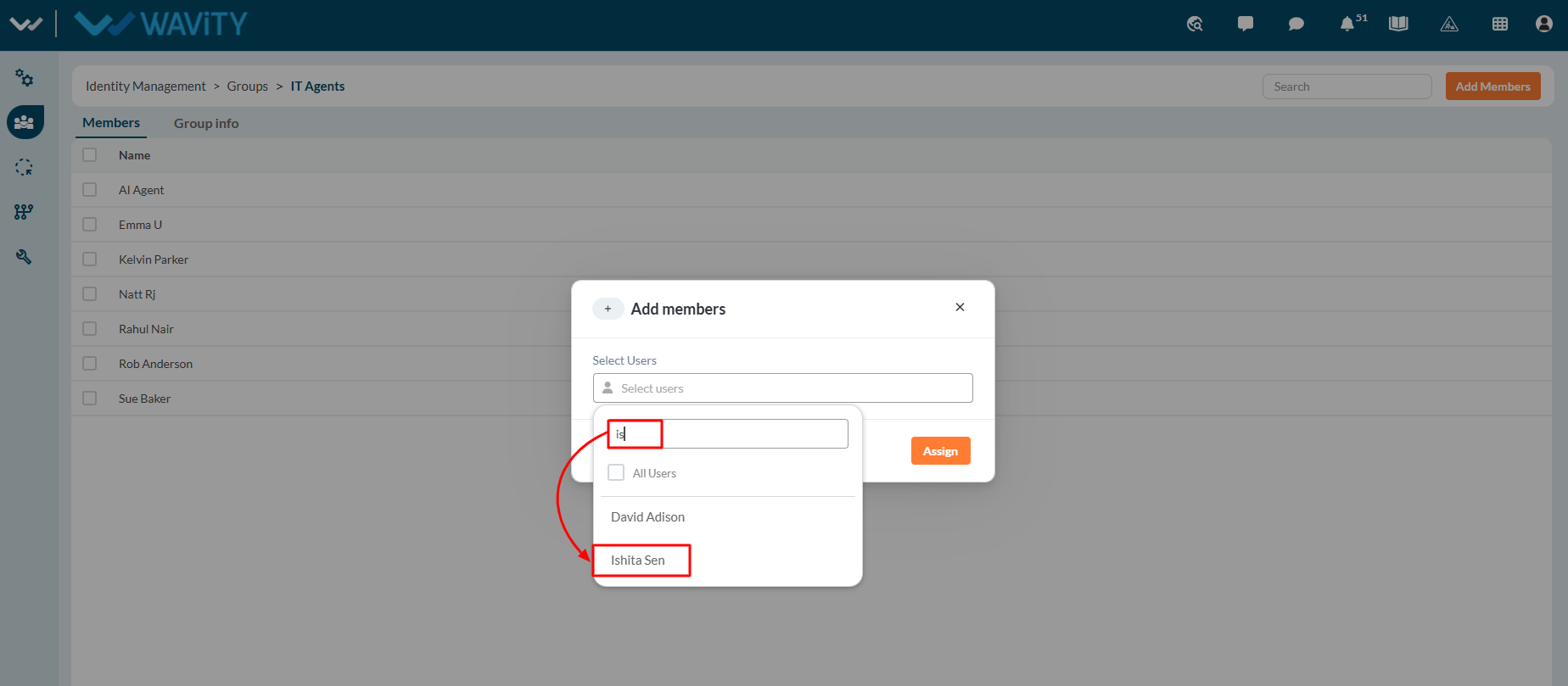
- Select one or more users that you want to add to the group. Multiple users can be selected and assigned to the group in a single operation. Click Assign to add the selected users to the group.