How To Add An Individual User
- In Wavity Help & Service Desk solution, users refer to individuals who interact with the system to request, access, or use IT services. These users can be categorized into various roles, such as end-users, customers, service desk agents, technicians, managers, and administrators.
- Admin can add users individually in Wavity Platform.
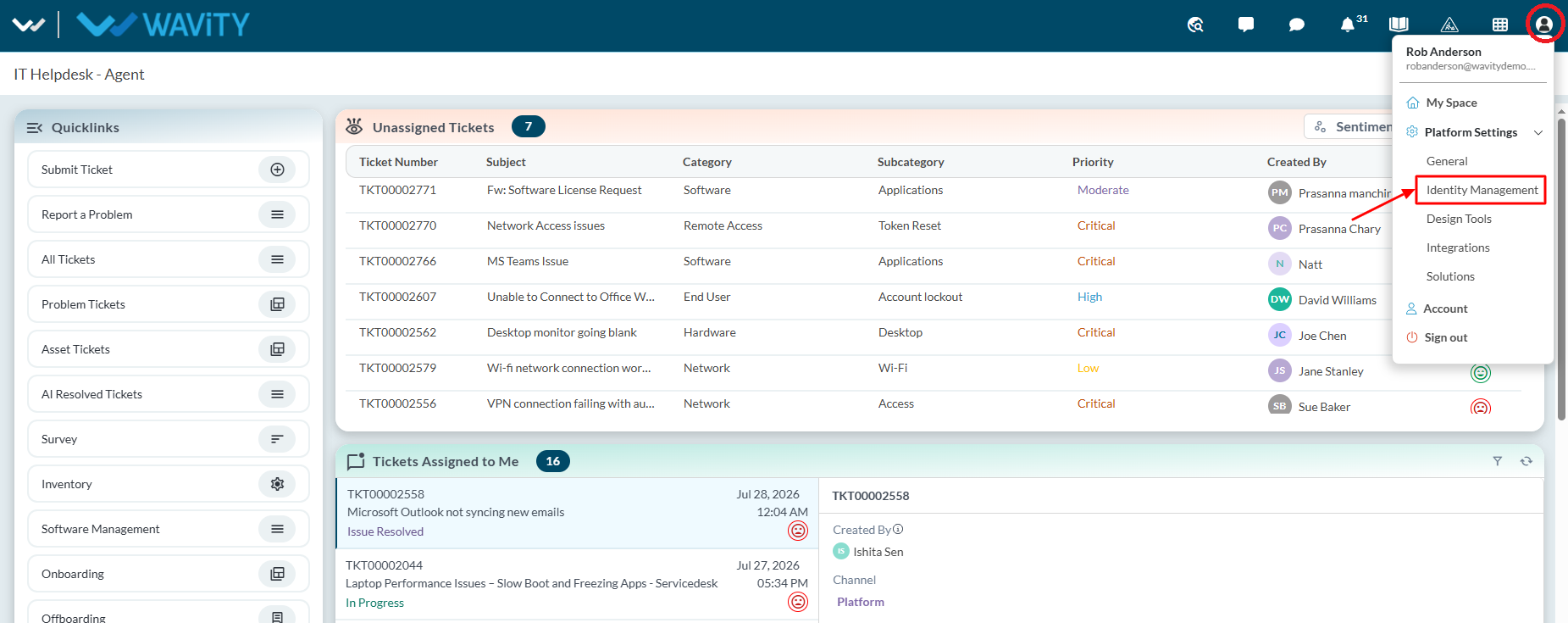
- Click on the Profile icon and select Identity Management.
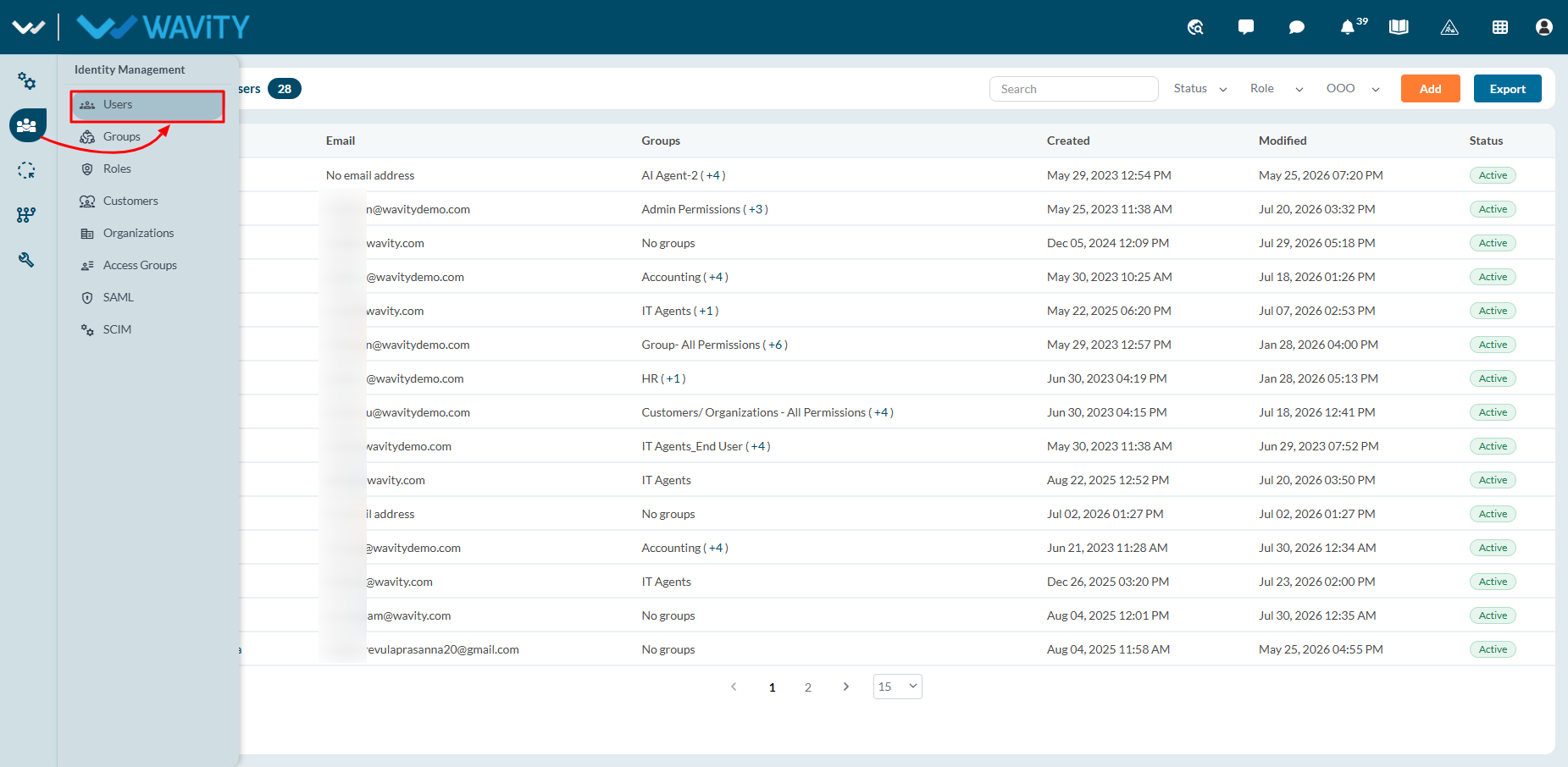
- Navigate to Users section from the left navigation panel.
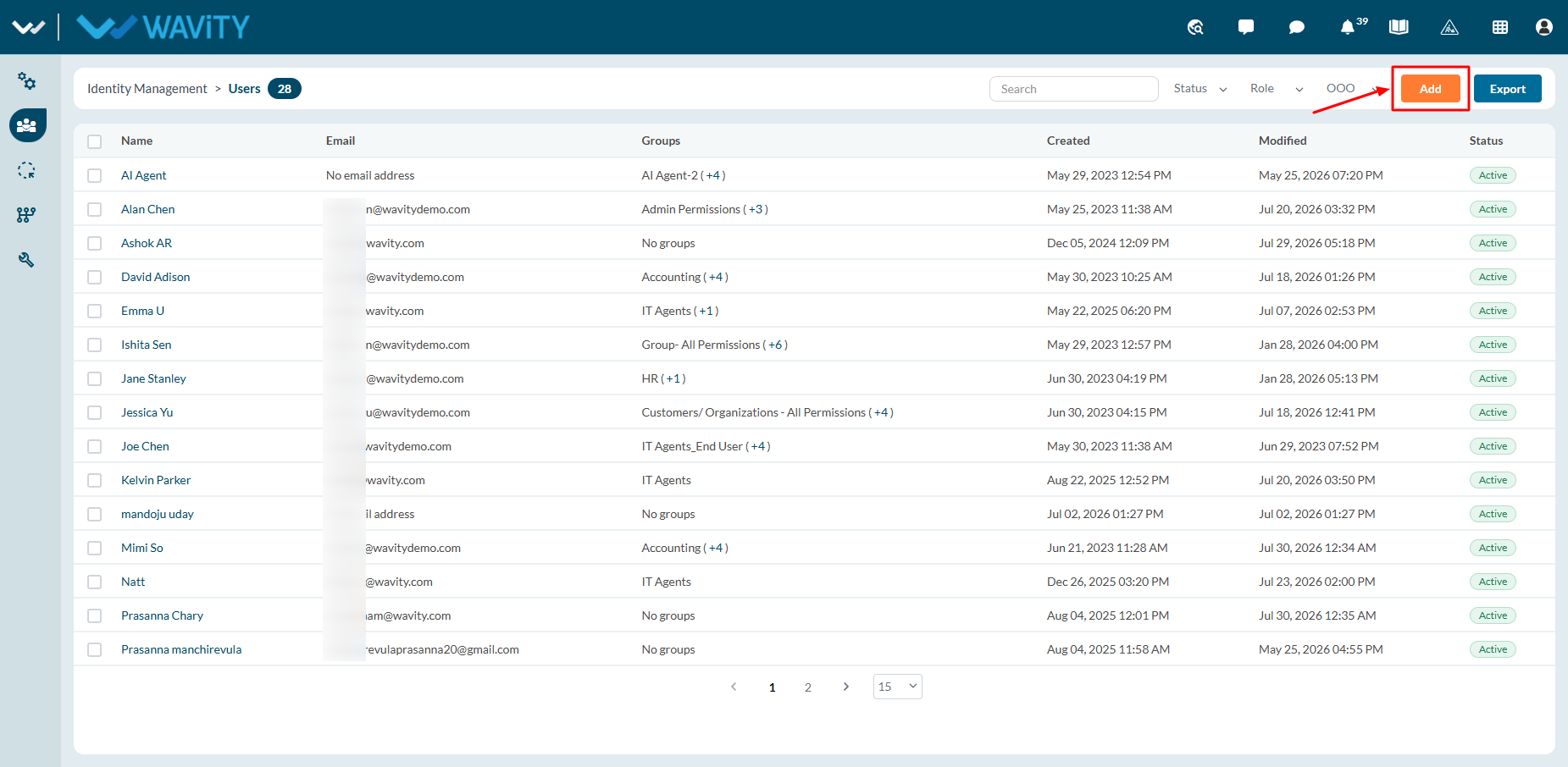
- Click on ‘Add’ Button to add new users.
- You can add users manually by entering the email id along with First name and last name. Also, you can use “Bulk upload” option to add new users in bulk into the platform.
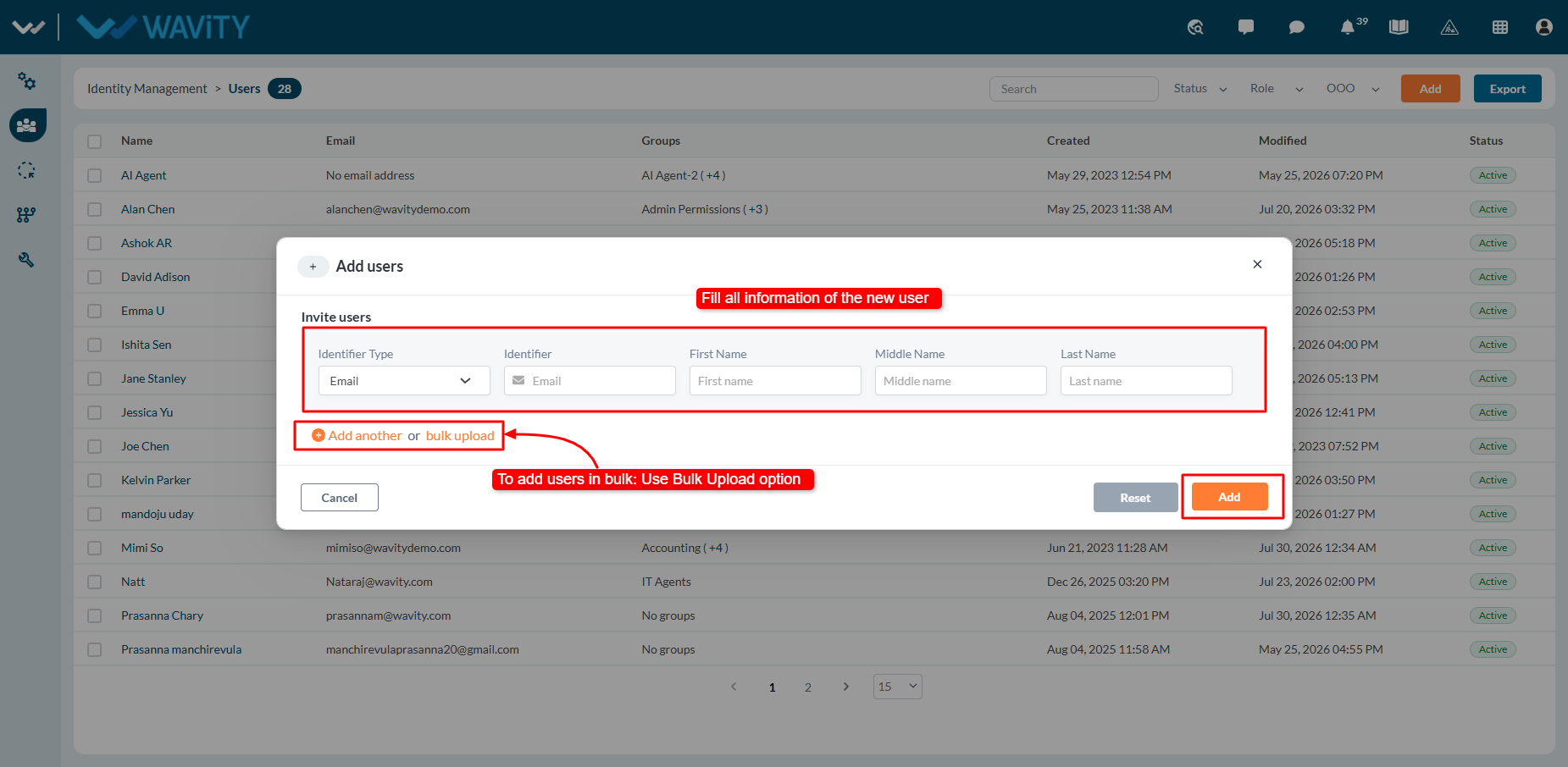
- Once 'Add' is clicked, the user will receive an automated activation email. They can then set up their password and log in to Wavity platform.