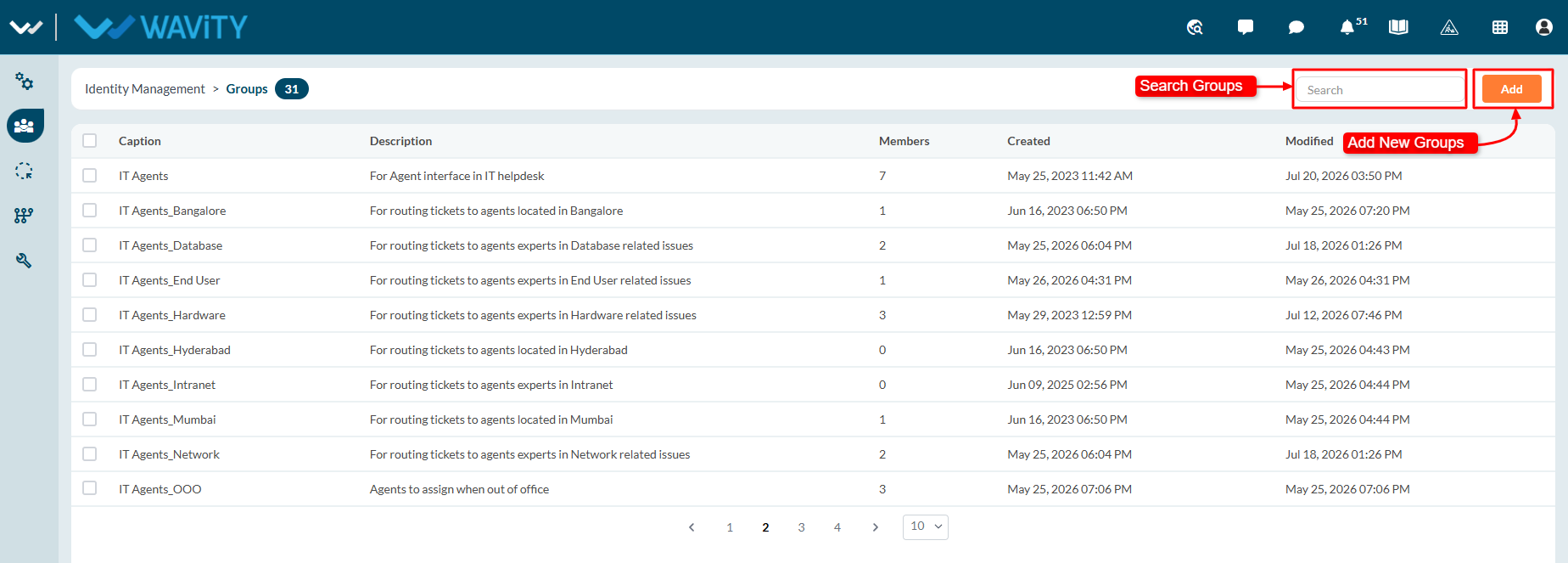
Admin Guide: Groups Overview
- Groups in the Wavity Platform help organize your organization's members into departments, teams, and other functional units. Only company administrators have permission to create, edit, and manage groups.
- This guide provides an overview of the Groups section in the Wavity Platform.
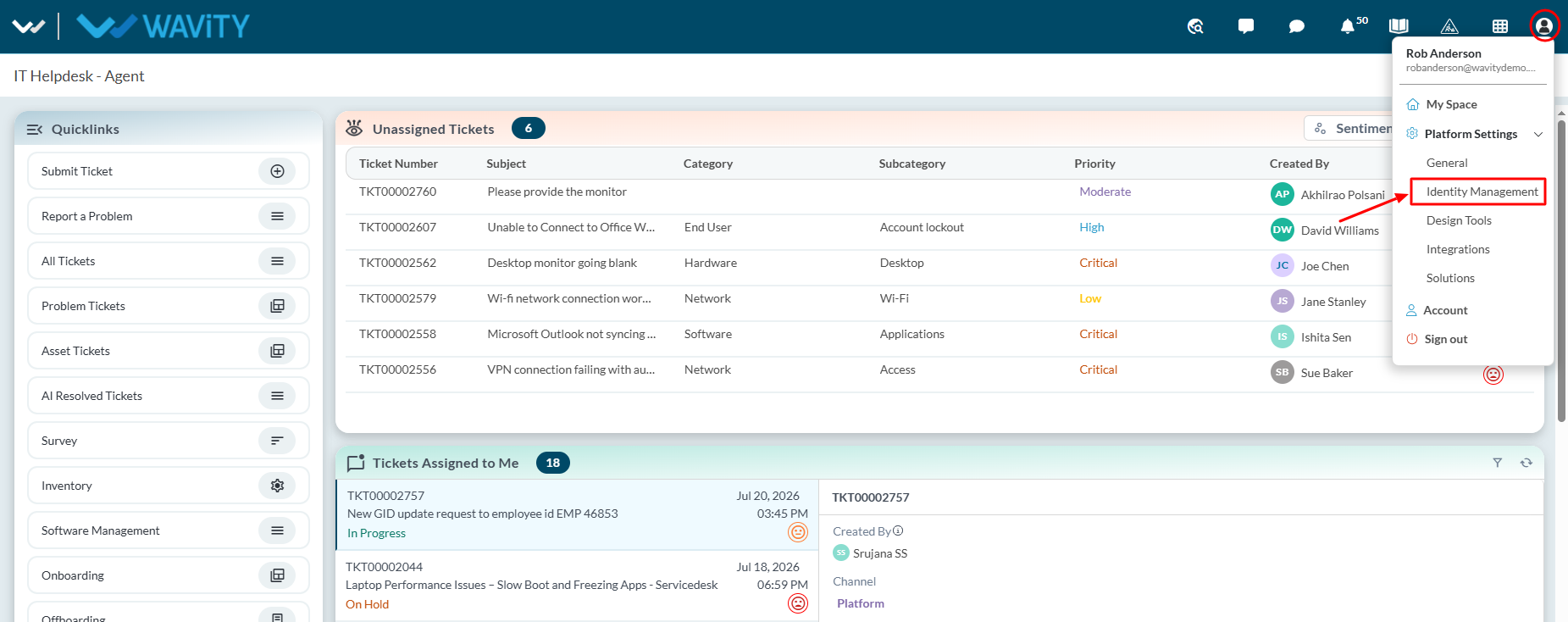
- For Accessing the Groups Page, Navigate to Platform Settings > Identity Management.
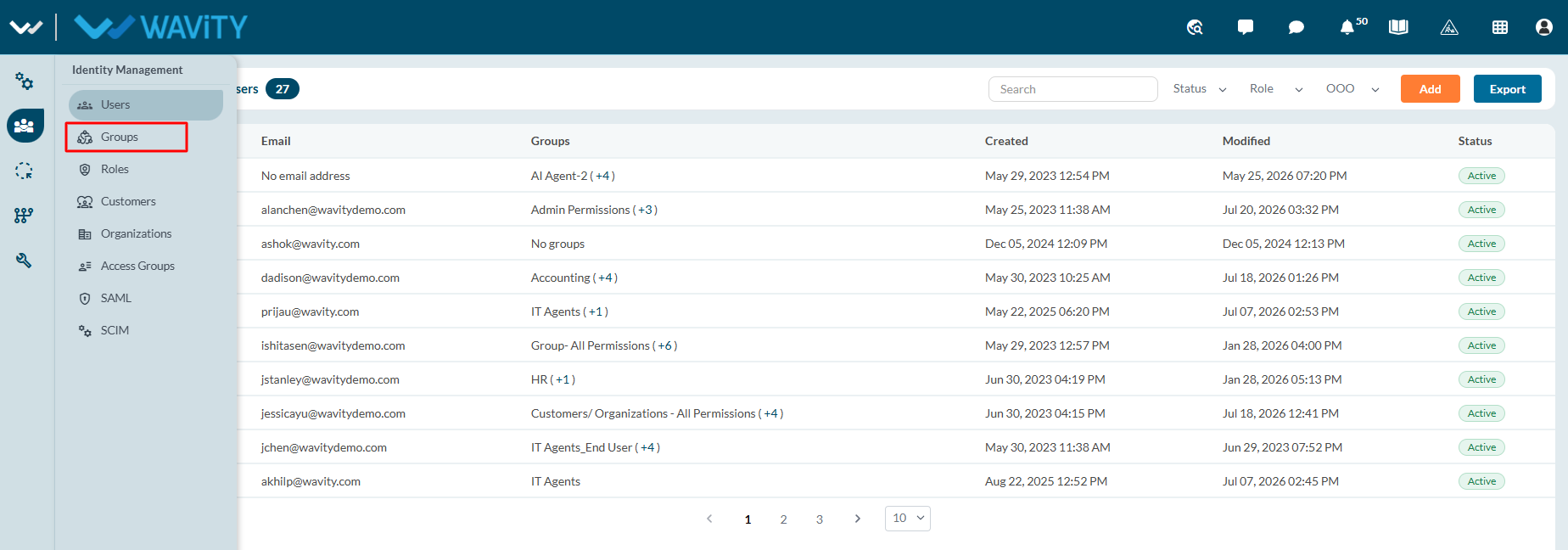
- From the left navigation panel, select Groups.
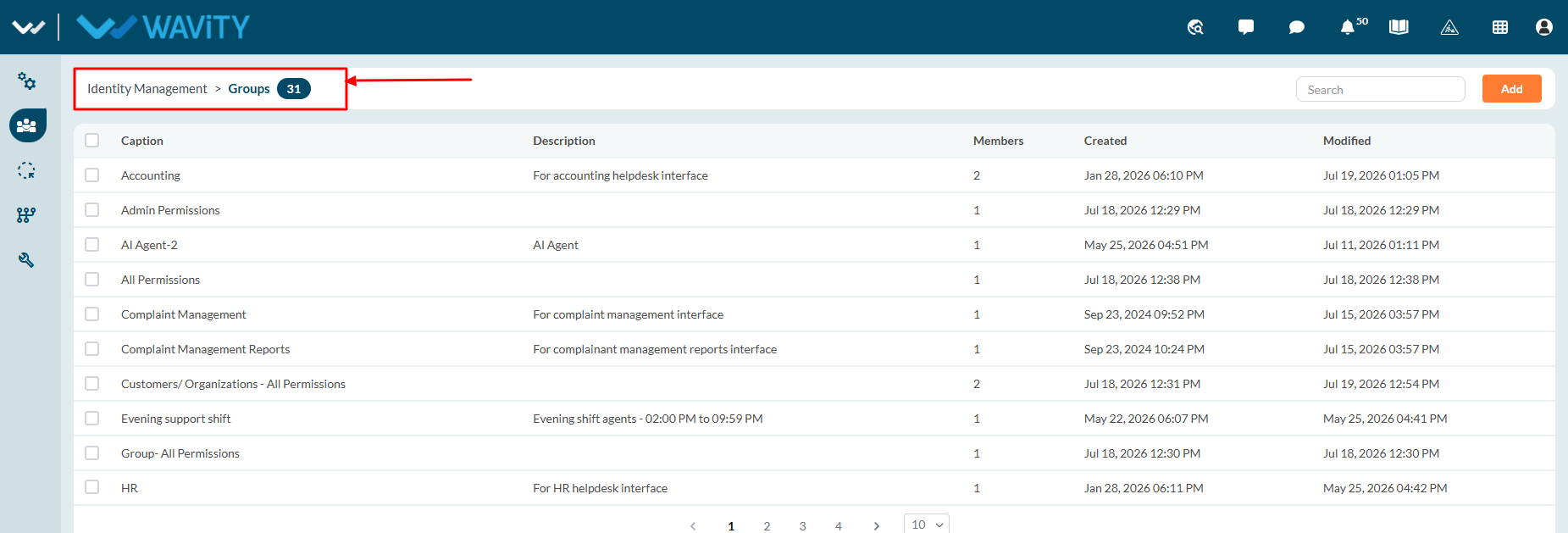
- The Identity Management > Groups page opens, displaying all available groups. The number shown next to Groups indicates the total number of groups currently available in the platform.
- On the Groups page, you can:
- Create or add as many groups as required.
- View a list of all groups, including the Group Name (Caption), Description, and Member Count.
- Search for a specific group using the Search bar for quick access.