Configuring Comments & Activities in App Designer
Configuring Comments & Activities in App Designer
- Only Admin have access to edit or apply advance settings while creating an App.
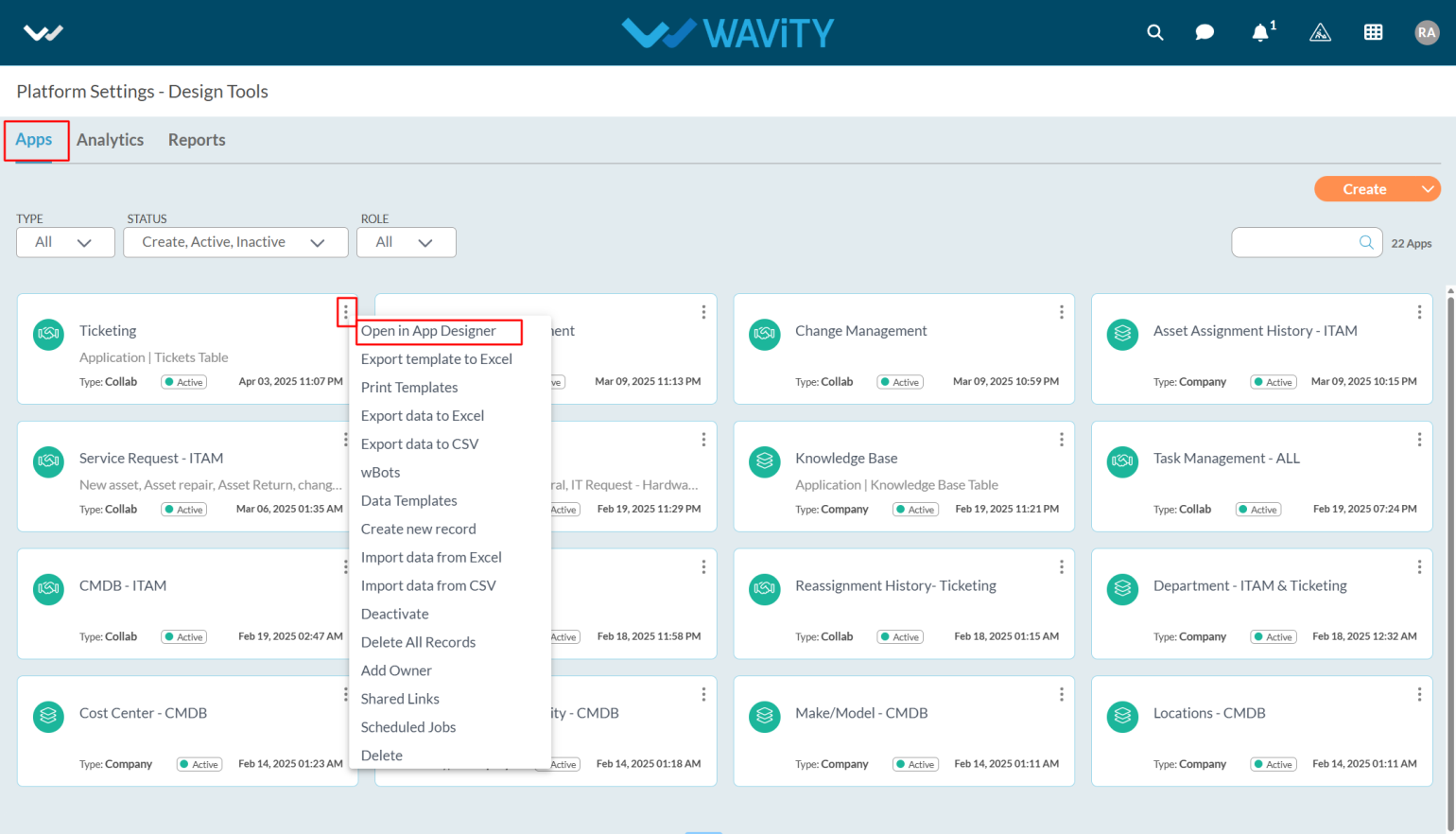
- Click on profile icon and select “Design Tools” (only admin can view and select Design Tools) as shown below.

- Select the application which you want to make change settings and click on three dots.
- From the options in the three dots menu, choose "Open in App Designer"
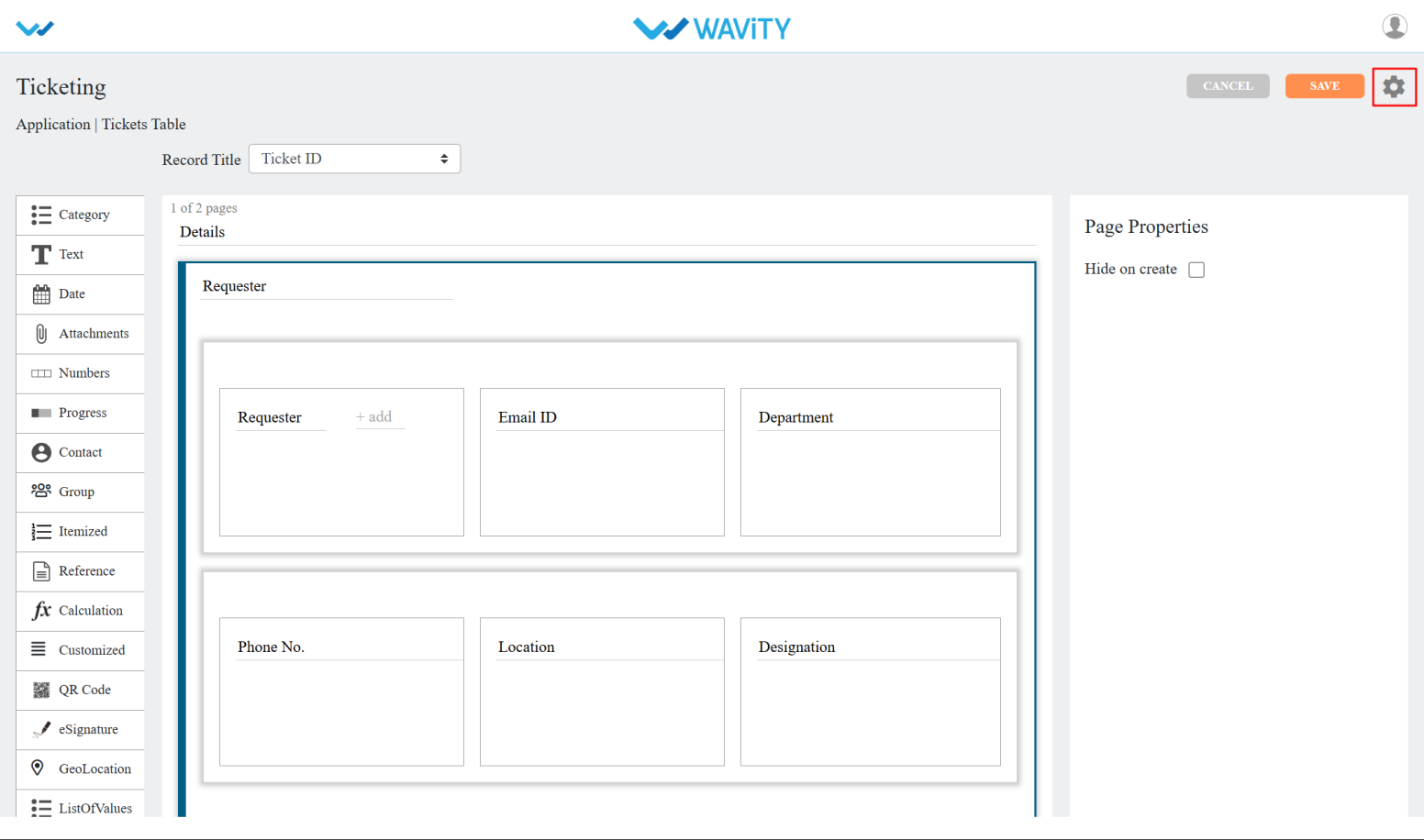
- Click on the settings icon as shown in the screenshot below to view or edit the Application setting.
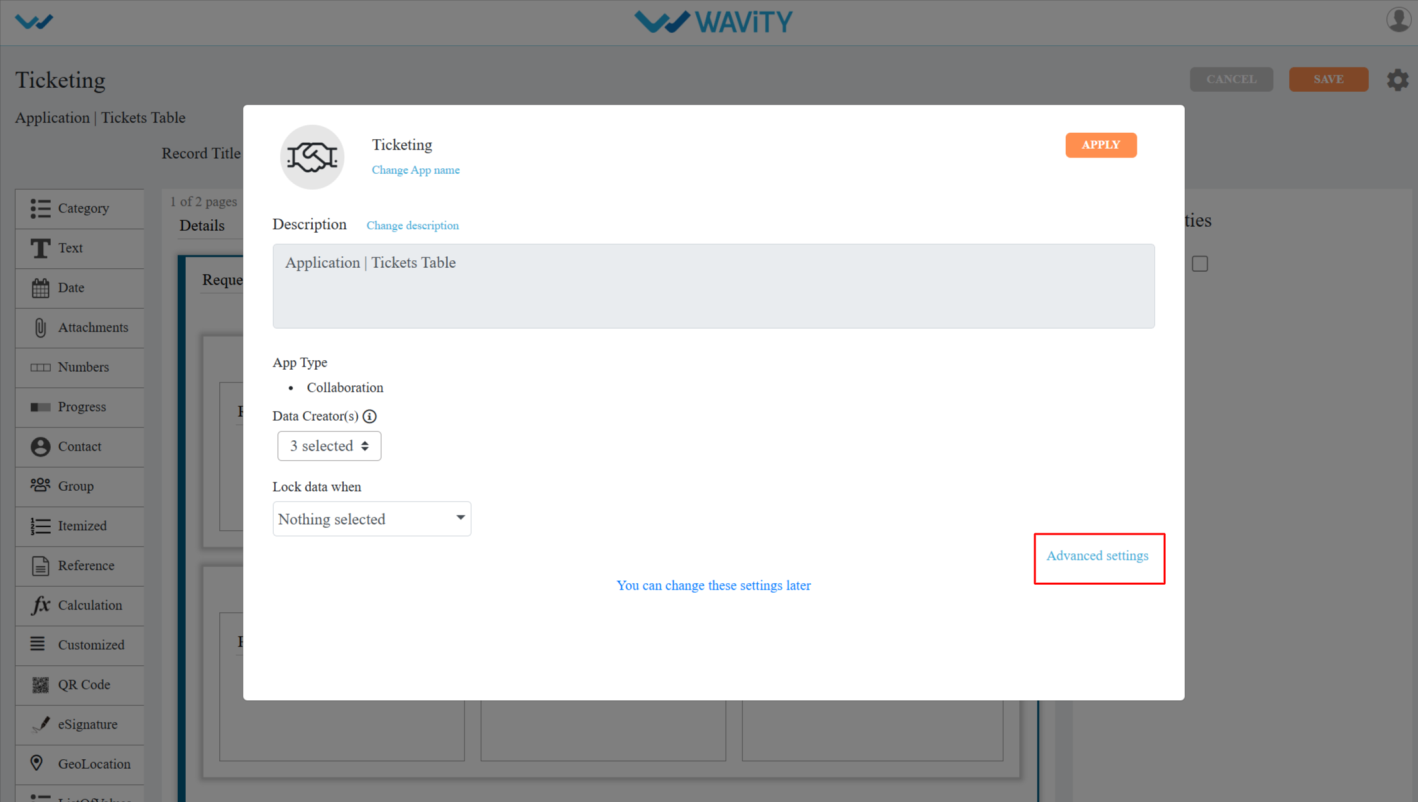
- Click on “Advance settings” as shown below to view or edit advance settings of application.
- In Advanced Settings, click on the “Data” tab and scroll down and you can see the Comments & Activities.
- Disable activities: When you enable Disable activities, it disables the activity stream for records created or modified in that app
- Hide Comments & Activities: When you enable Hide Comments & Activities, it disables the comments and activities of the record in the app.
- Synchronized Save helps avoid conflicts by showing an alert when two users edit and try to save the same record at the same time.
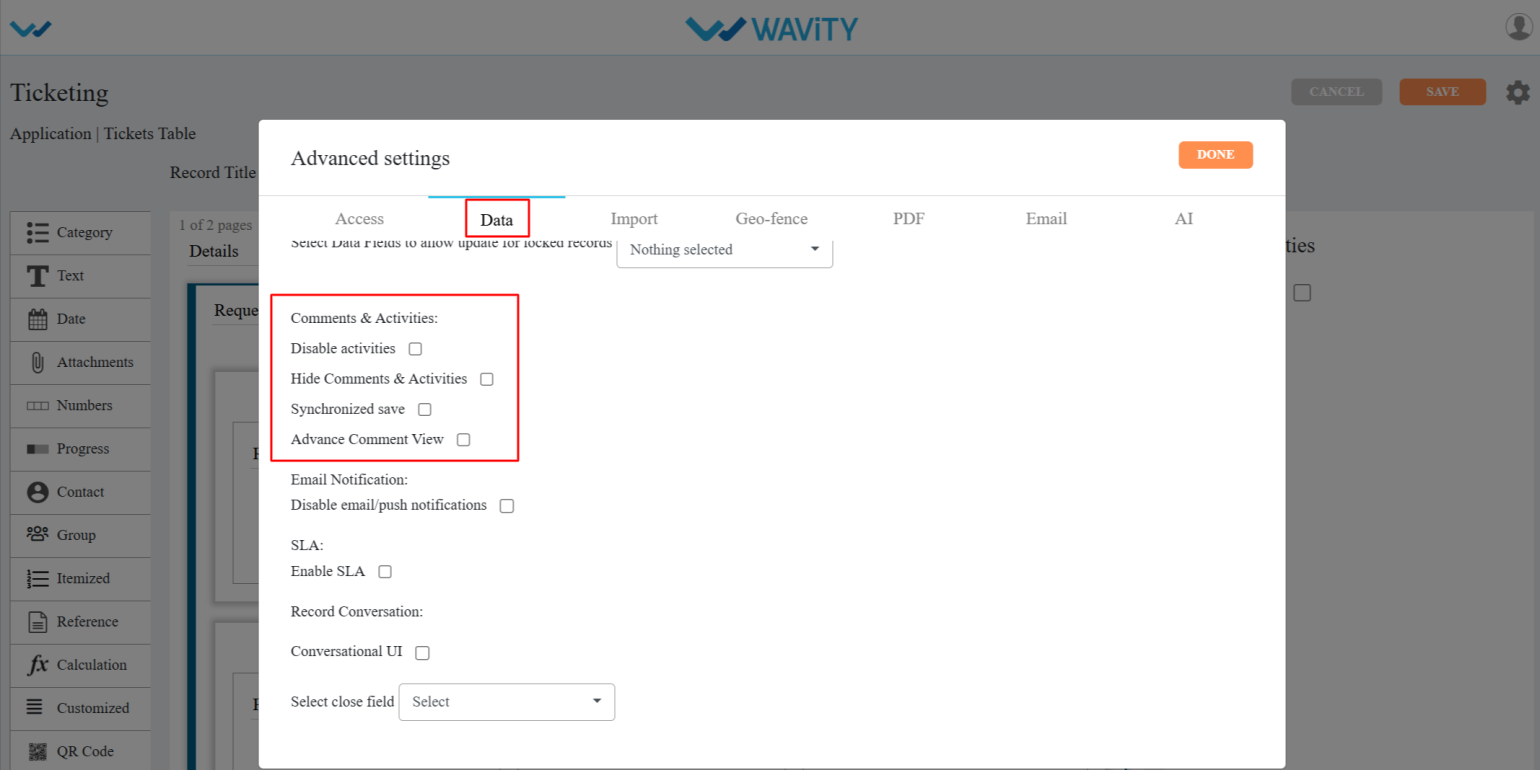
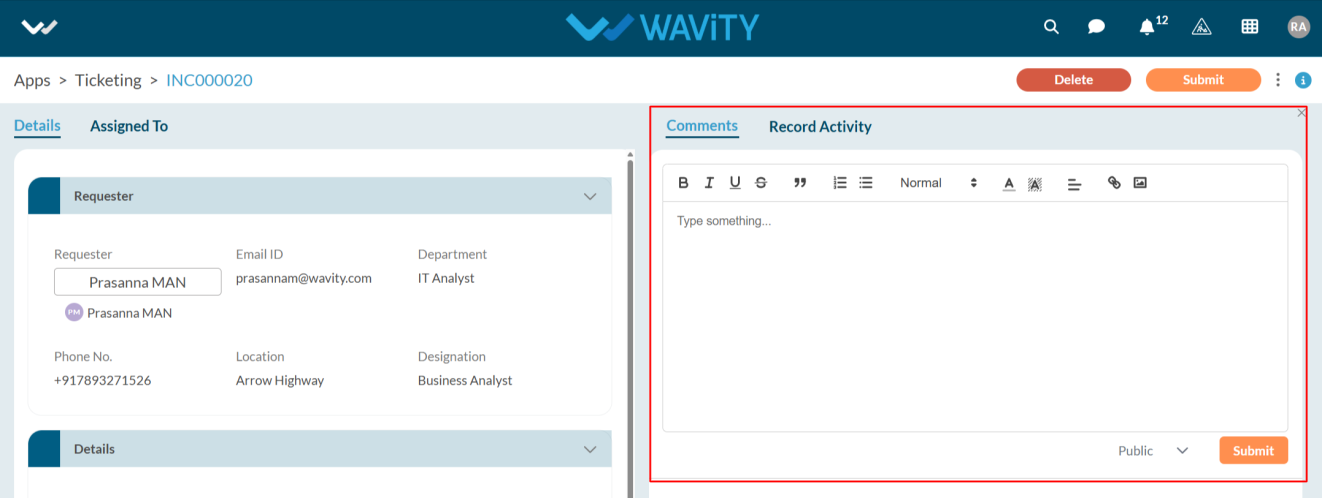
- Advance Comment View: After enabling this feature, an advanced comment box will appear on the record creation page, as shown in the image below.