Agent Guide: Types of Change Classification
Agent Guide: Types of Change Classification
- Wavity ITSM solution includes a comprehensive Change Management module aligned with ITIL standards, featuring multiple change classifications and associated approval workflows.
- Note: The steps provided below are sample instructions and can be customized to suit specific organizational requirements; however, the core workflow remains consistent.
- Log in to the Wavity platform using your credentials. After logging in, you will be taken to the Agent Interface. Click on Request a Change.

- In the Change Classification field, select ‘Standard/Pre-Approved’.

- When Standard/Pre-Approved is selected, a message will be displayed indicating that no approval is required, and the request can proceed automatically.

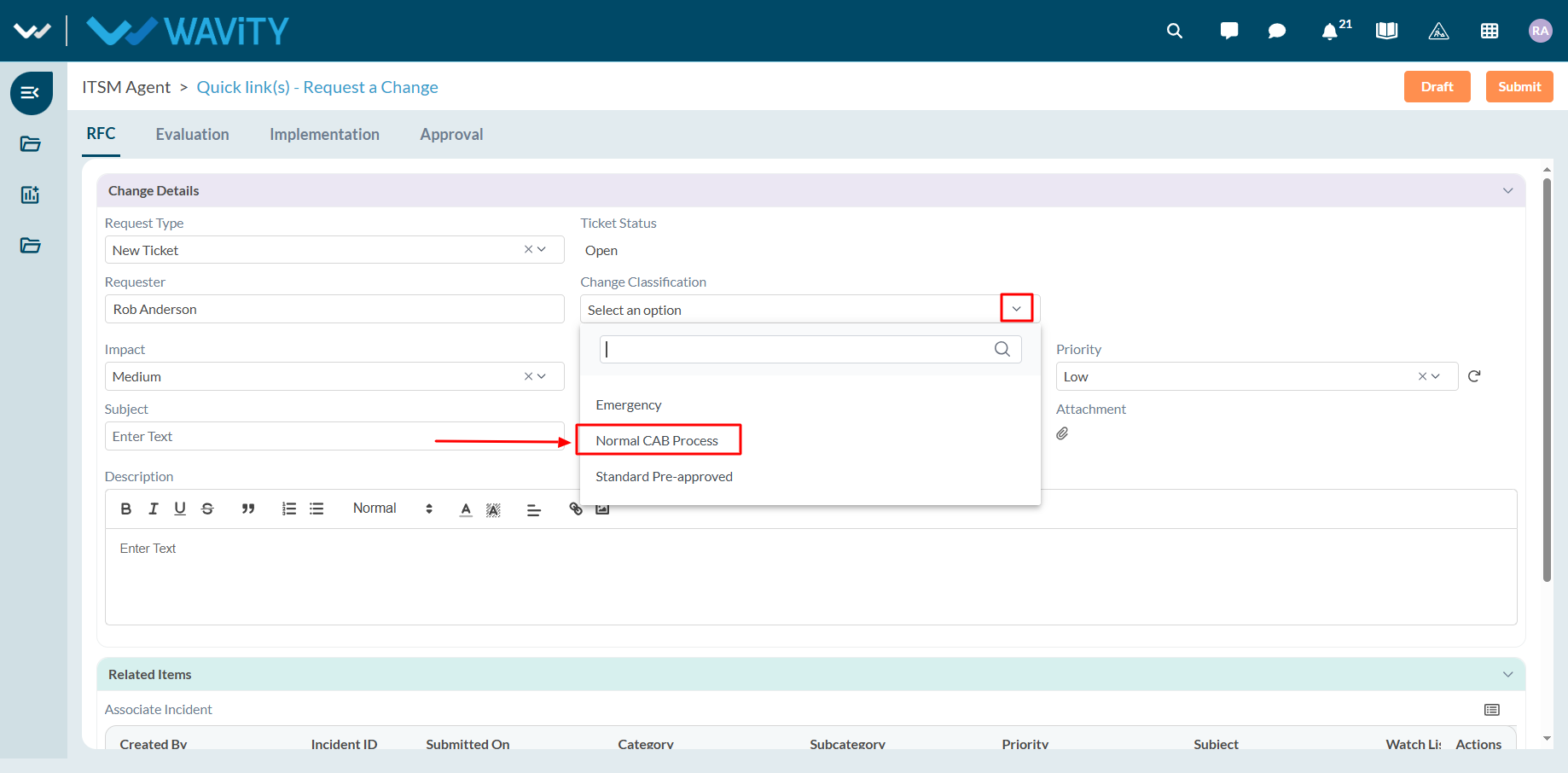
- As a second example, select ‘Normal CAB Process’ as the change classification type.
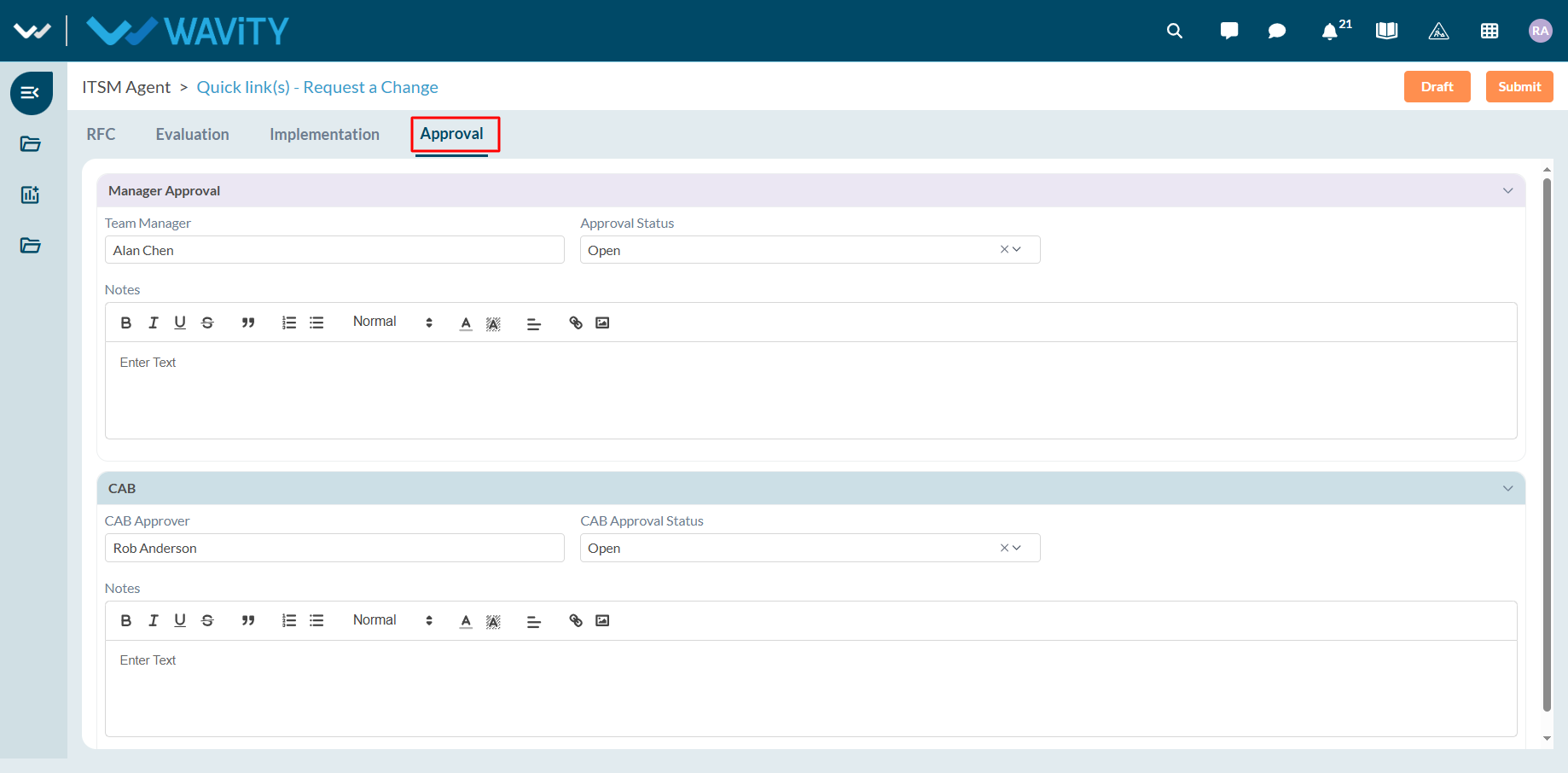
- When Normal CAB Process is selected, the system will require both Manager and CAB approvals before proceeding further.
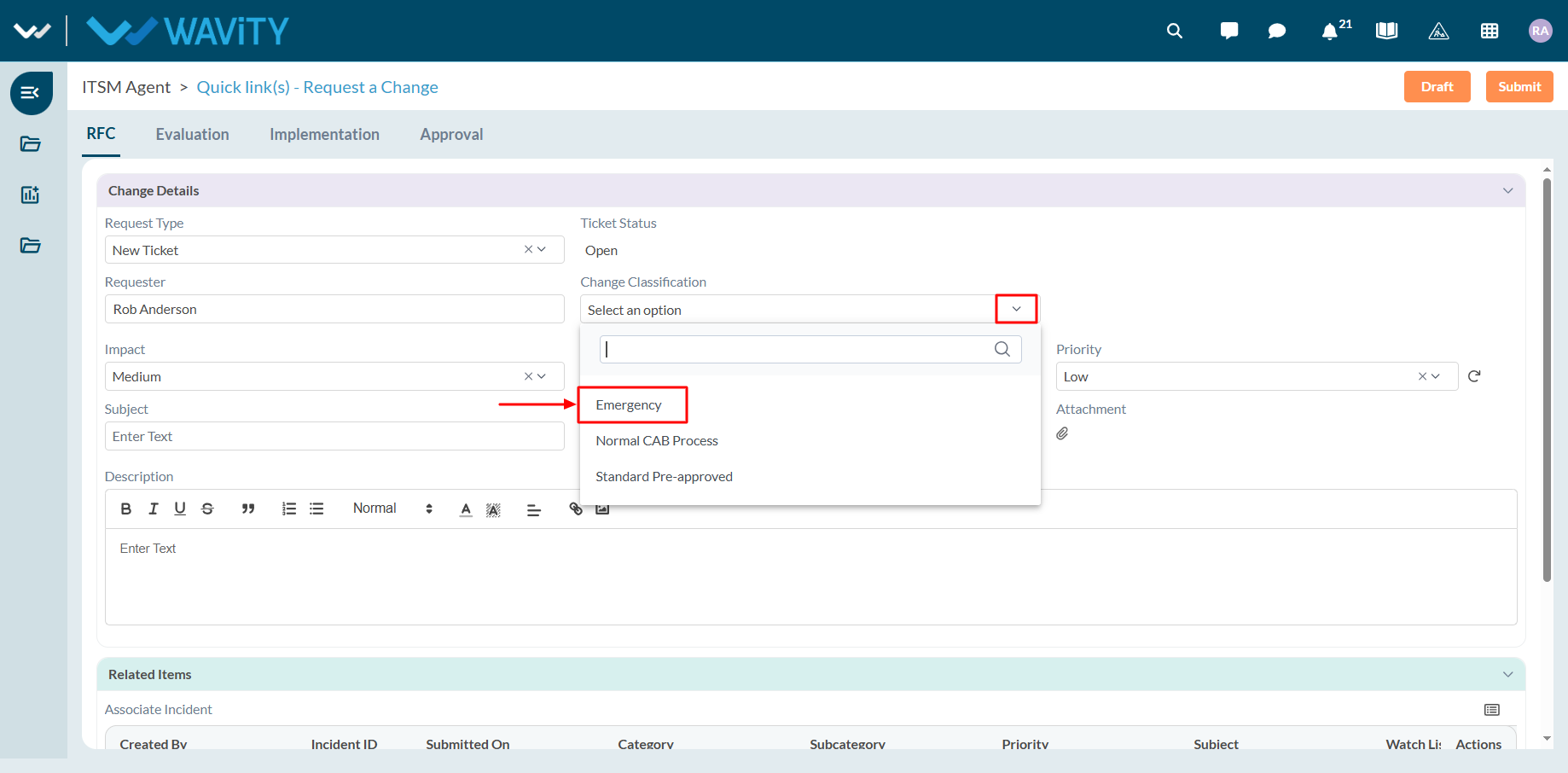
- Similarly, select ‘Emergency’ as the change classification type.
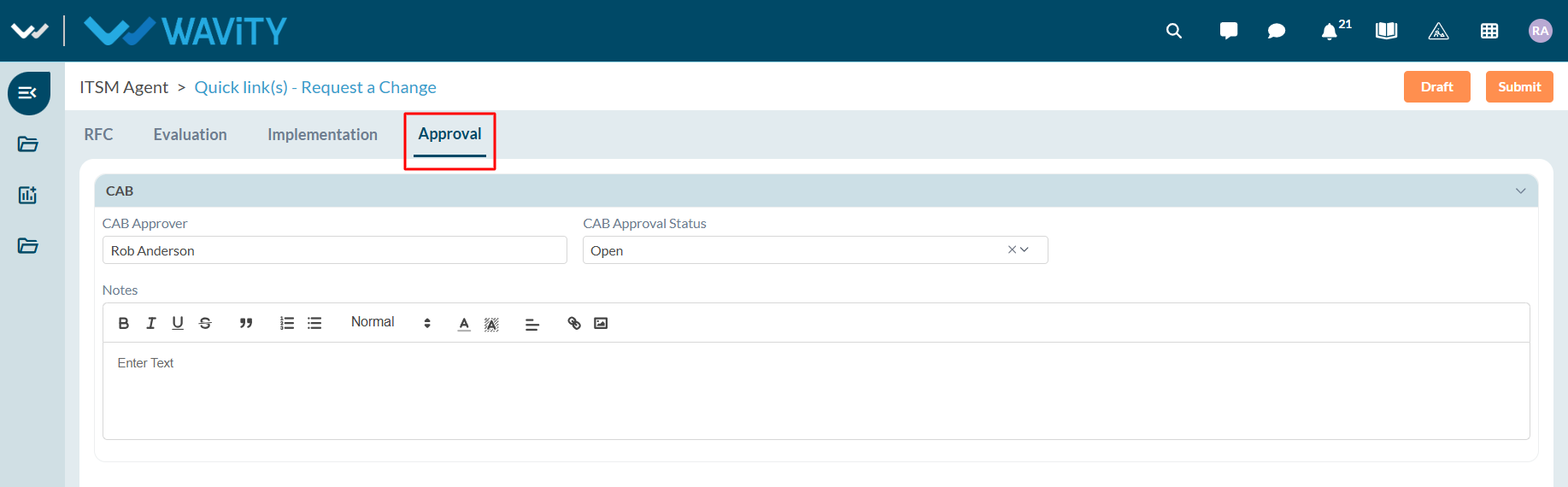
- When Emergency is selected, the system will require CAB approval only before the change can proceed.