Agent Guide: How to Convert an Incident into a Problem Request
HomeProductsIT Service Management (ITSM)Agent Guide: How to Convert an Incident into a Problem Request
- In the Wavity platform, handling and updating incidents as an agent is a simple and intuitive process.
- Note: The steps outlined below serve as general instructions and can be fully customized to meet specific organizational needs; however, the core workflow remains the same.
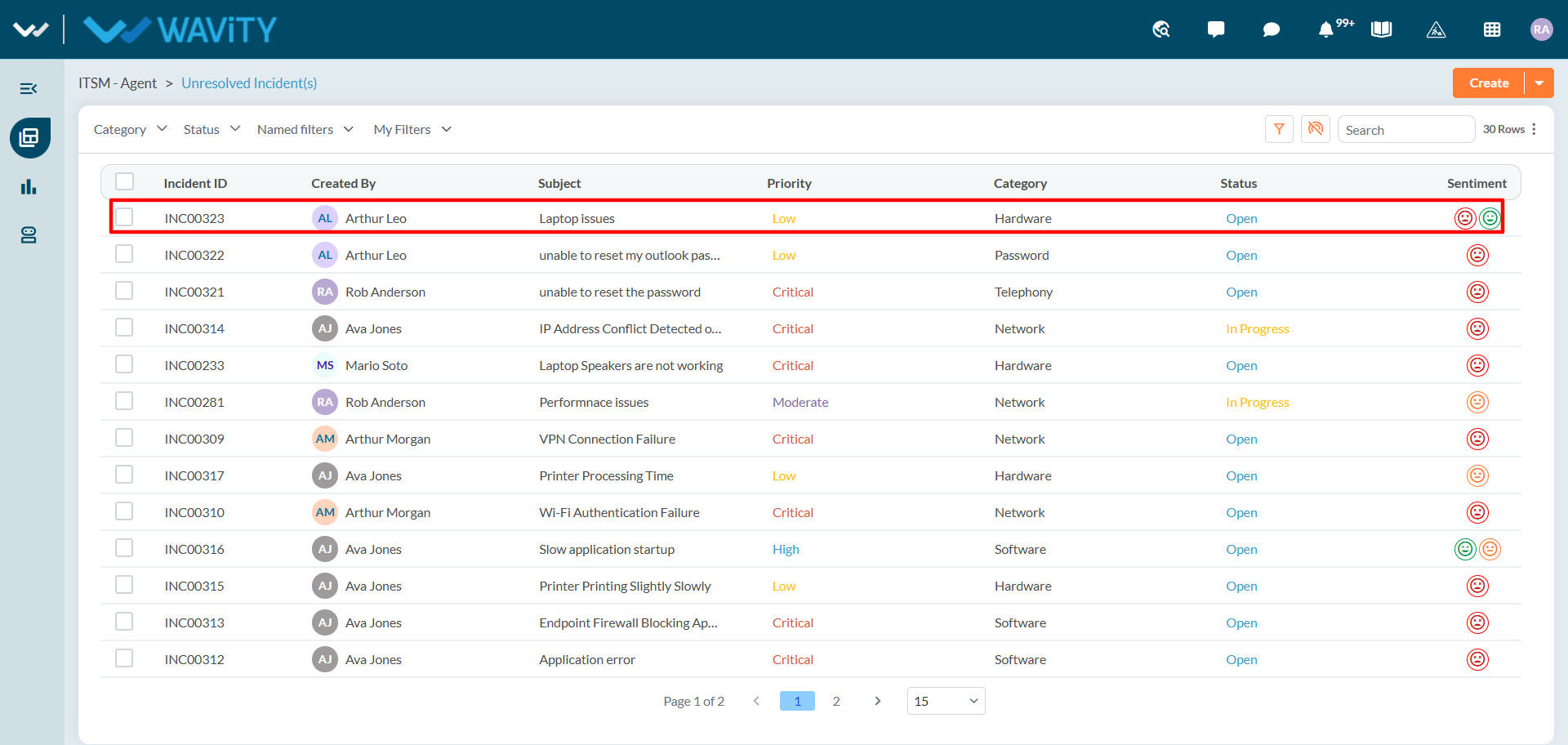
- Agents with the appropriate access can log in using their credentials and will be directed to the Unresolved Incidents page, which is the default landing page in this case.
- From the Unresolved Incidents, Click on any of the incident.
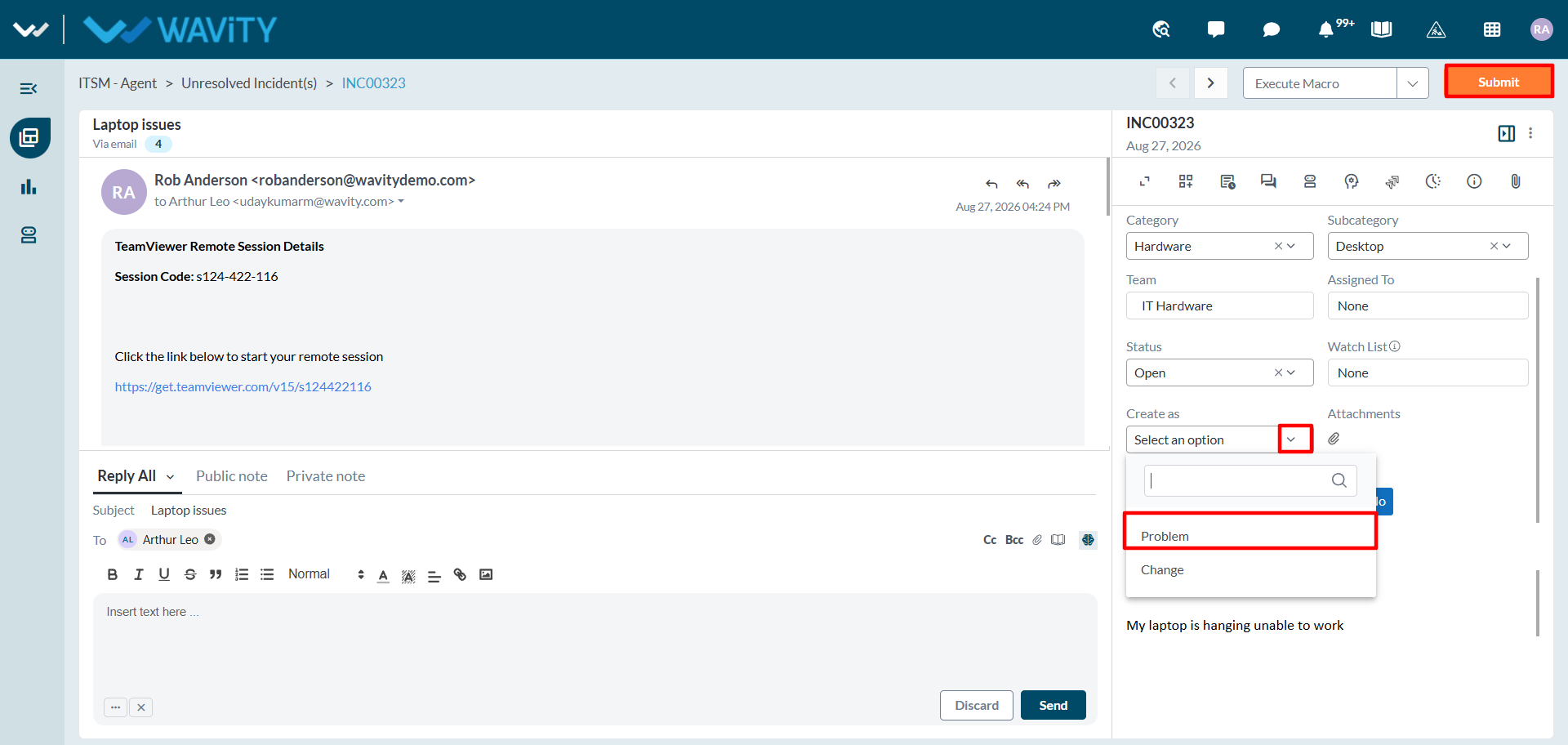
- In the Incident Details section:
- Select Problem from the ‘Create As’ dropdown menu.
- Click Submit to save the changes.