Agent Guide: Accessing Pending Requests
- Accessing and viewing pending requests in Wavity ITSM is a straightforward and user-friendly process designed for ease of use.
- Note: The steps provided below are sample instructions and can be customized to suit specific organizational requirements; however, the core workflow remains consistent.
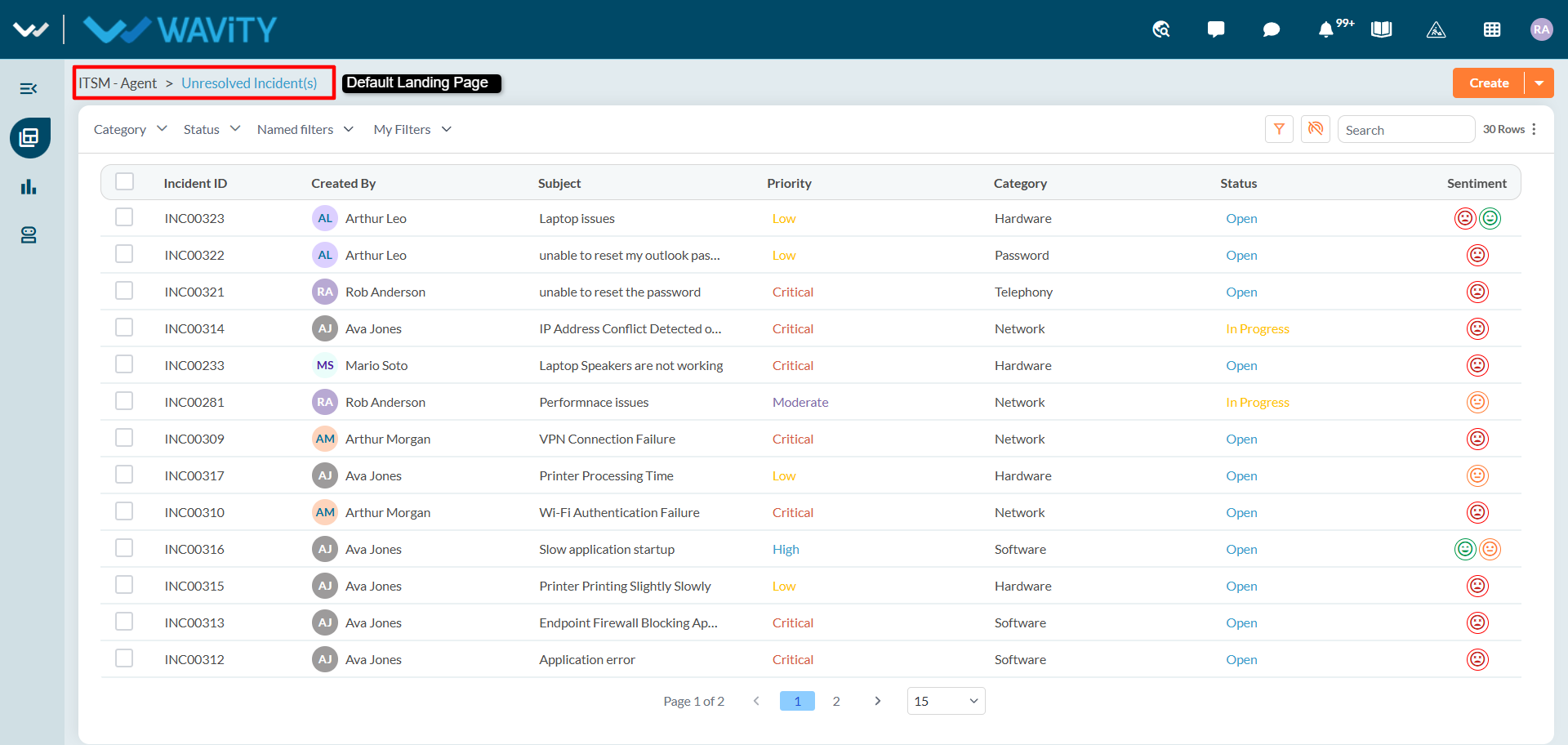
- Log in to the Wavity platform using your credentials. After logging in, you will be taken to the Unresolved Incidents page, which is the default landing page. The default landing page can be customized based on your organization's needs and requirements.
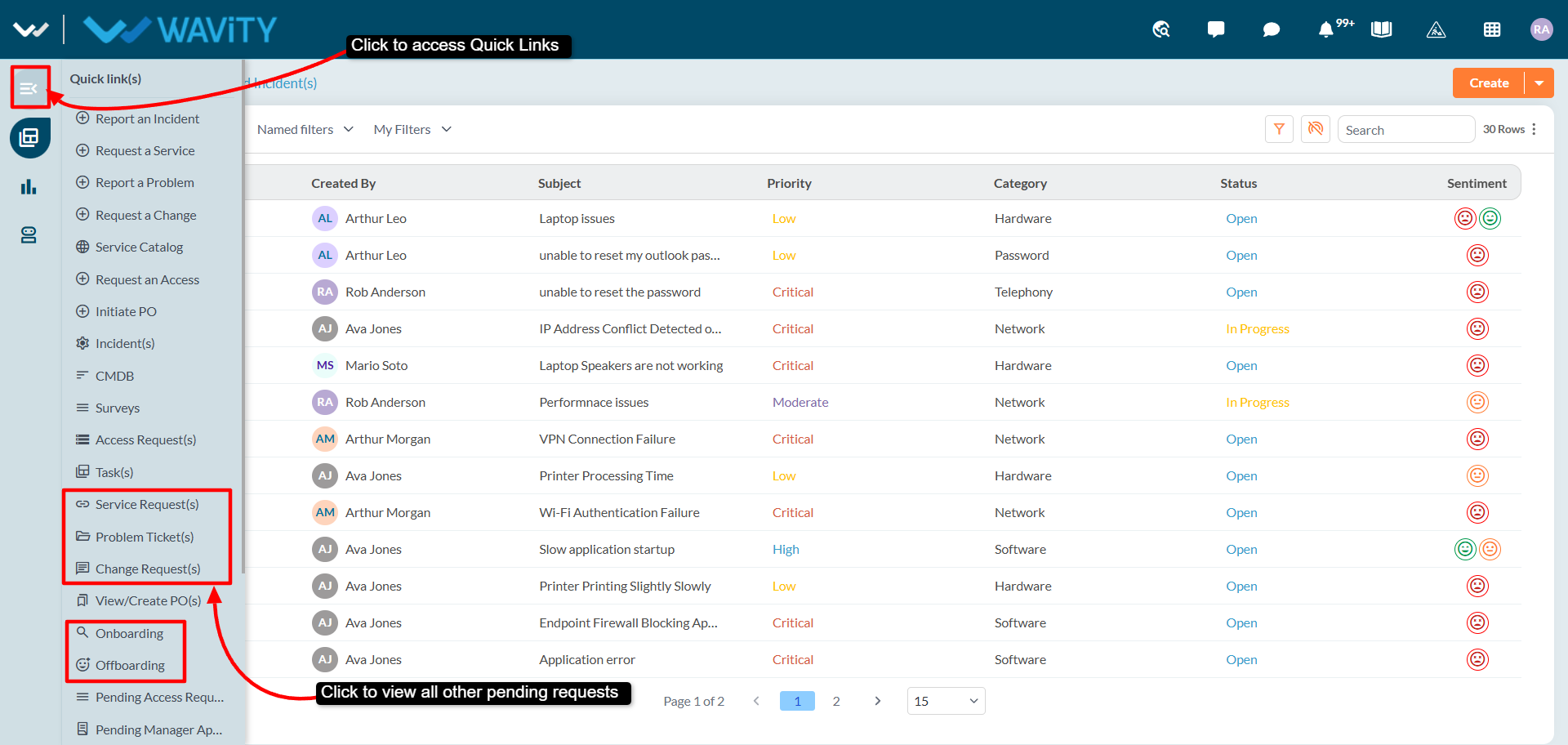
- Use the Quick Links section to access other pending requests, including: Service Requests, Problem Tickets, Change Requests, Onboarding Requests, Offboarding Requests.