Agent Guide: Accessing Incidents
Agent Guide: Accessing Incidents
- Accessing and viewing incidents in Wavity ITSM is a straightforward and user-friendly process designed for ease of use.
- Note: The steps provided below are sample instructions and can be customized to suit specific organizational requirements; however, the core workflow remains consistent.
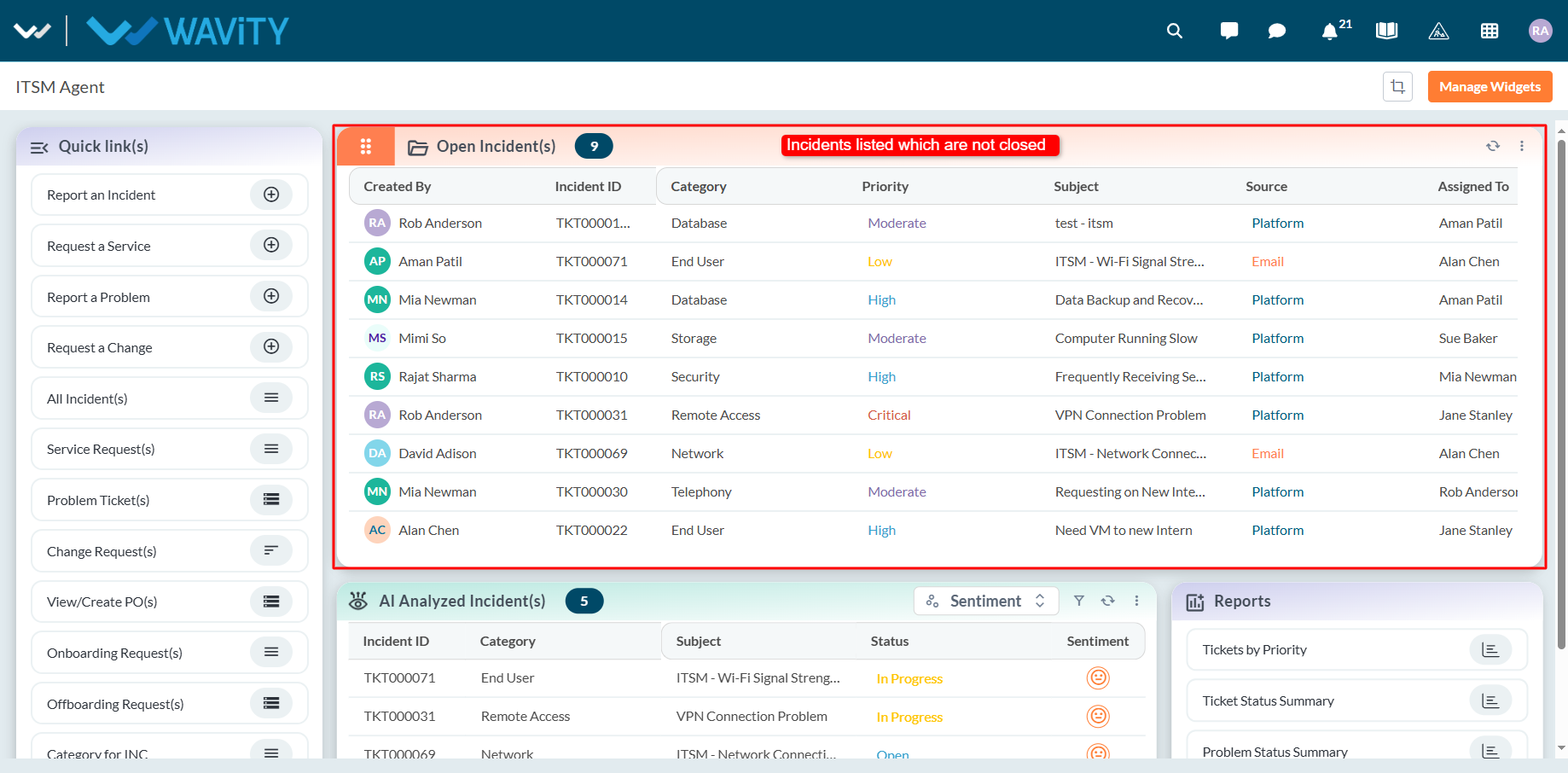
- Log in to the Wavity platform using your credentials. After logging in, you will be taken to the Agent Interface.

- Click on ‘Open Incidents’ to see a list of all incidents assigned to you that are still open.
- Select any incident from the list to view its full details.
- You can also search for a specific incident using the search bar located at the top.
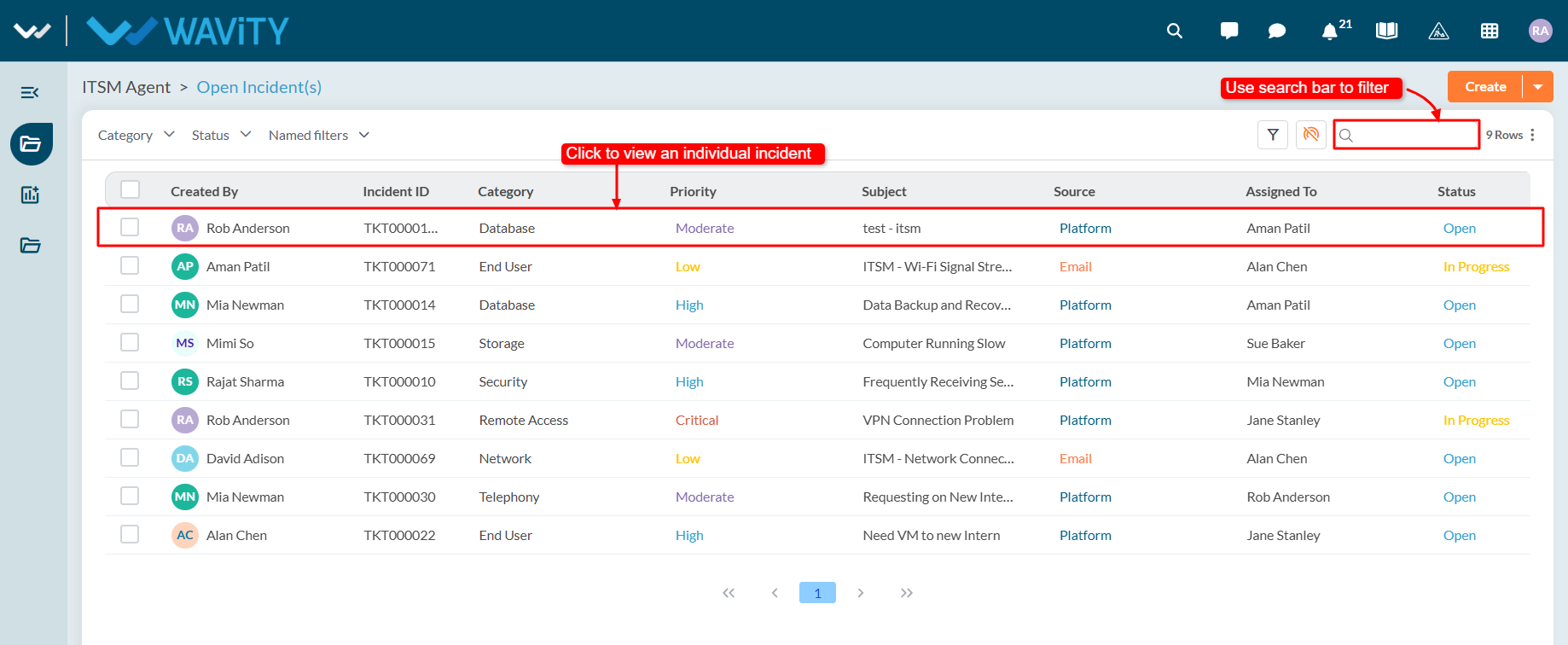
- Use the filters on the left side of the screen to narrow down the incident list. For more advanced filtering, apply multi-condition filters using AND/OR logic to refine your search results.
