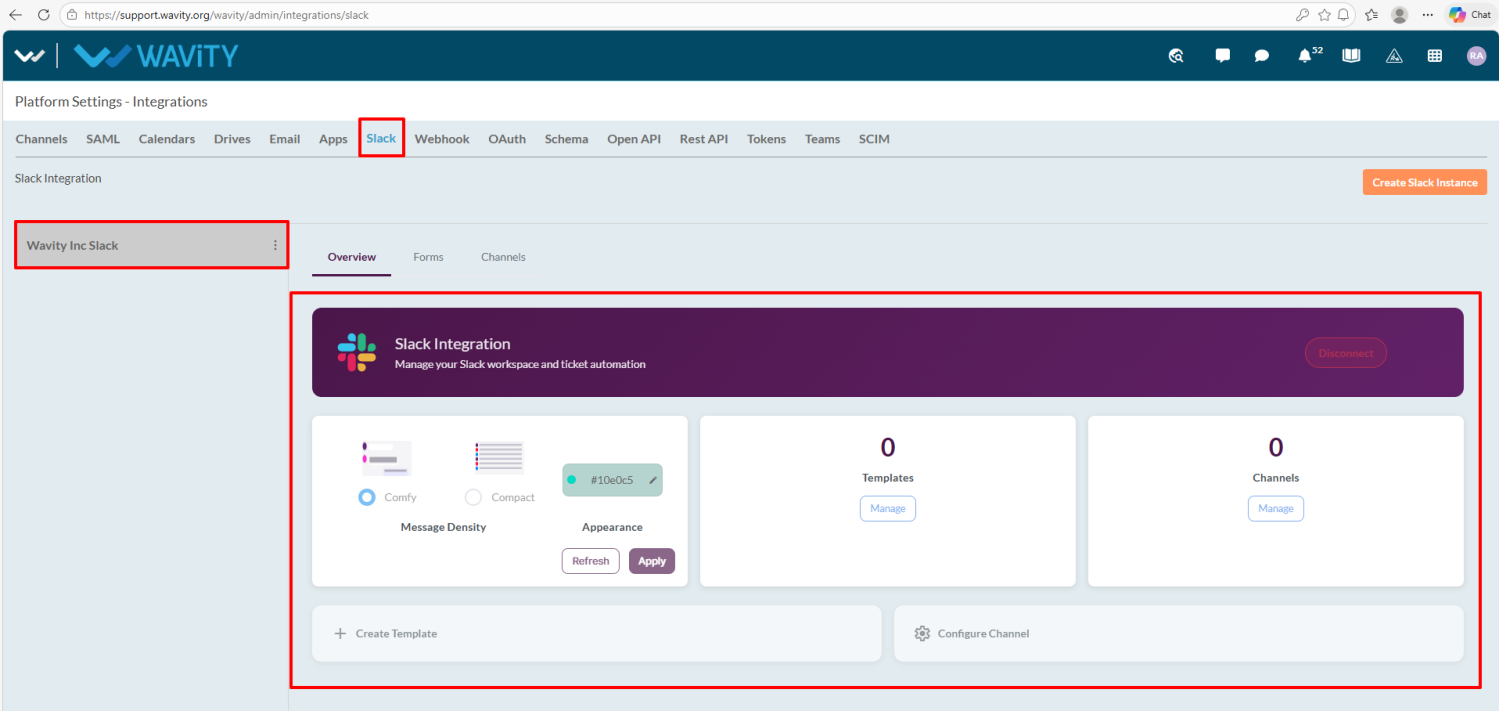
Admin Guide: Integration of Slack with Wavity
- Integrating Slack with the Wavity platform is a simple and straightforward process.
- Only admin can integrate Slack with Wavity platform.
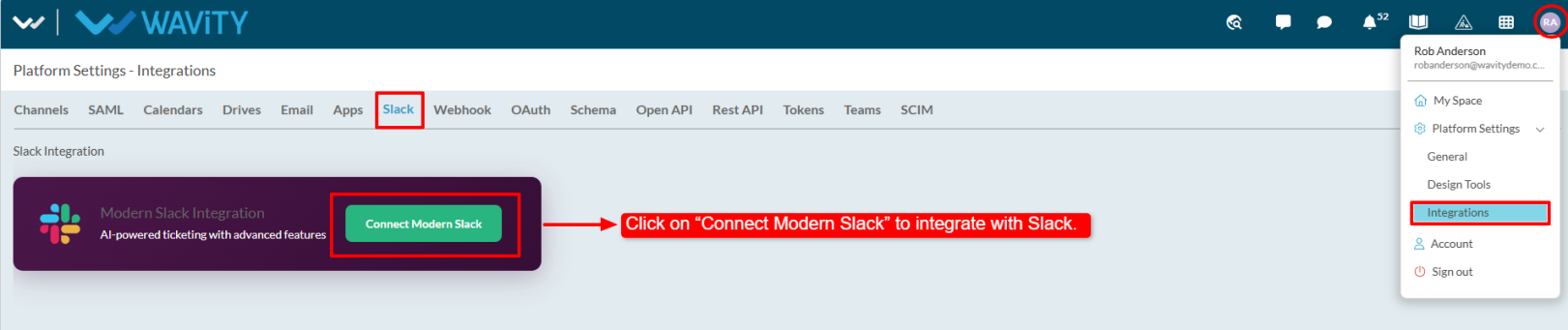
- Click on the profile icon, go to Integrations, and select the Slack tab.
- Click on “Connect Modern Slack.”
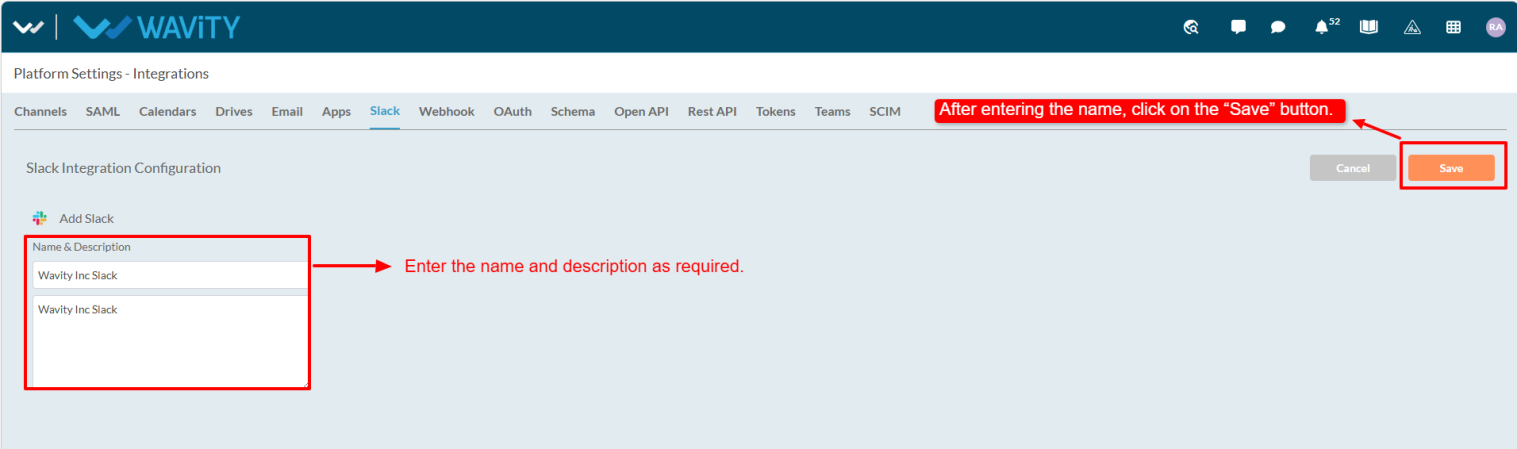
- Enter the name and description, then click Save.
- After saving, you’ll be redirected to Slack to enter your workspace.

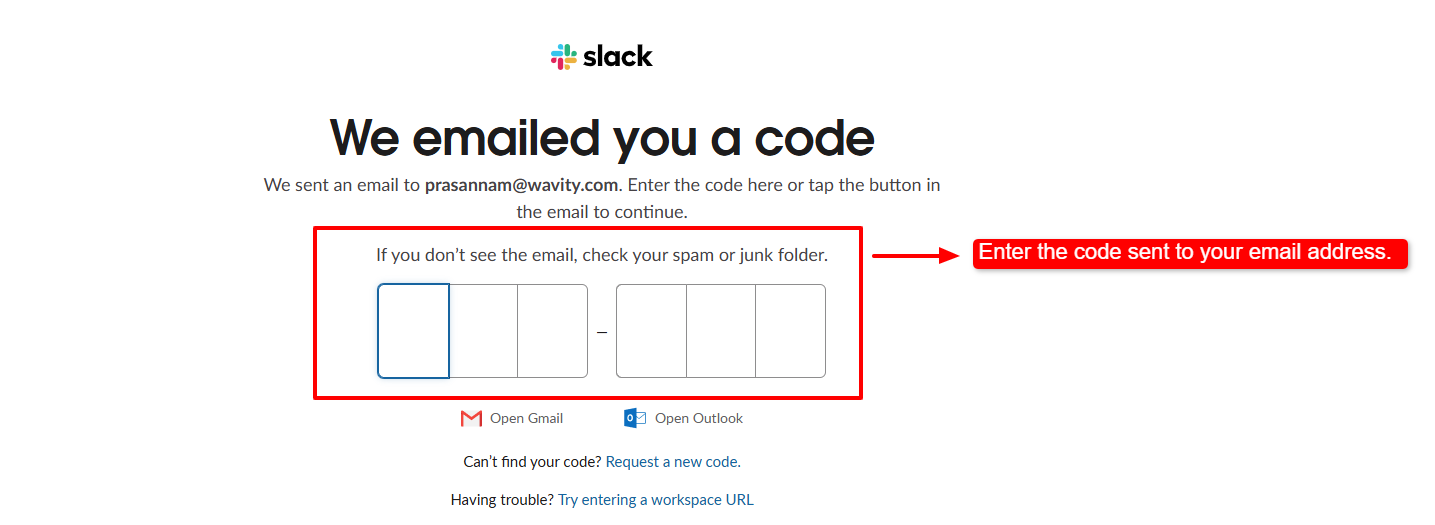
- Enter your email and proceed; a verification code will be sent to your email and enter that code.
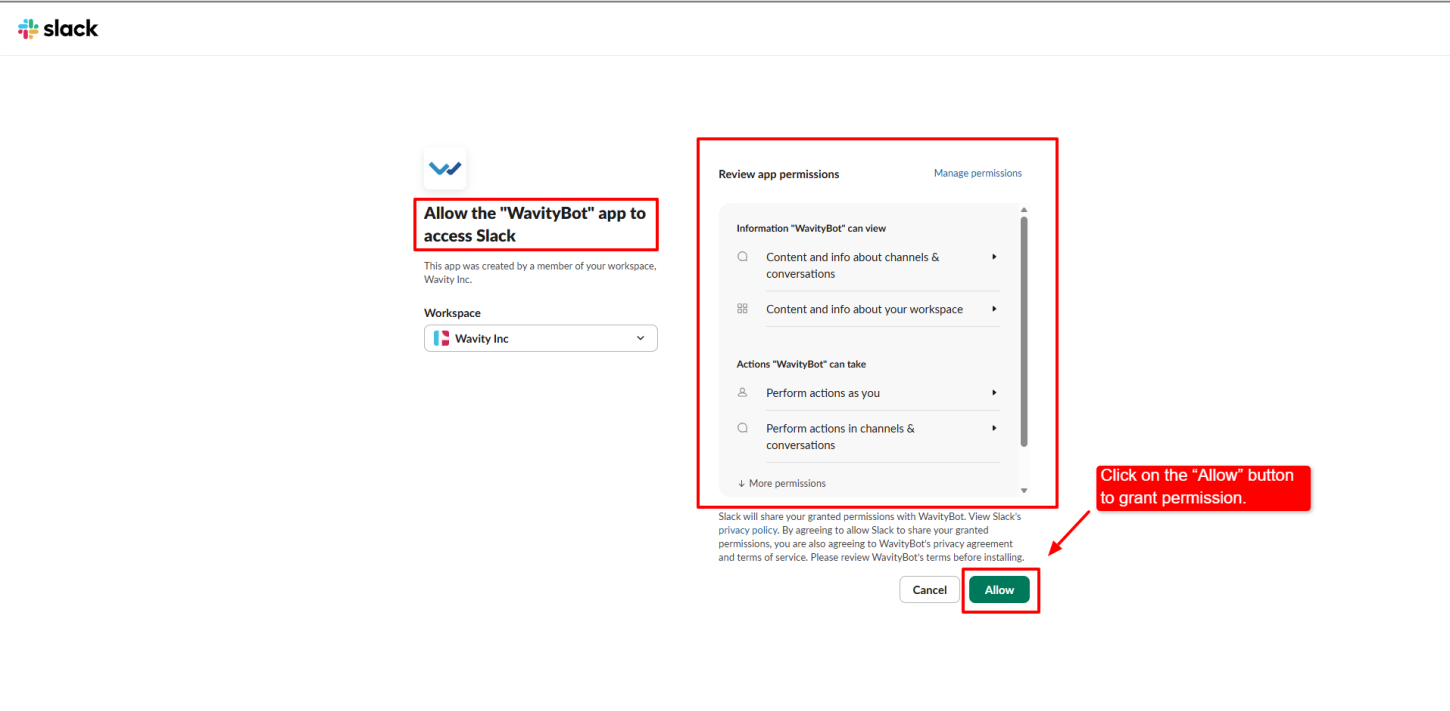
- After entering the code, the user will be redirected to the Review App Permissions page, where they need to click on “Allow” to grant access.
- A success message will confirm that the integration is completed.

- The admin can now view and manage the Slack integration.