Resource Manager Guide: Viewing Assigned Tasks
Resource Manager Guide: Viewing Assigned Tasks
- In the Wavity PPM Module, Resource Managers can view the tasks assigned to them by Project Managers.
- Users with Resource Manager access can log in using their credentials and will be navigated to the Resource Manager Interface.
- Note: The steps provided serve as sample instructions and can be customized based on specific business requirements. However, the core workflow remains the same.
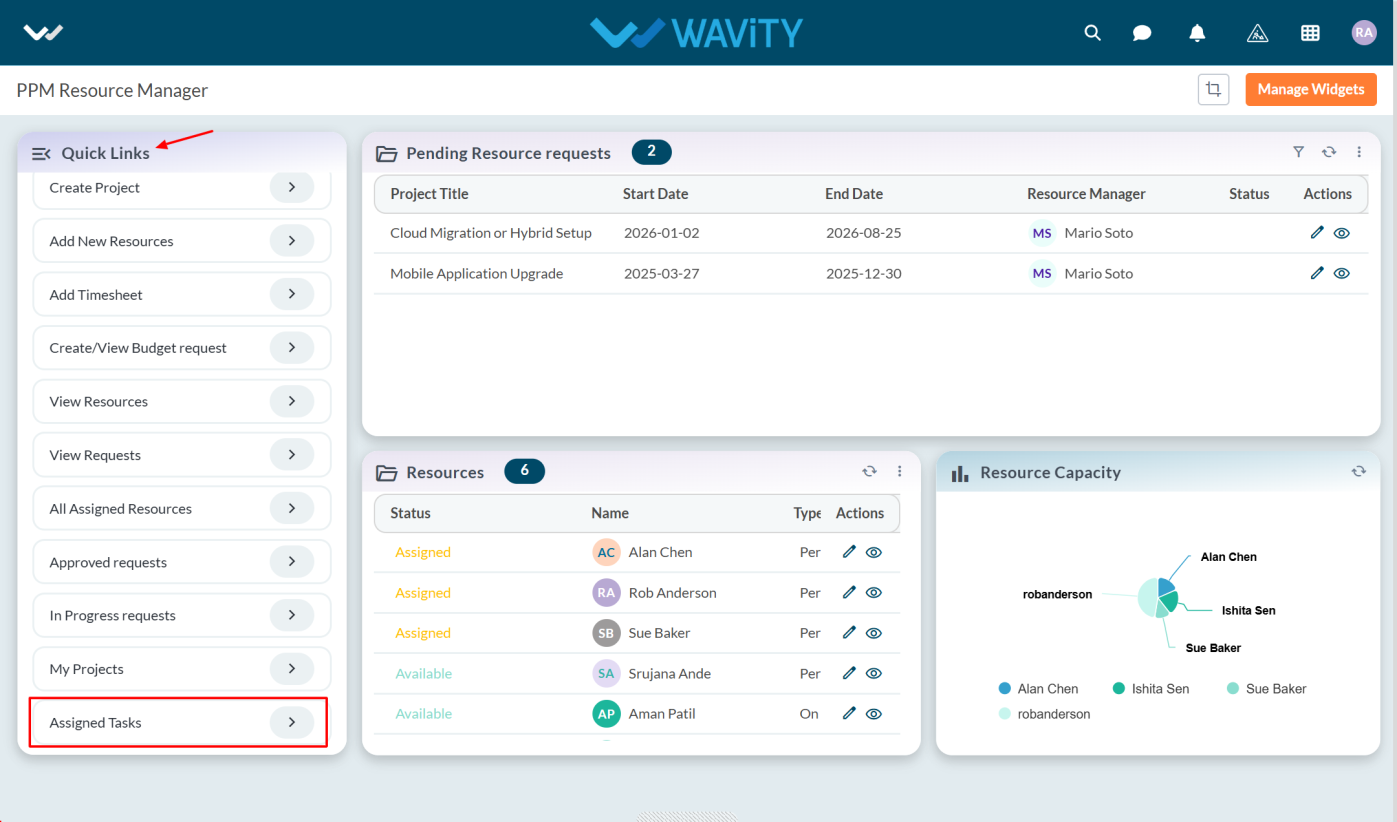
- From the Quick Links panel, select Assigned Tasks.
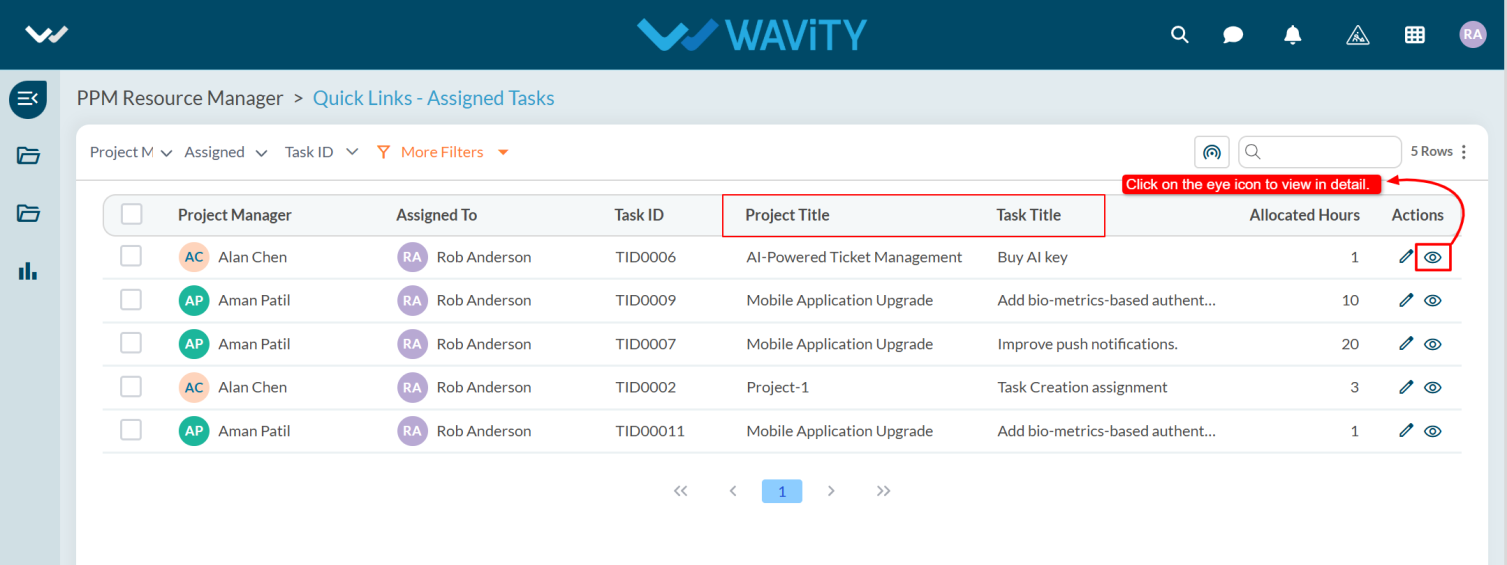
- The Assigned Tasks list will be displayed where users can view the Project Manager, Project Title, and other task details. To view a task in detail, click the eye icon in the Actions column.
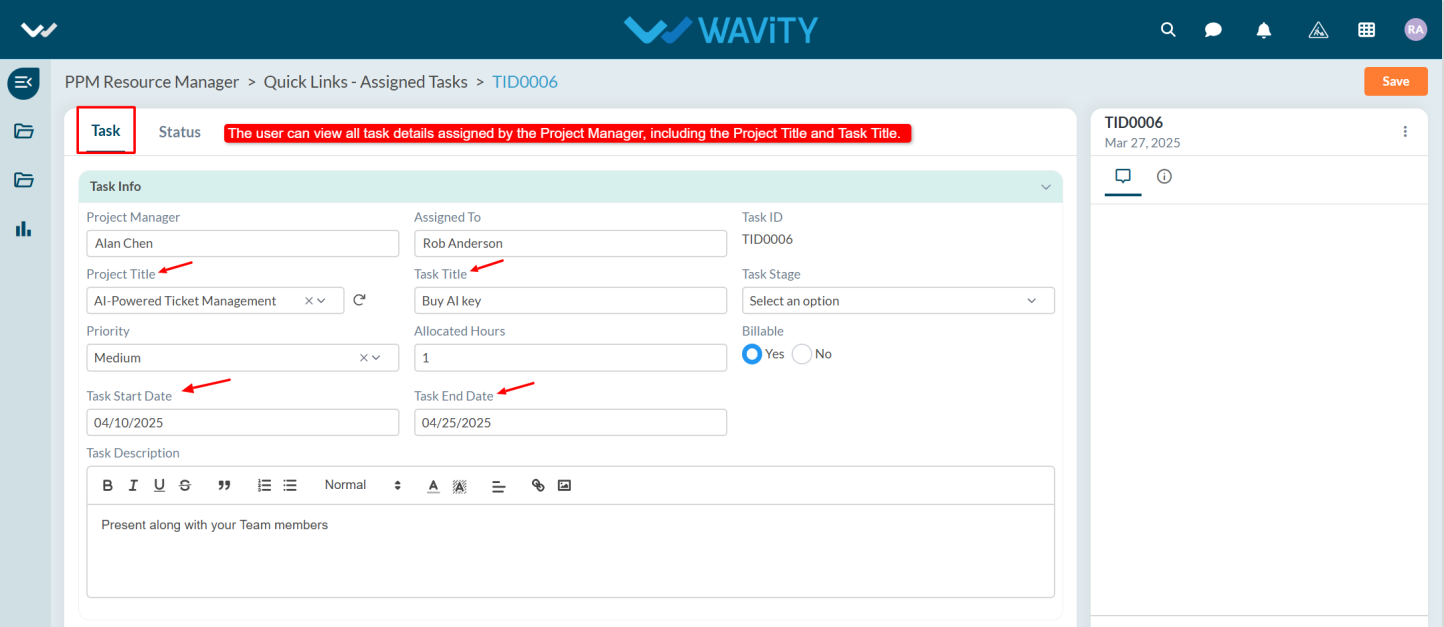
- Under Task tab user can view the details such as Project Title, Task Title, Start Date, End Date, and other relevant information.
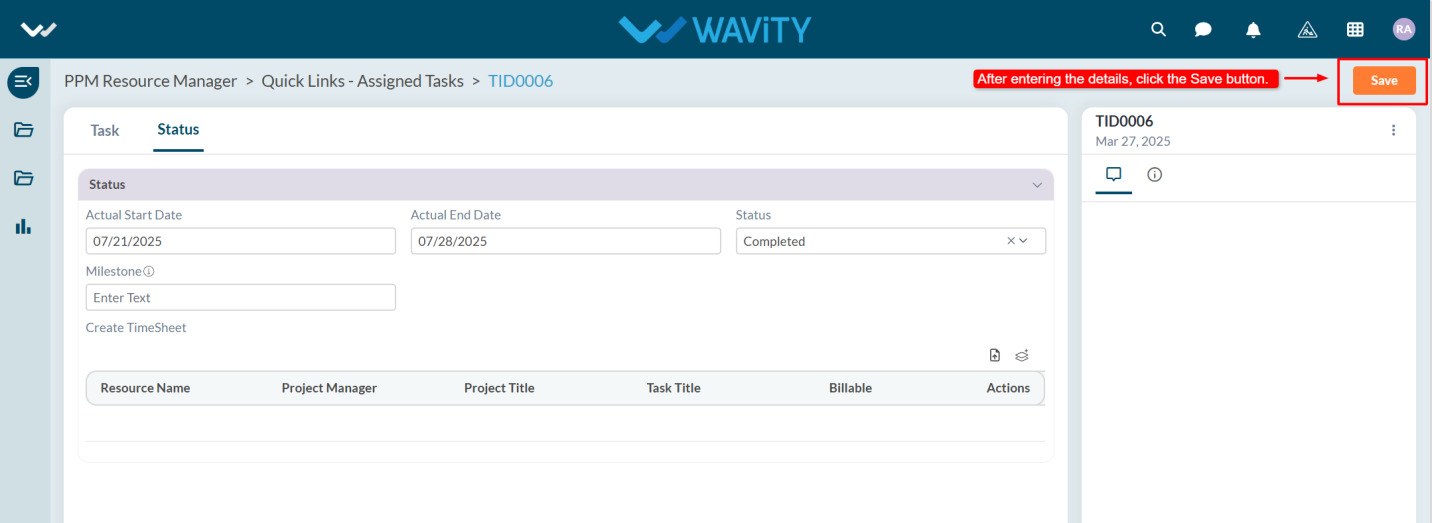
- User must update the task status, enter the start and end dates, and create a timesheet.

- After updating all required details, click the Save button.