Project Manager Guide: Approving Budgets
Project Manager Guide: Approving Budgets
- In the Wavity PPM Module, approving a budget as a Project Manager is a simple and straightforward process.
- Users with Project Manager access can log in using their credentials and will be directed to the Project Manager interface.
- Note: The steps provided below are sample instructions and can be tailored based on specific requirements; however, the core workflow remains consistent.
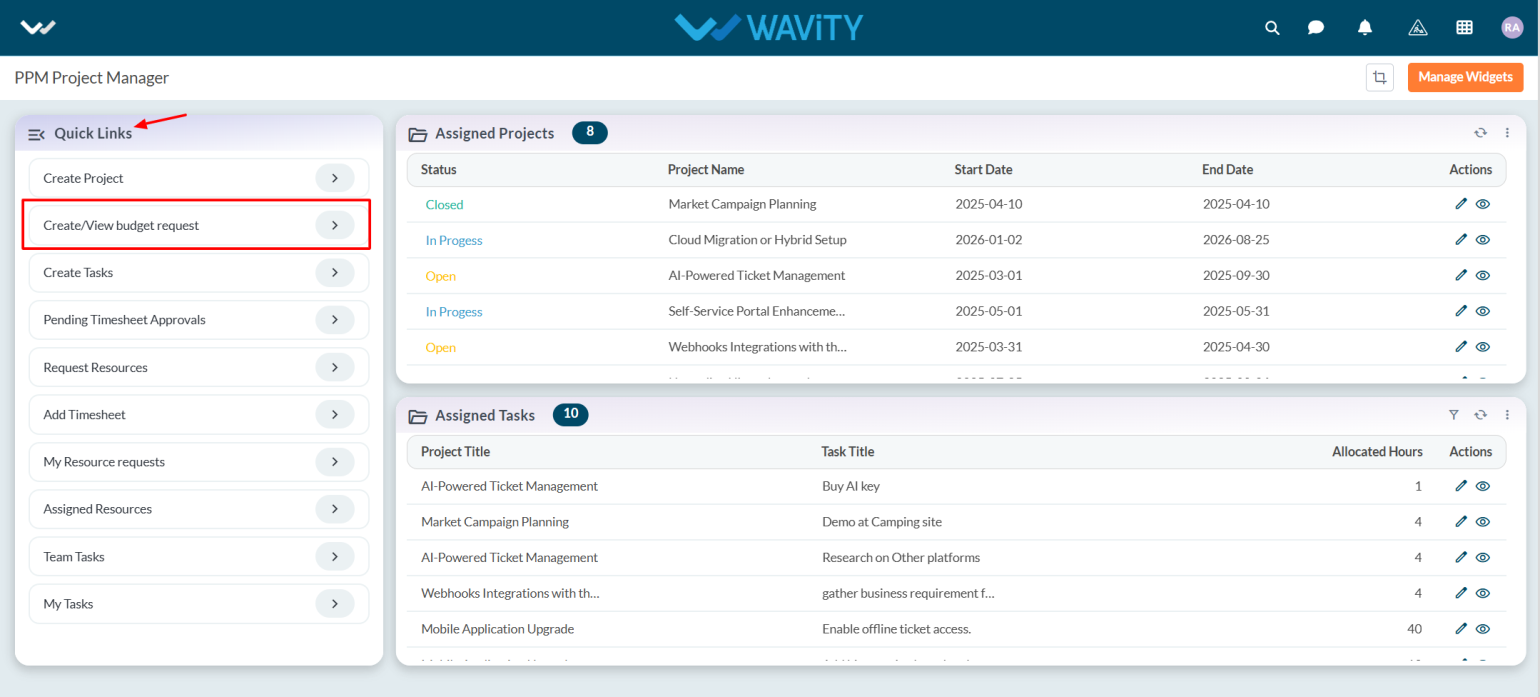
- Project Managers can create projects and tasks, request budgets, and add timesheets using the Quick Links.
- Assigned projects (assigned by the Portfolio Manager) can be viewed in the Assigned Projects table widget. Tasks created by the Project Manager will also be listed under Assigned Tasks.

- To approve a budget, click on Create/View Budget Request from the Quick Links.
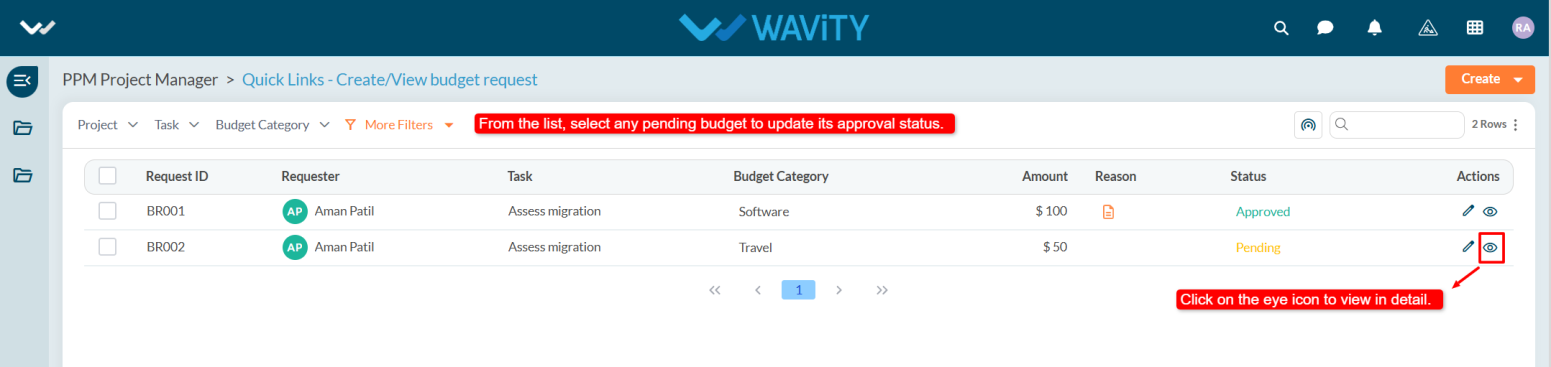
- A list of budget requests will be displayed. Select any budget that is pending approval.

- Navigate to the Request tab to review the details, and then go to the Approval tab.
- In the Approval tab, select Approved from the status dropdown.

- Add comments if needed, and click the Save button to apply the changes.
