Project Manager Guide: Approving a Timesheet
Project Manager Guide: Approving a Timesheet
- Approving a timesheet in the Wavity Project Portfolio Management Solution is a simple and straightforward process.
- Project Managers are responsible for approving timesheets submitted by Team Members.
- Users with Project Manager access can log in using their credentials and will be directed to the Project Manager Persona.
- Note: The steps provided serve as sample instructions and can be customized based on specific requirements; however, the core workflow will remain the same.
- From the Quick Links, select Pending Timesheet Approvals.

- Choose any pending timesheet from the list that you wish to approve.

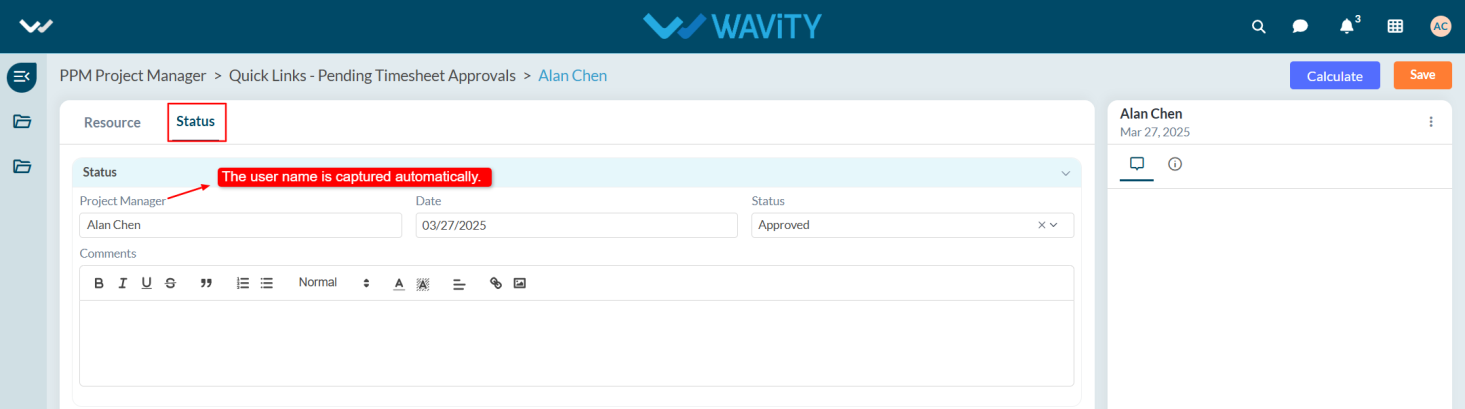
- Go to the Status tab. Under the Status section, the system will automatically capture the Manager Name.
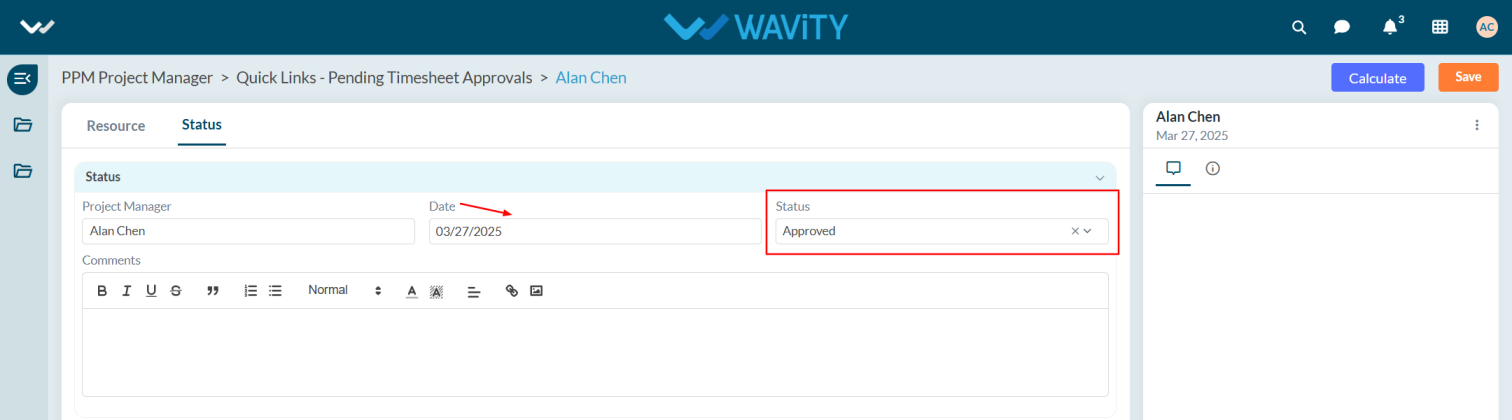
- Select the Date and update the Status to Approved.
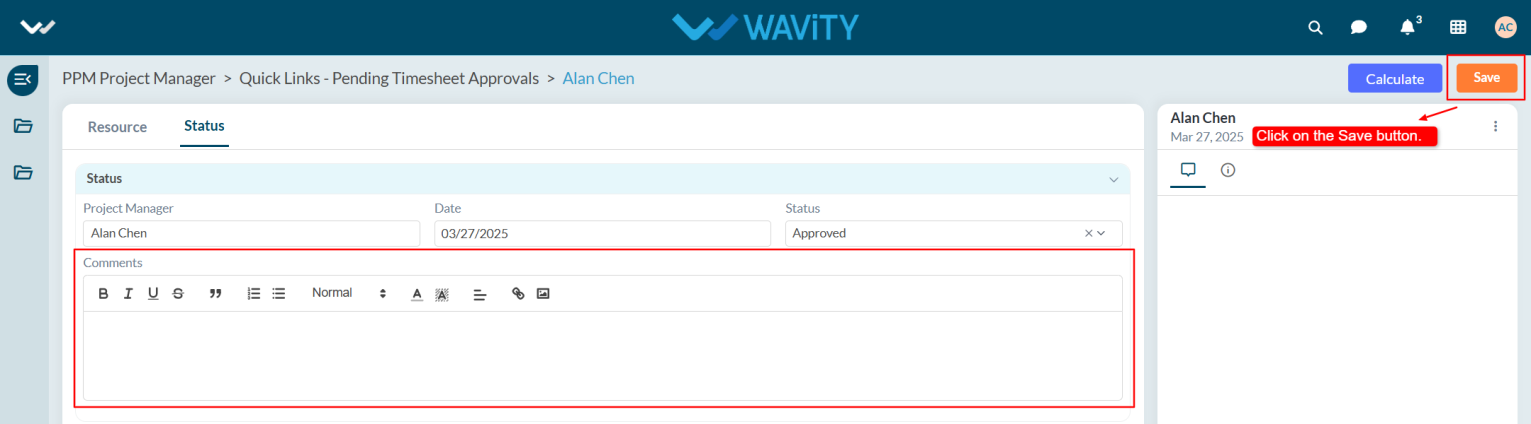
- If necessary, add comments in the Comments section and click the Save button.
- After saving, the Total Cost will be displayed under the Status section.
