Project Management Office: Approving a Project
Project Management Office: Approving a Project
- In Wavity Project Portfolio Management Solution, Approving a project as a PMO Manager is a simple and user-friendly process.
- Users with PMO access have the ability to approve pending projects.
- Note: The following steps serve as sample instructions and can be customized based on specific requirements. However, the core workflow remains consistent.
- Upon logging in, PMO user will be directed to the PMO Persona.
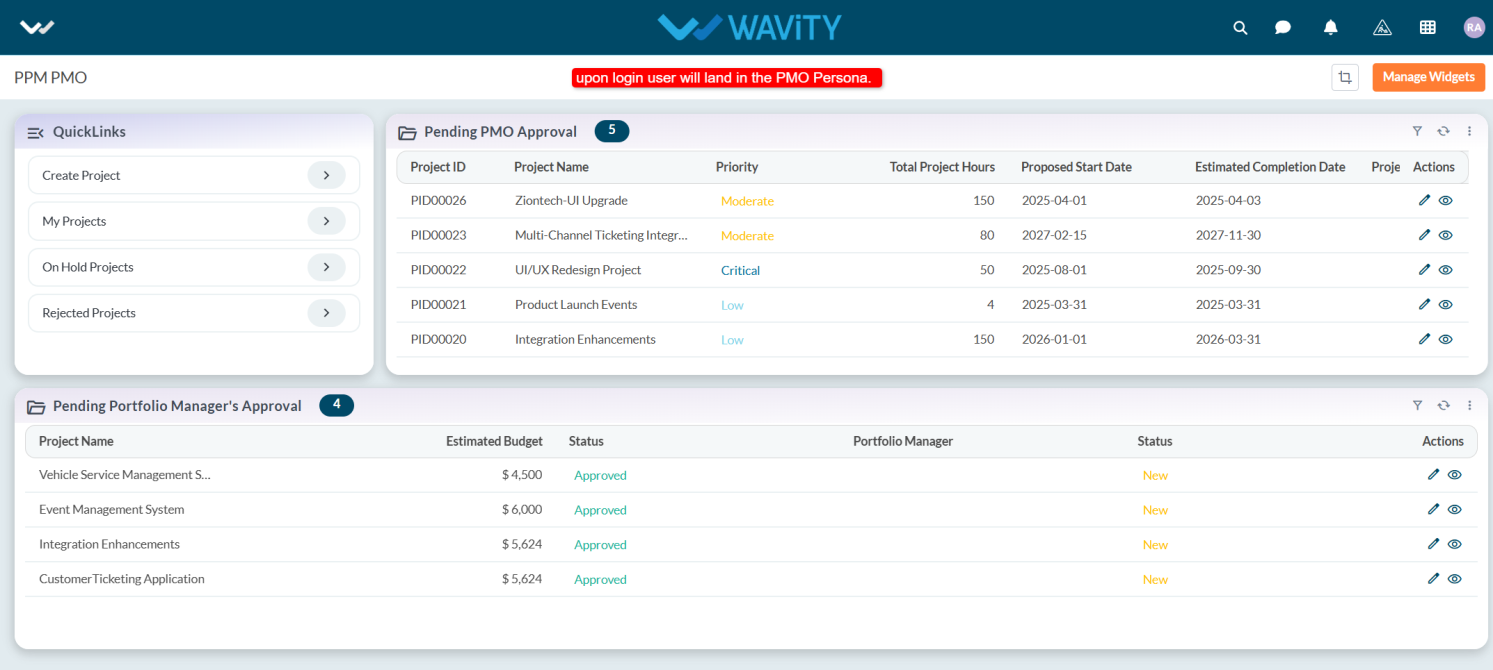
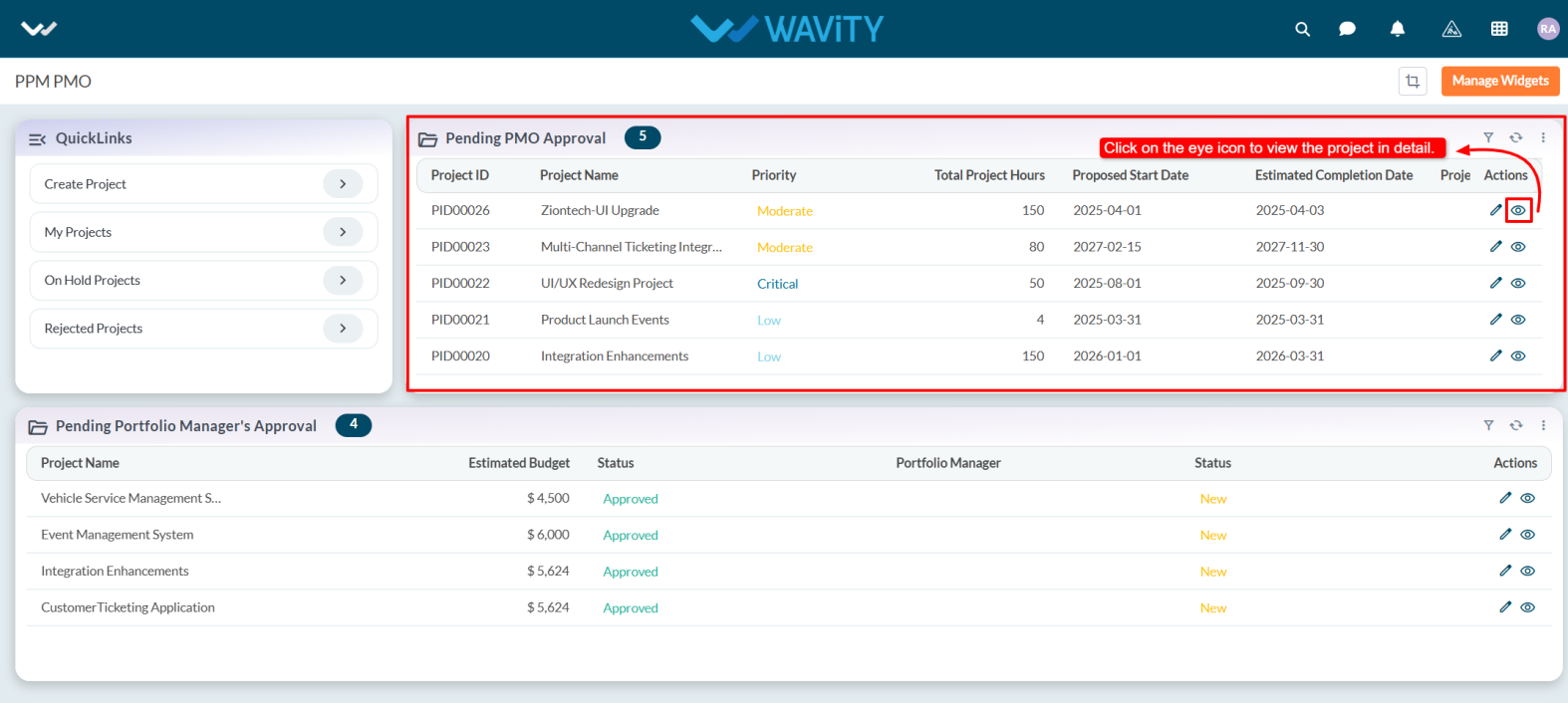
- Within the persona, user can view the Pending PMO Approval table widget and select the project you wish to approve.
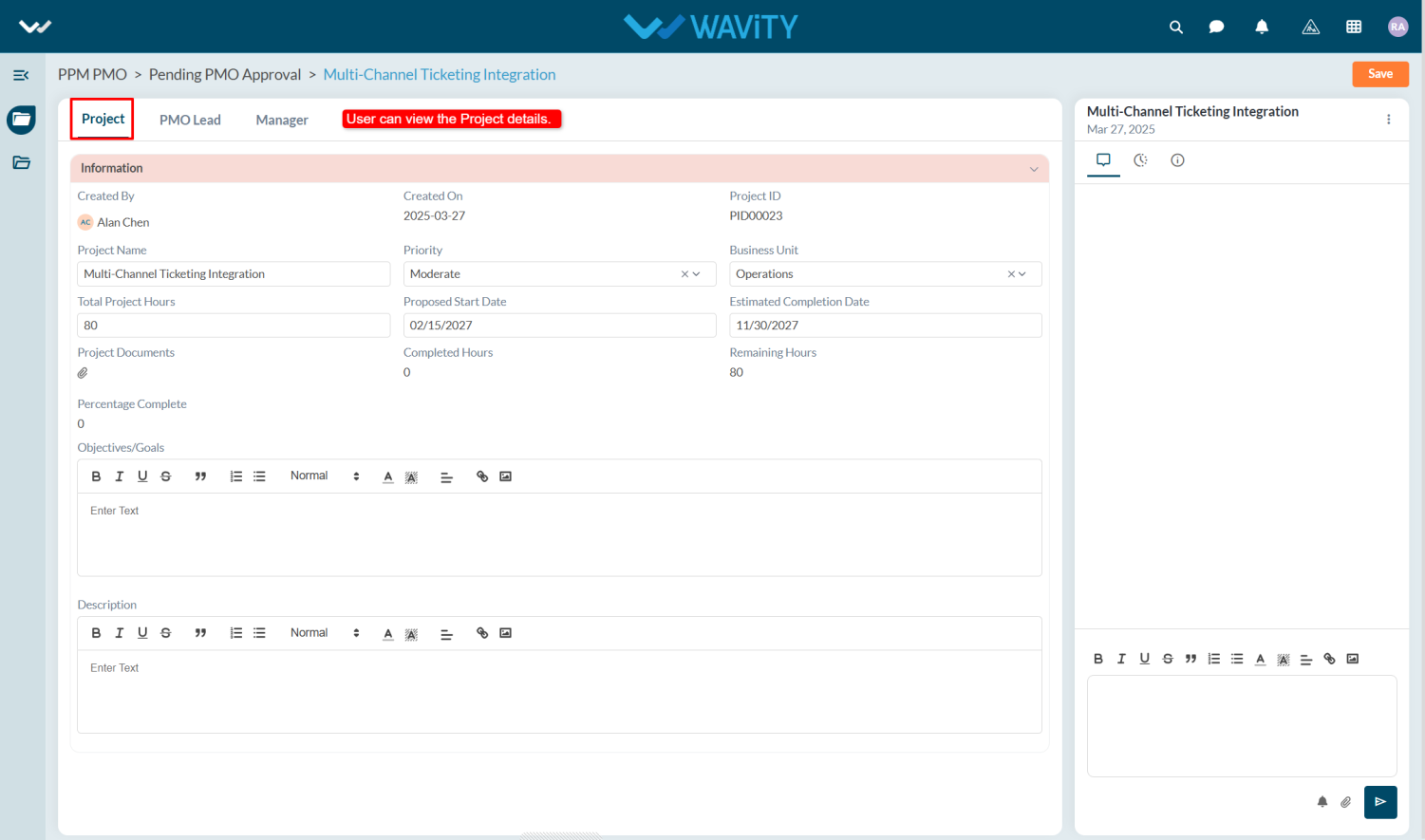
- To review the project details, go to the Project tab. Then, switch to the PMO Lead tab to proceed with the approval.
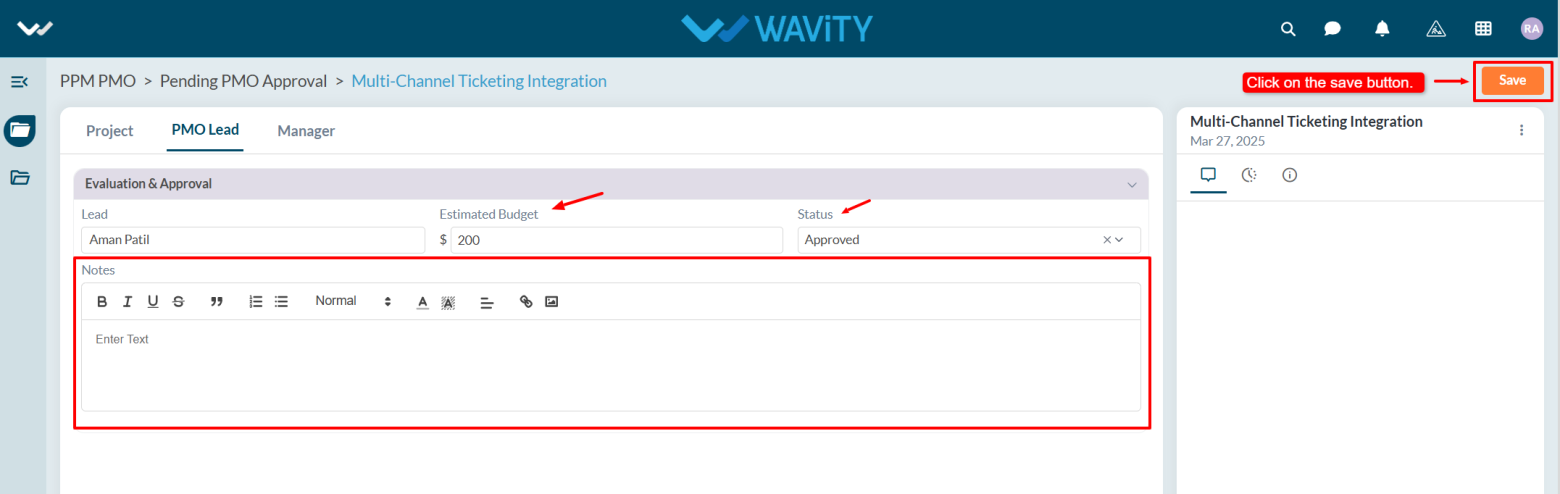
- In the PMO Lead, under Evaluation & Approval section, the user selects their name in the Lead field.
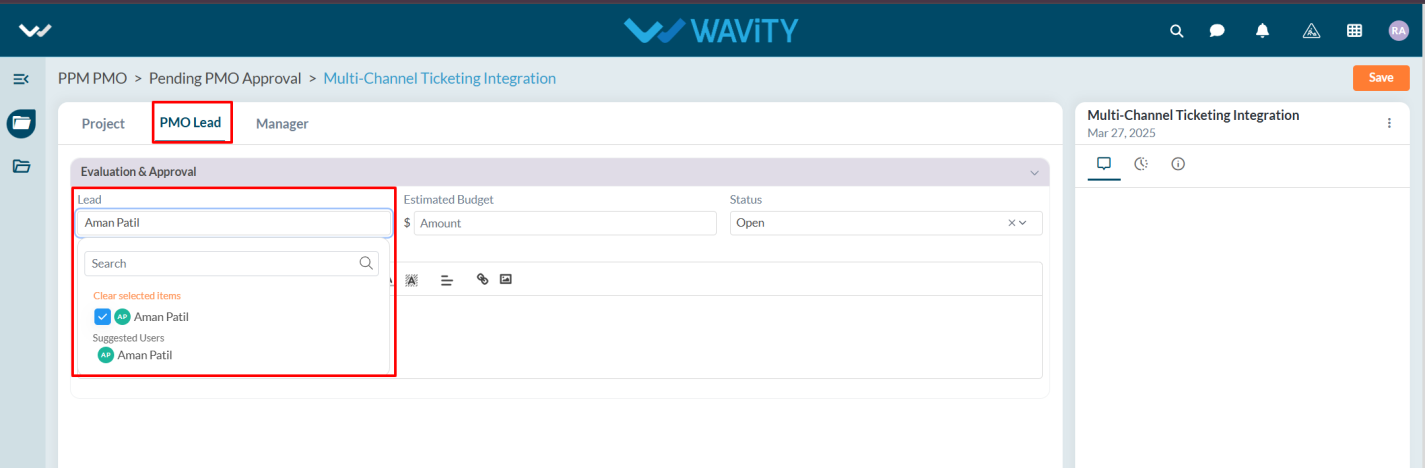
- The user enters the estimated budget for the project, selects "Approved" from the status dropdown, adds Notes if necessary, and clicks the Save button to approve the project.