Portfolio Manager Guide: Viewing and Managing Resources
  • In the Wavity PPM Module, Portfolio Managers can view and mange resources along with their details and current status.
  • This helps Portfolio Managers assess resource availability and make informed project assignment decisions.
  • Note: The following steps are sample instructions and can be customized to suit specific requirements; however, the core workflow remains consistent.
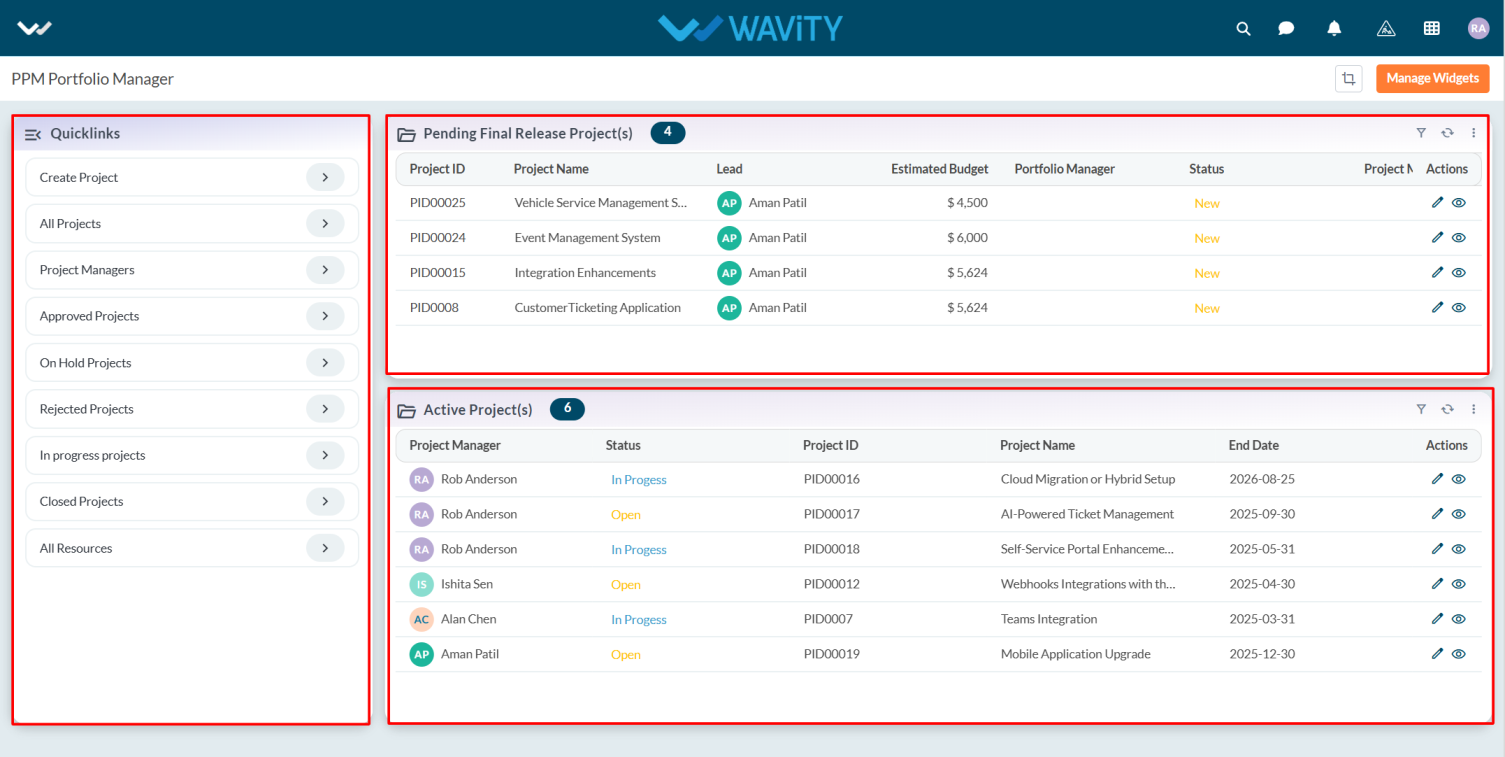
  • Users with Portfolio Manager access can log in with their credentials and will be directed to the Portfolio Manager Interface.
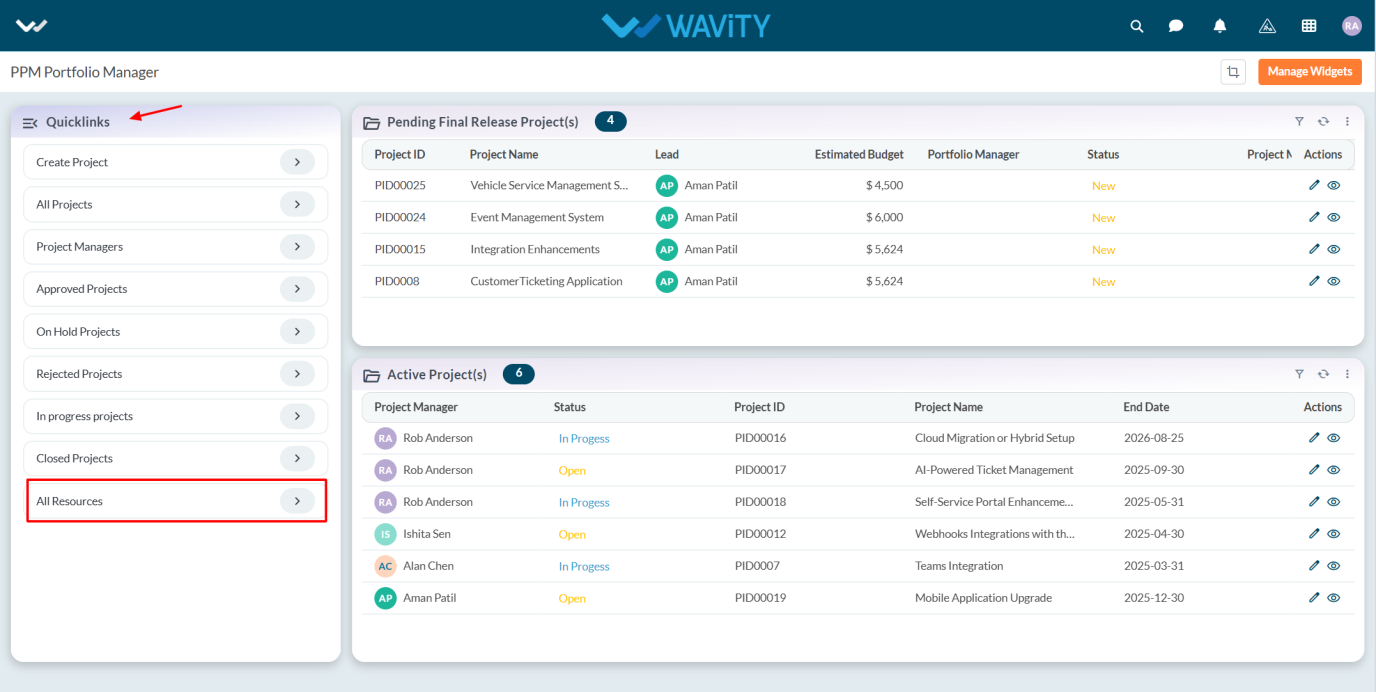
  • To view resource details, click on All Resources from the Quick Links.
  • A complete list of resources will be displayed, including their availability status (e.g., Available, Assigned).
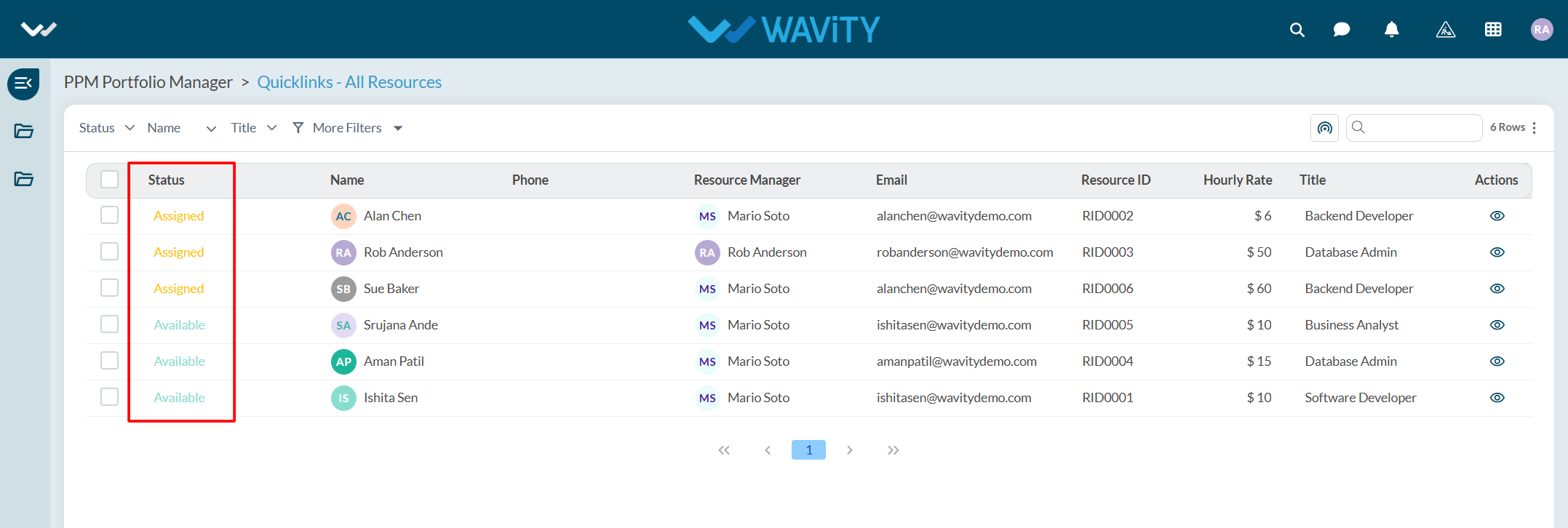
  • To view more details about a specific resource, click the eye icon.
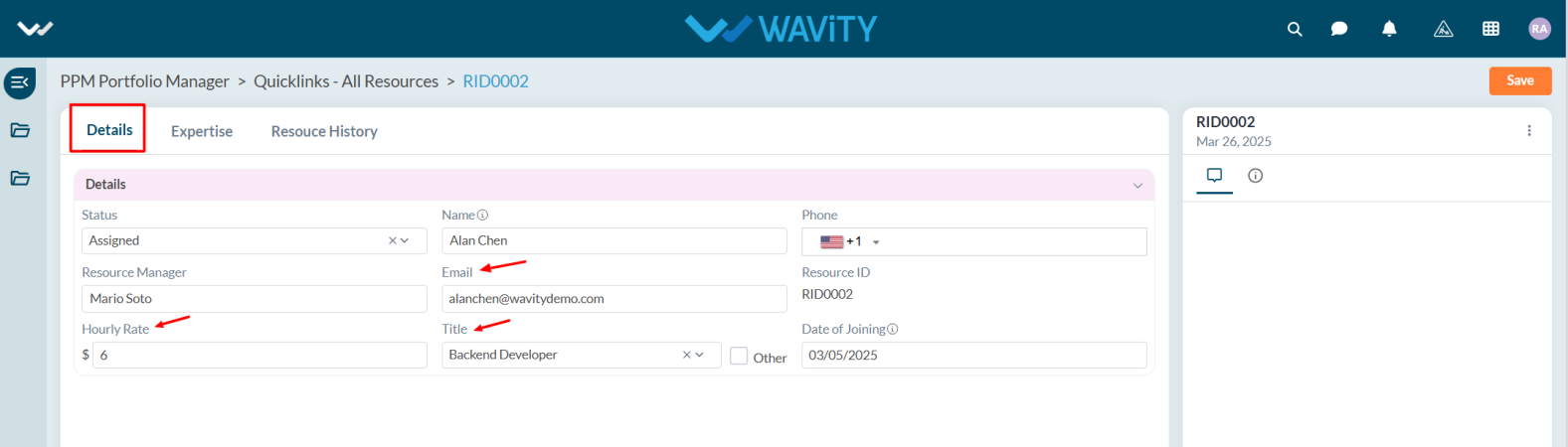
  • The detailed view includes information such as hourly rate, title, date of joining, and email address.
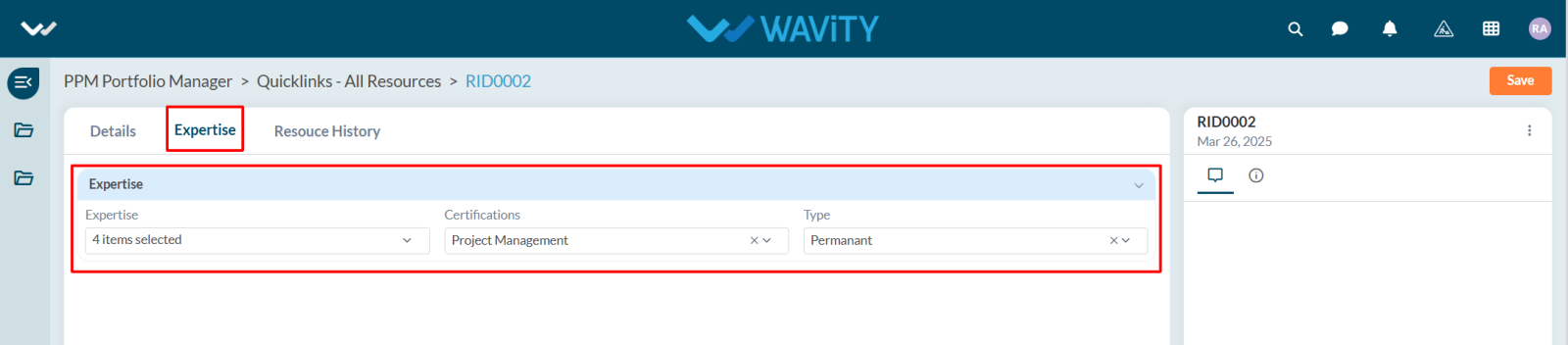
  • In the Expertise tab, users can also view the employment type (e.g., Bench or Permanent) and certifications held by the resource.
Portfolio Manager Guide: Viewing and Managing Resources
  • In the Wavity PPM Module, Portfolio Managers can view and mange resources along with their details and current status.
  • This helps Portfolio Managers assess resource availability and make informed project assignment decisions.
  • Note: The following steps are sample instructions and can be customized to suit specific requirements; however, the core workflow remains consistent.
  • Users with Portfolio Manager access can log in with their credentials and will be directed to the Portfolio Manager Interface.
  • To view resource details, click on All Resources from the Quick Links.
  • A complete list of resources will be displayed, including their availability status (e.g., Available, Assigned).
  • To view more details about a specific resource, click the eye icon.
  • The detailed view includes information such as hourly rate, title, date of joining, and email address.
  • In the Expertise tab, users can also view the employment type (e.g., Bench or Permanent) and certifications held by the resource.

Leave you comment...

Thank you! Your submission has been received!
Oops! Something went wrong while submitting the form.