End User Guide: How to Request for an Asset?
End User Guide: How to Request for an Asset?
- Requesting an asset on the Wavity platform is a simple and user-friendly process.
- End users can log in with their credentials and will be directed to their User Persona upon login.
- On the dashboard, users will see Quick Links and Table Widgets that allow them to create tickets, request services, and track the status of their existing tickets.
- Note: The steps provided serve as sample instructions and can be customized based on specific requirements; however, the core workflow will remain the same.

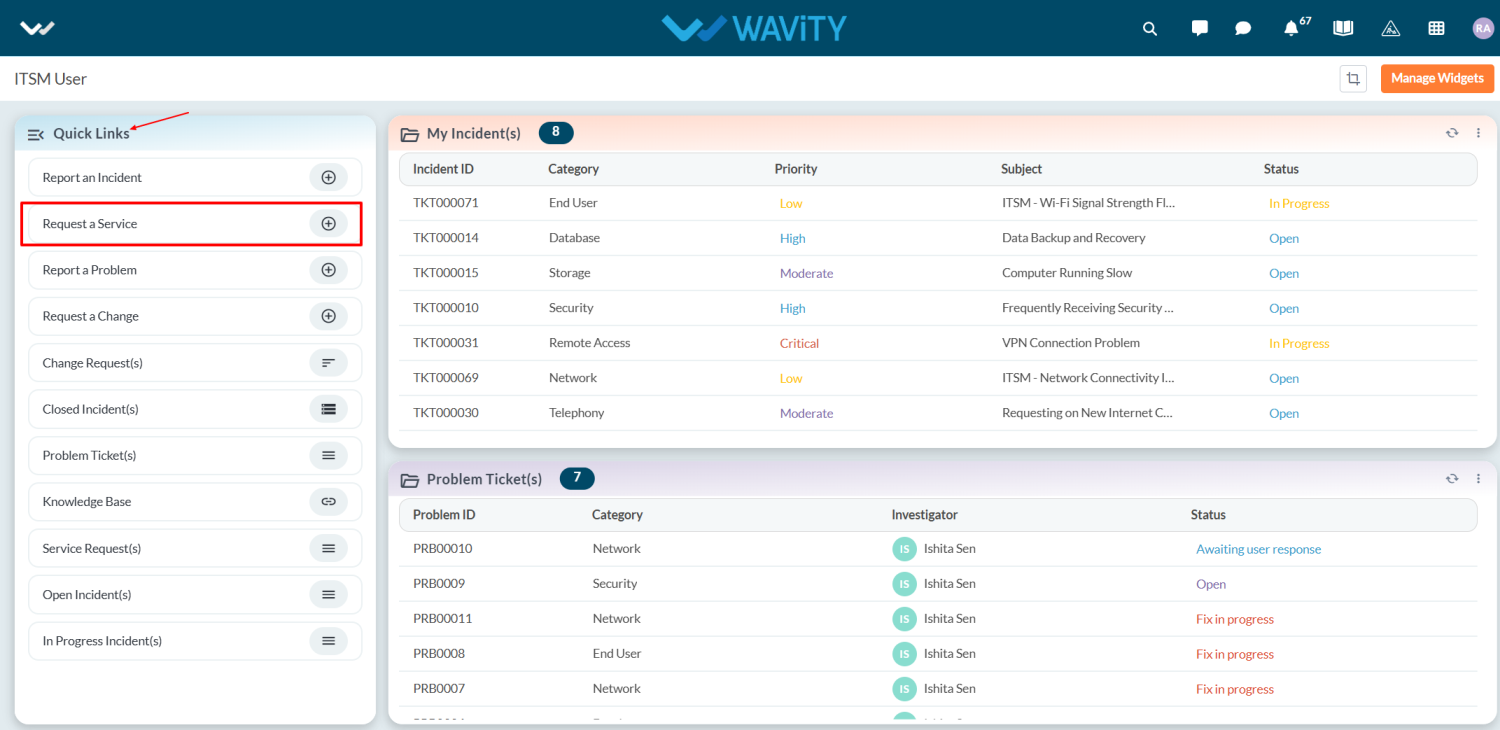
- To initiate an asset request, click on "Request a Service" under Quick Links.
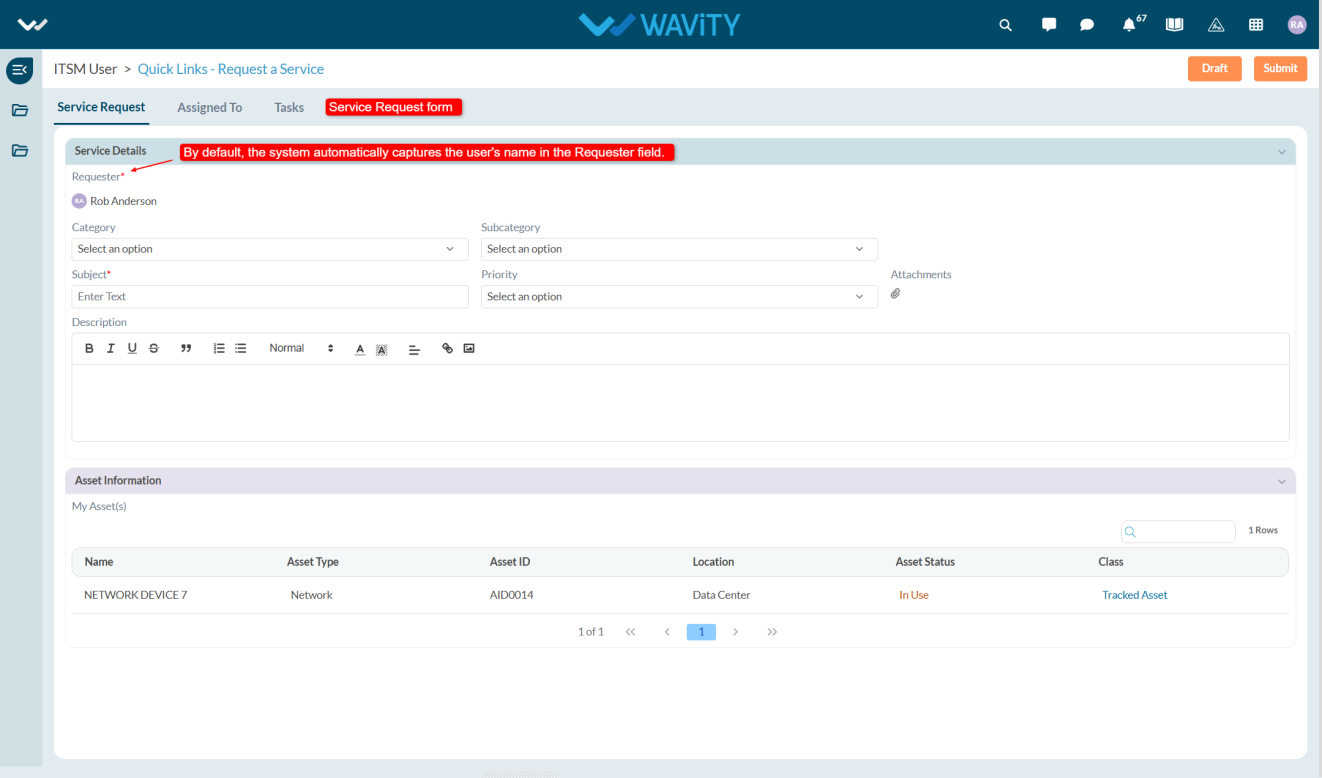
- This will navigate the user to the Service Request form.
- The Requester field will be auto-populated with the logged-in user’s name.
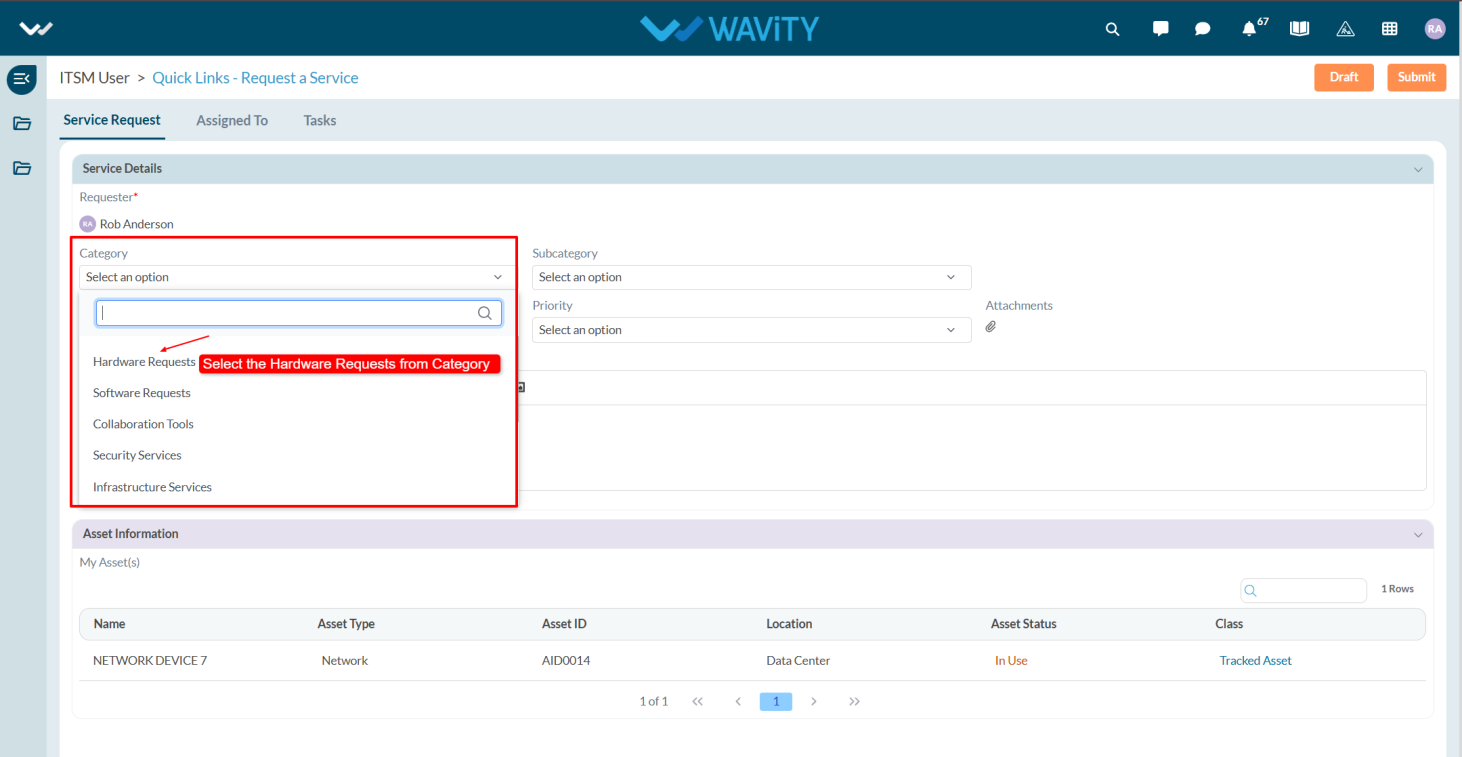
- In the Category field, users will find multiple options such as Hardware Request, Software Request, and Collaboration Tools. For asset requests, select Hardware Request.
- In the Sub-Category field, options like New Asset, Repair/Maintenance, Exchange, and Return will be displayed. Select New Asset from the dropdown.
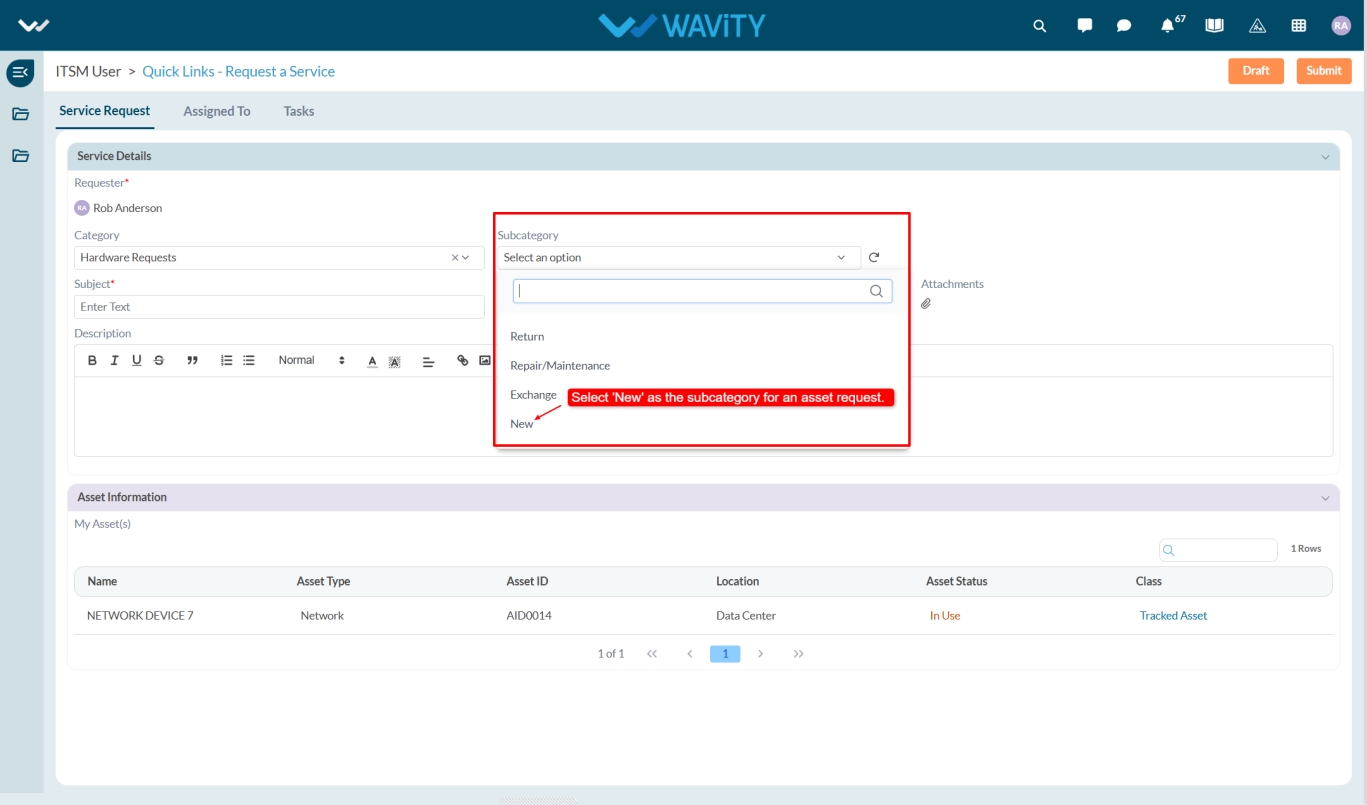
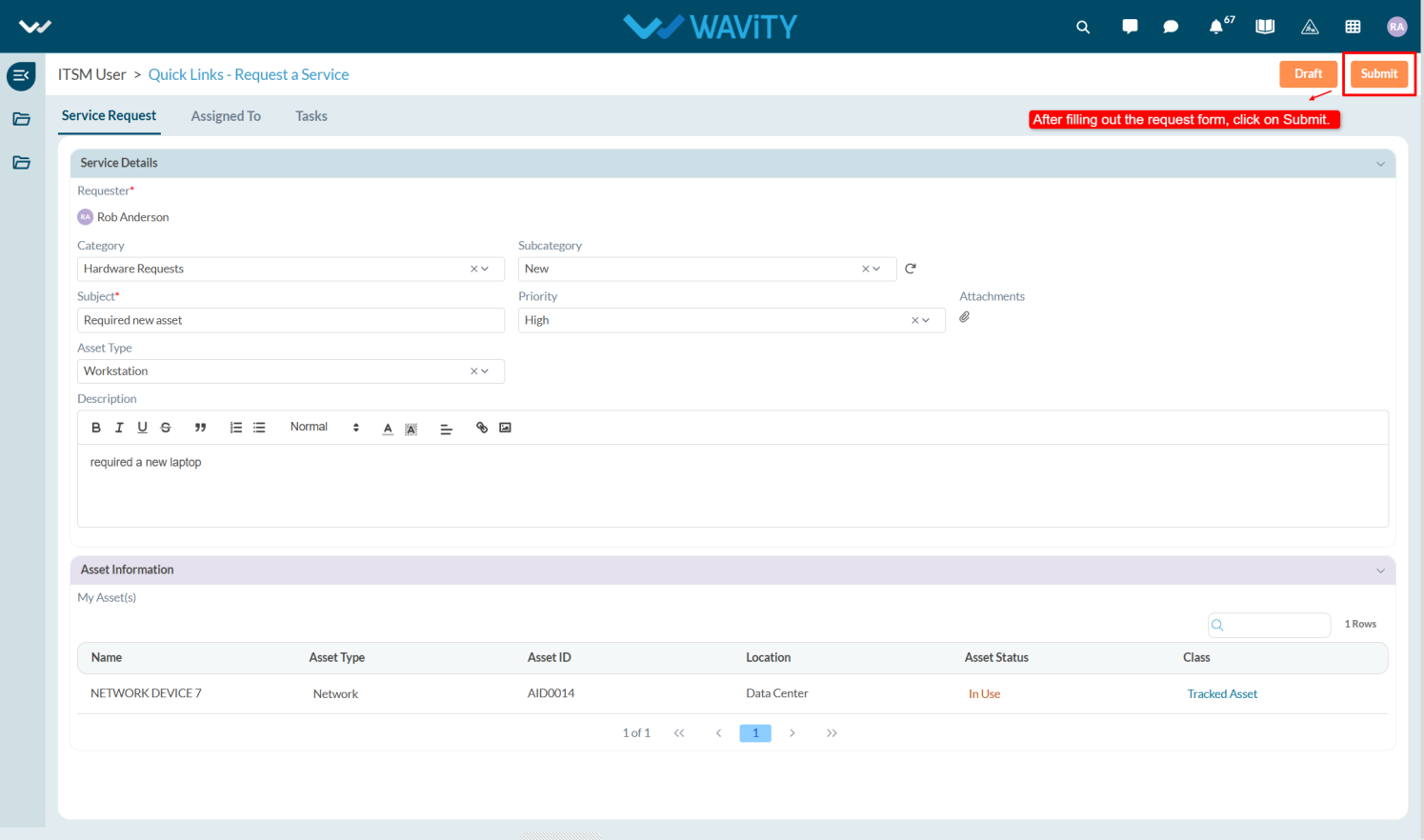
- Enter a clear and concise subject to help the agents identify the request easily, and if applicable, upload relevant images or screenshots under Attachments and provide additional details in the Description box.
- In the Asset Type field, select the appropriate option from the dropdown list based on your requirement.
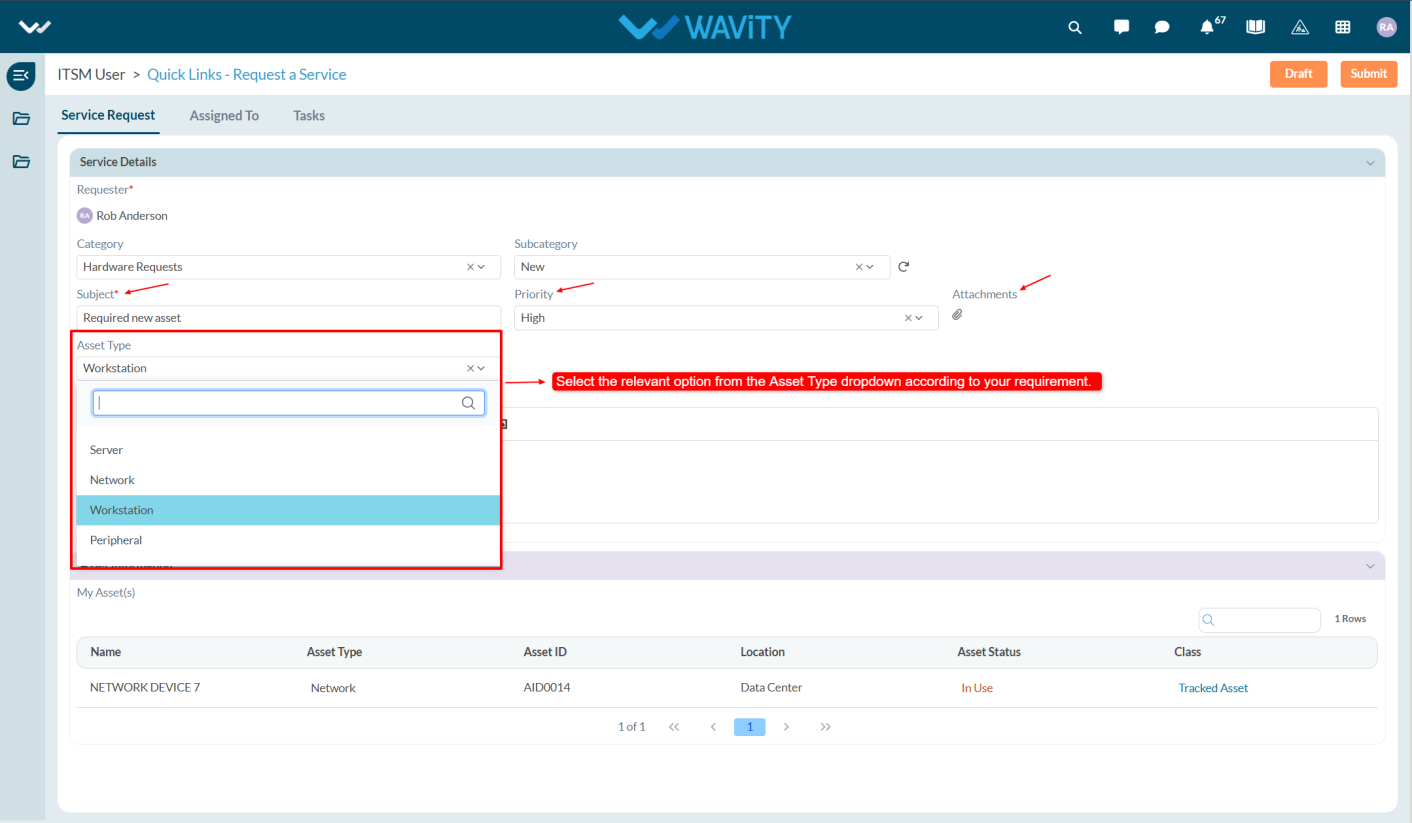
- Once all the required information is filled out, click the Save button to submit the request.