Adding and Organizing Categories in the Wavity Helpdesk
In the Wavity platform, adding categories and sub-categories is a simple and user-friendly process.
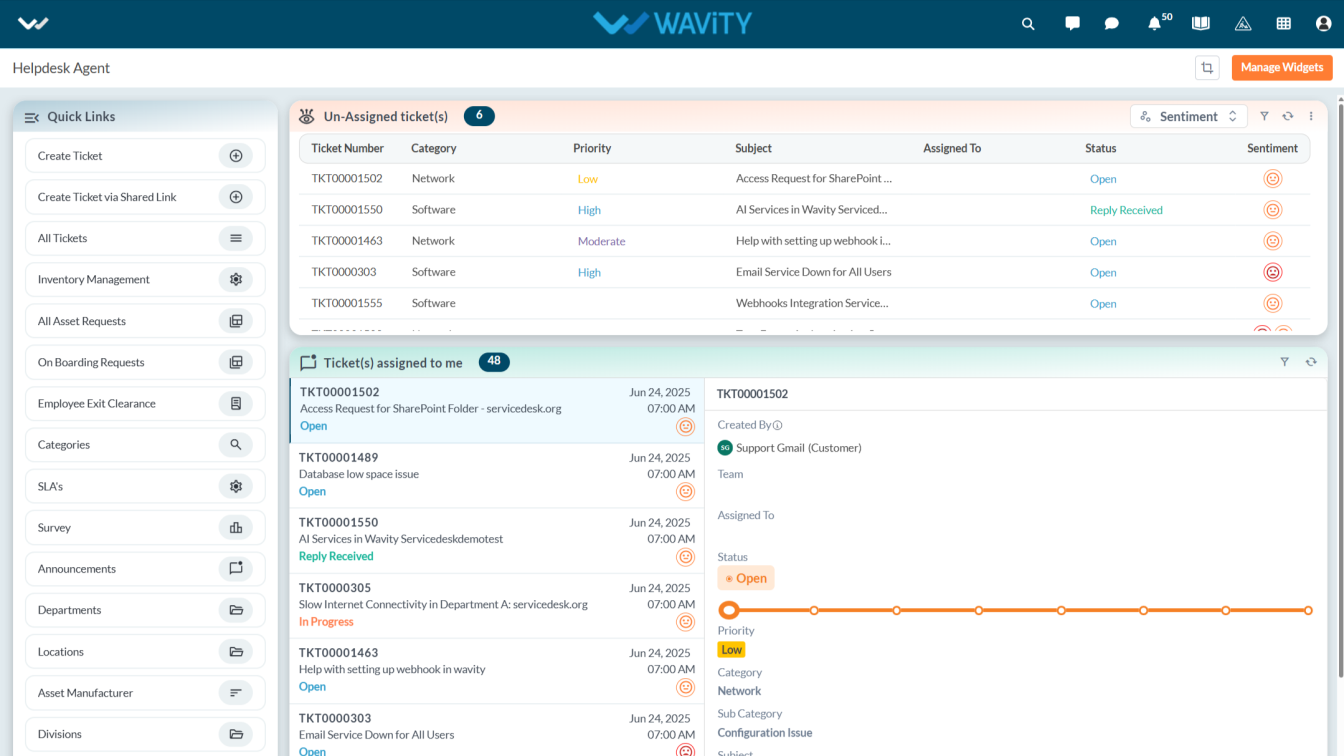
An agent with the appropriate access can log in using their credentials and will be directed to the Agent Interface, as shown in the image below.
Note: The steps provided serve as sample instructions and can be customized based on specific requirements; however, the core workflow will remain the same.
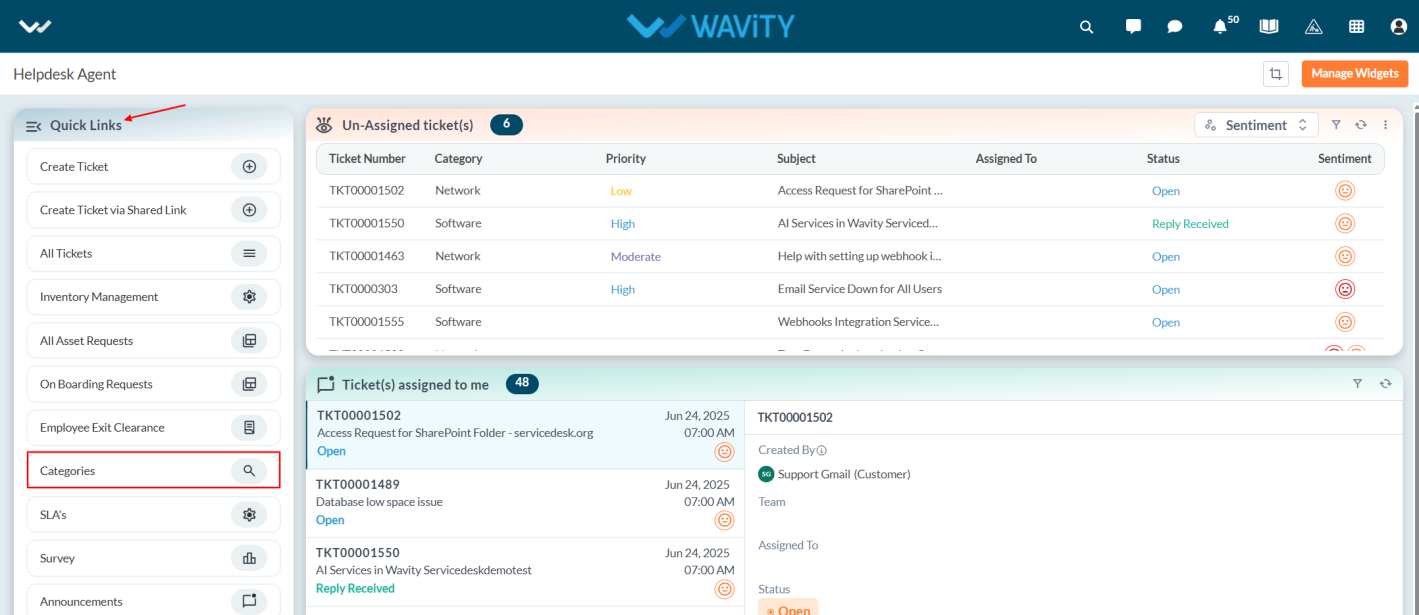
From the Quick Links, click on Categories to add a new category.
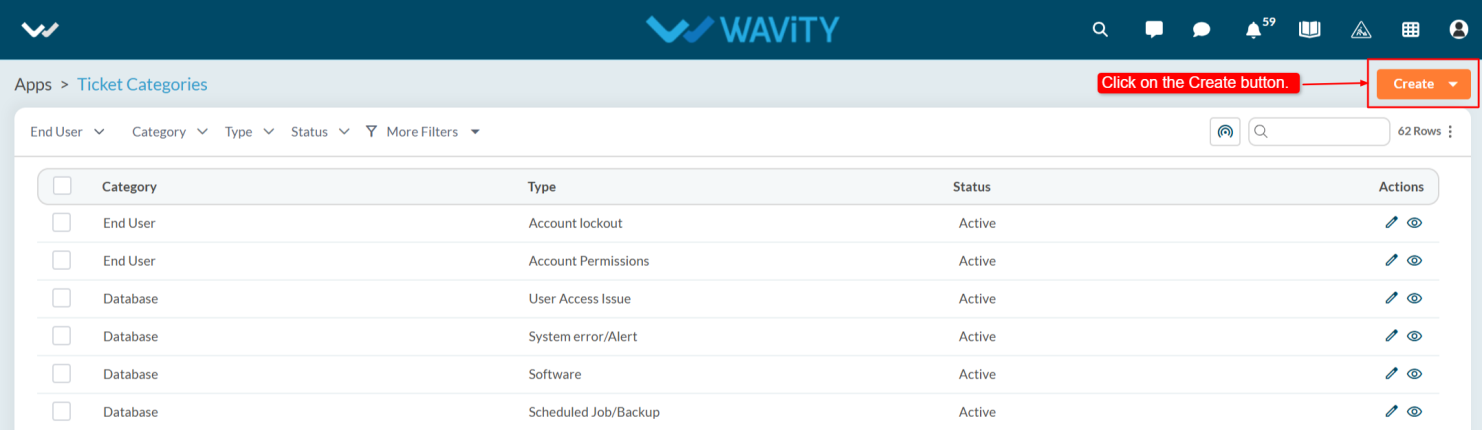
To add new Categories and Sub-Categories, click on the Create button.
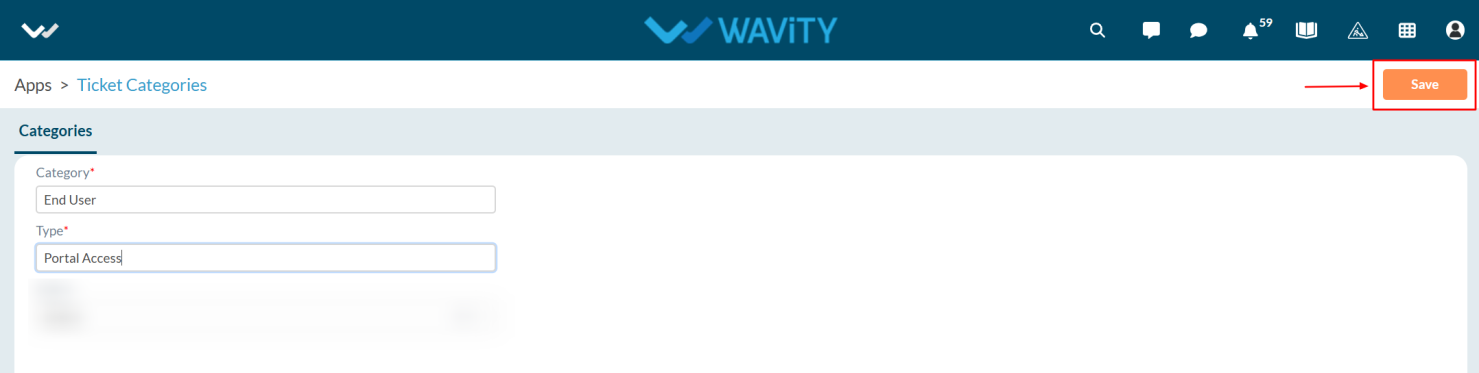
Enter the categories and sub-categories as displayed in the reference image.
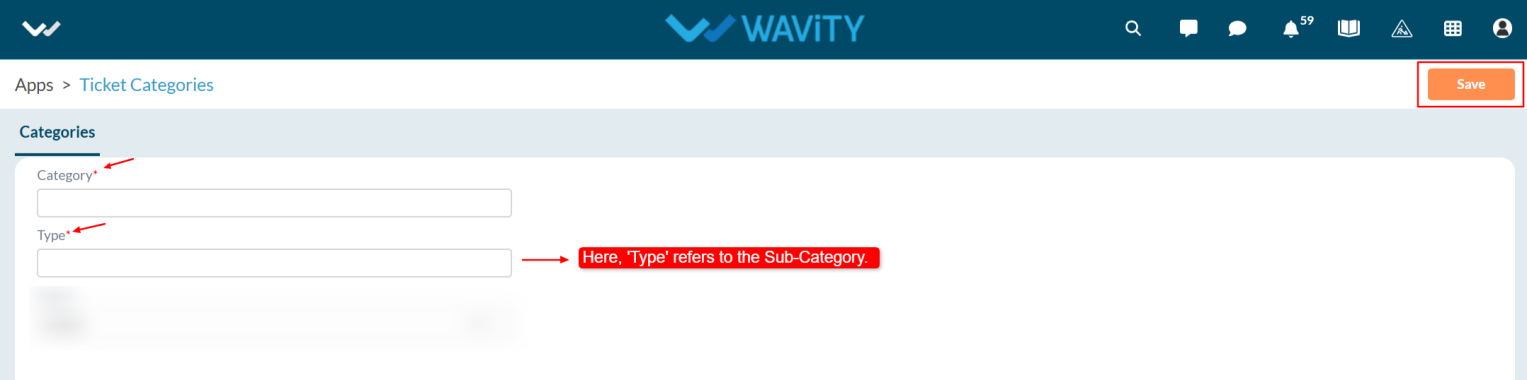
Now, click the Save button after making the changes.
Adding and Organizing Categories in the Wavity Helpdesk
In the Wavity platform, adding categories and sub-categories is a simple and user-friendly process.
An agent with the appropriate access can log in using their credentials and will be directed to the Agent Interface, as shown in the image below.
Note: The steps provided serve as sample instructions and can be customized based on specific requirements; however, the core workflow will remain the same.
From the Quick Links, click on Categories to add a new category.
To add new Categories and Sub-Categories, click on the Create button.
Enter the categories and sub-categories as displayed in the reference image.
Now, click the Save button after making the changes.
Leave you comment...
Thank you! Your submission has been received!
Oops! Something went wrong while submitting the form.
Leave you comment...