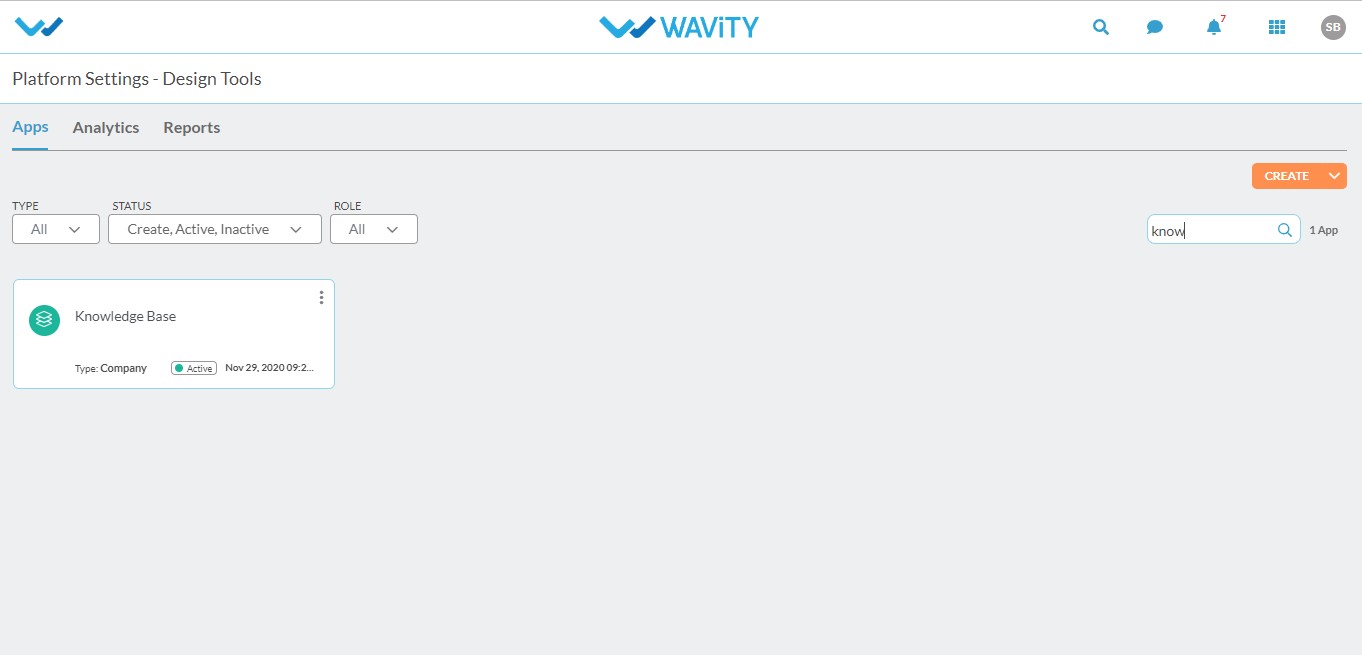
The system administrator can add articles to the knowledge base. Login as a system admin and click on the design tools.

Search for the ‘Knowledge base’ in the search box.Click to open the knowledge base.
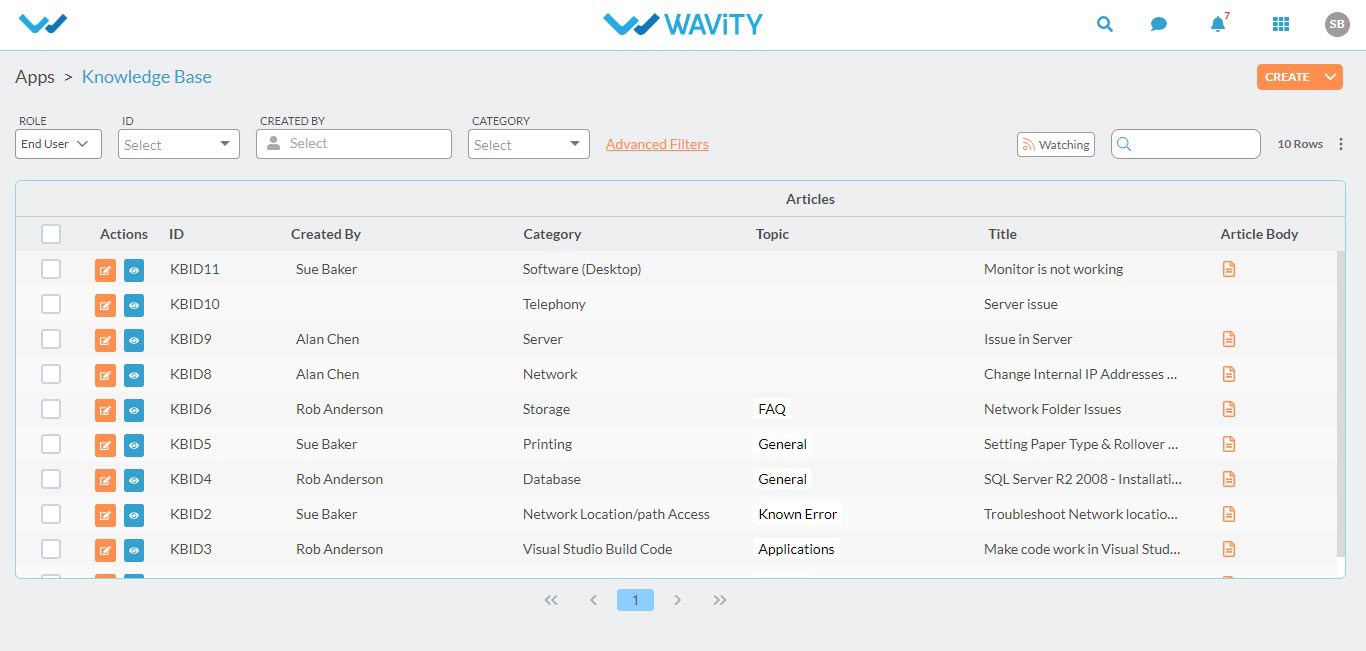
The articles in the knowledge base will displayed, if any and then click on create to add a new article.
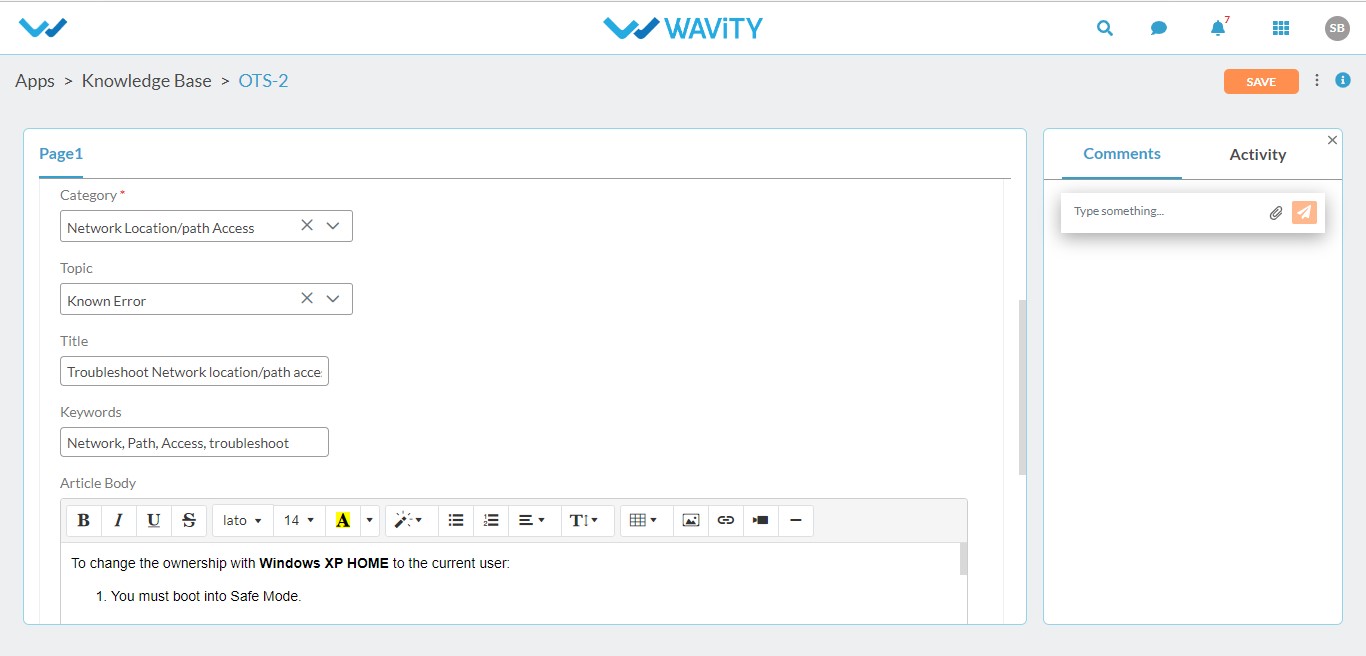
Fill the required information like category,topic,title, keywords and article body/description.

Click on save to save the newly added article.
The system administrator can add articles to the knowledge base. Login as a system admin and click on the design tools.

Search for the ‘Knowledge base’ in the search box.Click to open the knowledge base.

The articles in the knowledge base will displayed, if any and then click on create to add a new article.

Fill the required information like category,topic,title, keywords and article body/description.

Click on save to save the newly added article.

Leave you comment...

Thank you! Your submission has been received!
Oops! Something went wrong while submitting the form.