End User Guide: Reporting Problem in Wavity
End User Guide: Reporting Problem in Wavity
- Reporting a problem in Wavity is simple, user-friendly, and accessible via Wavity Help & ServiceDesk.
- Note: The steps provided below are sample instructions and can be customized to suit specific organizational requirements; however, the core workflow remains consistent.
- Users can log in with their credentials on the Wavity platform, which will direct them to the End User Interface.
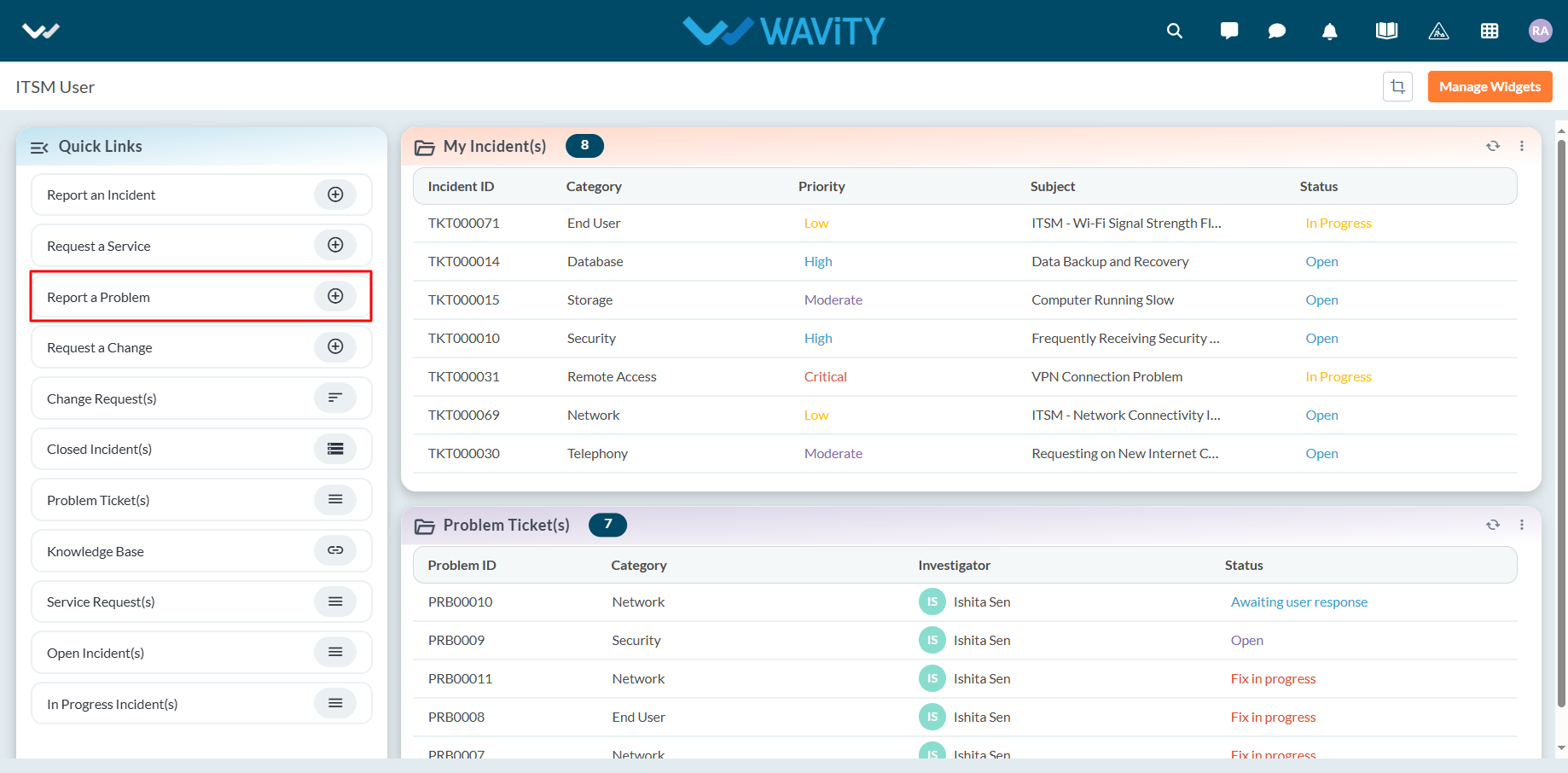
- From the Quick Links widget, users should click on ‘Report a Problem’ to initiate the process.
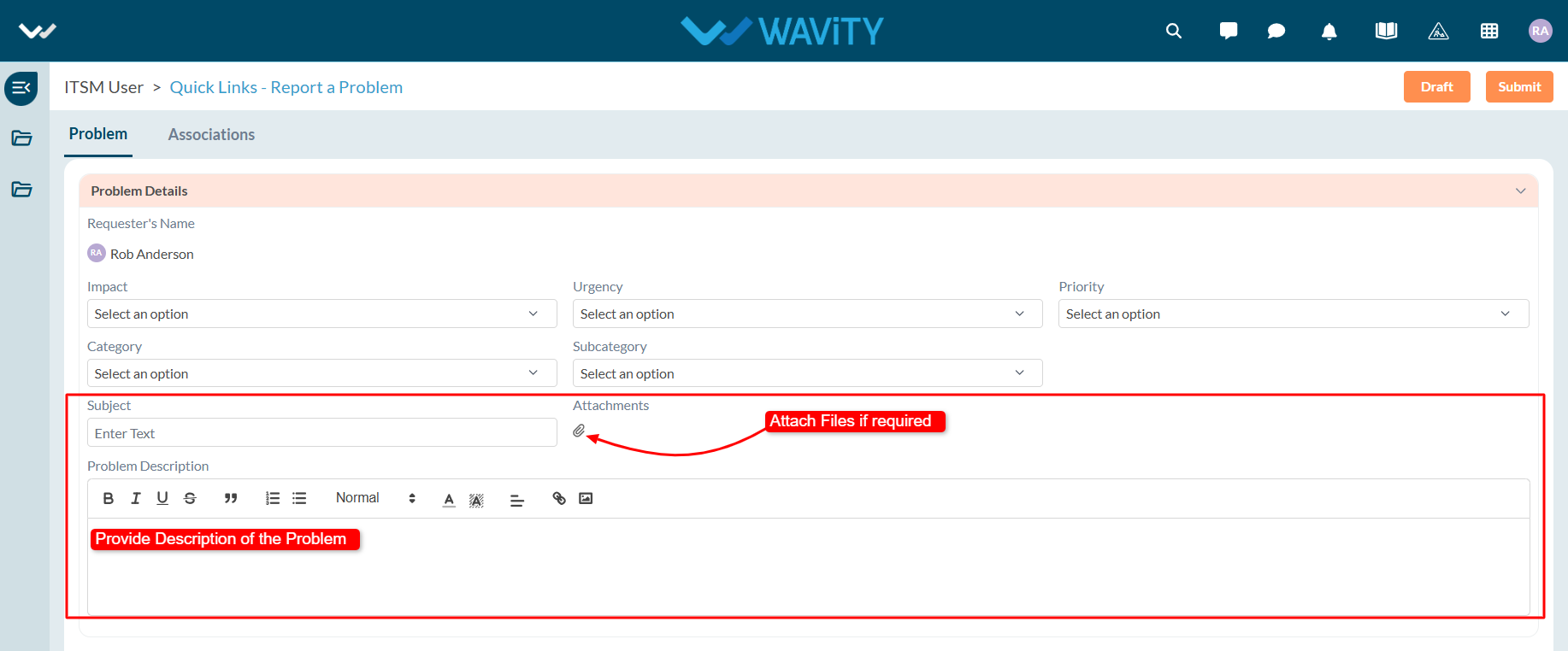
- Select appropriate values from the dropdown menus for Impact, Urgency, Priority, Category, and Sub-Category fields.

- Enter the Subject and a detailed description of the problem. Attach files if necessary.
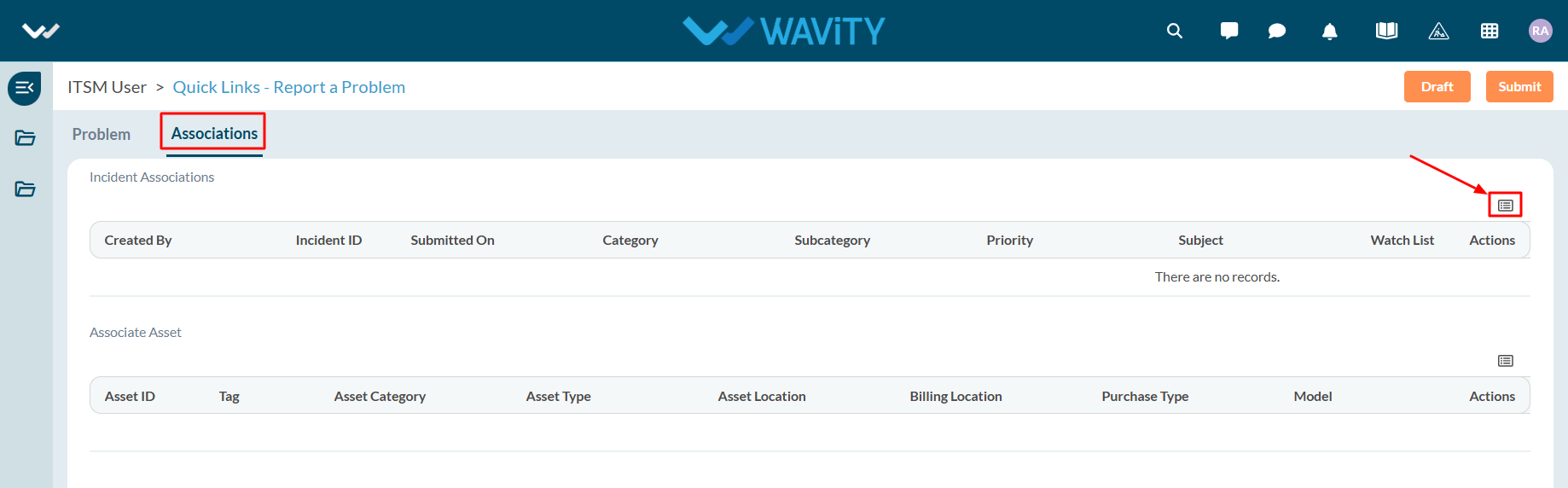
- In the Association section, you can link existing incidents and assets while reporting the problem.
- Click on the ‘Link’ icon to associate relevant incidents.
- Select the incidents you wish to link. Similarly, link assets if applicable.

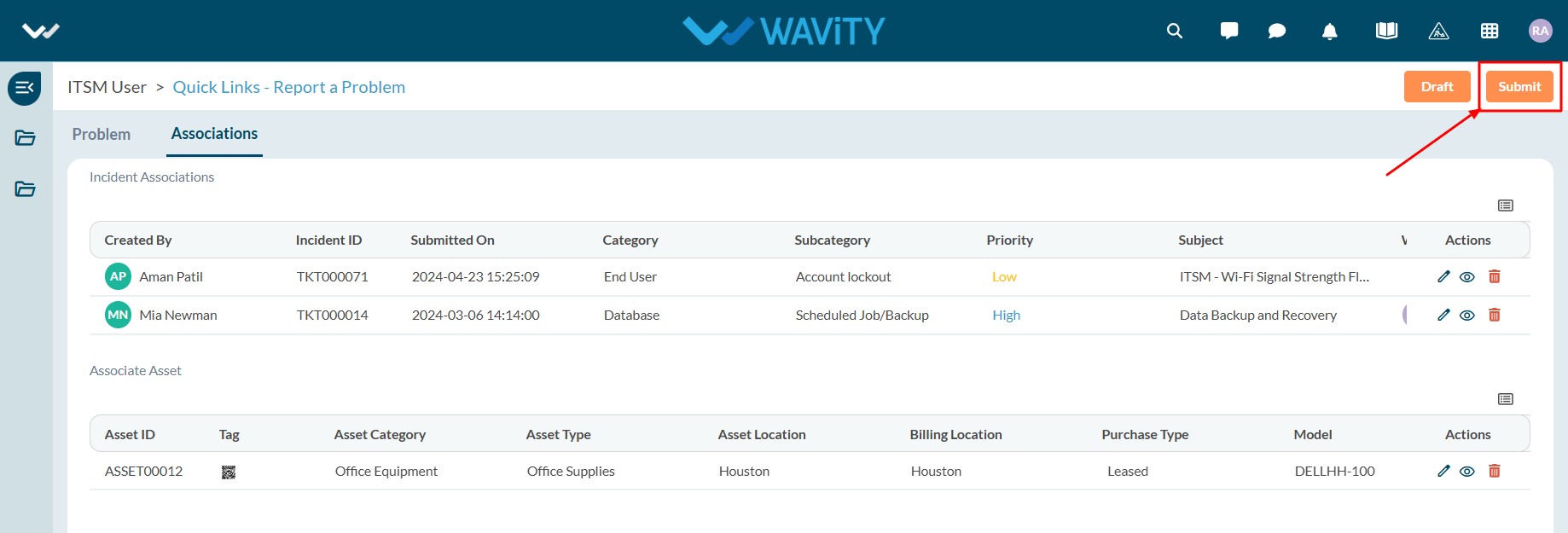
- Once all details are filled in and associations are made, click Submit to complete the process.