End User Guide: How to use Pre-Built templates to Report an Incident
HomeProductsIT Service Management (ITSM)End User Guide: How to use Pre-Built templates to Report an Incident
End User Guide: How to use Pre-Built templates to Report an Incident
- In Wavity, reporting an incident is simple, user-friendly, and accessible through multiple channels including the Wavity Platform, Customer Portal, AI Chatbot, Email, Slack, Microsoft Teams and Whats App.
- Note: The steps provided below are sample instructions and can be customized to suit specific organizational requirements; however, the core workflow remains consistent.
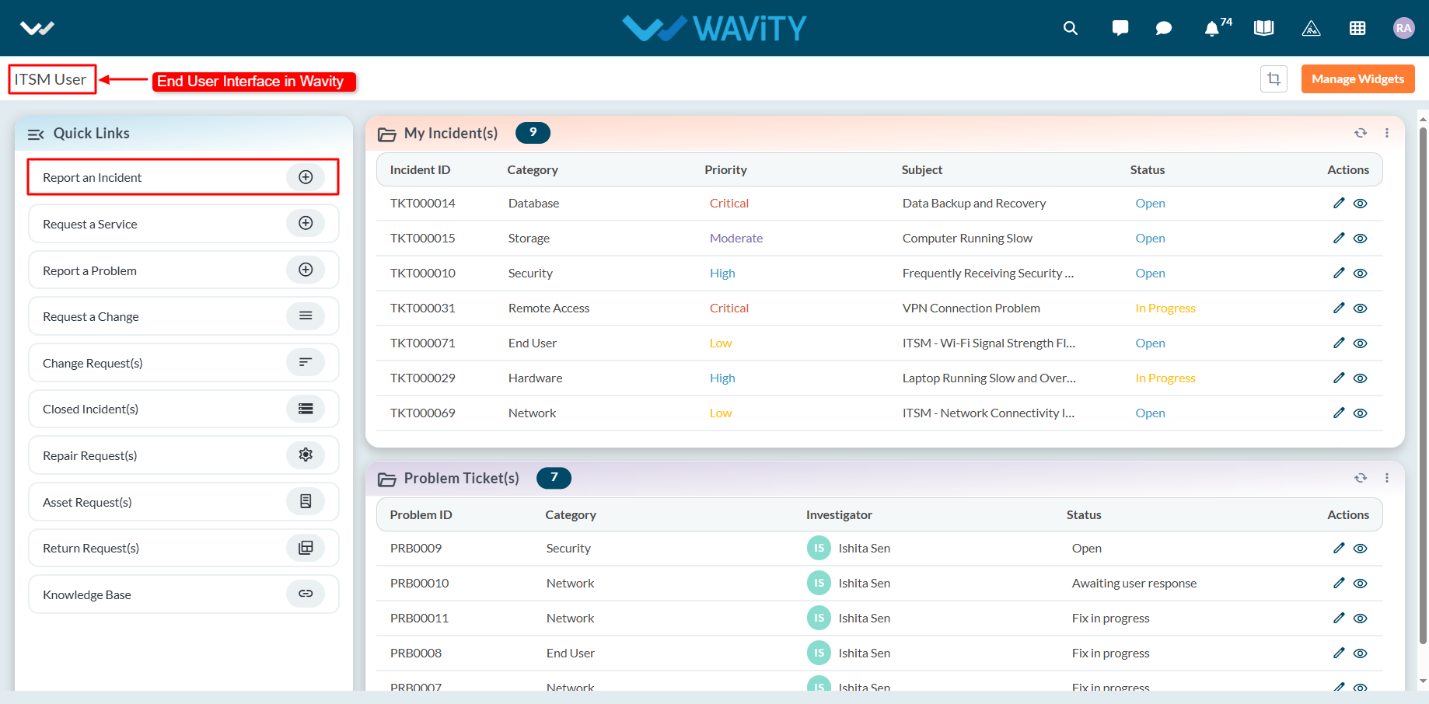
- Users can log in with their credentials on the Wavity platform, which will direct them to the End User Interface.
- From the Quick Links widget, users should click on ‘Report an Incident’ to initiate the process.
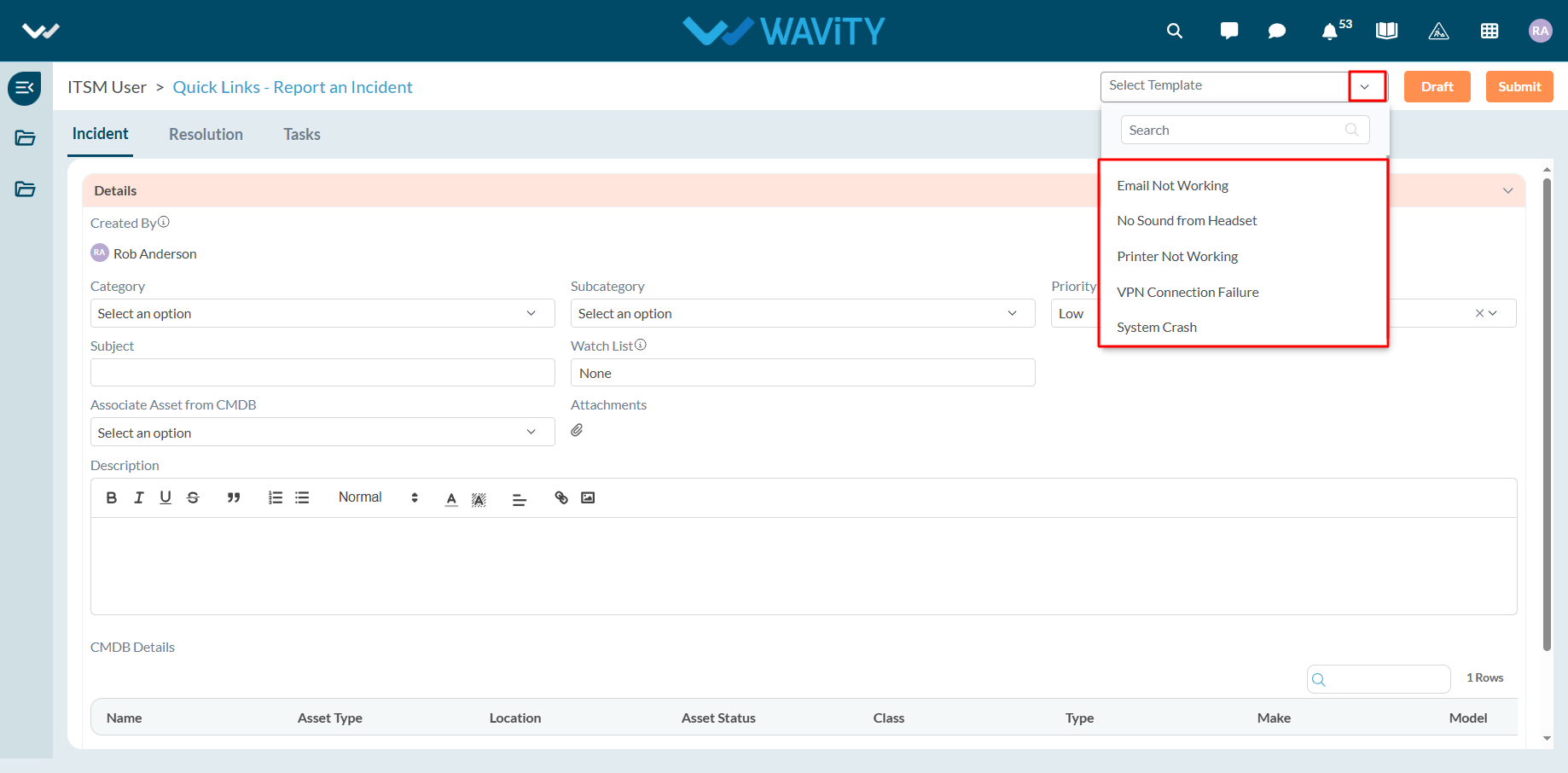
- Select the appropriate pre-built template from the dropdown menu.
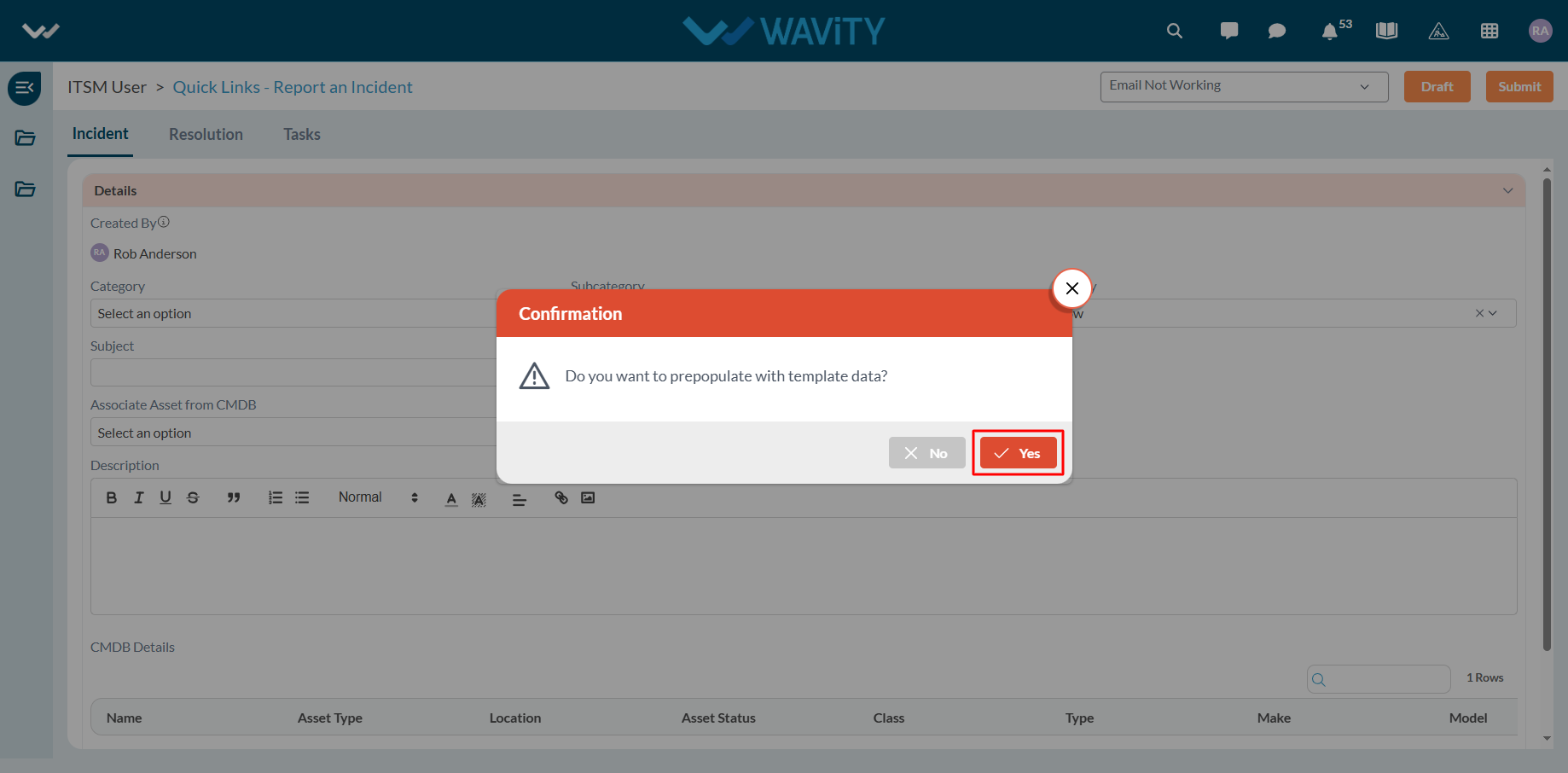
- Click Yes in the confirmation pop-up to prepopulate the template fields.
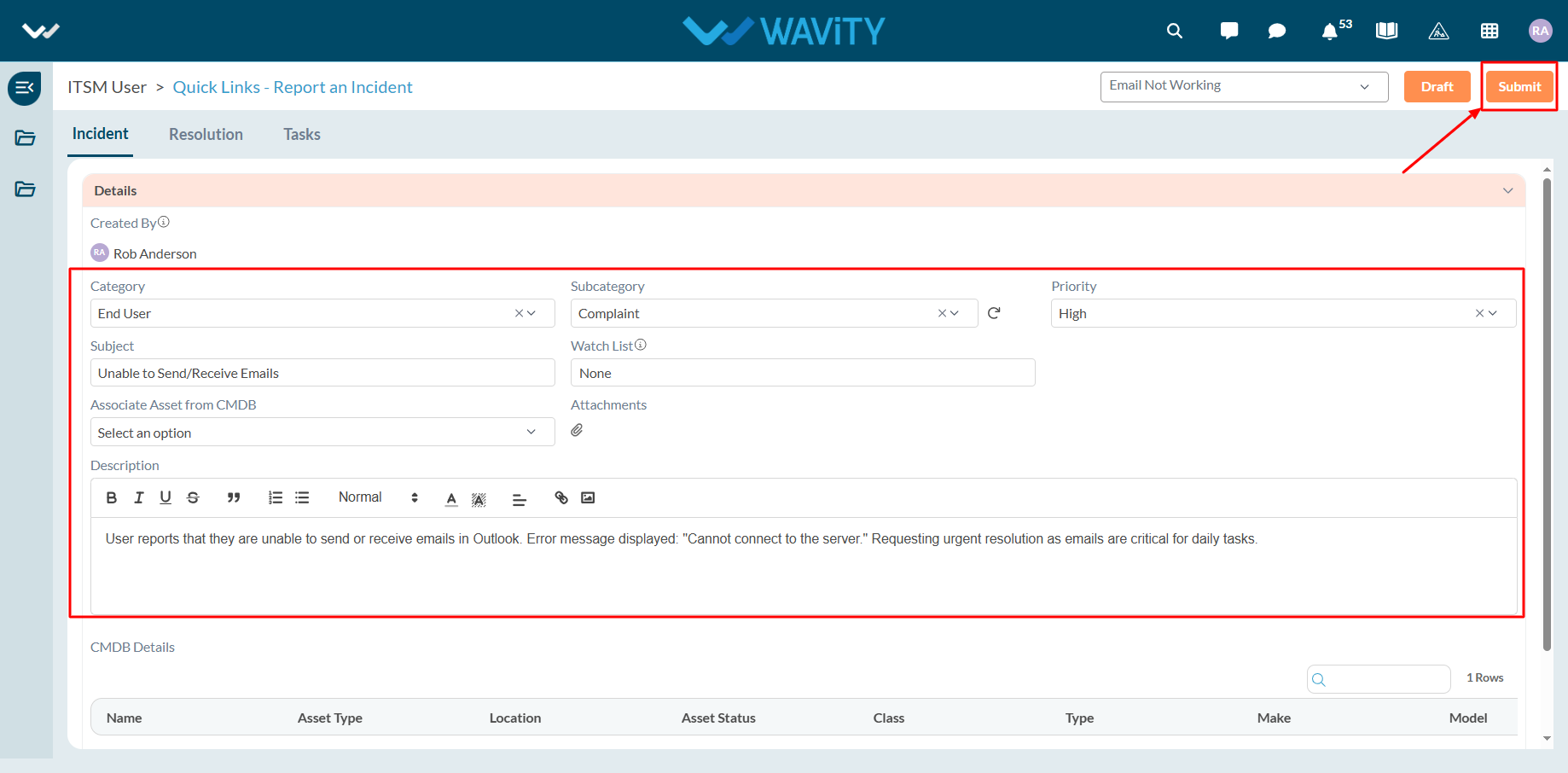
- All relevant fields will be auto-filled based on the selected template.
- Review the information, then click Submit to complete the incident report.