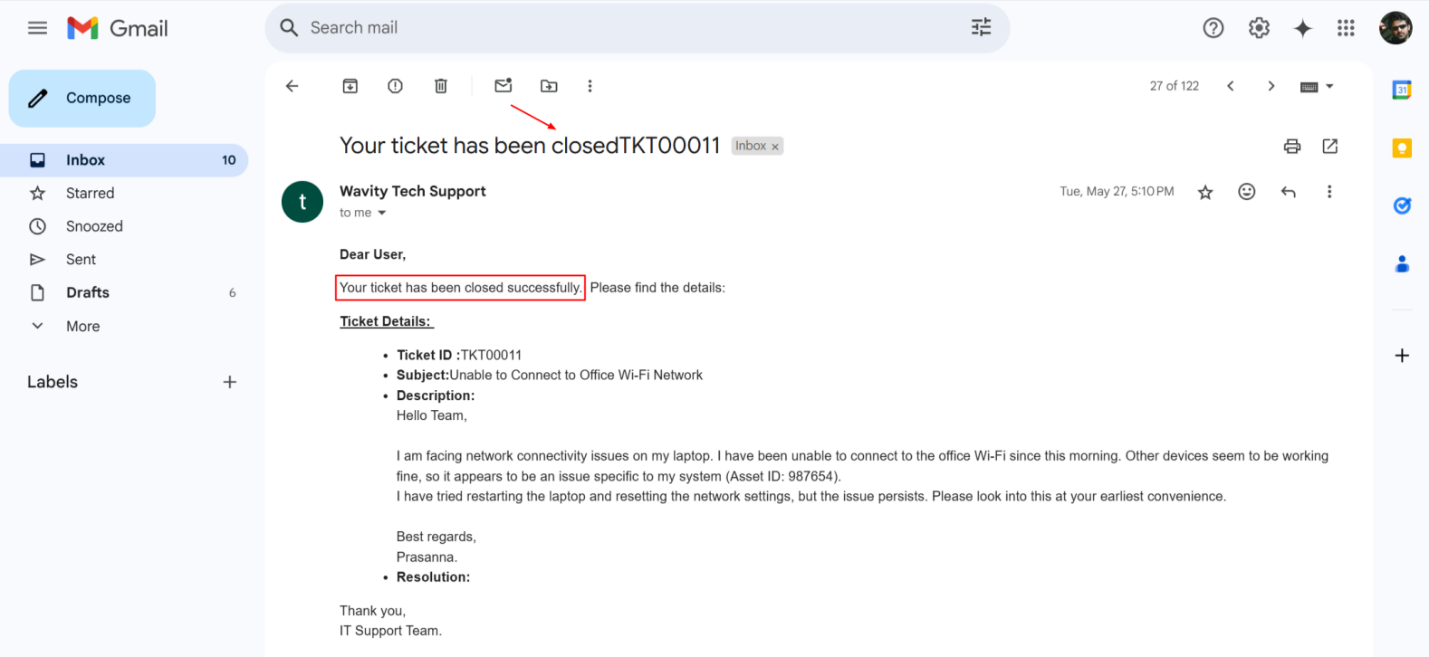
End User Guide: How to Report an Incident via Email
- Reporting an incident via email on the Wavity platform is quick and convenient. Simply send an email to the designated email address integrated with the Wavity system.
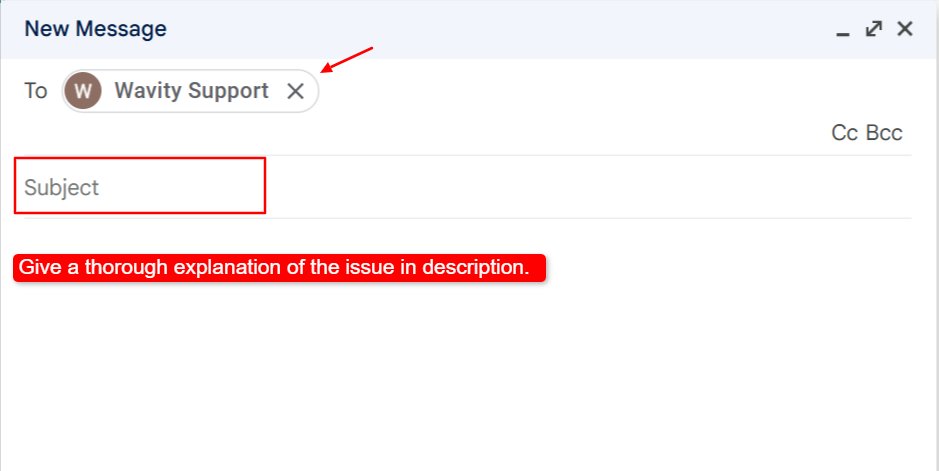
- Open your preferred email client (e.g., Gmail), click on "Compose," and enter the configured support email address in the "To" field.
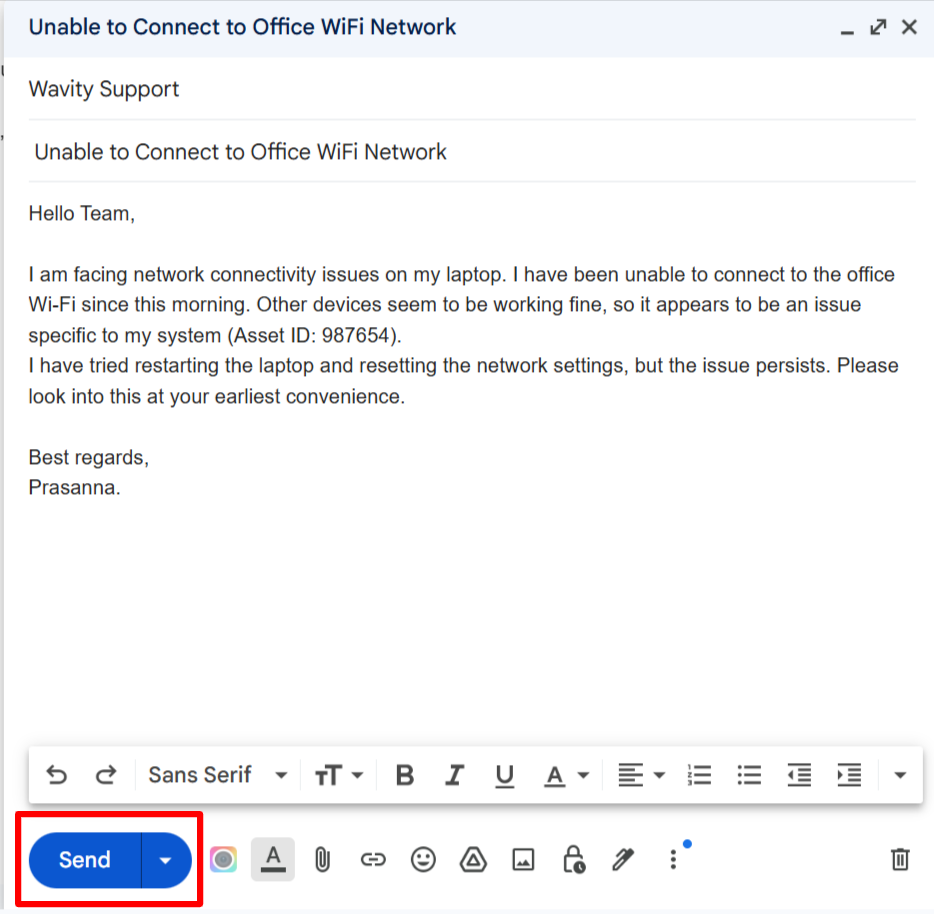
- Use a clear and relevant subject line and describe the issue in detail in the body of the email.
- Once all necessary details are included, click "Send" to submit your incident report.
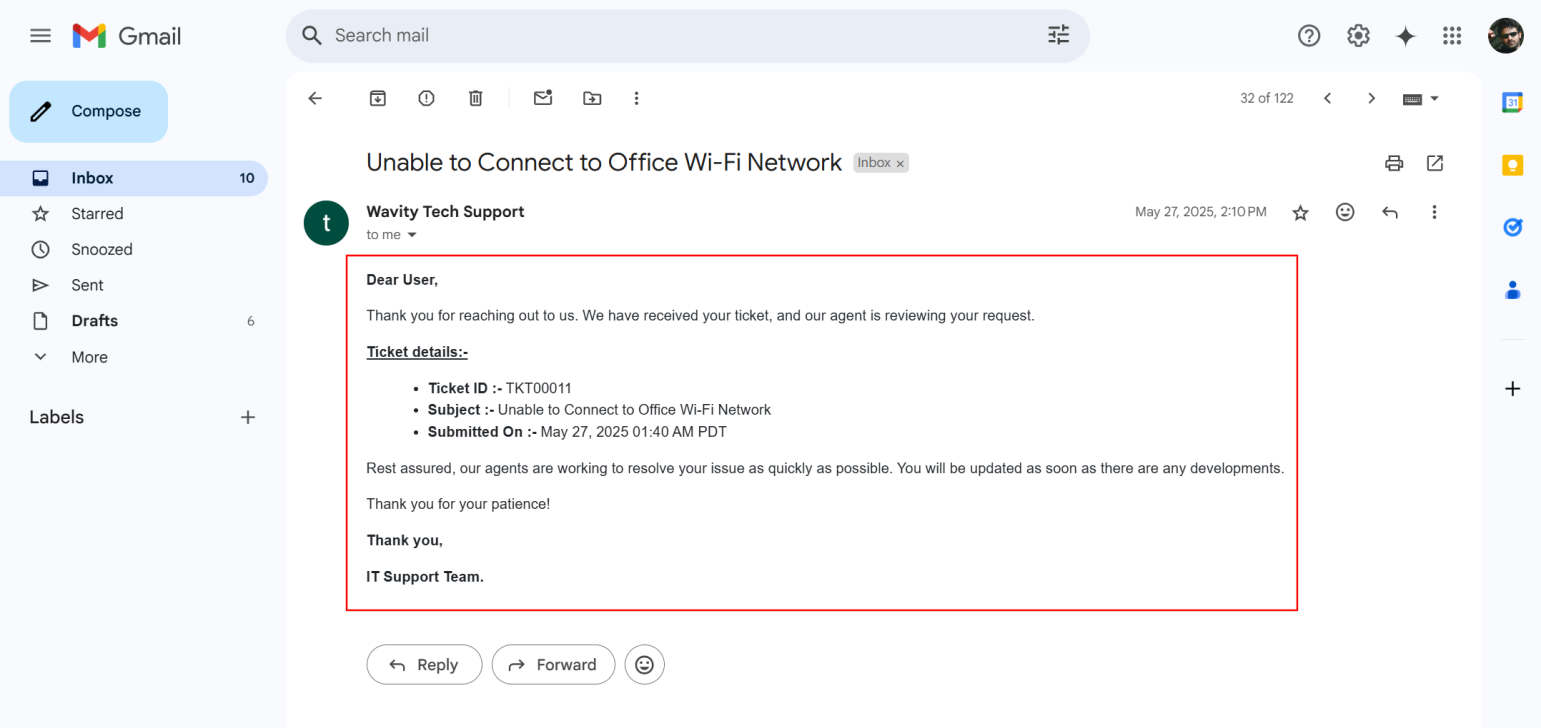
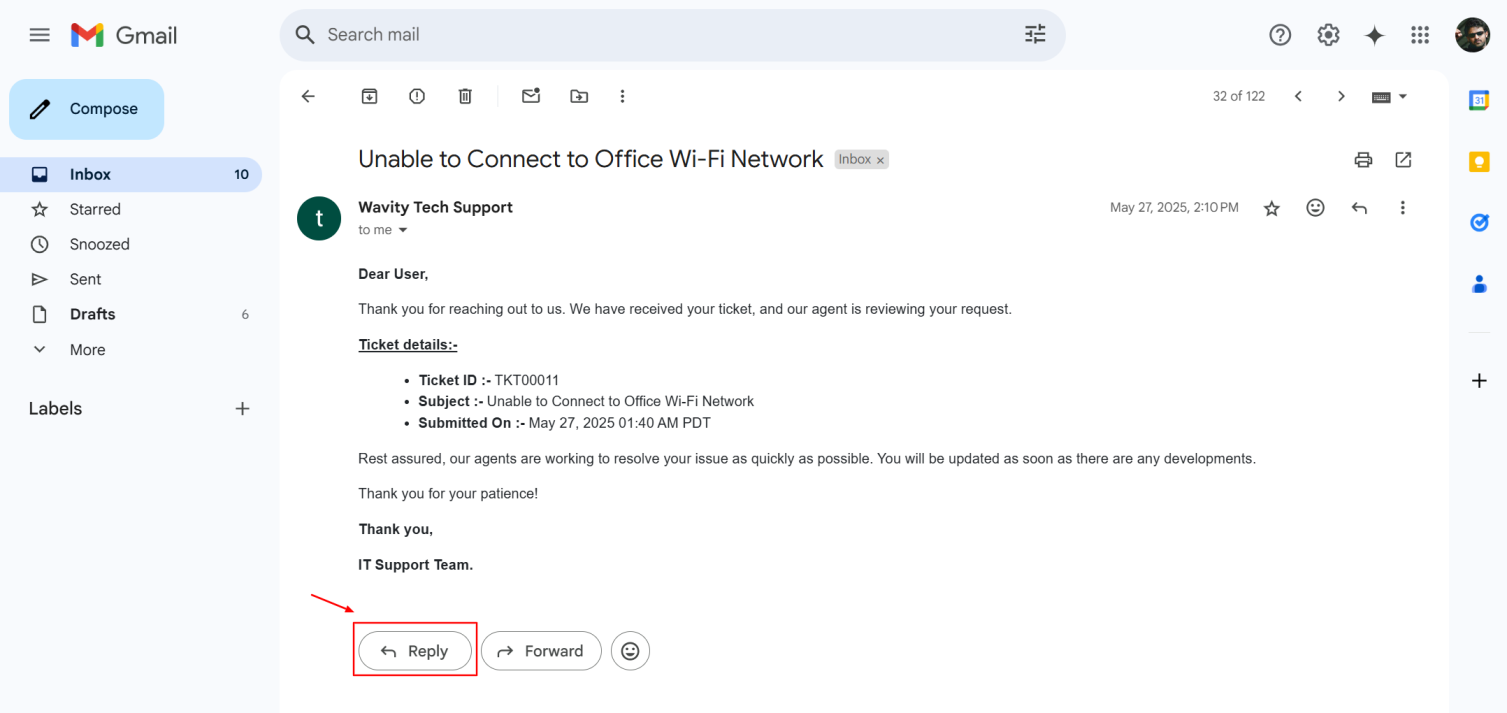
- After submission, you will receive a confirmation email indicating that your incident has been successfully created.
- You can reply to this confirmation email with any follow-up questions or additional information. Attach images or screenshots if needed to better explain the issue.
- You will be notified via email whenever there is an update to your incident, including status changes or when the ticket is marked as resolved.