Agent Workflow Guide - Helpdesk
  • In the Wavity platform, agents can resolve, escalate, and reassign tickets, as well as communicate directly with end users through conversations.
  • Note: The steps provided serve as sample instructions and can be customized based on specific requirements; however, the core workflow will remain the same.
  • When an agent logs in with their credentials, they can view the agent dashboard as shown in the image.
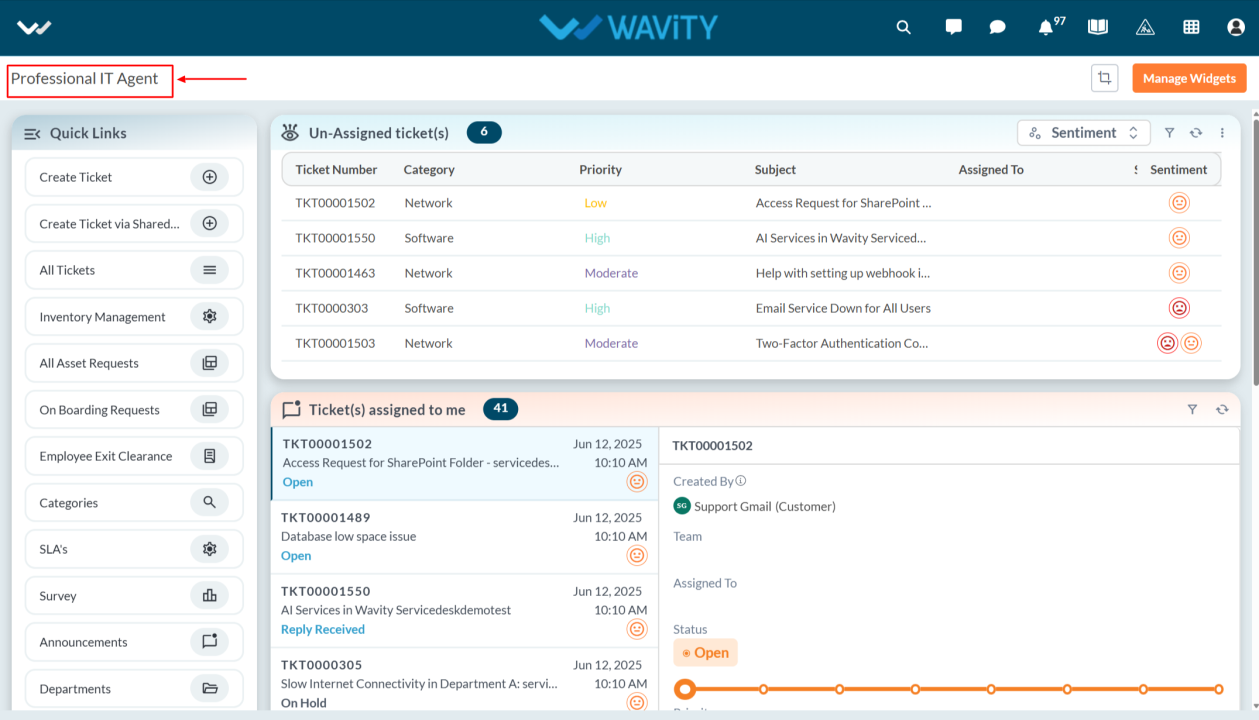
  • Agents can view the tickets assigned to them and communicate directly with the end user through the Conversational UI. Select the record details popup to view the ticket in detail.
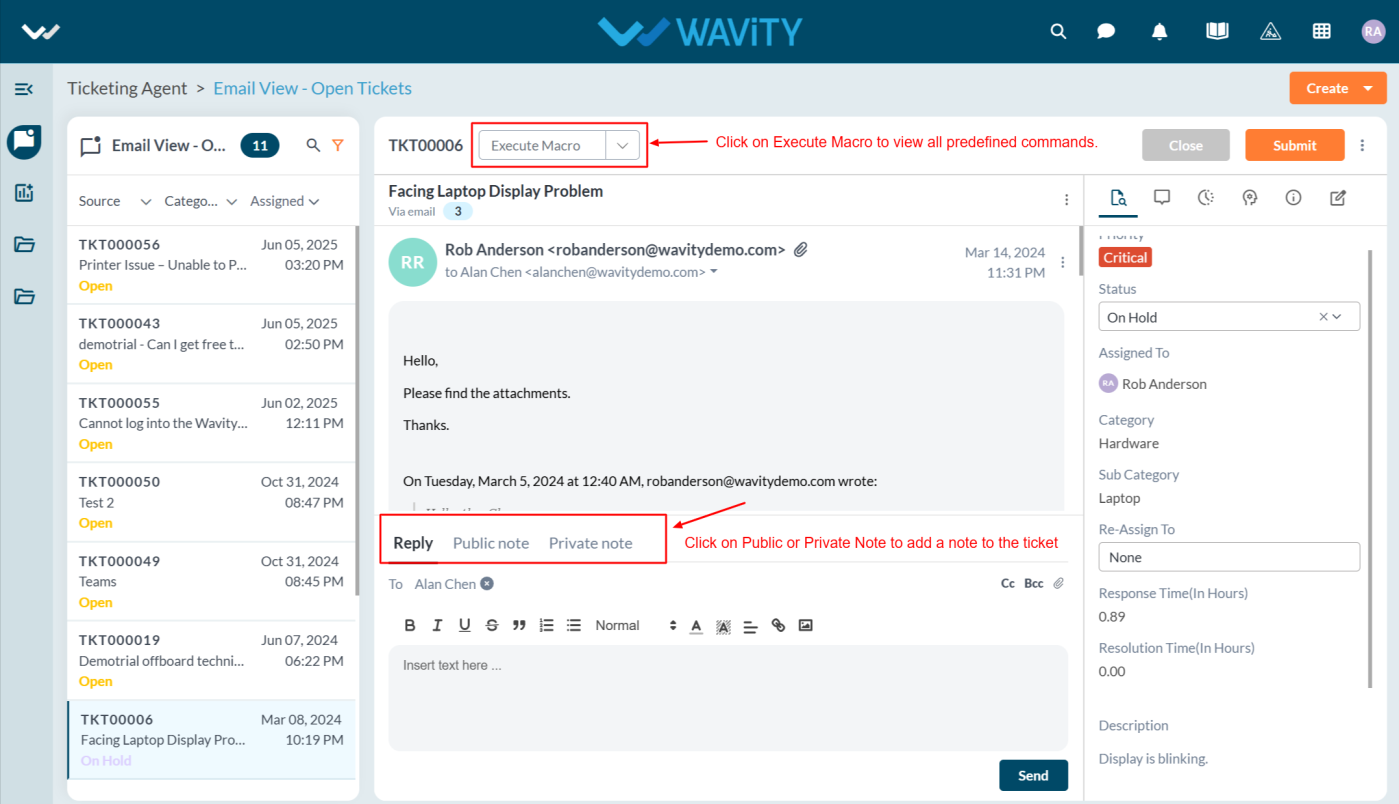
  • Agent can add Public, Private Notes to the ticket and execute the Macro to the tickets.
    1. Public Notes: Everyone in the conversation can see these notes
    2. Private Notes: Only selected people can see these notes.
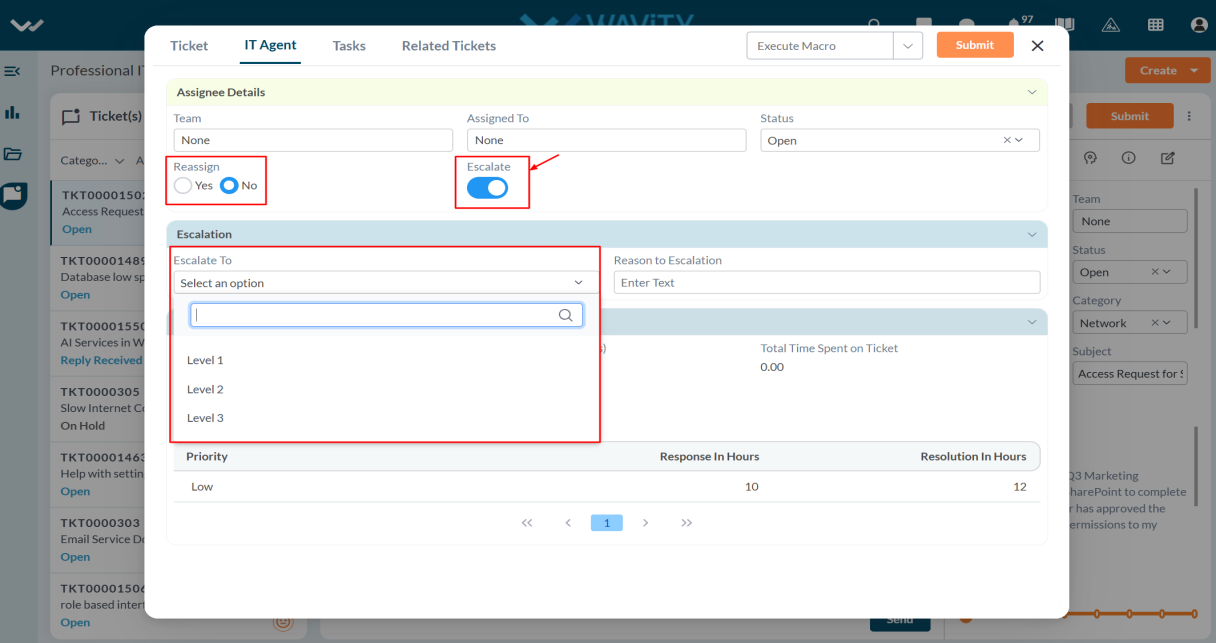
  • Agents can reassign tickets to other agents and escalate the tickets up to three levels, selecting the option from dropdowns.
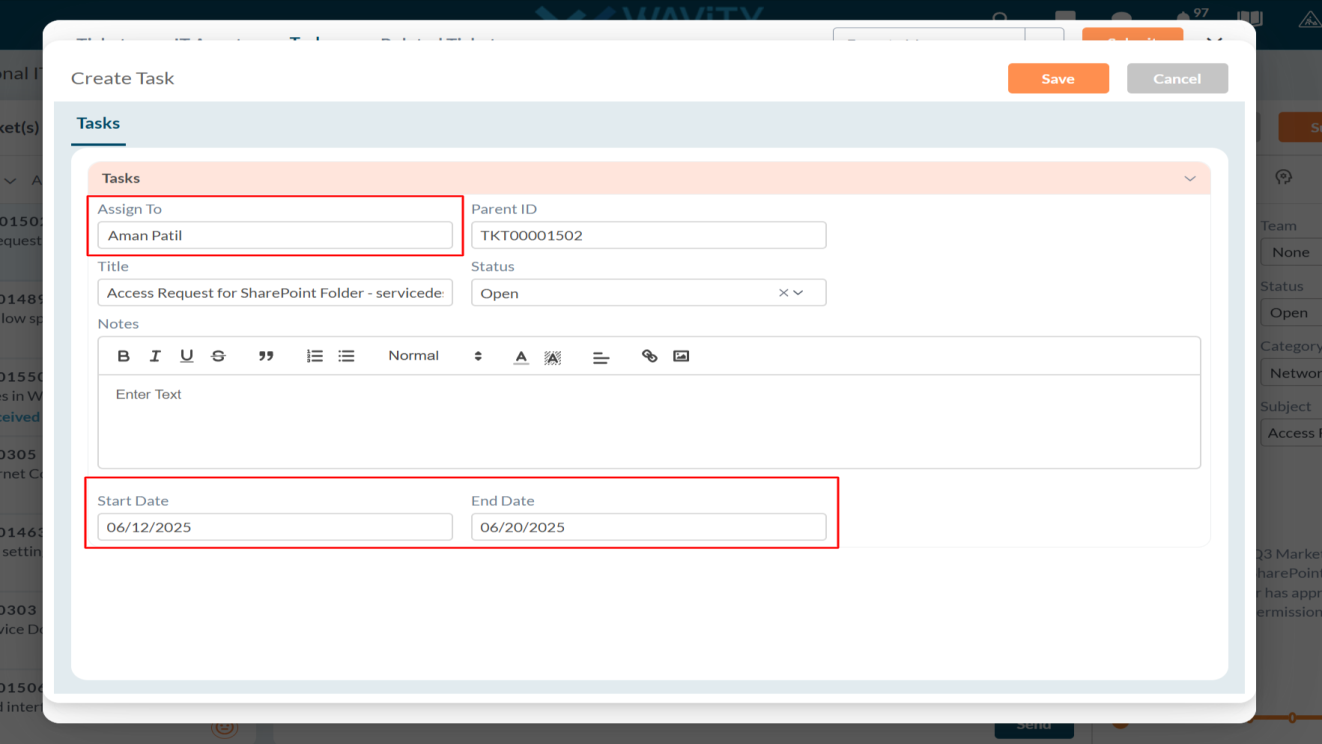
  • Agent can create or assign a task to other agents in Tasks tab.
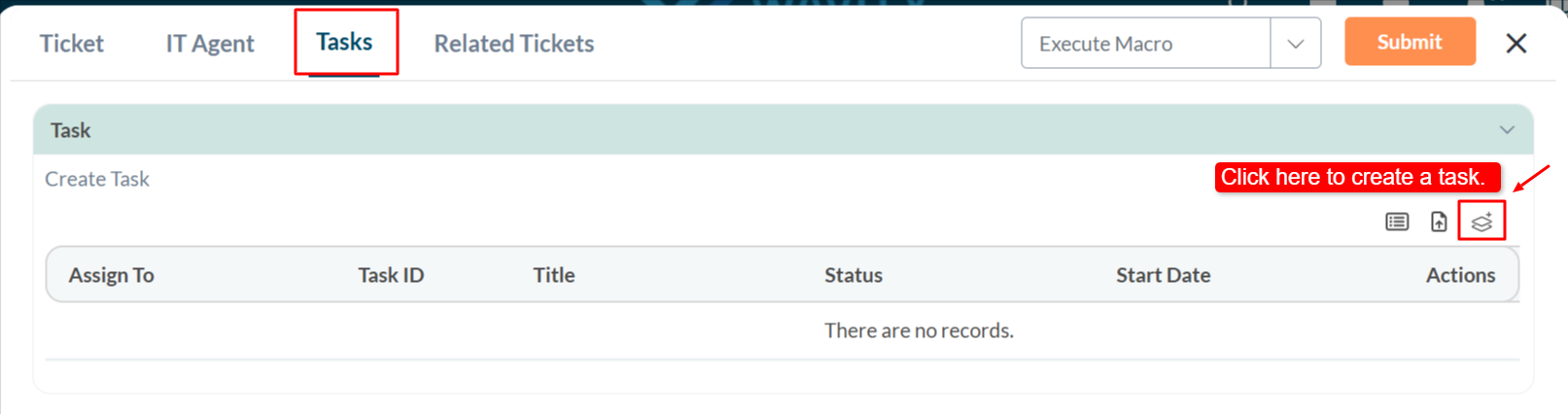
  • Agents can assign tasks to other agents using the 'Assigned To' field, specify the start and end dates, and complete the other required details.
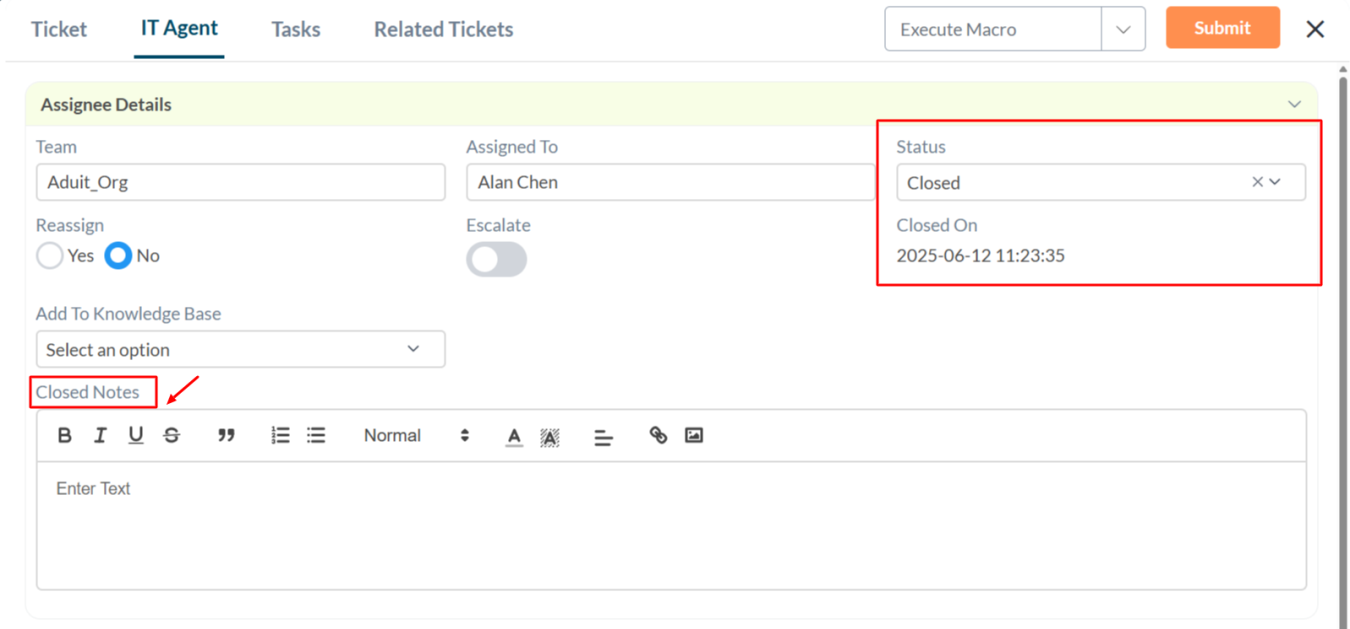
  • When selecting 'Closed' status, the agent must enter closure notes, close status, and 'Closed By' details.
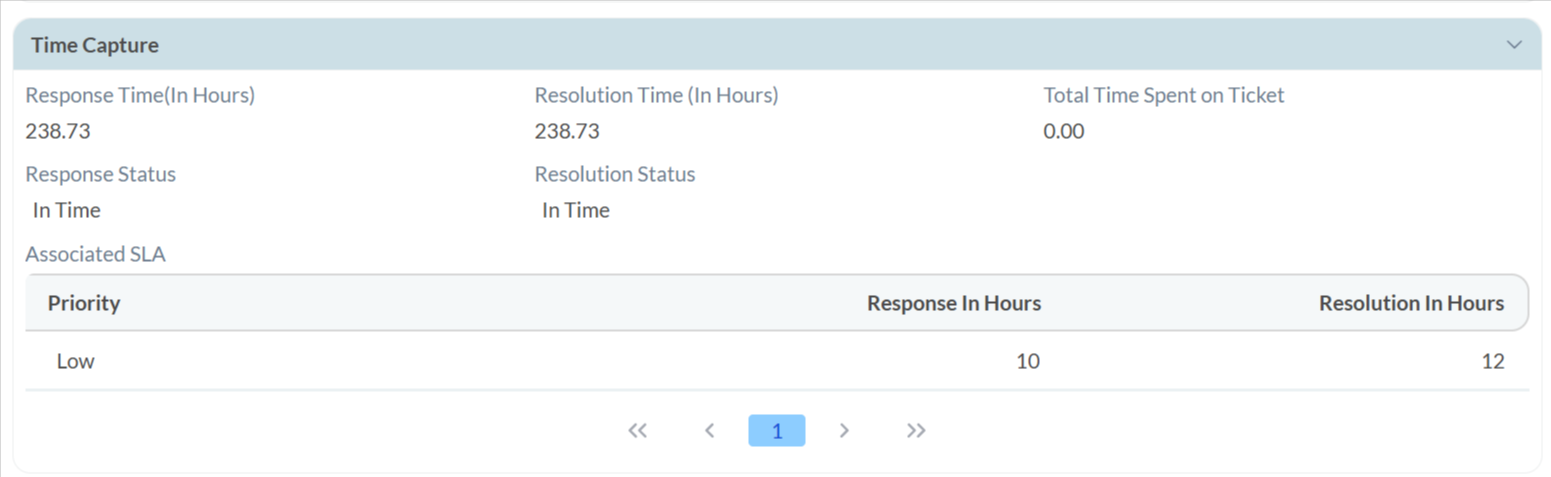
  • In the Time Capture section, you can view the response time, resolution time, and the status of the ticket.
Agent Workflow Guide - Helpdesk
  • In the Wavity platform, agents can resolve, escalate, and reassign tickets, as well as communicate directly with end users through conversations.
  • Note: The steps provided serve as sample instructions and can be customized based on specific requirements; however, the core workflow will remain the same.
  • When an agent logs in with their credentials, they can view the agent dashboard as shown in the image.
  • Agents can view the tickets assigned to them and communicate directly with the end user through the Conversational UI. Select the record details popup to view the ticket in detail.
  • Agent can add Public, Private Notes to the ticket and execute the Macro to the tickets.
    1. Public Notes: Everyone in the conversation can see these notes
    2. Private Notes: Only selected people can see these notes.
  • Agents can reassign tickets to other agents and escalate the tickets up to three levels, selecting the option from dropdowns.
  • Agent can create or assign a task to other agents in Tasks tab.
  • Agents can assign tasks to other agents using the 'Assigned To' field, specify the start and end dates, and complete the other required details.
  • When selecting 'Closed' status, the agent must enter closure notes, close status, and 'Closed By' details.
  • In the Time Capture section, you can view the response time, resolution time, and the status of the ticket.

Leave you comment...

Thank you! Your submission has been received!
Oops! Something went wrong while submitting the form.